1. Introducció
Thank you for choosing the UCOCARE A90 Mini Wireless Security Camera. This manual provides essential information for the proper installation, operation, and maintenance of your device. Please read it thoroughly before use and retain it for future reference.
Contingut del paquet
Verifiqueu que tots els elements que s'enumeren a continuació s'inclouen al vostre paquet:
- Security Camera (2 units for 2-pack)
- Suport de muntatge
- Cable de càrrega
- Paquet de cargols
- Manual d'usuari (aquest document)
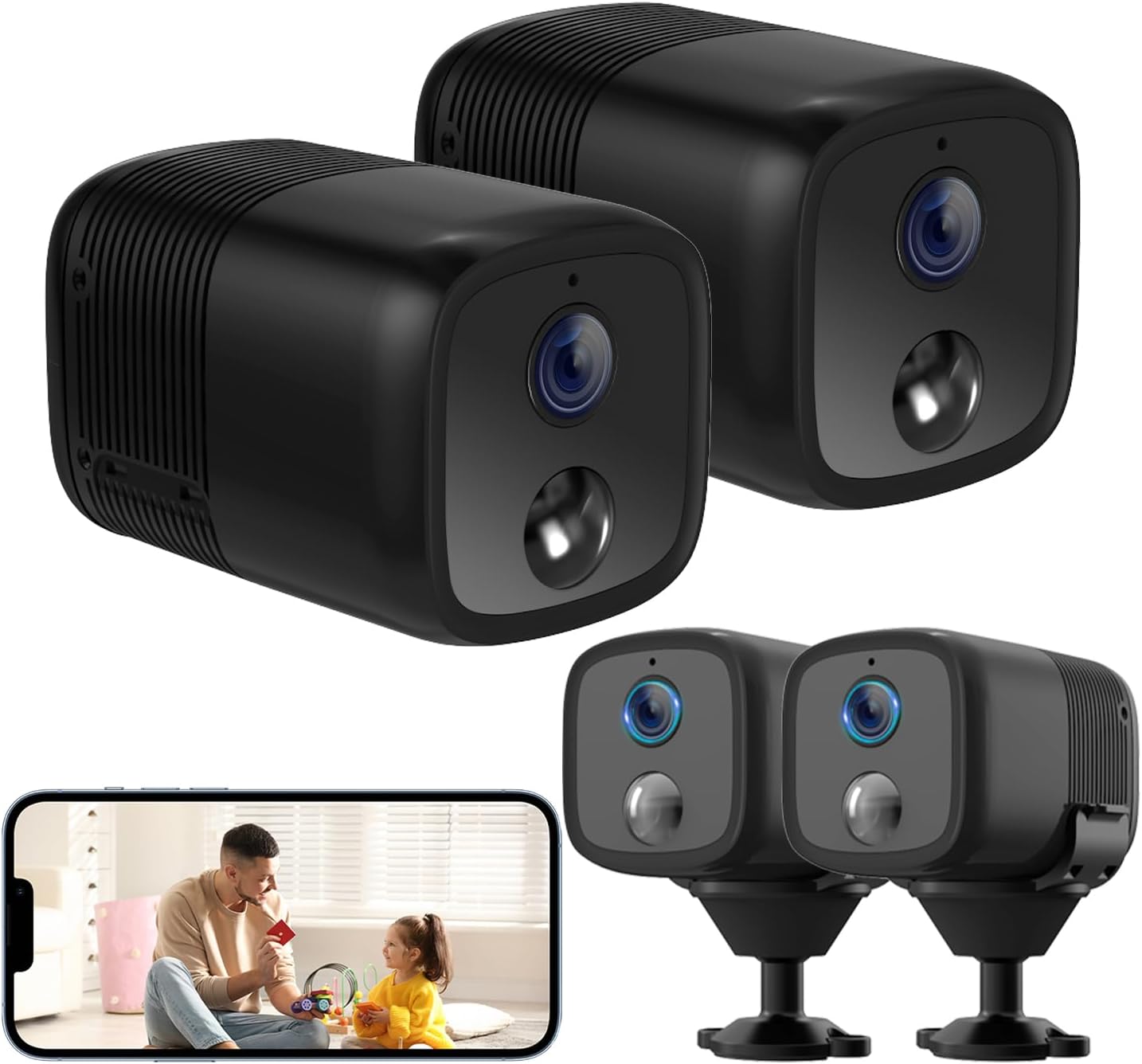
Image: Two UCOCARE A90 mini wireless security cameras, one showing a live view a la pantalla d'un telèfon intel·ligent.
2. Producte acabatview
The UCOCARE A90 is a compact, battery-powered wireless security camera designed for versatile indoor and outdoor monitoring. It offers high-definition video, extended battery life, and smart detection features.
Característiques clau
- 2K Clear Video & 160° Wide-Angle Coverage: Captures detailed footage with a broad field of view.
- Durada de la bateria de 5200 mAh: High-capacity rechargeable battery with low-power technology for extended operation.
- 33ft IR Night Vision: Provides clear visibility in complete darkness.
- Detecció de moviment intel·ligent: Advanced algorithms reduce false alarms and send instant notifications.
- Opcions d'emmagatzematge flexibles: Supports Micro SD card (up to 128GB, not included) and a 7-day loop cloud event video feature.
- Remot Viewing & Multi-user Access: Monitor from anywhere and share access with family members.
- Integració de la llar intel·ligent: Compatible with Google Home and Amazon Alexa.
- Wireless Setup & Easy Operation: Connects to 2.4GHz Wi-Fi for quick installation.

Image: UCOCARE A90 camera on a stand with icons representing its features.
Tecnologia de bateries
The camera is equipped with a 5200mAh rechargeable battery and low-power technology, significantly extending its operational time between charges.

Image: Illustration of the UCOCARE A90 camera highlighting its 5200mAh battery and low-power technology.
3. Guia de configuració
3.1 Càrrega de la càmera
Before initial use, fully charge the camera using the provided charging cable and a standard USB power adapter (not included). The charging indicator light will typically change color to indicate a full charge.
3.2 Instal·lació de l'aplicació
Download the companion mobile application (e.g., CloudEdge) from your device's app store (App Store for iOS, Google Play Store for Android). Follow the on-screen instructions to create an account.
3.3 Connexió a Wi-Fi
- Assegureu-vos que el telèfon intel·ligent estigui connectat a una xarxa Wi-Fi de 2.4 GHz. La càmera no admet Wi-Fi de 5 GHz.
- Obriu l'aplicació i seleccioneu "Afegeix dispositiu" o la icona "+".
- Follow the in-app instructions to power on the camera and put it into pairing mode.
- Scan the QR code displayed on your phone with the camera lens, or follow alternative pairing methods provided by the app.
- Wait for the camera to connect to your Wi-Fi network. A confirmation message will appear in the app.

Image: Diagram illustrating 2.4GHz Wi-Fi connectivity for the camera.
3.4 Muntatge de la càmera
The compact design and included flexible mounting bracket allow for versatile installation. You can place it on a flat surface, or mount it to walls, ceilings, or other surfaces using the provided screws or 3M adhesive stickers.

Image: The UCOCARE A90 camera's compact size and various installation options.
4. Instruccions de funcionament
4.1 Viu View
Once connected, open the app to access the live video feed from your camera. You can view the 2K HD video in real-time from anywhere with an internet connection.
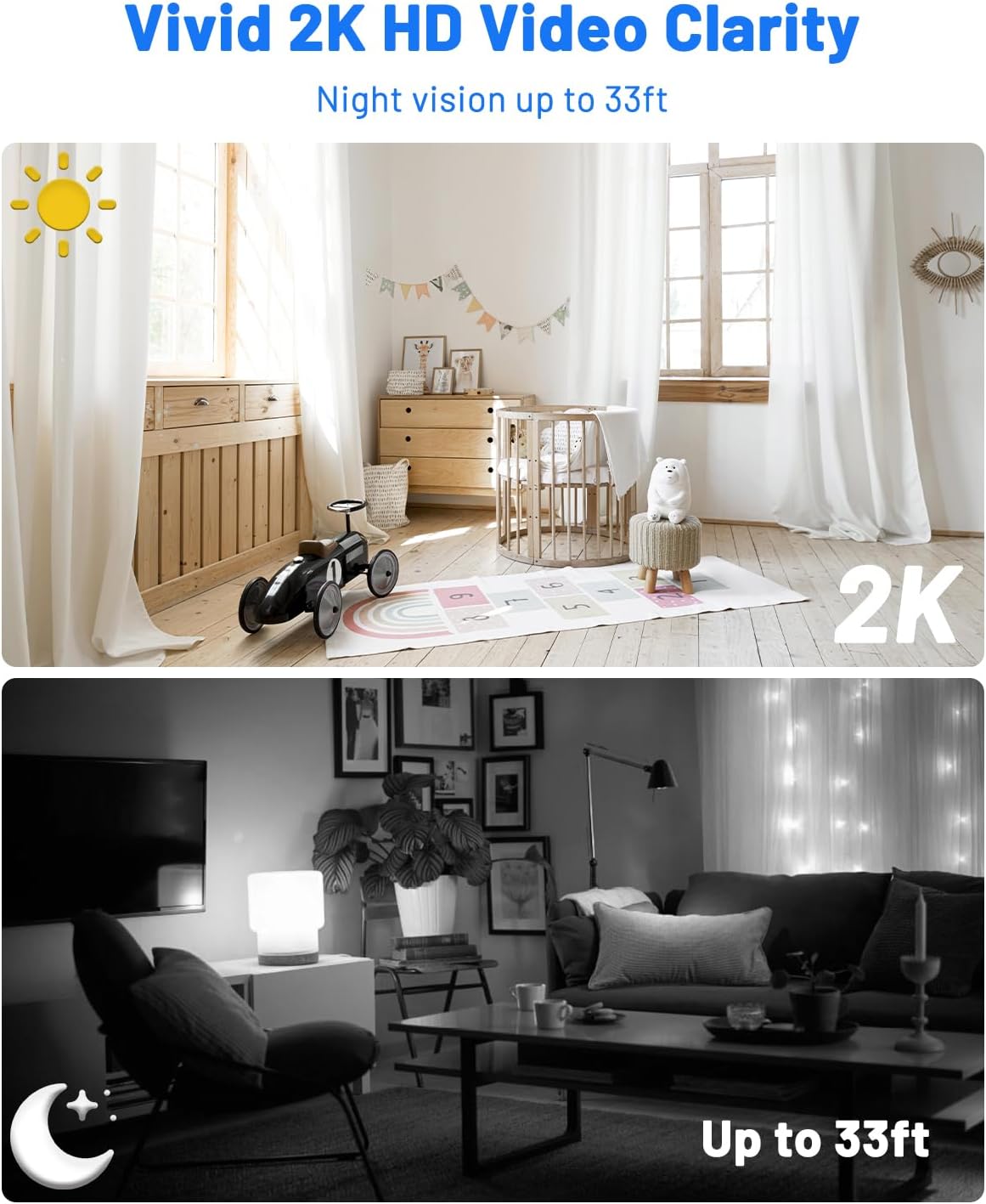
Image: Day and night vision comparison demonstrating 2K HD video clarity and 33ft night vision.
4.2 Detecció de moviment i alertes
The camera uses advanced algorithms to detect moving events and sends instant notifications to your phone. You can customize sensitivity levels, alert time periods, and detection zones within the app to minimize false alarms.

Image: Precision smart detection and alerts, showing a person detected and an alert message.

Image: Customizing detection zones and sensitivity levels.

Image: Setting an alert time schedule within the app.
4.3 Visió nocturna
The camera automatically switches to IR night vision in low-light conditions, providing clear black-and-white video up to 33 feet.
4.4 Opcions d'emmagatzematge
The UCOCARE A90 offers two storage methods:
- Targeta micro SD: Insert a Micro SD card (up to 128GB, not included) into the designated slot for local storage of motion-detected event videos.
- Emmagatzematge al núvol: A 7-day loop cloud event video feature is available (manually activated via the app) for added security. Videos are protected with AES128 encryption.

Image: Secure and flexible video storage options.
4.5 Remote Access & Sharing
View viu footage and recorded events remotely through the app. You can also share access to the camera with up to 5 simultaneous viewers by scanning a QR code or adding accounts.

Imatge: Remot viewing and real-time response.

Image: Sharing camera access with multiple users.
4.6 Integració de la llar intel·ligent
The camera integrates with Google Home and Amazon Alexa, allowing for voice control and real-time viewen pantalles intel·ligents compatibles.

Image: Hands-free control with Alexa and Google Assistant.
5. Manteniment
5.1 Neteja
Use a soft, dry cloth to clean the camera lens and body. Avoid using harsh chemicals or abrasive materials that could damage the device.
5.2 Cura de la bateria
To prolong battery life, avoid exposing the camera to extreme temperatures. Recharge the battery when the low battery indicator appears.
5.3 actualitzacions de microprogramari
Periodically check the mobile application for available firmware updates. Keeping your camera's firmware up-to-date ensures optimal performance and security.
6. Resolució de problemes comuns
| Problema | Causa possible | Solució |
|---|---|---|
| La càmera no s'encén | Low battery; Faulty charging cable/adapter | Charge the camera fully; Try a different charging cable/adapter. |
| No es pot connectar a la Wi-Fi | Incorrect Wi-Fi password; 5GHz Wi-Fi network; Camera too far from router | Verify password; Ensure connection to 2.4GHz Wi-Fi; Move camera closer to router. |
| La detecció de moviment no funciona | Detection sensitivity too low; Detection zone not set correctly; Camera offline | Adjust sensitivity in app; Configure detection zones; Check Wi-Fi connection. |
| Poca qualitat de vídeo | Weak Wi-Fi signal; Dirty lens | Millorar la intensitat del senyal Wi-Fi; Netejar la lent de la càmera. |
| Cannot access cloud storage | Cloud service not activated; Internet connection issue | Activate cloud service in app; Check internet connectivity. |
7. Especificacions tècniques
| Característica | Especificació |
|---|---|
| Nom del model | A90 |
| Resolució de captura de vídeo | 2K |
| Viewangle ing | 160 graus |
| Gamma de visió nocturna | 33 peus |
| Capacitat de la bateria | 5200 milionsamp Hores (ions de liti) |
| Protocol de connectivitat | Wi-Fi (només 2.4 GHz) |
| Emmagatzematge | Micro SD (fins a 128 GB), emmagatzematge al núvol |
| Dispositius compatibles | Smartphone (Android, iOS), Amazon Alexa, Google Assistant |
| Dimensions (L x A x A) | 2.36 x 1.46 x 1.46 polzades |
| Pes de l'article | 10.1 unces |
| Material | Plàstic |
| Ús interior/exterior | Interior, Exterior |
8. Garantia i assistència
8.1 Informació de la garantia
UCOCARE products are manufactured to high-quality standards. For specific warranty details, please refer to the warranty card included with your product or visit the official UCOCARE weblloc web. Conserveu el rebut de compra com a comprovant de compra per a reclamacions de garantia.
8.2 Atenció al client
If you encounter any issues or have questions regarding your UCOCARE A90 camera, please contact our customer support team. You can find contact information on the official UCOCARE website or through the mobile application.
Privacitat i seguretat
UCOCARE prioritizes your privacy. All video data is protected with AES128 encryption, ensuring that your local and cloud storage are secure. Access is granted only to authorized users.

Image: Illustration representing data privacy and security.


