Introducció
Thank you for choosing the REDTIGER VisionPano20 3-Channel Dash Cam. This device is designed to provide comprehensive vehicle surveillance with its triple camera system, capturing front, interior, and rear views in high resolution. This manual will guide you through the setup, operation, and maintenance of your new dash cam to ensure optimal performance and longevity.
Què hi ha a la caixa
Si us plau, verifiqueu que tots els elements que s'enumeren a continuació estiguin inclosos al vostre paquet:
- 1 x VisionPano20 Dash Cam
- 1 càmera posterior de 1080P
- 1 cable d'alimentació de 11.5 peus amb carregador de cotxe
- 1 x Adhesive Mount (built-in GPS)
- 1 cable de càmera posterior de 21.3 peus
- 5 x clips de cable
- 1 x Manual d'usuari
- 1 x Eina d’instal·lació
- 1 x APP Quick Guide
- 1 targeta de 128 GB

Vídeo d'unboxing
Video: An unboxing demonstration of the REDTIGER VisionPano20 3-Channel Dash Cam, showing all included accessories and the main unit.
Configuració i instal·lació
Follow these steps to properly install your REDTIGER VisionPano20 Dash Cam:
- Mounting the Main Dash Cam: Mount the VisionPano20 dash cam in the middle of the front windshield for optimal visibility. Use the provided adhesive mount. Ensure the windshield surface is clean and dry before applying the adhesive.
- Connecting the Rear Camera: Connect the 1080P rear camera to the main unit using the 21.3ft rear camera cable. Route the cable discreetly along the vehicle's headliner and pillars to the rear windshield. Use the included cable clips to secure the cable.
- Connexió d'alimentació: Plug the 11.5ft power supply cable with car charger into your vehicle's 12V power outlet. Connect the other end to the main dash cam.
- Mòdul GPS: The adhesive mount has a built-in GPS module. Ensure it has a clear view of the sky for accurate speed and location logging.
- Targeta MicroSD: Insert the included 128GB MicroSD card into the designated slot on the dash cam. Format the card through the dash cam's settings menu before first use.


Instruccions de funcionament
Encès/Apagat
La càmera del salpicader s'encendrà automàticament i començarà a gravar quan s'activi el contacte del vehicle. S'apagarà automàticament quan s'apagui el contacte.
Funcionament de la pantalla tàctil
The VisionPano20 features a 3.18" responsive touchscreen for easy control. Navigate menus, adjust settings, manage recordings, and replay videos with simple taps and swipes.
- Llisca cap avall: Go to Quick Settings
- Llisca cap amunt: Go to Video Playback
- Llisca cap a la dreta: Switch Display Cameras
- Llisca cap a l'esquerra: Accediu a la configuració de la càmera

Modes d'enregistrament
The dash cam offers multiple recording modes to suit your needs:
- Gravació normal: Automatically records when the vehicle is in motion.
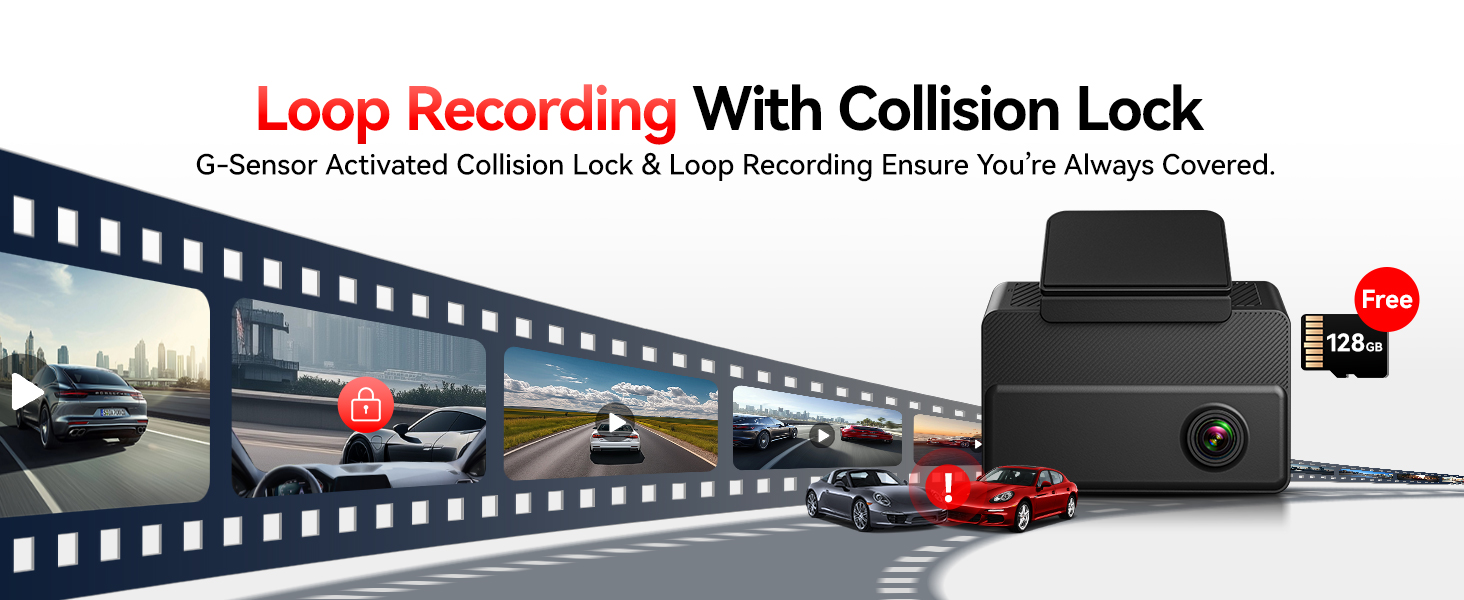
- Enregistrament en bucle: Sobreescriu el menjar més antictage quan la targeta de memòria està plena, garantint un enregistrament contínuu.
- Enregistrament d'emergència (sensor G): Automatically locks and protects footage during sudden impacts or collisions, preventing it from being overwritten.
- Parking Monitor (24/7): Guards your vehicle when parked. Requires a hardwire kit (sold separately) for continuous power. This mode includes time-lapse and collision recording.
WiFi & GPS Functionality
The built-in WiFi allows you to connect the dash cam to your mobile device via the REDTIGER app. This enables you to:
- View viu footage
- Download recorded videos and photos
- Share clips instantly
- Ajusta la configuració de manera remota
The integrated GPS logs your speed, location, and driving route, providing crucial data for insurance claims or trip analysis.
Visió nocturna
Equipped with 4 IR lights, the interior camera provides clear recordings of passengers and drivers even in total darkness. The front and rear cameras also offer enhanced night vision capabilities for clear footage dia o de nit.

Driving Footage Vídeo
Video: A demonstration of the REDTIGER VisionPano20 capturing outdoor driving footage.
Manteniment
To ensure the longevity and optimal performance of your dash cam, consider the following maintenance tips:
- Regular MicroSD Card Formatting: Periodically format the MicroSD card (at least once a month) to prevent data corruption and ensure smooth loop recording.
- Neteja de lents: Gently clean the camera lenses with a soft, lint-free cloth to maintain clear video quality. Avoid abrasive materials that could scratch the lenses.
- Actualitzacions de firmware: Check the REDTIGER weblloc web o aplicació per obtenir actualitzacions de firmware disponibles per assegurar-vos que la càmera del cotxe tingui les funcions i correccions d'errors més recents.
- Muntatge segur: Periodically check that the dash cam and rear camera are securely mounted to prevent vibrations from affecting video quality or causing the devices to fall.
Resolució de problemes
If you encounter any issues with your REDTIGER VisionPano20 Dash Cam, please refer to the following common solutions:
- La càmera del salpicader no s'encén:
- Assegureu-vos que el cable d'alimentació estigui connectat correctament tant a la càmera del salpicader com a la presa de corrent de 12 V del cotxe.
- Check if the car charger is functioning correctly by testing it with another device.
- Verify your vehicle's 12V power outlet is active.
- Problemes d'enregistrament (per exemple, bloqueig, corrupció files):
- Formata la targeta MicroSD a través de la configuració de la càmera del salpicader.
- Ensure you are using a high-speed (Class 10 or U3) MicroSD card.
- Prova una altra targeta MicroSD per descartar un mal funcionament de la targeta.
- Problemes de connexió WiFi:
- Ensure WiFi is enabled on the dash cam and your mobile device.
- Restart both the dash cam and your mobile device.
- Make sure you are within close proximity to the dash cam for a stable connection.
- GPS Not Logging Data:
- Ensure the dash cam's GPS module has a clear view del cel.
- Check GPS settings in the dash cam menu to ensure it is enabled.
For further assistance, please contact REDTIGER customer support.
Especificacions
| Característica | Detall |
|---|---|
| Dimensions del producte | 3.43 x 1.18 x 3.15 polzades |
| Pes de l'article | 4.6 unces |
| Número de model de l'article | VisionPano20 |
| Tecnologies de connectivitat | USB, Wi-Fi |
| Característiques especials | 3 Channel Front and Rear Inside, 4 IR Lights, 530 Degree Field of View, APP Control, Built-In Display, Built-In GPS, Built-In Supercapacitor, Built-In WiFi, Compact Design, G-Sensor, Internal Memory, Loop Recording, Night Vision, OTA Firmware Update, Audio Recording, Touch Screen |
| Altres funcions de visualització | Sense fil |
| Fabricant | TIGRE VERMELL |
| Nom del model | VisionPano20 |
| Tipus de servei del vehicle | Bus, Car, Minivan, RV, Truck |
| Resolució de captura de vídeo | 1080p, 1440p (2.5K Front, 2.5K Interior, 1080P Rear) |
| Tipus de muntatge | Muntatge del parabrisa |
| Camp de View | 530 Degrees (Front 200°, Interior 200°, Rear 130°) |
| Mètode de control | Aplicació, Toc |
Garantia i Suport
REDTIGER is committed to providing high-quality products and excellent customer service. Your VisionPano20 Dash Cam comes with:
- 18-Month Reliable Warranty: Enjoy peace of mind with an extended warranty covering manufacturing defects.
- Política de devolució de 7 dies: For returns on defects.
- Atenció al client 24/7: Our dedicated team is always ready to assist you with any issues via email or phone.

For support inquiries, please refer to the contact information provided in your APP Quick Guide or visit the official REDTIGER weblloc.


