1. Introducció
The DeerTalk 1440P Floodlight Camera is an advanced outdoor security solution designed to protect your home day and night. It combines a high-resolution 2K camera with powerful LED floodlights, offering comprehensive surveillance and illumination. Key features include intelligent motion detection, two-way audio communication, a loud siren for deterrence, and flexible storage options. This manual provides essential information for safe installation, setup, and operation of your floodlight camera.
2. Què hi ha a la caixa
- Cos de la càmera
- Manual d'instruccions
- Cargol de muntatge
3. Informació de seguretat
Always ensure the power supply to the installation area is completely disconnected at the circuit breaker before beginning any electrical work. Failure to do so may result in electric shock, injury, or death. If you are unsure about any part of the installation process, it is highly recommended to consult a qualified electrician. Wear appropriate safety gear, including gloves and eye protection, during installation.
4. Configuració i instal·lació
4.1 Power Disconnection
Locate your home's main electrical panel and turn off the circuit breaker that supplies power to the outdoor light fixture you intend to replace or install the floodlight camera. Verify that the power is off using a non-contact voltage provador.

Image: Circuit breaker being turned off to ensure safety during installation.
Video: DeerTalk Floodlight Camera Installation Tutorial. This video demonstrates the complete installation process, including power disconnection and wiring.
4.2 Muntatge del suport
Attach the provided metal mounting plate to your existing outdoor junction box using the screws. Ensure the plate is securely fastened and level.

Image: A metal mounting bracket being secured to an outdoor electrical junction box.
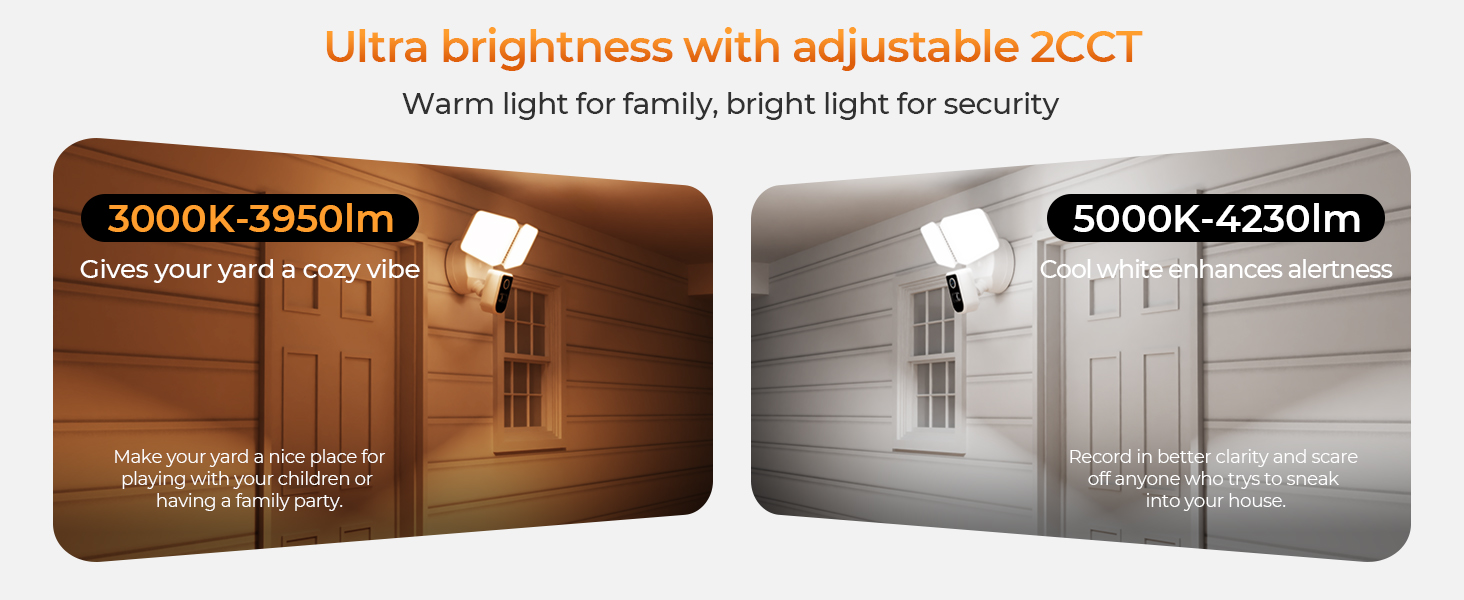
Image: Visual guide showing the steps to install the floodlight camera, including bracket attachment and wiring.
4.3 Connexions de cablejat
Connect the wires from the floodlight camera to the corresponding wires in the junction box using the provided wire nuts. Connect white to white (neutral), black to black (hot), and green to ground (bare copper or green wire). Ensure all connections are secure.

Imatge: Detallada view of the floodlight camera's electrical wires being connected to the household wiring using orange wire nuts.
4.4 Muntatge de la càmera
Affix the gasket to the underside of the light fixture base. Carefully tuck the connected wires into the junction box. Align the floodlight camera with the mounting plate and secure it using the long screw provided, ensuring a tight seal with the gasket to prevent moisture intrusion.

Image: The DeerTalk Floodlight Camera, with its dual lights and central camera, securely mounted on an exterior wall.
4.5 Adjusting Camera and Light Angles
Once mounted, adjust the floodlight panels and the camera to your desired angles. The flexible design allows for broad coverage and precise targeting, helping to eliminate blind spots and optimize surveillance.

Image: An illustration demonstrating the wide 130-degree motion detection area of the floodlight camera, covering a large outdoor space.
5. App Configuration & Operating Instructions
5.1 Smart Life App Download and Setup
Download the 'Smart Life' app from your smartphone's app store (iOS or Android). Register for an account or log in if you already have one.
Video: Smart Life APP Pairing Tutorial. This video guides you through the process of pairing your DeerTalk Floodlight Camera with the Smart Life mobile application.
5.2 Emparellament de dispositius
Once the camera is powered on, open the Smart Life app. Tap the '+' icon to add a new device. Select 'Floodlight Camera' from the device list. Follow the in-app instructions, which typically involve pressing and holding the reset button on the camera for 5 seconds until an audible prompt is heard, then scanning a QR code displayed on your phone with the camera lens to complete the pairing process.
5.3 Característiques de l'aplicació
- Viu View: Accedeix al flux de vídeo en temps real des de la teva càmera.
- Àudio de 2 vies: Comuniqueu-vos amb els visitants o dissuadeu els intrusos mitjançant l'altaveu i el micròfon integrats.
- Alertes de detecció de moviment: Receive instant notifications on your phone when motion is detected.
- Control de la llum: Adjust brightness, color temperature (3000K-5000K), and set schedules for the floodlights.
- Mode privat: Temporarily disable recording and audio for privacy.
- Àlbum: Access recorded videos and captured images.

Image: Demonstrating the instant 2-way audio feature, allowing communication with individuals at your door via the app.
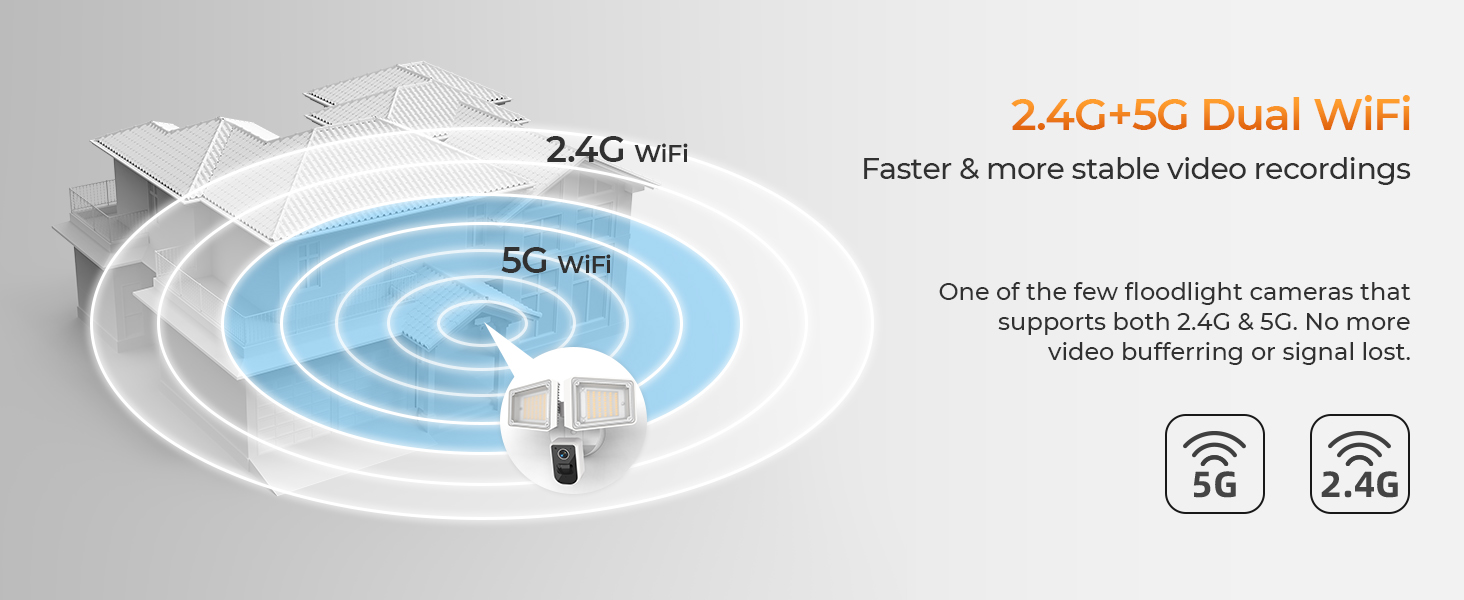
Image: A smartphone interface displaying customizable detection areas, allowing users to define specific zones for motion alerts.
6. Característiques acabadesview
6.1 2K HD Camera & Color Night Vision
Experience crystal-clear 2K resolution (1440P) for sharp footage. The camera also features vibrant full-color night vision, ensuring detailed recordings even in low-light conditions, ideal for monitoring driveways, entryways, and yards.

Image: A clear 2K resolution capture of an outdoor scene, highlighting the camera's ability to record every detail.
6.2 PIR Motion Detection & Notifications
Equipped with an advanced Passive Infrared (PIR) sensor, the floodlight camera accurately detects movement and sends instant notifications to your smartphone. This feature is effective for tracking people, pets, or any unexpected activity.
Image: The floodlight camera's PIR motion detection in action, illuminating and identifying figures in a dark outdoor setting.
6.3 Two-Way Audio & 150dB Siren
Communicate directly with visitors or deter intruders using the integrated speaker and microphone. For enhanced security, an ultra-loud 150dB siren can be activated to ward off unwanted guests.
6.4 Dual-Band 2.4G & 5G WiFi
The camera supports both 2.4G and 5G Wi-Fi networks, ensuring faster and more stable video recordings. This dual-band capability minimizes video buffering and signal loss, providing reliable connectivity.
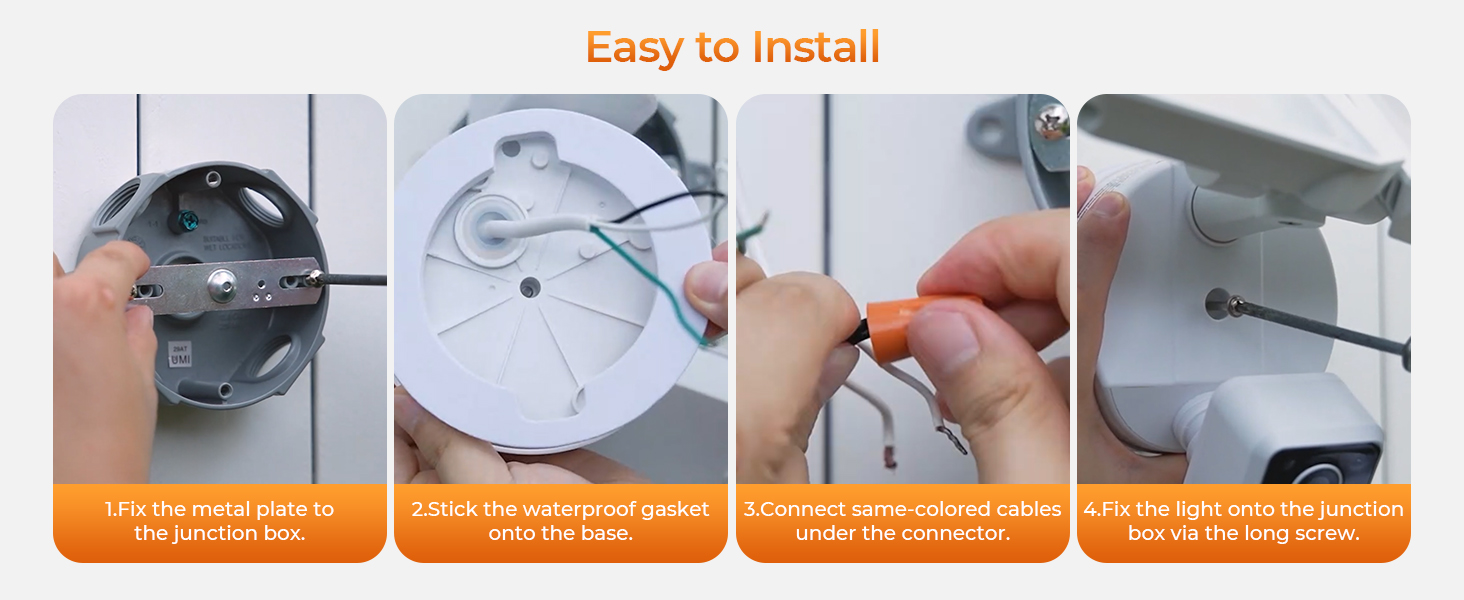
Image: A visual representation of the 2.4G and 5G dual WiFi coverage, highlighting stable and fast video streaming capabilities.
6.5 Local SD & Cloud Storage
Save recordings for free on a local 128GB microSD card (not included) or opt for budget-friendly cloud storage for easy access and backup of your footage.
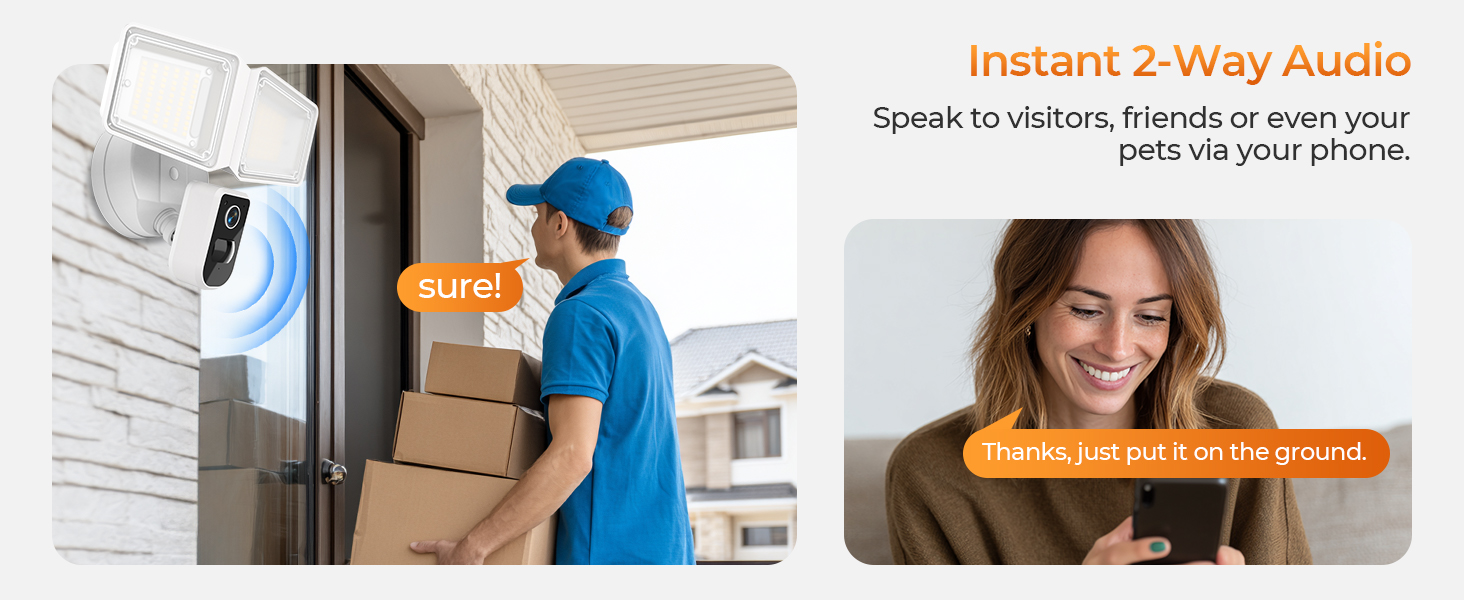
Image: A close-up showing the microSD card slot for local storage and a smartphone screen illustrating cloud storage options within the app.
6.6 Adjustable Color Temperature (3000K-5000K)
The floodlights offer two-stage color temperature adjustment. Choose 3000K for a warm, cozy ambiance or 5000K cool white to enhance alertness and clarity for security purposes.
Image: Visual comparison of the floodlight camera's 3000K warm light setting for ambiance and 5000K cool white for enhanced security.
Video: DeerTalk Smart Floodlight Camera. This video provides an overview of the smart features and capabilities of the DeerTalk Floodlight Camera.
7. Manteniment
To ensure optimal performance, regularly clean the camera lens and floodlight covers with a soft, damp cloth. Avoid using harsh chemicals. Periodically check all electrical connections for tightness and signs of wear. Ensure your Smart Life app and camera firmware are updated to the latest versions for improved features and security.
8. Solució De Problemes
- Sense energia: Check the circuit breaker and all wire connections. Ensure the light switch (if any) is in the ON position.
- No es pot connectar a Wi-Fi: Ensure your Wi-Fi network is 2.4G or 5G and that the camera is within range. Try resetting the camera and repeating the pairing process.
- Poca qualitat de vídeo: Comproveu la intensitat del senyal Wi-Fi. Assegureu-vos que la lent de la càmera estigui neta i lliure d'obstruccions.
- La detecció de moviment no funciona: Adjust PIR sensitivity settings in the app. Ensure the detection area is correctly configured.
9. Especificacions
| Ús interior/exterior | A l'aire lliure |
| Dispositius compatibles | Smartphone |
| Font d'alimentació | Elèctric amb cable |
| Protocol de connectivitat | Wi-Fi |
| Tipus de controlador | Amazon Alexa, Google Assistant |
| Tipus de muntatge | Muntatge de paret |
| Resolució de captura de vídeo | 1080p (Note: Product title indicates 1440P/2K, specification might be a general listing) |
| Color | Blanc |
| Components inclosos | Camera Body, Instruction Manual, Mounting Screw |
| Tecnologia de comunicació sense fils | Wi-Fi |
| Resolució de vídeo efectiva | 1080 (Note: Product title indicates 1440P/2K, specification might be a general listing) |
| Viewangle ing | 150 graus |
| Tipus d'instal·lació | Enrosca |
| Material | Acrilonitril butadiè estirè (ABS) |
| Voltage | 110 Volts |
| Wattage | 36 watts |
| Mides de l'article L x W x H | 9.8 x 7.04 x 5.11 polzades |
| Nivell de resistència a l'aigua | Resistent a l'aigua |
| Tipus de memòria flash | Micro SD |
| Mida màxima admesa de la memòria flash | 128 GB |
| Número de model de l'article | SEC102PSEED |
| Fabricant | DeerTalk |
| Nom del model | floodlightcam mini |
| Característica especial | Àudio bidireccional, resolució HD, gravació local, sensor de moviment, visió nocturna |
10. Garantia i assistència
Your DeerTalk Floodlight Camera comes with a manufacturer's warranty. Please refer to the product packaging or contact DeerTalk customer support for specific warranty details and assistance. For technical support or inquiries, please visit the official DeerTalk website or use the contact information provided in the Smart Life app.

