Introducció
Thank you for choosing the WINBRIDGE S99 Portable PA System. This device is designed to provide clear and powerful sound amplification for various applications, including public speaking, teaching, meetings, outdoor events, and entertainment. Featuring dual wireless microphones, multiple connectivity options, and a long-lasting battery, the S99 offers versatility and ease of use. Please read this manual carefully to ensure proper operation and to maximize the performance and lifespan of your device.

Image: The WINBRIDGE S99 Portable PA System, showcasing the main speaker unit and two wireless handheld microphones.
Contingut del paquet
Si us plau, comproveu el paquet per veure si hi ha els elements següents:
- WINBRIDGE S99 Portable PA System Unit
- Micròfons sense fil (x2)
- Cable de càrrega USB
- Cable d'àudio (AUX)
- Corretja d'espatlla
- Manual d'usuari
Configuració
1. Càrrega del dispositiu
Before first use, fully charge the PA system and both wireless microphones.
- Unitat d'altaveus: Connect the USB charging cable to the charging port on the speaker and to a standard USB power adapter (not included). The LED display will indicate charging status. A full charge takes approximately 3-5 hours.
- Micròfons: Connect the USB charging cable to the charging port on each microphone. An indicator light on the microphone will show charging status.
2. Encès / apagat
- Unitat d'altaveus: Press and hold the power button on the speaker unit for a few seconds until the LED display illuminates. To power off, press and hold the power button again.
- Micròfons: Press the power button on each microphone to turn it on. The microphone will automatically pair with the speaker unit when both are powered on and within range.
3. Initial Pairing (Wireless Microphones)
The wireless microphones are pre-paired at the factory. If re-pairing is needed:
- Ensure both the speaker and microphones are powered off.
- Turn on the speaker unit.
- Turn on the first microphone. It should automatically connect.
- Turn on the second microphone. It should also automatically connect.
- If a microphone does not connect, refer to the troubleshooting section.

Image: The WINBRIDGE S99 speaker unit highlighting its multi-functional capabilities including USB/TF Card/Aux input, 4000mAh battery, volume control, mic input, guitar input, wireless connectivity, portability, LED display, and Bluetooth.
Instruccions de funcionament
1. Control de volum
- Volum mestre: Use the 'VOLUME' knob on the speaker unit to adjust the overall output volume.
- Volum del micròfon: Use the 'MIC VOL' knob on the speaker unit to adjust the volume of the connected microphones. Each wireless microphone also has individual volume controls (+/- buttons).
- Efecte d'eco: Use the 'ECHO' knob to adjust the echo level for the microphones.
2. Ús del micròfon sense fil
The S99 supports two wireless microphones for simultaneous use.
- Ensure microphones are charged and powered on. They will automatically connect to the speaker.
- Speak directly into the microphone for optimal sound pickup.
- Adjust microphone volume using the controls on the microphone or the 'MIC VOL' knob on the speaker.
- The microphones feature 4 sound effects (Acoustic, Profession, Hip-hop, Popular) and echo control. Cycle through these effects using the dedicated button on the microphone.

Image: Two WINBRIDGE wireless microphones, highlighting features such as 4 sound effects, mic volume control, 360° pickup, rechargeable battery, stable signal, and no audio delay.
3. Connectivitat Bluetooth
- Power on the S99 speaker unit. The LED display will show 'BLUE' or a Bluetooth icon, indicating it's in Bluetooth pairing mode.
- On your smartphone or other Bluetooth-enabled device, search for 'WINBRIDGE S99' in the Bluetooth settings.
- Select 'WINBRIDGE S99' to pair. A confirmation sound will indicate successful connection.
- You can now play audio from your device through the S99 PA system.
4. USB/microSD Card Playback
- Insert a USB flash drive or microSD card (with audio files) into the corresponding port on the speaker unit.
- The system will automatically detect and begin playing audio files.
- Use the playback control buttons (Play/Pause, Next/Previous Track) on the speaker unit to manage your audio.
5. Entrada AUX
- Connect an external audio device (e.g., MP3 player, laptop) to the 'AUX' port on the speaker unit using the provided audio cable.
- The system will automatically switch to AUX mode.
- Adjust the volume on both the external device and the S99 speaker.
6. Entrada de guitarra
Connect a guitar to the dedicated 'GUITAR' input port on the speaker unit. Adjust the guitar volume using the 'INDEPENDENT+' knob.
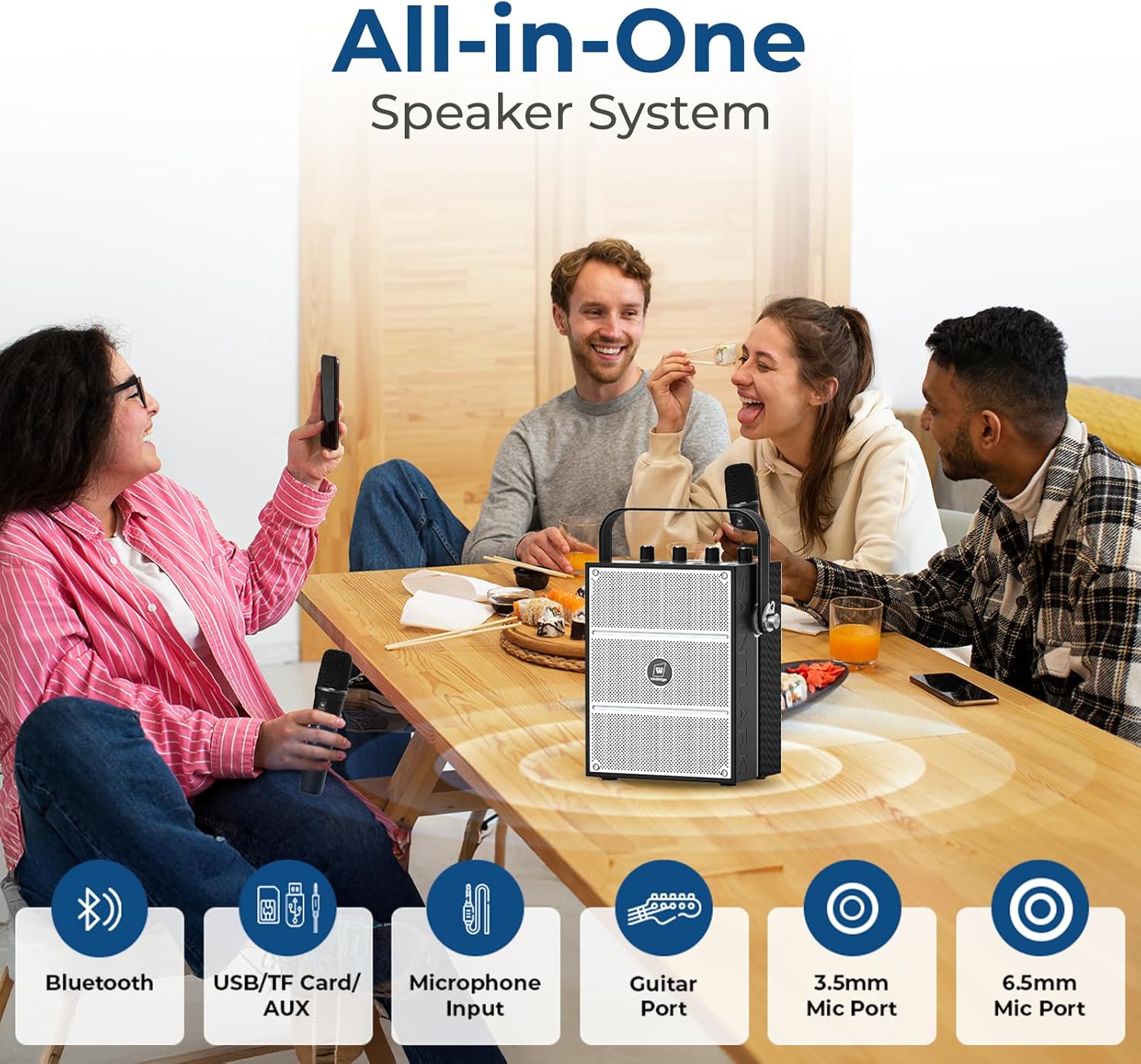
Image: The WINBRIDGE S99 PA system in use, illustrating its multiple connectivity options including Bluetooth, USB/TF Card/AUX, Microphone Input, Guitar Port, 3.5mm Mic Port, and 6.5mm Mic Port.
Manteniment
1. Cura de la bateria
- To prolong battery life, avoid fully discharging the device frequently.
- Charge the device at least once every three months if not in regular use.
- No exposeu el dispositiu a temperatures extremes.
2. Neteja
- Wipe the exterior of the speaker and microphones with a soft, dry cloth.
- No utilitzeu productes químics ni productes de neteja abrasius.
- Mantingueu els ports lliures de pols i deixalles.
3. Emmagatzematge
Guardeu el dispositiu en un lloc fresc i sec, lluny de la llum solar directa i de la humitat quan no l'utilitzeu.
Resolució de problemes
| Problema | Causa possible | Solució |
|---|---|---|
| No hi ha so de l'altaveu | Device not powered on; Volume too low; Incorrect input mode; Discharged battery. | Ensure power is on; Increase master volume; Select correct input mode (Bluetooth, AUX, USB/microSD); Charge the battery. |
| Microphone not working/connecting | Microphone not powered on; Microphone battery low; Microphone out of range; Pairing issue. | Ensure microphone is on; Charge microphone battery; Move microphone closer to speaker; Re-pair microphones (see Setup section). |
| Distorted sound or feedback (howling) | Microphone too close to speaker; Volume too high; Environmental interference. | Move microphone further from speaker; Reduce master or microphone volume; Adjust microphone angle; Reduce echo effect. |
| Connexió Bluetooth inestable | Dispositiu massa lluny de l'altaveu; Obstruccions; Interferències. | Move Bluetooth device closer to speaker; Remove obstructions; Avoid other wireless devices. |
| La bateria no es carrega | Faulty charging cable/adapter; Charging port issue. | Try a different USB cable and power adapter; Contact customer support if issue persists. |
Especificacions
| Característica | Detall |
|---|---|
| Model | S99 |
| Marca | WINBRIDGE |
| Potència de sortida | 100W (Dual-Speaker System) |
| Capacitat de la bateria | 4000mAh (Speaker Unit) |
| Durada de la bateria | Fins a 10 hores (ús continu) |
| Temps de càrrega | 3-5 hores |
| Connectivitat | Bluetooth, USB, microSD, AUX, Microphone Input (3.5mm/6.5mm), Guitar Input |
| Micròfons | 2 Wireless Microphones (Rechargeable) |
| Efectes de so | Acoustic, Profession, Hip-hop, Popular (on microphones) |
| Dimensions | Approx. 7.72"L x 5.12"W x 10"H (19.6 x 13 x 25.4 cm) |
| Pes | Aprox. 7.5 kg (3.4 lliures) |
| Color | Negre |

Image: A person carrying the portable WINBRIDGE S99 PA system, illustrating its compact size and weight for easy transport.
Garantia i Suport
Informació de la garantia
WINBRIDGE products are manufactured to high-quality standards. For specific warranty details, please refer to the warranty card included with your purchase or contact WINBRIDGE customer support. The warranty typically covers manufacturing defects for a specified period from the date of purchase.
Atenció al client
If you encounter any issues or have questions regarding your WINBRIDGE S99 Portable PA System that are not covered in this manual, please contact our customer support team. You can usually find contact information on the WINBRIDGE official weblloc web o a l'embalatge del producte.
Please have your model number (S99) and purchase details ready when contacting support.


