1. Producte acabatview
The PXN P5 Wireless Gaming Controller is a versatile and high-performance controller designed for an enhanced gaming experience across multiple platforms. It features Hall Effect joysticks and triggers for precise control, dual vibrators for immersive feedback, and programmable macro buttons for customized gameplay. With multiple connection modes, including 2.4G wireless, Bluetooth 5.2, and wired Type-C, the PXN P5 offers broad compatibility with Nintendo Switch, PC/Laptop (Windows 7/8/10/11), iOS 16+, and Android 8.0+ devices.

Image: The PXN P5 Wireless Gaming Controller, showcasing its ergonomic design, included 2.4G wireless receiver, and four detachable macro paddles (M1, M2, M3, M4).
Key features include a 1000 Hz report rate in wired and 2.4G modes for ultra-low latency, adjustable dead zones, and a 1000mAh battery for extended play. The controller also supports the PXN NEXUS app for advanced customization and includes a wake-up function for convenience.
Vídeo: Un overview of the PXN P5 PC Gaming Controller, highlighting its Hall Effect joysticks, 2-stage trigger locks, adjustable dead zones, asymmetric dual motors, macro buttons, and triple mode connection capabilities.
2. Contingut del paquet
- Controlador de jocs sense fil PXN P5
- Cable de càrrega USB-C
- Receptor sense fil 2.4G
- Manual d'usuari (aquest document)
3. Disseny del controlador
Familiarize yourself with the buttons and features of your PXN P5 controller.

Image: A detailed breakdown of the PXN P5 controller's internal components and key features, including the Hall Effect joystick and triggers, POM rings, 2-stage trigger travel control, and the four programmable back buttons (M1, M2, M3, M4).
- Manets analògics esquerre/dret: Equipped with Hall Effect sensors for precise, drift-free control.
- D-Pad: Disc-style cross keys for accurate directional input.
- Botons d'acció (A, B, X, Y): Standard gaming buttons.
- Botons d'espatlla (E, R) i gallets (ZL, ZR): ZL/ZR are Hall Effect triggers with 2-stage trigger locks.
- M1/M2/M3/M4 Macro Buttons: Four programmable buttons on the back for custom actions.
- Botons de funció: +, -, Home, Share, and other auxiliary buttons for system functions.
- Port de tipus C: Per a connexió amb cable i càrrega.
4. Configuració i connexió
The PXN P5 controller supports three primary connection modes: 2.4G Wireless, Bluetooth, and Wired.

Image: Visual representation of the three connection modes (2.4G, Bluetooth, Wired) and their compatible devices, including PC, Mac, Android, iOS, Nintendo Switch, Steam Deck, and Tesla.
4.1. 2.4G Wireless Connection (PC/Laptop, Android TV/Box)
- Insert the 2.4G wireless receiver into an available USB port on your device.
- Turn on the controller. It will automatically attempt to connect to the receiver.
- Once connected, the indicator light on the controller will stabilize.
4.2. Bluetooth Connection (Switch, Android, iOS, PC/Laptop)
- Assegureu-vos que el Bluetooth estigui habilitat al vostre dispositiu.
- On the controller, press and hold the Bluetooth pairing button (refer to controller layout for exact location) until the indicator light flashes rapidly.
- On your device, search for "PXN P5" or similar in the Bluetooth settings and select it to pair.
- The indicator light on the controller will become solid once paired.
4.3. Wired Connection (PC/Laptop, Android TV/Box)
- Connect one end of the USB-C cable to the controller's Type-C port.
- Connecteu l'altre extrem del cable USB-C a un port USB disponible del dispositiu.
- The controller will be recognized automatically. For PC, it supports switching to D-input mode between wired and receiver connection methods. Note: Switching is not possible in Bluetooth mode.
5. Funcions avançades
5.1. Joysticks i disparadors d'efecte Hall
The PXN P5 utilizes Hall Effect sensors for both its joysticks and triggers, providing superior precision and durability compared to traditional potentiometers. This technology eliminates stick drift and ensures consistent, accurate input.
- Hall Joysticks: Paired with POM rings, these joysticks offer precise movement control and are designed to eliminate drift during gameplay.
- Hall Triggers (LT/RT): Feature 2-stage trigger locks, allowing adjustment between linear and non-linear modes.
- Linear Mode: Provides 256-level variation for accurate throttle control, ideal for racing games.
- Non-linear Mode: Offers 0.05mm precision for quick, accurate responses, perfect for shooting games.

Image: Illustration of the PXN P5's 2-stage adjustable trigger travel settings, allowing users to switch between short travel for quick response (e.g., FPS games) and long travel with 256 levels of linear precision (e.g., racing games).
5.2. Macro Programming Function
The M1/M2/M3/M4 buttons and FM auxiliary function buttons on the back of the controller are programmable, allowing you to execute complex actions with a single press. A maximum of 32 action keys can be programmed into a single macro.
- Botons programables: Up, Down, Left, Right, A, B, X, Y, L, R, ZL, ZR, L3, R3, +, -.
- Beneficis: Achieve cool combos and reduce button abuse and stick clicks.

Image: Diagram illustrating the macro programming capabilities of the PXN P5 controller, showing how various button inputs and joystick movements can be assigned to the M1-M4 back buttons.
5.3. PXN NEXUS App Customization
The PXN NEXUS app provides infinite customization options for your controller, allowing you to personalize various settings to suit your gaming style.
- Característiques: Adjust vibration settings, remap buttons, fine-tune joystick curves, and more.
- Disponibilitat: Downloadable from app stores.

Image: Screenshots of the PXN NEXUS mobile application, demonstrating its interface for macro settings, device information, and vibration adjustments for the PXN P5 controller.
5.4. Other Advanced Features
- 1000 Hz Report Rate: Ensures better synchronization between player reactions and in-game actions in wired and 2.4G modes.
- Asymmetrical Rotor Motors: Enhance the controller's response speed and provide varied vibration feedback.
- Funció de despertador: Conveniently wake up your connected device (e.g., Nintendo Switch) with the controller.
- 0 Dead Zone Quick Switch (0-10%): Allows for quick adjustment of joystick dead zones.
- Joystick Circularity Adjustment Switch: Fine-tune joystick response.
- Funció Air Mouse: (Only effective when switched to X mode via wired PC connection) Allows the left joystick to control mouse movement and A/B buttons for clicks.
- 6-axis Gyro Sensor: Offers accurate action movements for assistive aiming and motion sensing driving.

Image: A promotional banner for the PXN P5 PC Wireless Gaming Controller, highlighting its core features: Hall Effect Joystick (1000Hz), Hall Effect Triggers (256 Level), 1000mAh High-Capacity Battery, and 3 Connection Modes (Wired/2.4G/BT).
6. Càrrega i bateria
The PXN P5 controller is equipped with a built-in 1000mAh battery, designed for long hours of uninterrupted gameplay.
- Capacitat de la bateria: 1000 mAh
- Temps de càrrega: Aproximadament 2-3 hores.
- Gaming Time: Fins a 22-25 hores amb una càrrega completa.
- Mètode de càrrega: Use the provided USB-C cable to connect the controller to a power source (e.g., computer USB port, USB wall adapter).
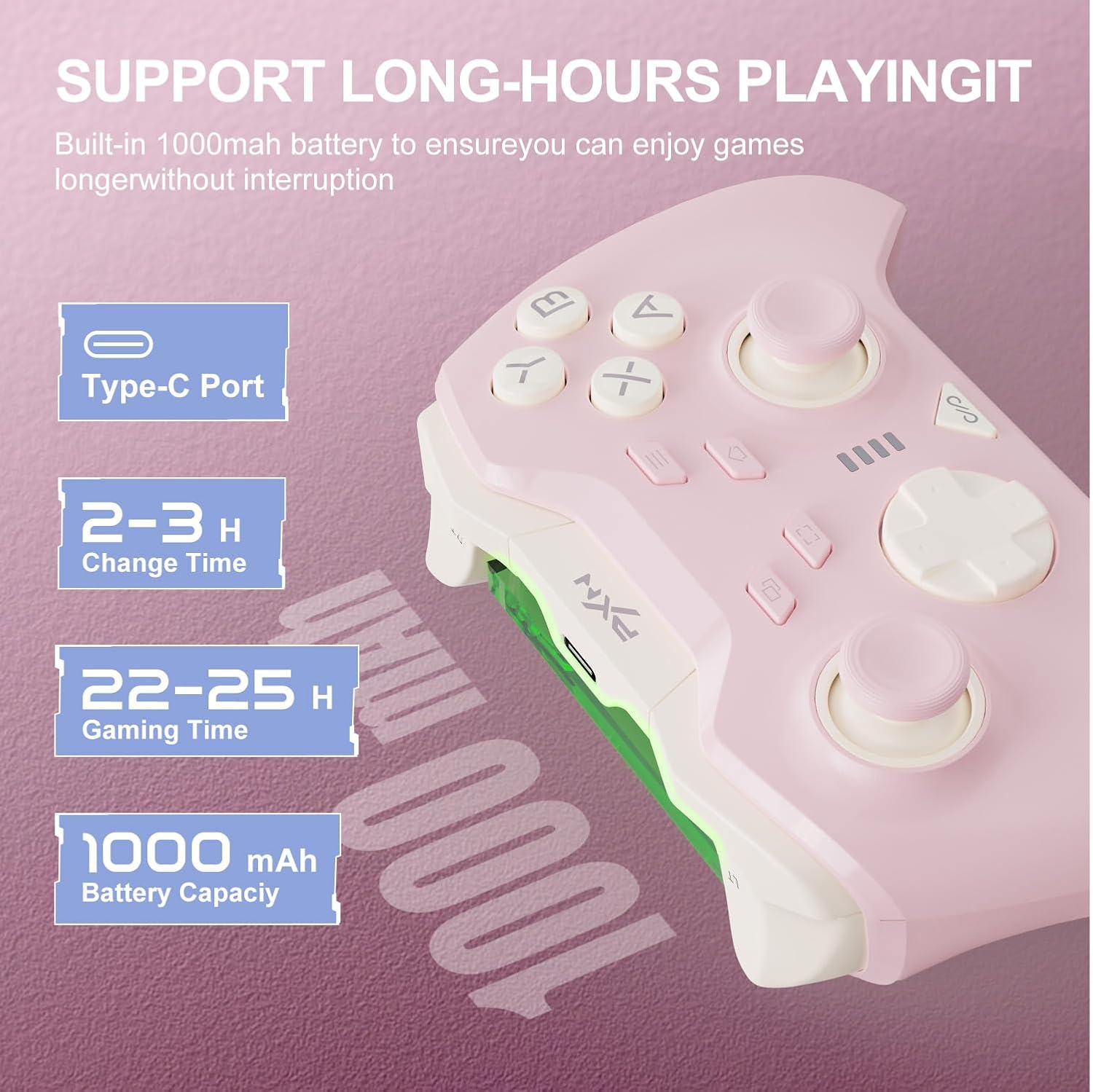
Image: Information graphic detailing the PXN P5 controller's battery specifications, including its Type-C charging port, 2-3 hour charge time, 22-25 hours of gaming time, and 1000mAh battery capacity.
7. Supported Games
The PXN P5 controller is compatible with a wide range of games across its supported platforms. Below is a list of some popular titles known to work well with the controller:

Image: A comprehensive list of supported games categorized by platform (PC, Nintendo Switch, Android, iOS, and Car Infotainment System), demonstrating the PXN P5 controller's broad compatibility.
- PC: Black Myth: Wukong Soul Knight, Elden Ring, Cyberpunk 2077, Street Fighter 6, Forza Horizon 5
- Nintendo Switch: The Legend of Zelda: Tears of the Kingdom, Mario Kart 8, It Takes Two, Asphalt 9: Legends, Stardew Valley
- Android: Minecraft, Dead Cells, Soul Knight, NBA2K24, Sneaky Sasquatch
- iOS: Call of Duty Mobile, Dungeon Hunter 5, Genshin Impact, Little Nightmares, Brotato
- Car Infotainment System: Cuphead, Stardew Valley, Contra, SNOW BROS, KOF
8. Solució De Problemes
| Problema | Possible solució |
|---|---|
| El controlador no s'encén. | Assegura't que el comandament estigui carregat. Connecta'l a una font d'alimentació amb el cable USB-C. |
| El controlador no es connecta per Bluetooth. | Make sure Bluetooth is enabled on your device. Ensure the controller is in pairing mode (rapidly flashing light). Forget previous pairings on your device and try again. Ensure your device's OS is compatible (iOS 16+, Android 8.0+). |
| El controlador es desconnecta sovint. | Ensure the controller is within range of the device. Check for interference from other wireless devices. Ensure the controller is fully charged. Update controller firmware via the PXN NEXUS app if available. |
| Els botons o els joysticks no responen/es desplacen. | Calibrate the controller using the PXN NEXUS app. Check for physical obstructions. If using Hall Effect joysticks, drift should be minimal; if persistent, contact support. |
| Macro buttons not working. | Ensure macros are correctly programmed via the PXN NEXUS app or the controller's onboard programming. Refer to the app's tutorial for detailed instructions. |
9. Especificacions
| Característica | Detall |
|---|---|
| Número de model | PXN-P5P |
| Compatibilitat | Nintendo Switch, PC (Windows 7/8/10/11), iOS 16+, Android 8.0+ |
| Modes de connexió | 2.4G Wireless, Bluetooth 5.2, Type-C Wired |
| Tipus de palanca de control | Hall Effect Joysticks with POM rings |
| Tipus de disparador | Hall Effect Triggers with 2-stage trigger locks |
| Botons de macro | 4 programmable (M1/M2/M3/M4) |
| Taxa d'informes | 1000 Hz (Wired & 2.4G modes) |
| Vibració | Dual Asymmetrical Rotor Motors |
| Capacitat de la bateria | 1000 mAh |
| Durada de la bateria | 22-25 hores (aprox.) |
| Dimensions | 4.17 x 2.32 x 6.1 polzades |
| Pes | 7.8 unces |
10. Garantia i Suport
PXN is committed to providing high-quality products and customer satisfaction. If you encounter any issues or have questions regarding your PXN P5 Wireless Gaming Controller, please refer to the following:
- Garantia de satisfacció: If you are not completely satisfied, please contact PXN customer support for a full refund or replacement.
- Contacte amb l'assistència: For assistance, please visit the official PXN Store or contact their customer service via email.
- Recursos en línia: Additional support and FAQs may be available on the PXN Official Store.


