Introducció
This manual provides detailed instructions for the setup, operation, and maintenance of your Bewinner Emergency Radio Digital DAB DAB+. This versatile device features DAB/DAB+ and FM radio reception, Bluetooth 5.0 connectivity, and multiple power options including solar charging. Please read this manual thoroughly to ensure proper use and longevity of your radio.
Producte acabatview
The Bewinner Emergency Radio is designed for portability and multi-functionality. It combines digital radio capabilities with a Bluetooth speaker and various media playback options, powered by a rechargeable battery with solar charging support.

Image: The Bewinner Emergency Radio shown alongside a smartphone, illustrating its Bluetooth music playback capability.
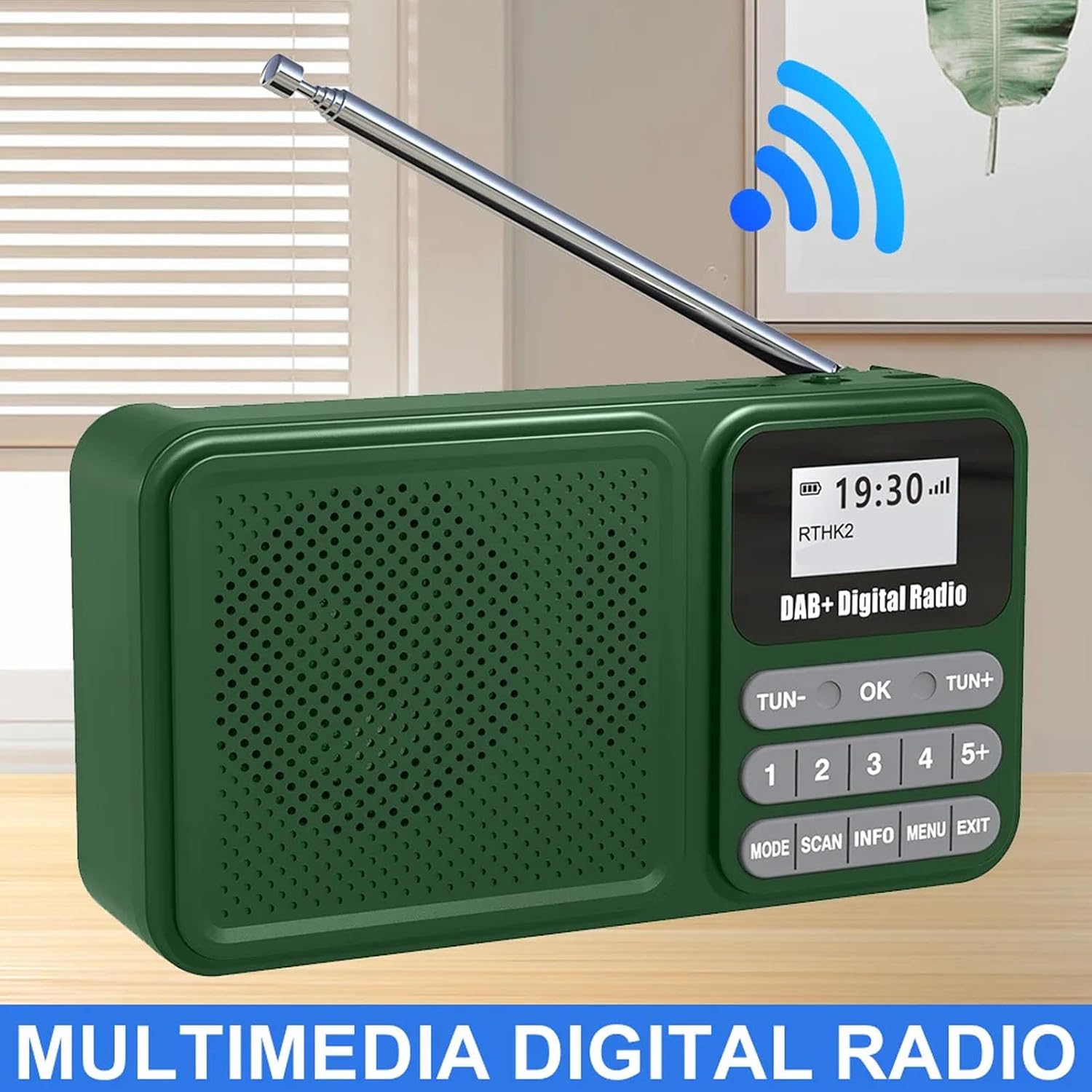
Image: The Bewinner Emergency Radio highlighting its digital radio reception with a wireless signal icon.
Configuració
1. Instal·lació de la bateria
- Localitzeu la tapa del compartiment de la bateria a la part posterior de la ràdio.
- Slide the cover to open it.
- Insert the provided 1200mAh lithium battery, ensuring correct polarity.
- Tanqueu bé la tapa del compartiment de la bateria.
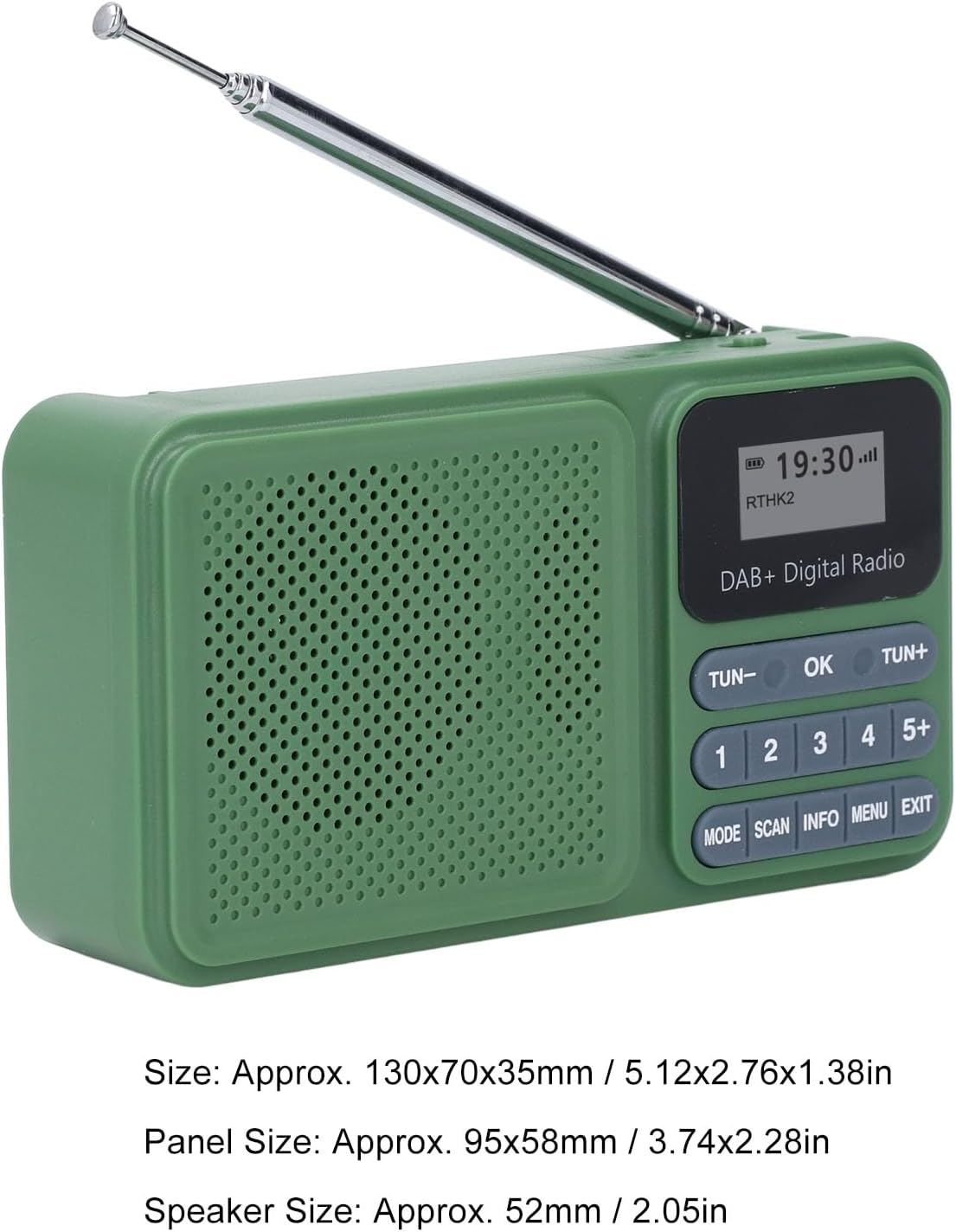
Image: The Bewinner Emergency Radio and its USB charging cable.
2. Càrrega inicial
- Connect the provided USB-C cable to the DC 5V port on the side of the radio.
- Connecteu l'altre extrem del cable a un adaptador de corrent USB (no inclòs) o a un port USB de l'ordinador.
- Allow the radio to charge fully before first use. The charging indicator will show the status.
- For solar charging, place the radio with the solar panel facing direct sunlight. The solar panel provides approximately 130mA at 5V.

Image: The back of the Bewinner Emergency Radio featuring its large solar charging panel.
3. Extensió de l'antena
For optimal radio reception, extend the telescopic antenna fully. The antenna can be rotated 360 degrees to find the best signal.

Image: The telescopic antenna of the Bewinner Emergency Radio, demonstrating its 360-degree rotation for signal optimization.
Instruccions de funcionament
1. Encendre/apagar
Feu lliscar el ON/OFF switch located on the side of the radio to power it on or off.
2. Selecció de mode
Premeu el botó MODE button to cycle through available modes: DAB, FM, Bluetooth, USB, and SD card playback.
3. Funcionament de la ràdio DAB/DAB+
- En mode DAB, premeu el botó ESCANEAR button to automatically scan for available DAB/DAB+ stations.
- Utilitza el TUN- i TUN + buttons to navigate through the scanned stations.
- Premeu OK per seleccionar una estació.
- To save a station, press and hold one of the numbered preset buttons (1-5+) until the display confirms the save.
- To recall a preset station, briefly press the corresponding numbered button.
4. Funcionament de la ràdio FM
- En mode FM, premeu el botó ESCANEAR button to automatically scan for available FM stations.
- Utilitza el TUN- i TUN + buttons to manually tune or navigate through scanned stations.
- Premeu OK to confirm a station.
- FM radio supports 30 preset stations.
5. Connectivitat Bluetooth 5.0
- Canvieu la ràdio al mode Bluetooth mitjançant el botó MODE botó.
- The radio will enter pairing mode, indicated on the LCD display.
- On your mobile device, enable Bluetooth and search for "Bewinner Radio" (or similar).
- Select the radio to pair. Once connected, you can stream audio wirelessly.

Image: The Bewinner Emergency Radio displaying a Bluetooth connection to a smartphone, ready for audio streaming.
6. Reproducció des de targeta USB/SD
- Insert a USB drive or a Micro SD card (up to 32GB, not included) into the respective ports on the side of the radio.
- Switch the radio to USB or SD card mode using the MODE botó.
- The radio will automatically detect and play MP3/WMA audio files.
- Utilitza el TUN- i TUN + botons per saltar pistes.
- Premeu OK jugar/pausar.

Imatge: Una imatge detallada view of the radio's side panel, indicating the Micro SD card slot, USB port, audio jack, and Type-C charging port.
7. Control de volum
Adjust the volume using the rotary knob labeled "V-" and "V+" on the side of the radio.
8. Configuració del temps
The radio automatically sets the time when a DAB signal is received. Manual time adjustment options may be available in the menu settings (refer to the MENÚ button and navigation).
Manteniment
- Clean the radio with a soft, dry cloth. Do not use liquid cleaners or abrasive materials.
- Avoid exposing the radio to extreme temperatures, direct sunlight for prolonged periods (beyond solar charging), or high humidity.
- Mantingueu el dispositiu allunyat de camps magnètics forts.
- When not in use for extended periods, store the radio in a cool, dry place and ensure it is fully charged periodically to maintain battery health.
Resolució de problemes
| Problema | Causa possible | Solució |
|---|---|---|
| Sense poder | Bateria esgotada o instal·lada incorrectament. | Charge the battery using the USB-C port or solar panel. Ensure the battery is inserted with correct polarity. |
| Mala recepció de ràdio | Antena no estesa o zona de senyal feble. | Extend the telescopic antenna fully and adjust its position. Try moving to an area with better signal strength. |
| Bluetooth no connectat | La ràdio no està en mode Bluetooth o el dispositiu està massa lluny. | Ensure the radio is in Bluetooth mode. Keep your device within 8 meters of the radio. Re-pair if necessary. |
| La targeta USB/SD no es reprodueix | Sense suport file format or card/drive not detected. | Assegureu-vos files are MP3 or WMA format. Check if the USB drive or SD card is properly inserted and formatted. Maximum capacity 32GB. |
Especificacions
- Model: Bewinner9b5mqz8kn4
- Material: ABS
- Interval de freqüència DAB/DAB+: 174-240 MHz
- Rang de freqüència de FM: 87.5-108 MHz
- Versió Bluetooth: V5.0
- Distància efectiva de Bluetooth: > 8 m
- Ponent: Approx. 52mm / 2.05in, 4ohm, 3W
- Tipus de bateria: Bateria de liti
- Capacitat de la bateria: 1200 mAh
- Full Charge Playback Time: 6-8 hours (DAB Mode 40% VOL)
- Panell solar: Polycrystalline Silicon, Approx. 95x58mm / 3.74x2.28in
- Solar Panel Charging Output: About 130mA 5V
- Suport multimèdia: MP3, WMA (via Micro SD card or USB drive)
- Micro SD Card/USB Drive Max Capacity: 32GB (Not Included)
- Dimensions del producte: Aprox. 130 x 70 x 35 mm / 5.12 x 2.76 x 1.38 polzades
- Pes de l'article: 10.6 unces / 300 grams

Image: The Bewinner Emergency Radio with its approximate dimensions indicated.
Vídeos oficials de productes
Solar Powered DAB Radio Overview
Video: A demonstration of the Bewinner Emergency Radio, showcasing its features including battery installation, antenna extension, and power-on sequence.
Emergency Radio Digital DAB DAB+ Features
Video: An in-depth look at the Bewinner Emergency Radio, demonstrating its various modes such as Bluetooth, USB, SD card, DAB, and FM radio functionality.
Garantia i Suport
For warranty information or technical support, please refer to the product packaging or contact Bewinner customer service directly. Contact details are typically available on the manufacturer's official weblloc web o a través del vostre punt de compra.
