1. Introducció
This manual provides essential information for the safe and efficient use of your TCL TAB 11 Gen2 tablet. Please read this manual thoroughly before operating the device and retain it for future reference. The TCL TAB 11 Gen2 is an 11-inch tablet designed for everyday tasks, media consumption, and communication, featuring a vibrant display, robust performance, and a long-lasting battery.

Imatge: Frontal view of the TCL TAB 11 Gen2 tablet displaying the home screen with time and date.
2. Contingut del paquet
Upon unpacking your TCL TAB 11 Gen2, please verify that all items listed below are present:
- TCL TAB 11 Gen2 Tablet
- Cable USB-C
- Guia d'inici ràpid
- Informació de seguretat i garantia
- Protective Case (may vary by region/bundle)
- SIM Eject Tool (for microSD card slot access)
Note: A power adapter is typically not included and must be purchased separately.

Image: TCL TAB 11 Gen2 tablet securely placed in a black protective case, positioned to stand upright.
3. Dispositiu acabatview
Familiarize yourself with the physical components of your TCL TAB 11 Gen2 tablet.
3.1 Davant View
- Visualització: Pantalla LCD de 11 polzades.
- Càmera frontal: Located at the top center when held in landscape orientation.
- Sensors: Ambient light sensor, proximity sensor.
3.2 Darrera View
- Càmera posterior: Main camera module.
- TCL Logo: Identificació de marca.

Imatge: Part posterior view of the TCL TAB 11 Gen2 tablet, highlighting the circular camera module and the TCL brand logo.
3.3 lateral Views (Ports and Buttons)
- Botó d'encesa: S'utilitza per encendre/apagar el dispositiu o activar/reposar la pantalla.
- Botons de volum: Ajusta el volum del dispositiu.
- Port USB-C: Per a càrrega i transferència de dades.
- Ranura per a targeta MicroSD: Expandable storage.
- Ponents: Sortida d'àudio.
4. Configuració
4.1 Encès inicial
- Manteniu premut el botó Botó d'engegada until the TCL logo appears.
- Segueix les instruccions que apareixen a la pantalla per seleccionar l'idioma, connectar-te a una xarxa Wi-Fi i configurar el teu compte de Google.
4.2 Càrrega de la bateria
Connect the provided USB-C cable to the tablet's USB-C port and the other end to a compatible USB power adapter (not included) or a computer. The battery indicator on the screen will show charging status.
4.3 Inserció d'una targeta MicroSD
- Localitza la ranura per a targetes microSD al lateral de la tauleta.
- Use the SIM eject tool to open the tray.
- Place the microSD card into the tray with the gold contacts facing down.
- Empenyeu suaument la safata cap enrere a la ranura fins que encaixi al seu lloc.
5. Instruccions de funcionament
5.1 Display Features (NXTVISION)
The TCL TAB 11 Gen2 features an 11-inch display with NXTVISION technology, offering a resolution of 1920x1200 pixels. This technology enhances color, clarity, and contrast for an improved viewing experience, making it suitable for video calls, web browsing, and media consumption.

Image: The TCL TAB 11 Gen2 tablet showcasing its vibrant display with NXTVISION technology, presenting rich colors and sharp details.
5.2 Rendiment
Powered by a MediaTek Helio G80 processor and equipped with 6GB of RAM, the tablet delivers smooth performance for streaming videos, browsing the web, and handling daily applications. The 256GB internal storage provides ampl'espai per al teu files, photos, and apps, with further expansion possible via a microSD card.
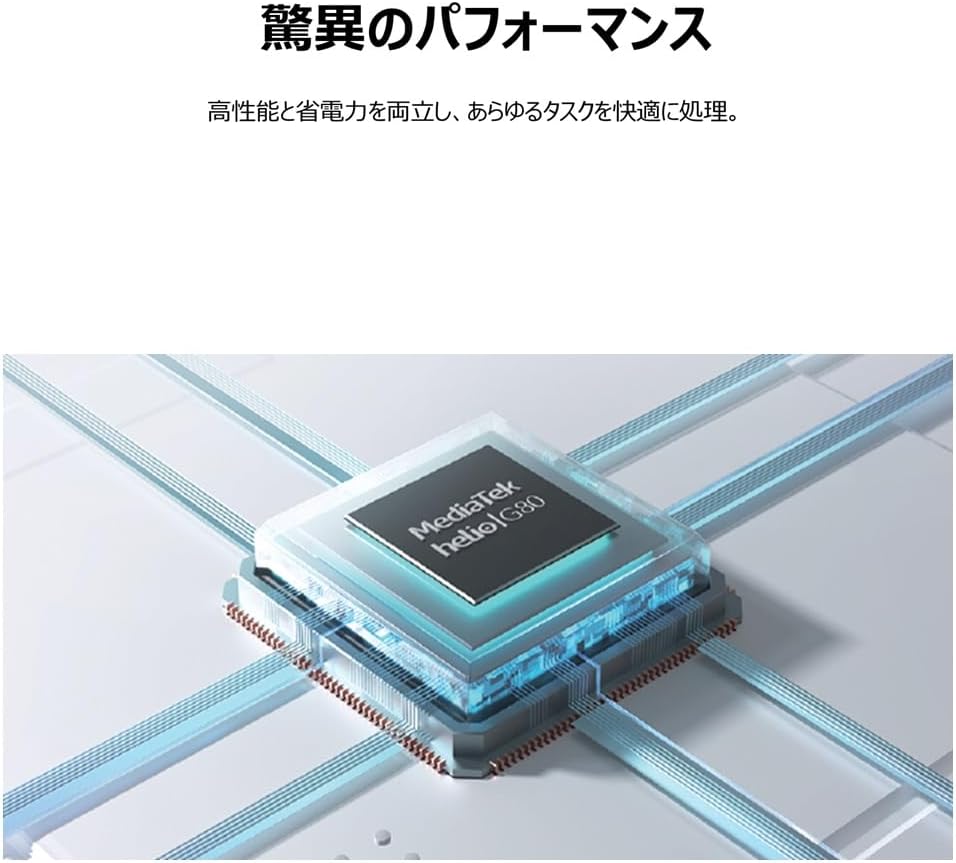
Image: An illustrative depiction of the MediaTek Helio G80 processor, symbolizing the tablet's processing capabilities.

Image: The TCL TAB 11 Gen2 tablet displaying a photo gallery, with a prominent '256GB' graphic, indicating its large storage capacity.
5.3 Durada de la bateria
The tablet is equipped with an 8000mAh battery, designed to provide extended usage throughout the day. This large capacity also allows the tablet to function as a mobile power source for other devices, if supported by appropriate cables (sold separately).

Image: A cutaway diagram of the TCL TAB 11 Gen2 tablet, highlighting the large 8000mAh battery component.
5.4 Sistema operatiu
The TCL TAB 11 Gen2 runs on the Android operating system, providing access to a wide range of applications through the Google Play Store and a familiar user interface.
6. Manteniment
- Neteja: Use a soft, lint-free cloth to clean the screen and body of the tablet. Avoid abrasive materials or harsh chemicals.
- Emmagatzematge: Guardeu la tauleta en un lloc fresc i sec, allunyat de la llum solar directa i de temperatures extremes.
- Cura de la bateria: Per allargar la durada de la bateria, eviteu descarregar-la completament amb freqüència. Carregueu el dispositiu regularment.
- Actualitzacions de programari: Comproveu i instal·leu regularment si hi ha actualitzacions de programari per garantir un rendiment i una seguretat òptims.
7. Solució De Problemes
If you encounter issues with your TCL TAB 11 Gen2, refer to the following common solutions:
- El dispositiu no s'encén: Ensure the battery is charged. Connect the tablet to a power source and try again.
- La pantalla no respon: Try restarting the tablet by holding the Power Button for approximately 10-15 seconds.
- Problemes de connexió Wi-Fi: Check if Wi-Fi is enabled in settings. Restart your router and the tablet. Ensure you are within range of the Wi-Fi signal.
- Les aplicacions es bloquegen: Close and reopen the application. Clear the app's cache in settings. If the issue persists, uninstall and reinstall the app.
- Rendiment lent: Tanca les aplicacions en segon pla innecessàries. Esborra la memòria cau i les aplicacions temporals files. Consider a factory reset if performance issues continue after other troubleshooting steps (back up your data first).
8. Especificacions
| Característica | Especificació |
|---|---|
| Marca | TCL |
| Nom del model | TAB 11 Gen2 (9465X5) |
| Mida de la pantalla | 10.95 polzades |
| Resolució | 1920 x 1200 píxels |
| Marca de la CPU | MediaTek (Helio G80) |
| RAM | 6 GB |
| Capacitat d'emmagatzematge de memòria | 256 GB |
| Sistema operatiu | Android |
| Tipus de connectivitat | Wi-Fi |
| Capacitat de la bateria | 8000mAh (23.1 Watt Hours) |
| Pes de l'article | 1.01 quilos |
| Color | Gris |
9. Garantia i Suport
For warranty information, please refer to the warranty card included in your product packaging or visit the official TCL support website. If you require technical assistance or have questions not covered in this manual, please contact TCL customer support through their official channels.
Podeu trobar més informació i recursos de suport a TCL Brand Store on Amazon.


