Introducció
This manual provides detailed instructions for the ORICO MiniPro Aluminum Docking Stand and 5-in-1 USB-C Hub, designed exclusively for the Mac mini M4/M4 Pro. This device enhances your Mac mini's functionality by offering expanded connectivity, additional storage options, and improved thermal management in a compact, integrated design.
Producte acabatview
The ORICO MiniPro Docking Stand is an all-in-one expansion solution featuring a robust aluminum alloy construction. It integrates a 5-in-1 USB-C hub with high-speed data transfer capabilities and a vertical design for optimal cooling.
Característiques principals:
- Precise Customization: 1:1 full-body fit for Mac mini M4/M4 Pro with precise alignment for ports and power button.
- 5-in-1 Ultimate Hub: Includes 10Gbps USB-A port, dual SD/TF card readers (100MB/s), and M.2 NVMe expansion (10Gbps).
- Elegant Integration: Aviation-grade aluminum alloy with a silver finish.
- Vertical Hollow Cooling Stand: Promotes air circulation and aligns with Mac mini's air vents for efficient heat dissipation.
- 5-Second Quick Installation: Tool-free buckle design for simple and fast setup.
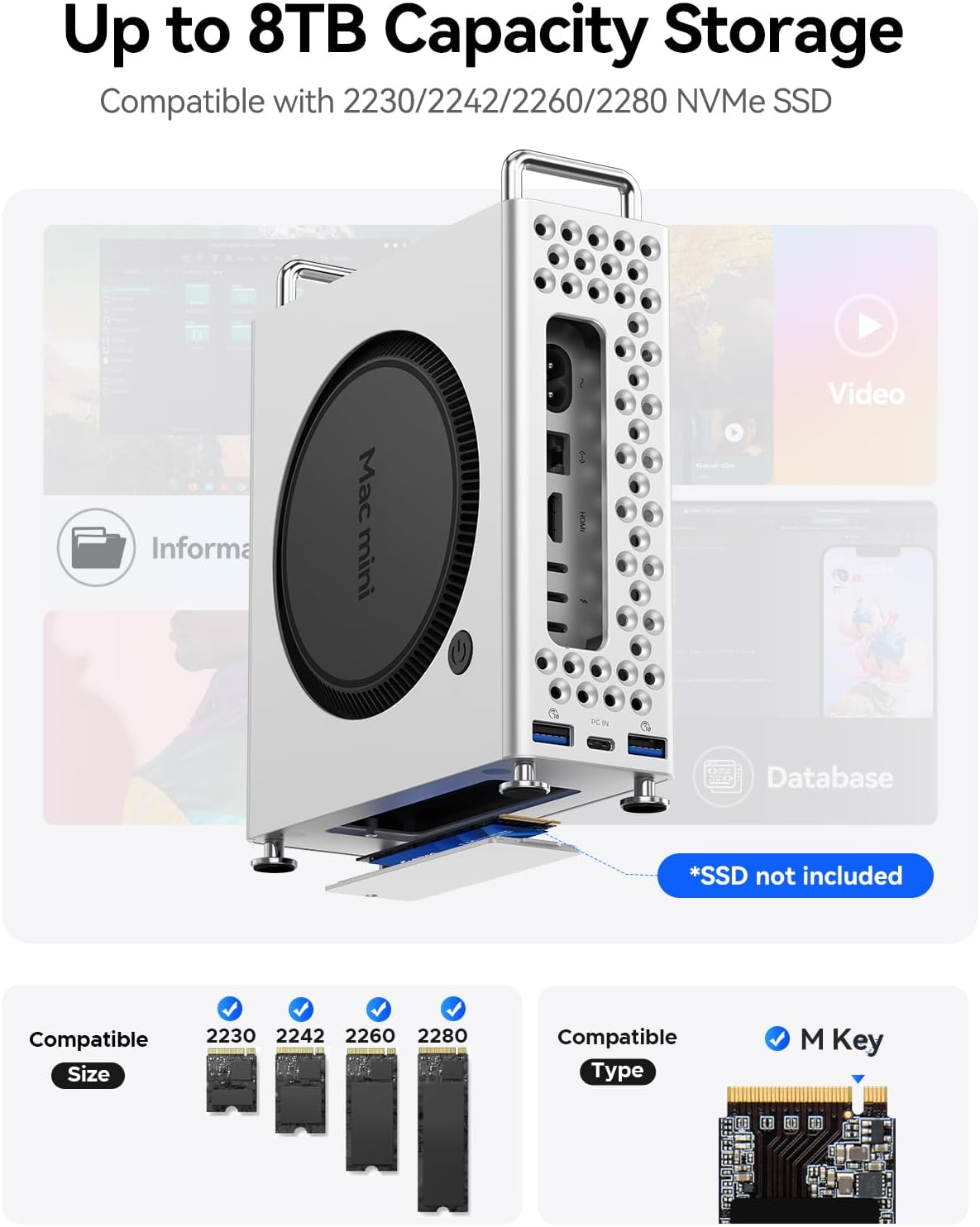
Image: The ORICO MiniPro Aluminum Docking Stand with a Mac mini M4, showcasing its integrated design and ports.
Configuració
1. Mac mini Installation
- Press the top switch on the docking stand to the right.
- Remove the back cover of the docking stand.
- Place your Mac mini M4 properly into the stand.
- Reinstall the back cover, ensuring the buckle design clicks into place.

Image: Step-by-step guide for installing the Mac mini into the docking stand.
2. Instal·lació d'un SSD NVMe M.2 (opcional)
- Open the SSD enclosure on the bottom of the stand. Use the included screwdriver to remove screws and take off the top cover.
- Insert your M.2 NVMe SSD (compatible with 2230/2242/2260/2280 sizes, M Key) at a 30-degree angle, then gently push to connect.
- Secure the SSD using the provided screw.
- Replace the enclosure cover and fasten the screws.

Image: Detailed steps for installing an M.2 NVMe SSD into the docking stand.
3. Connexió al Mac mini
- Connect the provided USB-C to USB-C cable from the docking stand's PC IN port to an available USB-C/Thunderbolt port on your Mac mini.
- Connect any external devices (USB-A, SD/TF cards) to the corresponding ports on the docking stand.
Video: Official ORICO video demonstrating the seamless integration and connection of the MiniPro Docking Stand with the Mac mini.
En funcionament
Encès/Apagat
The docking stand is powered via its connection to the Mac mini. To power on the Mac mini, simply press the power button located on the back of the Mac mini, which is easily accessible through the stand's precise cutouts.
Transferència de dades
- Ports USB-A: Utilize the 10Gbps USB-A ports for high-speed data transfer with compatible external drives and peripherals.
- SSD M.2 NVMe: The installed M.2 NVMe SSD supports 10Gbps transfer speeds, ideal for large file transfers and high-performance applications.
- Lectors de targetes SD/TF: Insert SD or TF cards into the dedicated slots for simultaneous reading at speeds up to 100MB/s.

Image: Visual representation of the docking stand's multi-interface expansion capabilities and data transfer speeds.
Rendiment de refrigeració
The vertical hollow design of the stand promotes efficient air circulation, reducing heat buildup and ensuring stable operation of your Mac mini. Rear openings are specifically designed to align with the Mac mini's air vents for optimal thermal management.
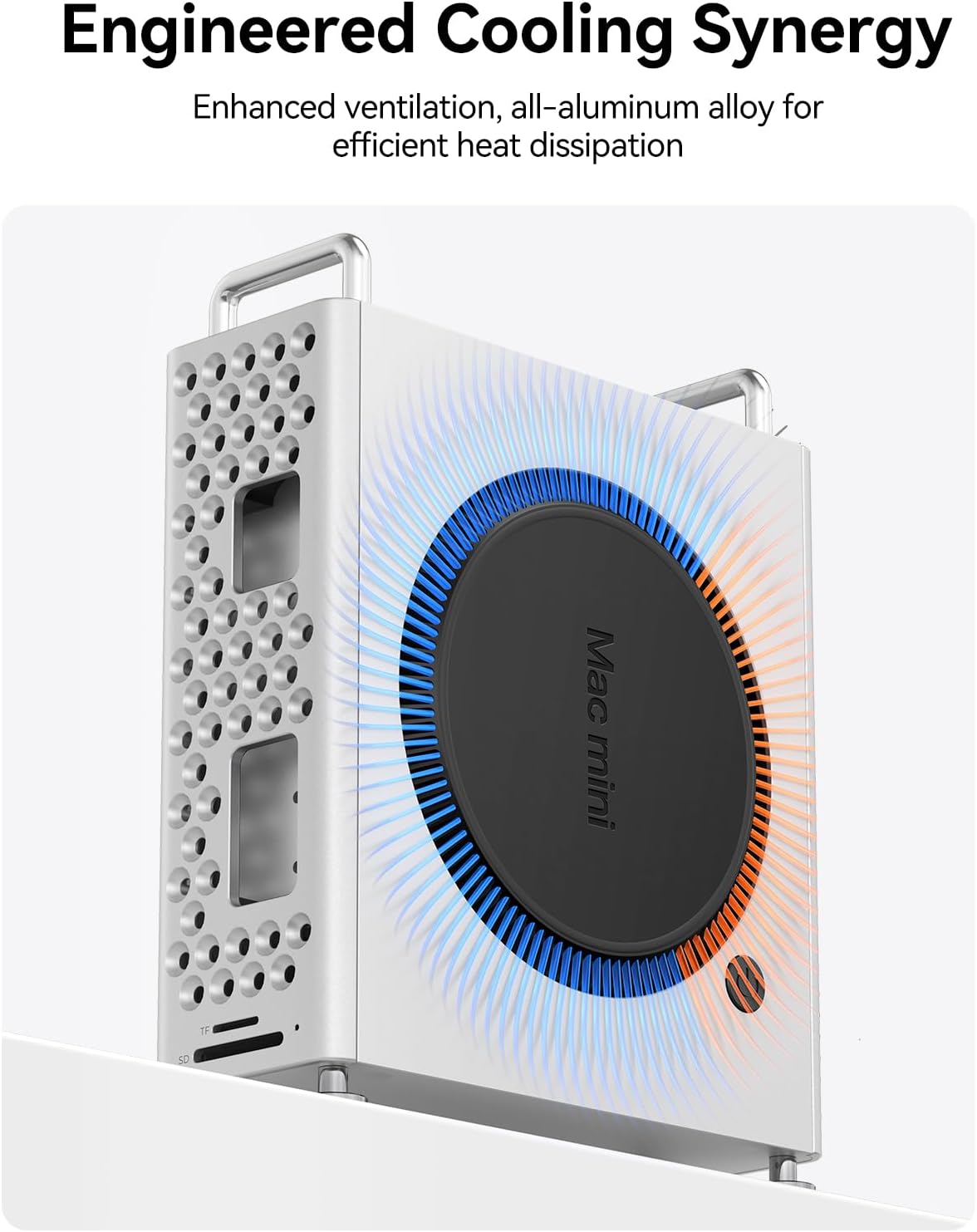
Image: Illustration of the engineered cooling synergy provided by the vertical design of the docking stand.
Manteniment
- Keep the docking stand clean by wiping it with a soft, dry cloth.
- Avoid using harsh chemicals or abrasive materials that could damage the aluminum finish.
- Ensure the ventilation holes are free from dust and obstructions to maintain optimal cooling performance.
Resolució de problemes
- Dispositiu no reconegut: Ensure the USB-C cable is securely connected to both the docking stand and the Mac mini. Try using a different USB-C port on your Mac mini.
- Transferència lenta de dades: Verify that your connected devices and cables support 10Gbps speeds. Ensure the M.2 NVMe SSD is correctly installed and formatted.
- SSD no detectat: Recheck the SSD installation steps. Ensure the SSD is compatible with M.2 NVMe (M Key) and the correct size (2230/2242/2260/2280).
- Sobreescalfament: Ensure the docking stand's ventilation holes and the Mac mini's vents are not obstructed.
Video: ACASIS M4 Mac Mini Dock & Stand-M001Pro details, showing various features and connections that may help with troubleshooting.
Especificacions
- Marca: ORICO
- Model: 10Gbps-0GB
- Pes de l'article: 100 grams (3.53 unces)
- Dimensions del paquet: 8.94 x 8.82 x 3.15 polzades
- Interfície de maquinari: USB
- Dispositius compatibles: Desktop (Mac mini M4/M4 Pro)
- Ports USB totals: 2 (on Mac mini) + 2 (on hub) = 4 USB-A ports
- Number of Ports (Hub): 5 (2x USB-A 10Gbps, 1x USB-A, 1x SD, 1x TF)
- M.2 NVMe Expansion: Supports 10Gbps, compatible with 2230/2242/2260/2280 M Key SSDs (up to 8TB capacity).
- SD/TF Card Speed: Up to 100MB/s (simultaneous read).
- Material: Aliatge d'alumini de grau aeri

Image: Dimensions of the ORICO MiniPro Docking Stand.
Garantia i Suport
ORICO products come with a manufacturer's warranty. For specific warranty details, technical support, or customer service inquiries, please refer to the contact information provided on the product packaging or visit the official ORICO weblloc.


