1. Introducció
Thank you for choosing the boAt Aavante 2.2 1400 Soundbar. This manual provides essential information for setting up, operating, and maintaining your new soundbar. Please read it thoroughly before use to ensure optimal performance and safety.
1.1 Producte acabatview
The boAt Aavante 2.2 1400 is a 140W 2.2 channel soundbar designed to enhance your home audio experience. It features built-in subwoofers, multiple connectivity options including Bluetooth V5.3, AUX, USB, Coaxial, and HDMI(ARC), and various EQ modes for customized sound.
1.2 Què hi ha a la caixa
- Barra de so boAt Aavante 2.2 1400
- Remote Control (2 AA batteries included)
- Cable d'alimentació
- Manual d'usuari
2. Informació de seguretat
Si us plau, observeu les següents pautes de seguretat per evitar danys al dispositiu o lesions personals:
- No exposeu la barra de so a la pluja, la humitat ni a temperatures extremes.
- No obriu la c.asing; demaneu totes les tasques de manteniment a personal qualificat.
- Assegureu-vos una ventilació adequada al voltant de la unitat.
- Utilitzeu només el cable d'alimentació subministrat.
- Mantenir fora de l'abast dels nens.
3. Components i controls del producte
3.1 Soundbar Overview
The soundbar features a sleek design with integrated controls and various input ports on the rear panel.

Imatge: Frontal view de la barra de so BoAt Aavante 2.2 1400, espectacleasing el seu disseny compacte i elegant.
3.2 Ports de connectivitat
The soundbar offers multiple options for connecting to your audio sources:
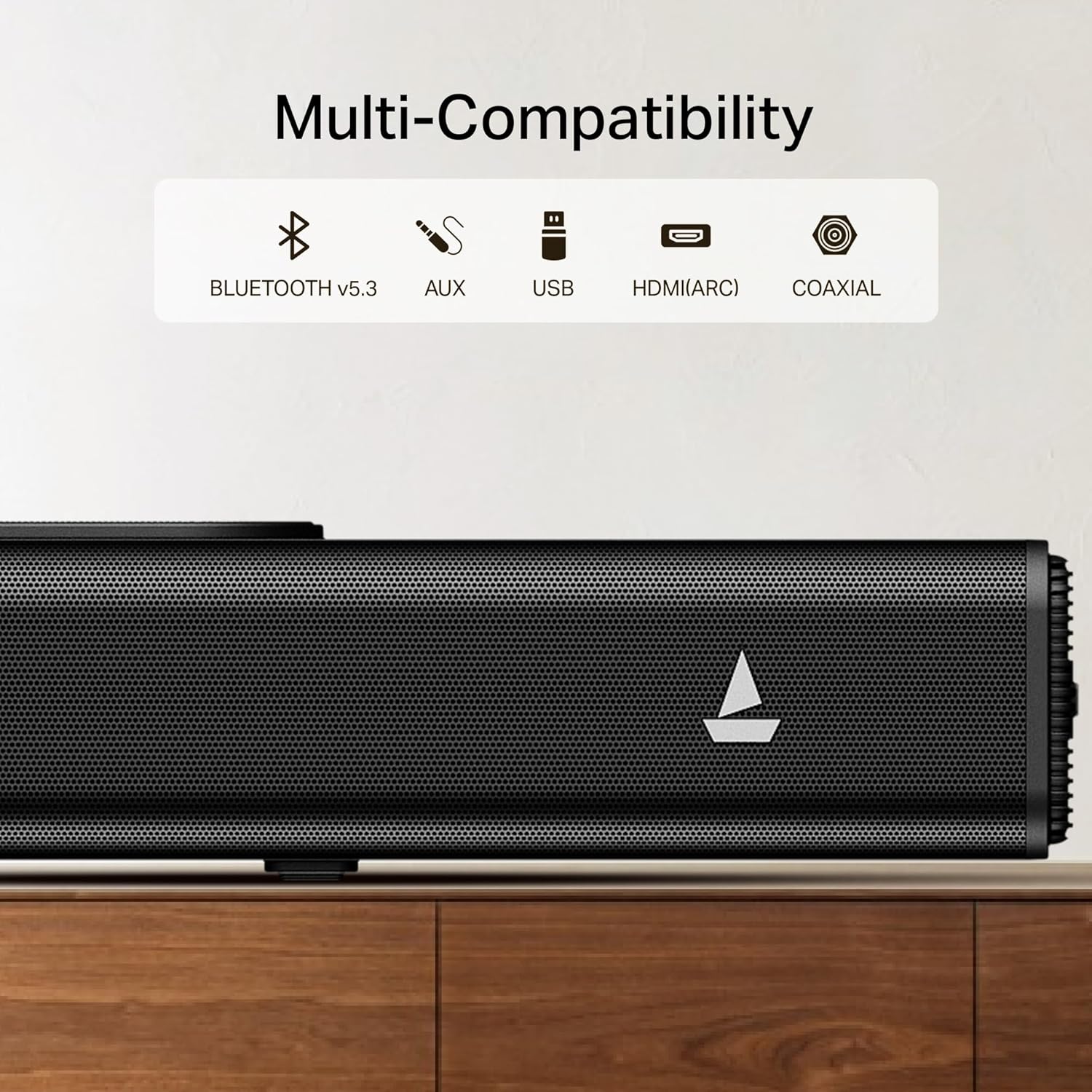
Image: Close-up of the soundbar's rear panel, highlighting the Bluetooth V5.3, AUX, USB, HDMI(ARC), and Coaxial input ports.
- Bluetooth V5.3: Per a la connexió sense fil amb dispositius compatibles.
- AUX: For analog audio input from devices with a 3.5mm jack.
- USB: Per reproduir àudio files directament des d'una unitat USB.
- HDMI (ARC): For high-quality digital audio connection to ARC-enabled TVs.
- Coaxial: For digital audio input from compatible devices.
3.3 Control remot
The included remote control provides full functionality for managing your soundbar.

Image: Illustration showing the soundbar's easy access controls and the master remote control, along with icons for Music, Movies, and News EQ modes.
- Encès/Apagat
- Pujar/Bajar el volum
- Selecció de la font d'entrada
- EQ Mode Selection (Music, Movies, News)
- Playback Controls (Play/Pause, Skip)
4. Configuració
4.1 Desembalatge
Traieu amb cura tots els components de l'embalatge. Conserveu l'embalatge per a futurs transports o emmagatzematge.
4.2 Col·locació
Place the soundbar on a stable, flat surface directly in front of your television for the best audio experience. Ensure there is adequate space for air circulation.

Image: The boAt Aavante 2.2 1400 Soundbar positioned below a television, illustrating its 2.2-channel audio with built-in subwoofer for an immersive experience.
4.3 Connexió a l'alimentació
- Connect the power cable to the AC IN port on the soundbar.
- Connecteu l'altre extrem del cable d'alimentació a una presa de corrent.
4.4 Connexions d'àudio
Trieu un dels mètodes següents per connectar la font d'àudio:
4.4.1 HDMI (ARC) Connection
For optimal digital audio quality and control, connect your TV's HDMI ARC port to the soundbar's HDMI(ARC) port using an HDMI cable (not included).
4.4.2 Connexió Bluetooth
- Press the 'Input' button on the remote or soundbar until 'BT' appears on the display.
- Activa el Bluetooth al teu dispositiu (telèfon intel·ligent, tauleta, etc.).
- Select 'boAt Aavante 1400' from the list of available devices.
- A confirmation tone will sound upon successful pairing.
4.4.3 Connexió AUX
Connect an AUX cable (not included) from your audio device's 3.5mm output to the soundbar's AUX IN port.
4.4.4 Connexió USB
Inseriu una unitat USB que contingui àudio files into the USB port on the soundbar. The soundbar will automatically switch to USB mode and begin playback.
4.4.5 Coaxial Connection
Connect a Coaxial cable (not included) from your audio device's Coaxial output to the soundbar's Coaxial IN port.
5. Instruccions de funcionament
5.1 Encès/Apagat
Press the power button on the soundbar or remote control to turn the unit on or off.
5.2 Control de volum
Use the 'Volume +' or 'Volume -' buttons on the remote or soundbar to adjust the volume level.
5.3 Selecció de la font d'entrada
Press the 'Input' button on the remote or soundbar repeatedly to cycle through available input sources: Bluetooth, AUX, USB, Coaxial, HDMI(ARC).
5.4 modes d'equalització
The soundbar features multiple equalizer modes to optimize audio for different content types:
- Mode de música: Millorat per a la reproducció musical.
- Movies Mode: Optimized for cinematic sound.
- Mode de notícies: Clearer vocal reproduction for news and dialogue.
Press the corresponding EQ mode button on the remote control to select your desired mode.
6. Manteniment
6.1 Neteja
Wipe the soundbar with a soft, dry cloth. Do not use liquid cleaners or abrasive materials.
6.2 Emmagatzematge
Si guardeu la barra de so durant un període prolongat, desconnecteu-la de l'alimentació i guardeu-la en un lloc fresc i sec, preferiblement en el seu embalatge original.
7. Solució De Problemes
| Problema | Causa possible | Solució |
|---|---|---|
| Sense poder | Power cable not connected; Wall outlet not active | Ensure power cable is securely connected; Test wall outlet with another device. |
| Sense so | Font d'entrada incorrecta; Volum massa baix; Silenciament activat; Problema de connexió del cable | Select correct input source; Increase volume; Deactivate mute; Check audio cable connections. |
| Bluetooth no connectat | Soundbar not in pairing mode; Device not discoverable; Interference | Ensure soundbar is in BT mode; Make sure device Bluetooth is on; Move devices closer; Restart both devices. |
| El comandament a distància no funciona | Piles esgotades; Obstrucció; Comandament a distància fora de l'abast | Replace batteries (2 AA); Remove obstructions; Point remote directly at soundbar; Ensure within range. |
8. Especificacions
- Nom del model: Aavante 2.2 1400
- Marca: vaixell
- Tipus d'altaveu: Barra de so
- Tecnologia de connectivitat: Bluetooth V5.3, AUX, USB, Coaxial, HDMI(ARC)
- Potència de sortida: 140W
- Canals: 2.2 Channel with Built-in Subwoofer
- Dimensions del producte: 97P x 14A x 9H centímetres
- Pes de l'article: 4 kg
- Mètode de control: Remot
- Font d'alimentació: Elèctric per cable
- Batteries for Remote: 2 piles AA (incloses)
- Usos recomanats: Home Theater
- País d'origen: Índia
9. Garantia i Suport
For warranty information and customer support, please refer to the warranty card included with your product or contact boAt customer service.
Fabricant: Imagine Marketing Ltd
Correu electrònic: info@imaginemarketingindia.com


