1. Producte acabatview
The Yunbaoit Digital Visual Timer VT11 is a versatile time management tool designed for both children and adults. It combines digital time display with a visual countdown, featuring colorful stars that disappear as time progresses. This rechargeable timer offers customizable settings for display colors, alarm sounds, and volume levels, making it adaptable for various activities such as studying, working, cooking, and playtime.
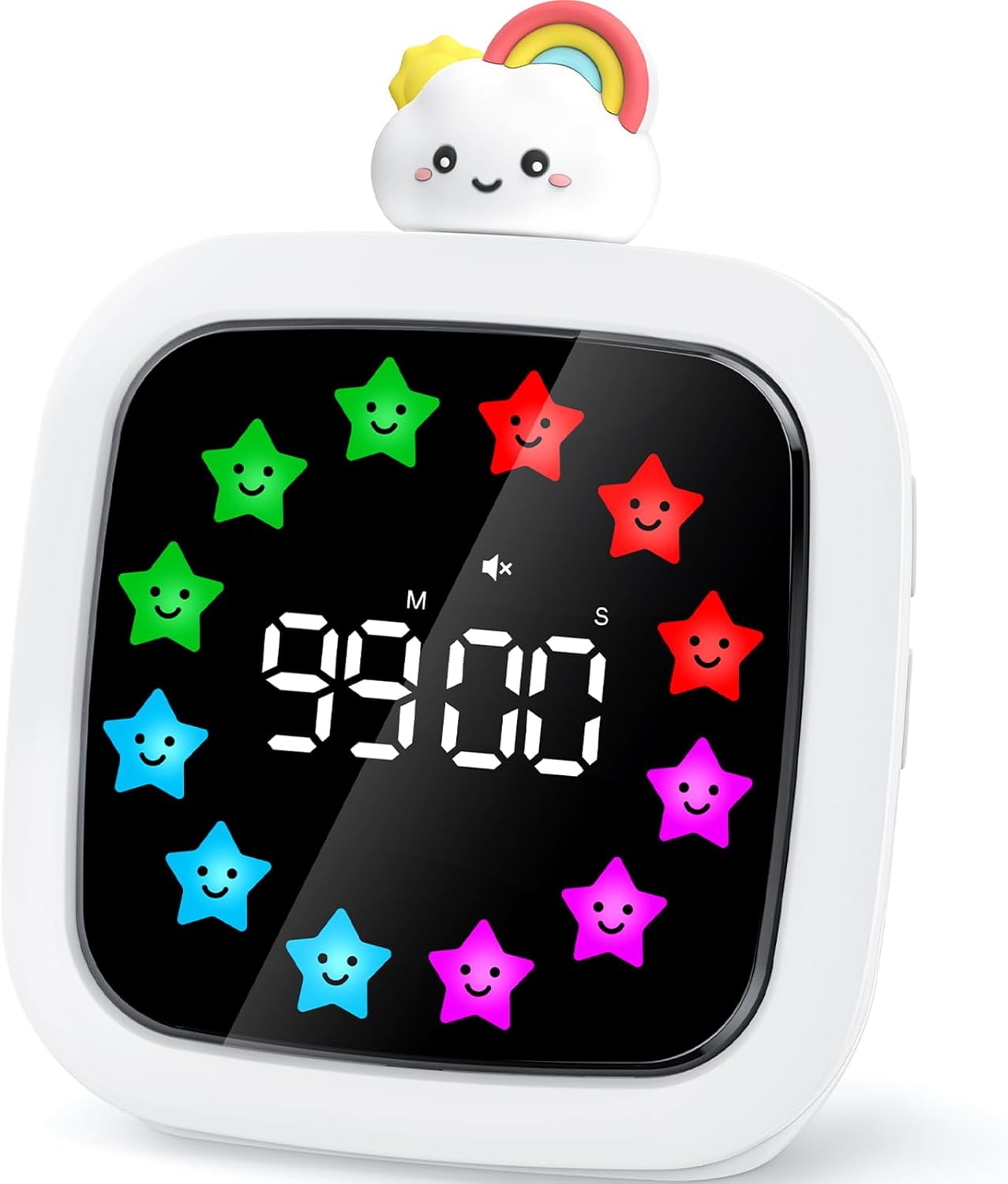
Figure 1: Yunbaoit Digital Visual Timer VT11
2. Configuració
2.1 Charging the Timer
The Yunbaoit Digital Visual Timer is rechargeable and comes with a USB-C charging cable. Before initial use, or when the low battery reminder appears, connect the timer to a power source using the provided cable. A red indicator light signifies charging, which turns green upon completion. A full charge provides approximately 25 hours of working time.

Figure 2: Charging the Timer
2.2 Engegada/apagada
To power on the timer, locate the power button on the back of the device and press it. To power off, press and hold the power button.
3. Instruccions de funcionament
3.1 Configuració del temporitzador
Rotate the doll's head located on top of the timer to adjust the desired countdown time. The timer supports a maximum of 99 minutes. Once the desired time is displayed, press the doll's head down to start the countdown.

Figure 3: Setting and Starting the Timer
3.2 Visual Countdown Display
The timer features a visual countdown using colorful stars that gradually disappear as time elapses. This provides an intuitive way to track time, especially beneficial for children who may not yet read digital numbers proficiently.

Figure 4: Visual Time Passage
3.3 Pause and Resume Function
During an active countdown, you can pause the timer by pressing the doll's head. To resume the countdown, press the doll's head again. This allows for flexible adjustment of tasks.

Figure 5: Pause and Resume Operation
3.4 Funció de memòria
The timer automatically saves the last set time. Upon switching on, the previously set time will be displayed, allowing you to start it directly without re-entering the duration.

Figure 6: Memory Function in Use
3.5 Customizing Display Colors
The timer offers 9 optional color displays for the stars. Additionally, a DIY function allows you to edit 12 display color blocks to create personalized color styles.

Figure 7: Color Display Options
3.6 Configuració d'alarma
Choose from 19 different ringtones, including pleasant light music, white noise, and traditional alarm sounds. The timer also features 4 adjustable volume levels: mute, low, medium, and loud, to suit different environments and preferences.

Figure 8: Alarm and Volume Settings
3.7 Ajust de brillantor
The timer offers two brightness levels (Day/Night) to ensure optimal visibility in various lighting conditions without causing disturbance.

Figure 9: Brightness Levels
4. Manteniment
Keep the timer clean by wiping it with a soft, dry cloth. Avoid using abrasive cleaners or submerging the device in water. Ensure the charging port is free of debris when connecting the USB-C cable.
5. Solució De Problemes
If you encounter any issues with your Yunbaoit Digital Visual Timer, please refer to the manufacturer's support resources or contact customer service for assistance.
6. Especificacions
| Marca | Yunbaoit |
| Número de model | VT11 |
| Color | Blanc |
| Material | Plàstic |
| Dimensions del producte | 1.77 "P x 3.54" W x 4.3" H |
| Pes de l'article | 7 unces (0.2 quilograms) |
| Max Timer Duration | 99 minuts |
| Bateria | 1 C battery required (included), Rechargeable |
| Nombre de configuracions | 5 (likely referring to volume/brightness/color modes) |
7. Vídeo oficial del producte
Video: Yunbaoit Rechargeable 99-Minute Visual Timer. This video demonstrates the key features and operation of the Yunbaoit Digital Visual Timer, including its visual countdown, alarm settings, and rechargeable nature.
8. Garantia i Suport
For warranty information or product support, please contact Yunbaoit customer service through the platform of purchase or visit the official Yunbaoit weblloc web. Si us plau, conserveu el comprovant de compra per a qualsevol reclamació de garantia.


