1. Introducció
The Silverlit Ycoo Talkimon Robot is an interactive toy designed to record and repeat your voice with engaging sound and light effects. This manual provides essential information for the safe and proper use of your Talkimon Robot.
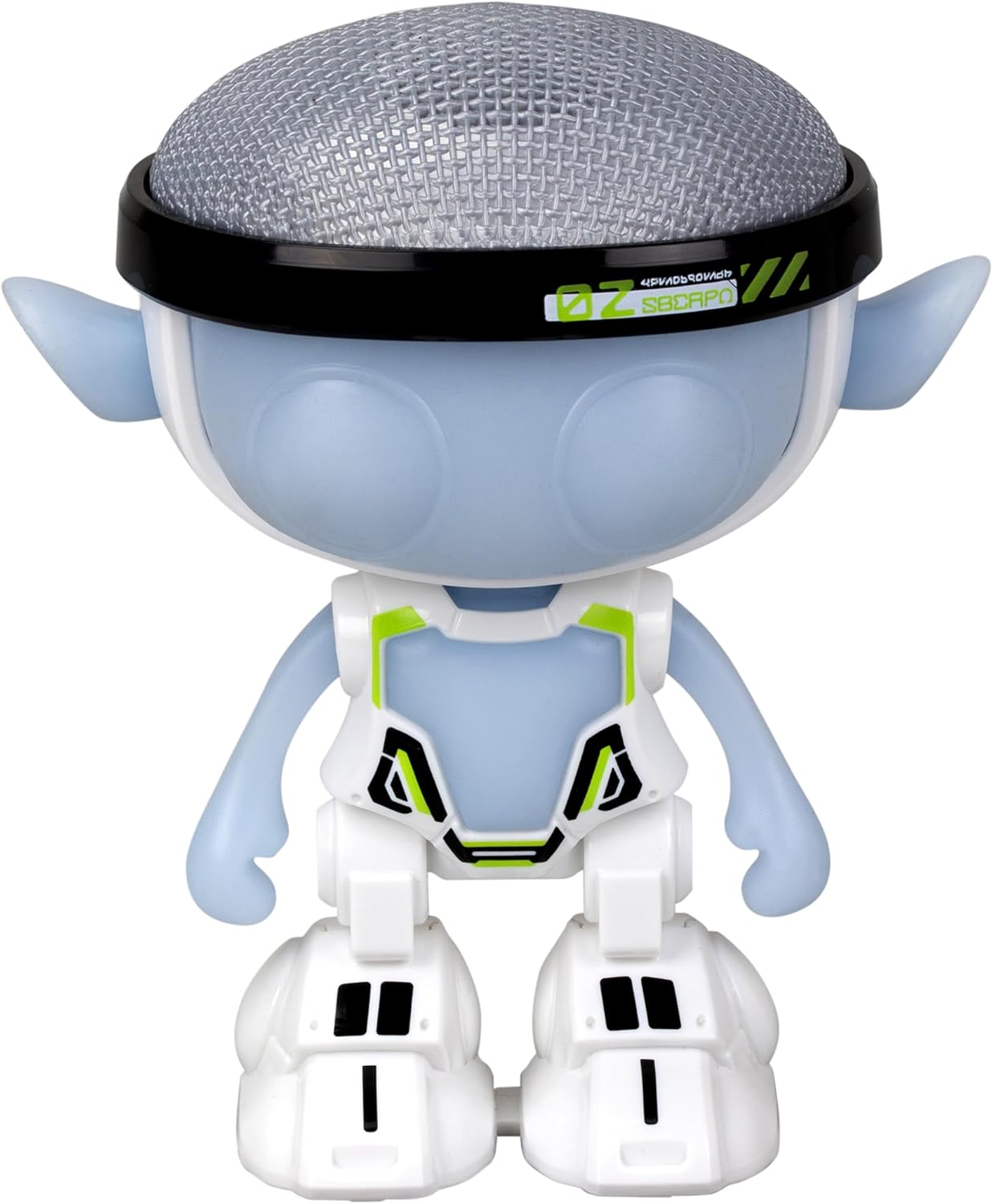
Figura 1: Frontal view of the Talkimon Robot.
2. Informació de seguretat
- Edat recomanada: This product is not suitable for children under 36 months (3 years) due to small parts.
- Perill d'asfixia: Contains small parts that can be swallowed. Adult supervision is recommended.
- Seguretat de la bateria: Ensure batteries are inserted correctly with the proper polarity. Do not mix old and new batteries, or different types of batteries. Remove batteries if the toy will not be used for an extended period.
- Neteja: Use a soft, dry cloth for cleaning. Do not immerse the robot in water.
3. Contingut del paquet
Si us plau, comproveu que tots els elements siguin presents al paquet:
- 1 x Silverlit Ycoo Talkimon Robot (Model 88494)
- 1 x Manual d'instruccions (aquest document)
- Batteries (may be included or sold separately, refer to packaging)

Figure 2: Talkimon Robot in its packaging.
4. Configuració
4.1 Instal·lació de la bateria
- Locate the battery compartment on the back or bottom of the Talkimon Robot.
- Amb un tornavís petit (no inclòs), obriu la tapa del compartiment de la bateria.
- Insert the required batteries (e.g., AAA, quantity specified on the compartment) according to the polarity indicators (+/-).
- Substituïu la tapa del compartiment de la bateria i fixeu-la amb el cargol.
4.2 Encès
Once batteries are installed, locate the power switch (usually on the back or bottom of the robot) and slide it to the "ON" position. The robot may emit a sound or light up to indicate it is powered on.
5. Instruccions de funcionament
5.1 Voice Recording and Playback
The Talkimon Robot features an interactive voice recording and playback function:
- Per gravar: Gently press the top of Talkimon's head. You will hear a signal indicating that recording has started.
- Parla clar: Speak a message, phrase, or make a noise directly towards the robot's head.
- Per a la reproducció: Release the pressure on Talkimon's head. The robot will immediately repeat your recorded message with a modified, humorous voice and various sound effects. Each playback may feature unique sound modifications.

Figure 3: Recording and playback interaction with Talkimon.
5.2 Efectes de llum
When Talkimon is active, especially during voice playback, its built-in LED lights will illuminate and shine, enhancing the interactive experience. These lights bring the character to life and captivate attention.

Figure 4: Talkimon Robot displaying light effects.
5.3 Soft Touch Sensory Material
The Talkimon Robot is designed with a soft and pleasant sensory material, making it comfortable and safe for children to handle. This material offers tactile comfort and stimulates the sense of touch.
6. Manteniment
- Neteja: Wipe the robot with a soft, dry cloth. Do not use harsh chemicals or abrasive cleaners.
- Emmagatzematge: Guardeu el robot en un lloc fresc i sec, allunyat de la llum solar directa i de temperatures extremes.
- Cura de la bateria: Remove batteries if the robot will not be used for an extended period to prevent leakage.
7. Solució De Problemes
| Problema | Causa possible | Solució |
|---|---|---|
| El robot no s'encén. | Les bateries estan esgotades o instal·lades incorrectament. | Comproveu la polaritat de la bateria i substituïu-la per piles noves. |
| Voice recording is unclear or not working. | Microphone blocked, or not pressing the head correctly. | Ensure the microphone area is clear. Press the robot's head firmly and speak clearly. |
| Els llums no funcionen. | Bateria baixa o problema intern. | Canvieu les piles. Si el problema persisteix, poseu-vos en contacte amb el servei d'atenció al client. |
8. Especificacions
- Número de model: 88494
- Dimensions del producte: 5.71 x 6.5 x 3.94 polzades (14.5 x 16.5 x 10 cm)
- Pes de l'article: 8.4 unces (238 grams)
- Edat recomanada pel fabricant: 5 anys i més
- Font d'alimentació: Batteries (type and quantity specified on product packaging)
9. Garantia i Suport
For warranty information or technical support, please refer to the contact details provided on the product packaging or visit the official Silverlit weblloc web. Conserveu el rebut de compra com a comprovant de compra.
Silverlit Official Weblloc: www.silverlit.com


