Introducció
The MAONOCASTER G1 NEO is an essential audio mixer and interface designed for gamers and streamers. It offers high-quality sound performance, customizable sound effects, and dynamic RGB lighting to enhance your gaming and streaming experience. Its compact design and intuitive interface ensure ease of use, helping users achieve clear audio and engaging content.
This package includes the MAONOCASTER G1 NEO mixer and a 6-foot XLR male to female microphone cable, compatible with XLR-enabled PA systems, speakers, and other sound equipment.
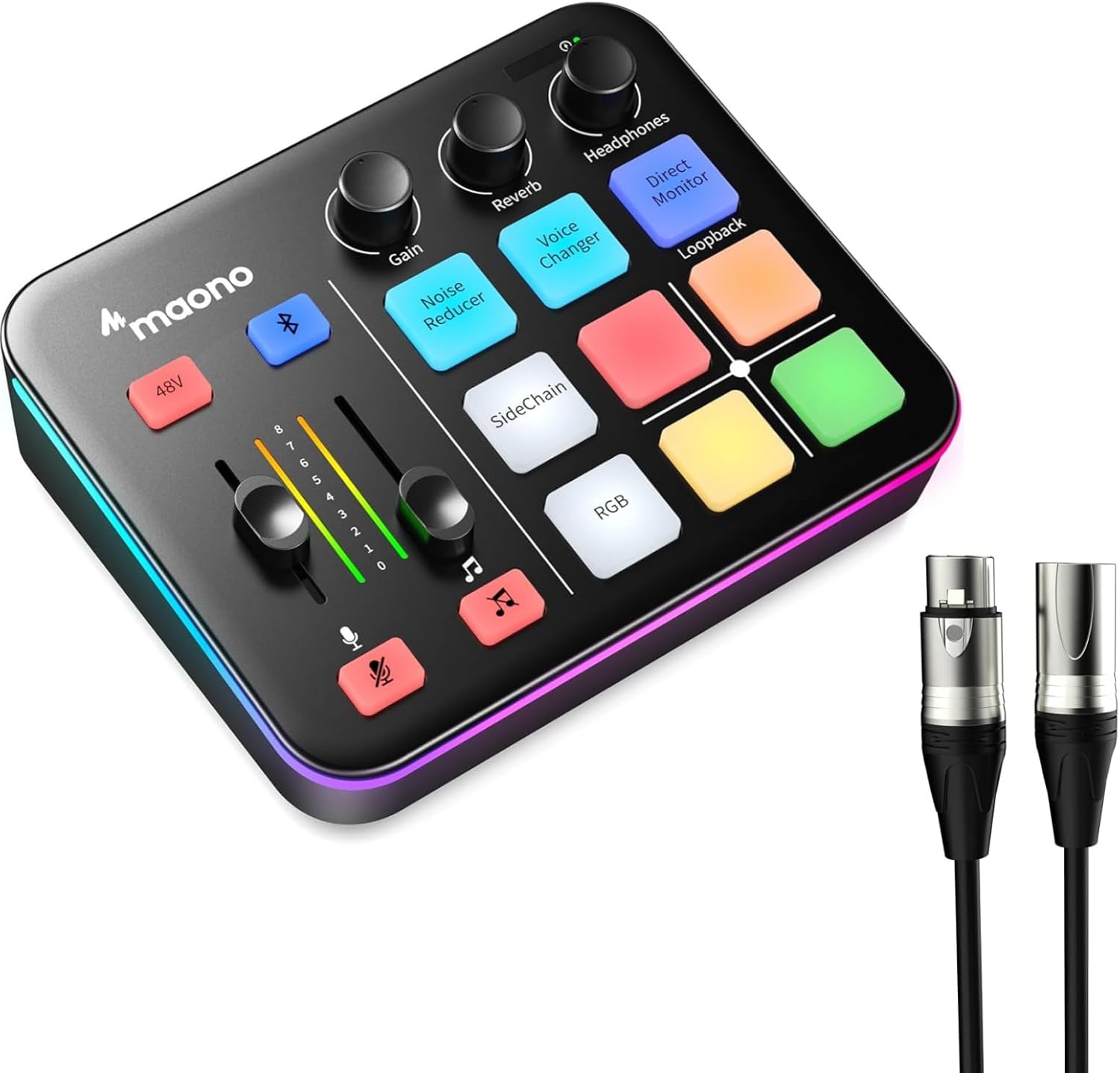
Figure 1: MAONO G1 NEO Gaming Audio Mixer and included XLR cable.
Guia de configuració
Follow these steps to set up your MAONO G1 NEO audio mixer:
- Connexió d'alimentació: Connect the mixer to a power source using the provided DC 5V port.
- Connexió del micròfon: Connect your XLR microphone to the XLR input port on the mixer. Ensure the 48V phantom power is enabled if your microphone requires it.
- Connexió d'auriculars: Plug your headphones into the "Headphones" jack for monitoring your audio.
- Connexió de sortida: Connect the "OUT" port to your streaming or recording device (e.g., computer, console) using a compatible cable.
- Entrada auxiliar: Use the "AUX IN" port to connect external audio sources like a smartphone or tablet for background music or sound effects.
- Compatibilitat del dispositiu: The G1 NEO is compatible with computers, PCs, tablets, smartphones, PS5, and PS4. It is not compatible with Xbox.

Figure 2: Rear panel connections for the MAONO G1 NEO, illustrating compatibility with various devices.

Figure 3: The included 6-foot XLR microphone cable for connecting your microphone to the mixer.
Instruccions de funcionament
Enhancing Your Voice
The G1 NEO features a built-in Pro-preamp and 48V phantom power to optimize the performance of your XLR microphone. Adjust the Guanyar knob to control microphone input sensitivity. The mixer also includes a one-click Reductor de soroll button to ensure clear audio by minimizing background noise.

Figure 4: Controls for voice enhancement, including 48V phantom power, gain, and noise reduction.
Customizing Sound Effects
The mixer offers various sound customization options:
- Canviador de veu: Transform your voice into female, male, baby, or robot tones using the dedicated Canviador de veu botó.
- Custom Sound Pads: Utilize the customizable sound pads to trigger pre-recorded effects such as footsteps, laughing, reloading, applause, or your own custom background music (BGM).
- Reverb and Sidechain: Apply reverb effects to your voice or music, and use the sidechain feature for dynamic audio ducking.
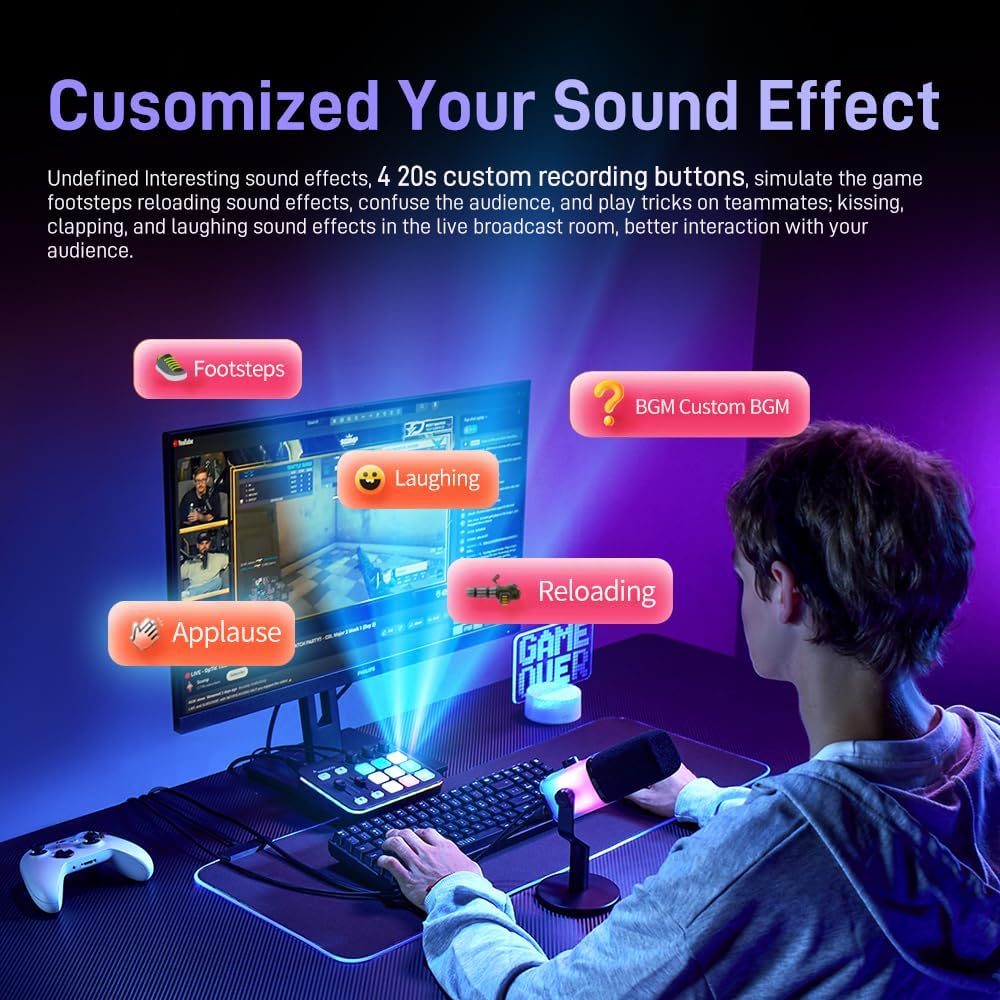
Figure 5: The Voice Changer feature with options for various vocal transformations.

Figure 6: Customizable sound effect pads for quick access to various audio cues.
Streamlining Your Workflow
The G1 NEO is designed for intuitive operation:
- Acompanyament Bluetooth: Connect your device via Bluetooth to stream background music directly to your mixer.
- Silenciament amb un clic: Quickly mute both microphone and music audio with a single button press to maintain privacy or avoid interruptions.
- Loopback: Enable the Loopback function to capture all audio playing on your computer, including game sound and chat, for your stream.
- Direct Monitor: Activate direct monitoring for real-time audio feedback without latency.
- Interruptors d'alimentació: Conveniently located power switches simplify operation.

Figure 7: The one-key mute function for microphone and music.

Figure 8: The Direct Monitor feature for real-time audio control.
Stunning RGB Lighting
The G1 NEO features customizable RGB lighting with 12 different color variations. You can set solid colors, gradients, or rainbow effects for the buttons and body light strips, allowing you to match the aesthetics of your gaming setup and enhance the immersive experience during live streams.

Figure 9: The customizable RGB lighting of the MAONO G1 NEO.
Manteniment
To ensure the longevity and optimal performance of your MAONO G1 NEO, follow these maintenance guidelines:
- Neteja: Use a soft, dry cloth to wipe down the surface of the mixer. Avoid using abrasive cleaners or solvents, as they may damage the finish.
- Emmagatzematge: Guardeu la batedora en un lloc fresc i sec, allunyat de la llum solar directa i de temperatures extremes.
- Cura del cable: Manipuleu els cables amb cura per evitar danys. Eviteu doblecs o torçades pronunciades.
- Ventilació: Assegureu-vos una ventilació adequada al voltant del dispositiu per evitar el sobreescalfament.
Resolució de problemes
If you encounter issues with your MAONO G1 NEO, refer to the following common troubleshooting steps:
- Sense sortida de so:
- Check all cable connections (microphone, headphones, output).
- Assegureu-vos que el mesclador estigui engegat.
- Verify volume levels on the mixer and your connected device.
- Confirm that the microphone is properly connected and 48V phantom power is enabled if required.
- Check if the mute function is active.
- Àudio distorsionat:
- Adjust the microphone gain to prevent clipping.
- Assegureu-vos que els cables no estiguin danyats ni connectats de manera fluixa.
- Comproveu si hi ha interferències d'altres dispositius electrònics.
- El canviador de veu no funciona:
- Ensure the Voice Changer button is pressed and active.
- Verify microphone input is working correctly.
- Problemes d'il·luminació RGB:
- Assegureu-vos que el mesclador estigui engegat.
- Press the RGB button to cycle through modes or activate lighting.
If the issue persists, please contact MAONO customer support for further assistance.
Especificacions
| Nom del model | MAONOCASTER G1 NEO |
| ASIN | B0F8M45N5Y |
| Data de primera disponibilitat | 29 de març de 2024 |
| Característiques clau | Pro-preamp, 48V Phantom Power, RGB Lighting, Bluetooth Connectivity, Voice Changer, Custom Sound Pads, Noise Reduction, Direct Monitor, Loopback |
| Accessoris inclosos | 6FT XLR Microphone Cable |
| Compatibilitat | Computer, PC, Tablet, Smartphone, PS5, PS4 (Not compatible with Xbox) |
Garantia i Suport
MAONO products are designed for reliability and performance. For warranty information or technical support, please visit the official MAONO weblloc web o poseu-vos en contacte amb el seu departament d'atenció al client. Conserveu el rebut de compra com a comprovant de compra per a qualsevol reclamació de garantia.
MAONO Customer Service: Refer to the contact information provided with your product packaging or on the official MAONO weblloc.


