Introducció
This manual provides detailed instructions for the setup, operation, and maintenance of your EZON T029 Men's Pedometer Watch. This non-Bluetooth device is designed for straightforward activity tracking, offering features such as step counting, calorie tracking, a stopwatch, and an EL backlight for enhanced visibility. It is suitable for various daily activities and sports, including swimming, thanks to its 5ATM water resistance.
Producte acabatview

Figura 1: Frontal view of the EZON T029 Pedometer Watch, displaying time and activity data.
The EZON T029 is a robust digital watch equipped with essential fitness tracking capabilities. It features a durable stainless steel bezel, a comfortable TPU strap, and a clear digital display. Key functions include:
- Pedometer (Step Counter)
- Comptador de calories
- Stopwatch with Lap and Split Time
- Alarma i Hourli Campana
- Retroil·luminació EL per a condicions de poca llum
- 5ATM Water Resistance (up to 50 meters)
- Time, Date, and Day Display
Configuració
1. Initial Power On / Wake Up
Upon first use or after a period of inactivity, the watch may be in sleep mode to conserve battery. To activate the watch, press all four buttons simultaneously. This action will wake the watch or return it to sleep mode.
2. Battery Installation / Replacement
The EZON T029 watch uses a CR2032 button battery. The battery is included and pre-installed. When replacement is needed, follow these steps:

Figure 2: Illustrated guide for replacing the CR2032 battery.
- Carefully open the back cover of the watch.
- Traieu la bateria CR2032 antiga.
- Inseriu una nova bateria CR2032 amb el costat positiu (+) cap amunt.
- Tanqueu de manera segura la coberta posterior.
3. Configuració de l'hora i la data
To adjust the time, date, and other settings:
- Long press the MODE button (B) per accedir al menú de configuració.
- Use the other buttons (typically LIGHT (A) and + (D) / - (E)) to adjust values.
- Press the MODE button (B) briefly to cycle through different setting parameters (e.g., hours, minutes, year, month, day).
- Once all settings are configured, long press the MODE button (B) again or wait for the watch to automatically exit the settings menu.
The watch supports both 12-hour and 24-hour time formats.
Instruccions de funcionament
S'han acabat les funcions del botóview

Figure 3: Button layout and primary functions of the EZON T029 watch.
- LIGHT Button (A):
Premsa: Turns the EL backlight on/off.
Premsa llarga: Enables/disables button lock. - MODE Button (B):
Premsa: Cycles through current time, day of week, date, and seconds display.
Premsa llarga: Enters the main settings menu. - Botó C:
Premsa: Enters the records menu (e.g., step history). - D Button (+):
Premsa: Enters CHRONO (stopwatch) mode. (Also used for increasing values in settings). - E Button (-):
Premsa llarga: Enters pedometer mode. (Also used for decreasing values in settings).
1. Pedometer Mode
The watch tracks your steps, distance, and estimated calories burned. To access pedometer data:
- Long press the E button to enter pedometer mode.
- The display will show your current step count, distance, and calories.
- The pedometer automatically resets at midnight.

Figure 4: The watch displaying activity tracking data during a run.
2. Stopwatch (CHRONO) Mode
The stopwatch function allows for precise timing of activities, including lap and split times.
- Press the D button to enter CHRONO mode.
- Press D again per iniciar/aturar el cronòmetre.
- Premeu E to record lap/split times while the stopwatch is running.
- Long press D to reset the stopwatch to zero when stopped.

Figure 5: The watch in stopwatch mode, useful for tracking performance in sports.
3. EL Retroil·luminació
For visibility in low-light conditions, the watch features an EL backlight.
- Press the LIGHT button (A) per activar la llum de fons.
- The backlight will remain on for a few seconds before automatically turning off.

Figure 6: The watch display showing normal view versus activated EL backlight for night visibility.
4. Alarm and Hourli Campana
The watch includes an alarm function and an optional hourly sonar.
- Refer to the settings menu (long press MODE button B) to set the alarm time and enable/disable the hourly sonar.
Manteniment
1. Neteja
Per mantenir l'aspecte i la funcionalitat del rellotge:
- Netegeu la caixa i la corretja del rellotge amb un drap suau iamp tela.
- Avoid using harsh chemicals or abrasive materials, as these can damage the watch's finish or seals.
2. Resistència a l'aigua
The EZON T029 watch is 5ATM water-resistant, suitable for hand washing, rain, and swimming. However, to ensure its longevity:
- No premeu cap botó mentre el rellotge estigui submergit a l'aigua.
- Avoid exposing the watch to hot water or steam, as this can compromise the water-resistant seals.
- Després de l'exposició a l'aigua salada, esbandiu el rellotge amb aigua fresca i eixugueu-lo bé.
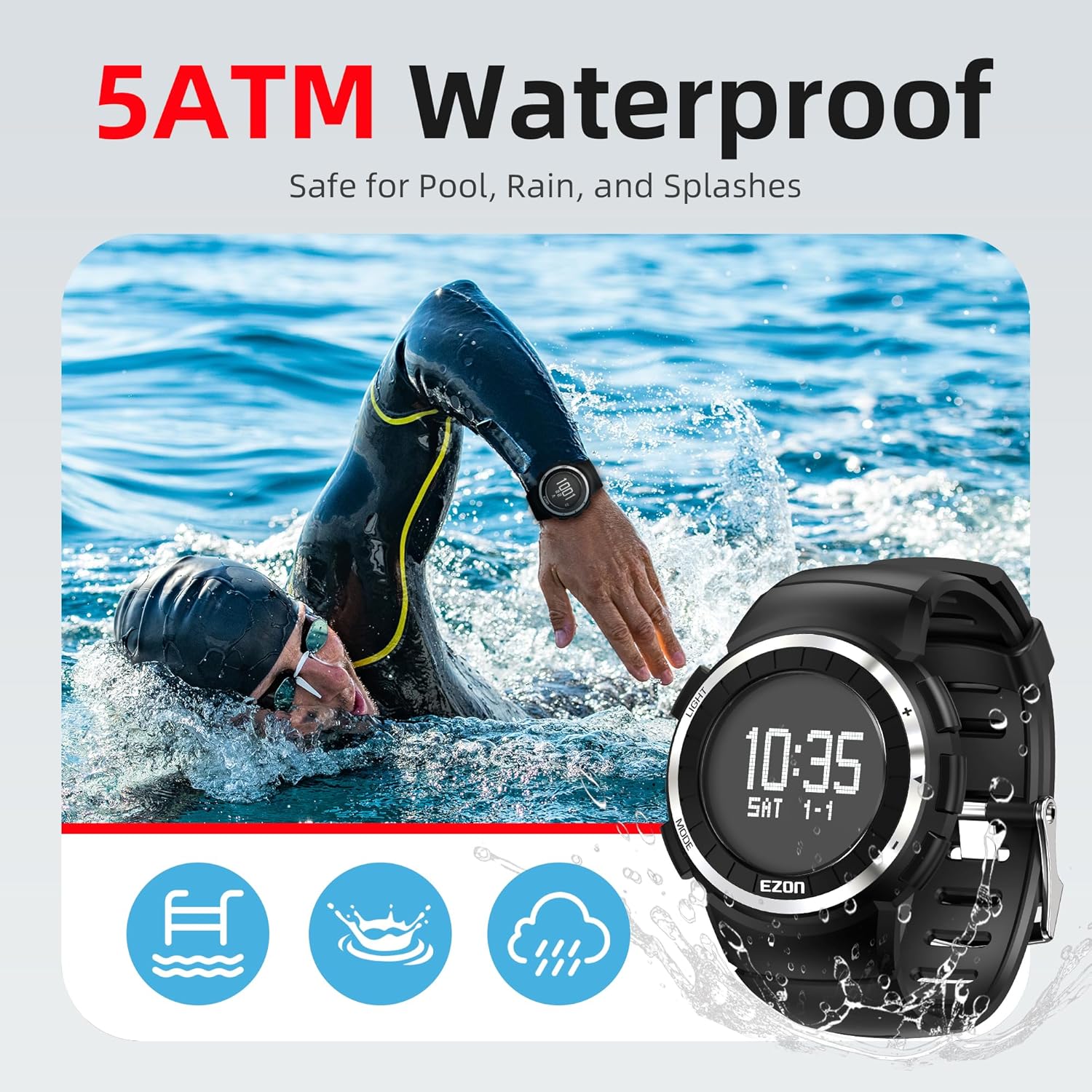
Figure 7: The watch is designed to withstand water exposure during activities like swimming.
3. Durada i substitució de la bateria
The watch is powered by a CR2032 button battery, offering approximately 12-16 months of life with regular pedometer use. Refer to the 'Setup' section for battery replacement instructions when needed.
Resolució de problemes
| Problema | Causa possible | Solució |
|---|---|---|
| Watch does not turn on or display is blank. | Watch is in sleep mode or battery is depleted. | Press all four buttons simultaneously to wake the watch. If it remains blank, replace the CR2032 battery. |
| Hora o data incorrecta mostrada. | Hora/data no configurades correctament. | Long press the MODE button (B) to enter the settings menu and adjust the time and date. |
| Pedometer not tracking steps accurately. | Watch not worn correctly or sensor interference. | Ensure the watch is worn snugly on your wrist. Movement patterns can affect accuracy; ensure consistent arm swing for best results. |
| La pantalla és tènue o difícil de llegir. | EL backlight not activated or low battery. | Press the LIGHT button (A) to activate the backlight. If the issue persists, consider replacing the battery. |
| Els botons no responen o estan encallats. | Button lock is enabled or debris around buttons. | Long press the LIGHT button (A) to disable button lock. Clean around the buttons to remove any obstructions. |
Especificacions
| Característica | Detall |
|---|---|
| Número de model | T029 |
| Resistència a l'aigua | 5ATM (50 metres) |
| Tipus de bateria | CR2032 Button Battery (included) |
| Durada estimada de la bateria | Up to 12-16 months (with pedometer on) |
| Tipus de visualització | Digital amb retroiluminació EL |
| Mida de la pantalla | 1.81 Inches (visible screen diagonal: 2" / 5 cm) |
| Material de la caixa | ABS Case, Stainless Steel Bezel |
| Material de la corretja | Breathable TPU |
| Material de la lent | Premium PMMA Lens |
| Connectivitat | Non-Bluetooth |
| Funcions | Pedometer, Step Counter, Calorie Counter, Stopwatch, Alarm, Hourly Chime, Countdown Timer, Time, Date, Day |
| Pes de l'article | 5.6 unces |
Garantia i Suport
EZON is committed to providing quality products and customer satisfaction. Your EZON T029 Pedometer Watch comes with the following:
- Suport de per vida: Assistance for the lifespan of your product.
- Resposta en 24 hores: Dedicated customer service for timely inquiries.
- Política de devolució de 30 dies: Hassle-free returns within 30 days of purchase.
- Substitució gratuïta durant 1 any: Replacement for manufacturing defects within one year.
For further assistance or to claim warranty services, please contact EZON customer support through the official channels provided at the time of purchase or on the EZON brand weblloc.


