1. Introducció
This manual provides comprehensive instructions for the setup, operation, and maintenance of your ELEPHAS Smart 4K Projector, Model YG561. Please read this manual thoroughly before using the projector to ensure proper function and to maximize your viewexperiència. Conserveu aquest manual com a referència futura.
2. Informació de seguretat
Instruccions importants de seguretat:
- No bloquegeu les obertures de ventilació. Assegureu-vos que hi hagi prou espai al voltant del projector per a un flux d'aire adequat.
- No exposeu el projector a la pluja o la humitat per evitar incendis o descàrregues elèctriques.
- Eviteu mirar directament a la lent del projector quan lamp està encès, ja que la llum brillant pot causar lesions oculars.
- Utilitzeu només accessoris/accessoris especificats pel fabricant.
- Desendolleu el projector durant tempestes o quan no l'utilitzeu durant períodes prolongats.
- Demaneu tot el servei a personal de servei qualificat.
3. Contingut del paquet
Verifiqueu que tots els elements que s'enumeren a continuació s'inclouen al vostre paquet:
- ELEPHAS Smart 4K Projector (Model YG561)
- Control remot
- Cable d'alimentació
- Cable HDMI
- Manual d'usuari
- Bossa de transport
4. Producte acabatview
The ELEPHAS Smart 4K Projector YG561 is designed to deliver a high-quality visual and audio experience with advanced features.

Imatge: Frontal view of the ELEPHAS Smart 4K Projector, showcasing the lens and speaker grille.
Característiques principals:
- 4K PRO-UHD and HDR 10+ Visuals: Experience vibrant, crystal-clear images with 1500 ANSI Lumens and a 20000:1 contrast ratio.
- Aplicacions de reproducció en temps real integrades: Direct access to licensed Netflix, Amazon Prime Video, and YouTube.
- Dolby Audio and 360° Hi-Fi Speakers: Immersive sound with 2x15W speakers.
- Dual-Band WiFi and Bluetooth 5.2: Fast streaming and effortless connection to external audio devices.
- Smart AI Setup: Automatic focus, 4D/4P keystone correction, obstacle avoidance, and screen adaptation.
- Dust-Proof Sealed Optical Engine: Protects internal components for consistent image quality and extended lifespan.
5. Configuració
5.1 Col·locació
Place the projector on a stable, flat surface. Ensure the projection path is clear of obstructions. The optimal projection distance and screen size will vary based on your environment. For best results, project onto a dedicated projector screen or a smooth, light-colored wall.
5.2 Connexió d'alimentació
- Connecteu el cable d'alimentació al port d'entrada d'alimentació del projector.
- Connecteu l'altre extrem del cable d'alimentació a una presa de corrent adequada.
- Premeu el botó d'engegada del projector o del comandament a distància per encendre'l.
5.3 Connexió de xarxa (Wi-Fi)
The projector supports dual-band 2.4G and 5G Wi-Fi for stable streaming.
- Navigate to the 'Settings' menu on the projector.
- Seleccioneu "Xarxa" o "Configuració de Wi-Fi".
- Activeu el Wi-Fi i seleccioneu la xarxa desitjada de la llista.
- Enter the Wi-Fi password using the on-screen keyboard and confirm.

Image: Diagram illustrating the projector's dual-band WiFi and Bluetooth connectivity, showing a smartphone mirroring content.
5.4 Vinculació Bluetooth
Connecteu altaveus o auriculars Bluetooth externs per a una experiència d'àudio millorada.
- Assegureu-vos que el dispositiu d'àudio Bluetooth estigui en mode d'emparellament.
- On the projector, go to 'Settings' and select 'Bluetooth'.
- Turn on Bluetooth and wait for the projector to scan for available devices.
- Seleccioneu el dispositiu de la llista per emparellar-lo.
5.5 Smart AI Setup (Auto Focus & Keystone)
The projector features Smart AI 2.0 Technology for automatic image adjustment.
- Upon initial power-on or movement, the projector will automatically adjust focus and keystone.
- The real-time motion detection ensures optimal clarity.
- Intelligent obstacle avoidance detects and adjusts the projection to avoid obstructions.
- The projector adapts to different screen sizes automatically.

Image: Diagram illustrating the projector's Smart AI 2.0 features, including auto focus, auto keystone, auto obstacle avoidance, and auto screen adaptation.
6. Instruccions de funcionament
6.1 Navegació bàsica
Use the included remote control to navigate the projector's interface. The remote has dedicated buttons for power, volume, navigation, and direct access to streaming applications.
6.2 Aplicacions de transmissió en temps real
The projector comes with pre-installed and licensed applications for Netflix, Amazon Prime Video, and YouTube. Access these directly from the home screen or via dedicated remote buttons.
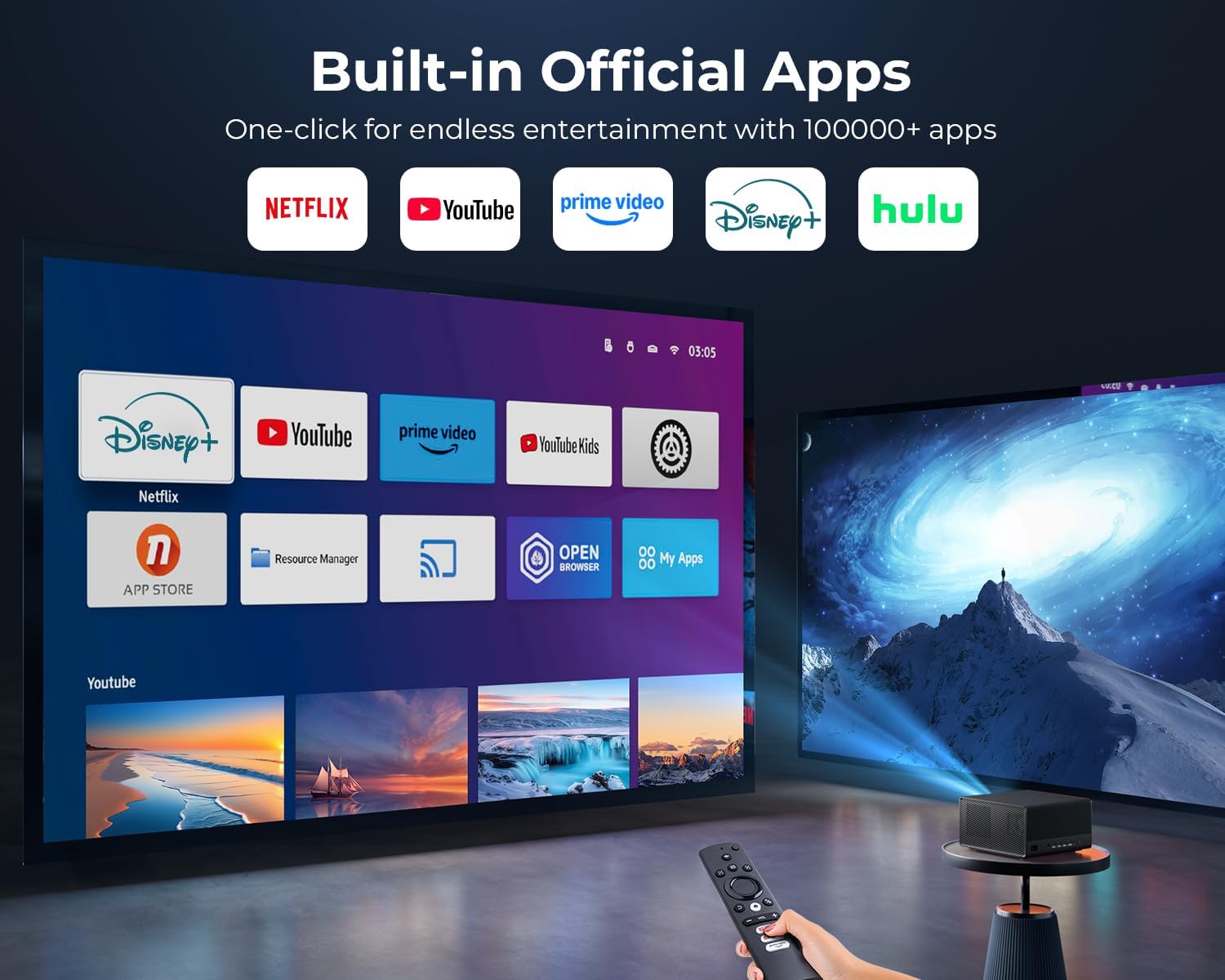
Image: The projector displaying its home screen with various built-in applications, including Netflix, YouTube, and Prime Video.
6.3 Connexió de dispositius externs
El projector admet diverses fonts d'entrada:
- HDMI: Connect Blu-ray players, gaming consoles, laptops, or streaming sticks.
- USB: Reprodueix contingut multimèdia files directament des d'una unitat USB.
- Jack de 3.5 mm: Per a sortida d'àudio amb cable.
Select the appropriate input source from the projector's input menu.
6.4 Mirall de pantalla
Mirror content from your Android, iOS, or Windows devices wirelessly using the projector's Wi-Fi connectivity. Refer to your device's screen mirroring instructions and the projector's on-screen prompts for detailed steps.
6.5 Sortida d'àudio
The projector features built-in 2x15W speakers with Dolby Audio for immersive 360° surround sound. For alternative audio, use the Bluetooth pairing function or the 3.5mm audio jack.

Image: The projector emitting sound waves, highlighting its Dolby Audio and 360-degree Hi-Fi speaker capabilities.
7. Manteniment
7.1 Dust-Proof Sealed Optical Engine
The projector is equipped with a dust-proof sealed optical engine. This design minimizes dust accumulation on internal components, ensuring consistent image quality and extending the projector's lifespan. No user maintenance is required for the sealed optical engine.

Image: A cutaway diagram illustrating the dust-proof sealed optical engine within the projector, showing how it protects against dust and debris.
7.2 Neteja de la lent
Use a soft, lint-free cloth specifically designed for optical lenses. Gently wipe the lens surface to remove dust or smudges. Avoid using abrasive cleaners or excessive force, which can scratch the lens.
7.3 Neteja general
Wipe the exterior of the projector with a soft, dry cloth. Do not use liquid or aerosol cleaners directly on the projector. Ensure all ventilation ports are clear of dust and debris.
8. Solució De Problemes
| Problema | Causa possible | Solució |
|---|---|---|
| Sense poder | Cable d'alimentació no connectat; Presa de corrent defectuosa | Comproveu la connexió del cable d'alimentació; proveu una presa de corrent diferent |
| Cap imatge | Input source incorrect; Cable loose; Projector in standby | Select correct input source; Check HDMI/USB cable connections; Press power button to wake |
| Imatge borrosa | Out of focus; Keystone not adjusted | Allow auto-focus to engage; Manually adjust focus if needed; Ensure auto-keystone is active |
| Sense so | Volum massa baix; Silenciat; Dispositiu d'àudio extern no connectat | Increase volume; Unmute; Check Bluetooth connection or 3.5mm cable |
| Connexió Wi-Fi inestable | Encaminador massa lluny; Interferència | Move projector closer to router; Reduce interference from other devices |
9. Especificacions
| Característica | Detall |
|---|---|
| Marca | ELEFAS |
| Número de model | YG561 |
| Dimensions del producte | 10.6 x 9.8 x 5.9 polzades |
| Pes de l'article | 10.43 lliures |
| Resolució de visualització | 1920 x 1080 (Native Full HD, supports 4K PRO-UHD input) |
| Brillantor | 1500 lúmens ANSI |
| Relació de contrast | 20000:1 |
| Gamma de colors | 95% NTSC |
| Característiques especials | 4K PRO-UHD, HDR 10+, Netflix/Prime Video/YouTube Compatible, Dolby Audio, Smart AI 2.0 True-Color Engine, Sealed Optical Engine, Auto Focus/Keystone Correction/Screen Alignment/Obstacle Avoidance, Two-Way Bluetooth 5.2, Dual-Band 2.4G+5G WiFi, 2*15W Hi-Fi Speakers |
| Tecnologia de connectivitat | 3.5mm Jack, Bluetooth, HDMI, USB, Wi-Fi |
| Usos recomanats | Negocis, Educació, Jocs, Cinema a casa |
10. Garantia i Suport
ELEPHAS is committed to providing reliable after-sales support for your projector.
- 12-Month Replacement: A replacement is available within 12 months of purchase for qualifying issues.
- Suport postvenda de per vida: Our dedicated team provides round-the-clock assistance with flexible solutions for any issues you may encounter.
For support, please refer to the contact information provided on the ELEPHAS official weblloc web o la vostra plataforma de compra.


