Introducció
Thank you for choosing the WIWU MW-003 MagSafe Wallet. This product is designed to enhance your mobile experience by providing secure card storage, RFID protection, and a versatile adjustable stand. This manual provides detailed instructions for setup, operation, and maintenance to ensure optimal performance and longevity of your device.
Característiques del producte
- Advanced RFID Shielding: The wallet features a soft, anti-magnetic lining designed to block 13.56 MHz RFID signals, protecting your cards from unauthorized scanning and data theft.
- Forta fixació magnètica: Equipped with 32 N52 magnets, the wallet securely attaches to MagSafe-compatible phone cases, maintaining a strong hold even during active use.
- Minimalist 5-Card Capacity: Crafted from sustainable PU leather with a slim 0.39-inch profile, this wallet can store up to 5 cards, offering quick access with a single push.
- Internal Storage & Multi-Angle Stand: Includes internal pockets for small items like SIM cards or a card pin. The adjustable magnetic stand supports viewing angles from 15-160°, suitable for various uses like video viewnavegació o navegació.
- Compatibilitat universal: Seamlessly attaches to iPhone 12-16 series without additional accessories. A detachable MagSafe ring is included for compatibility with all Android and other iPhone models.
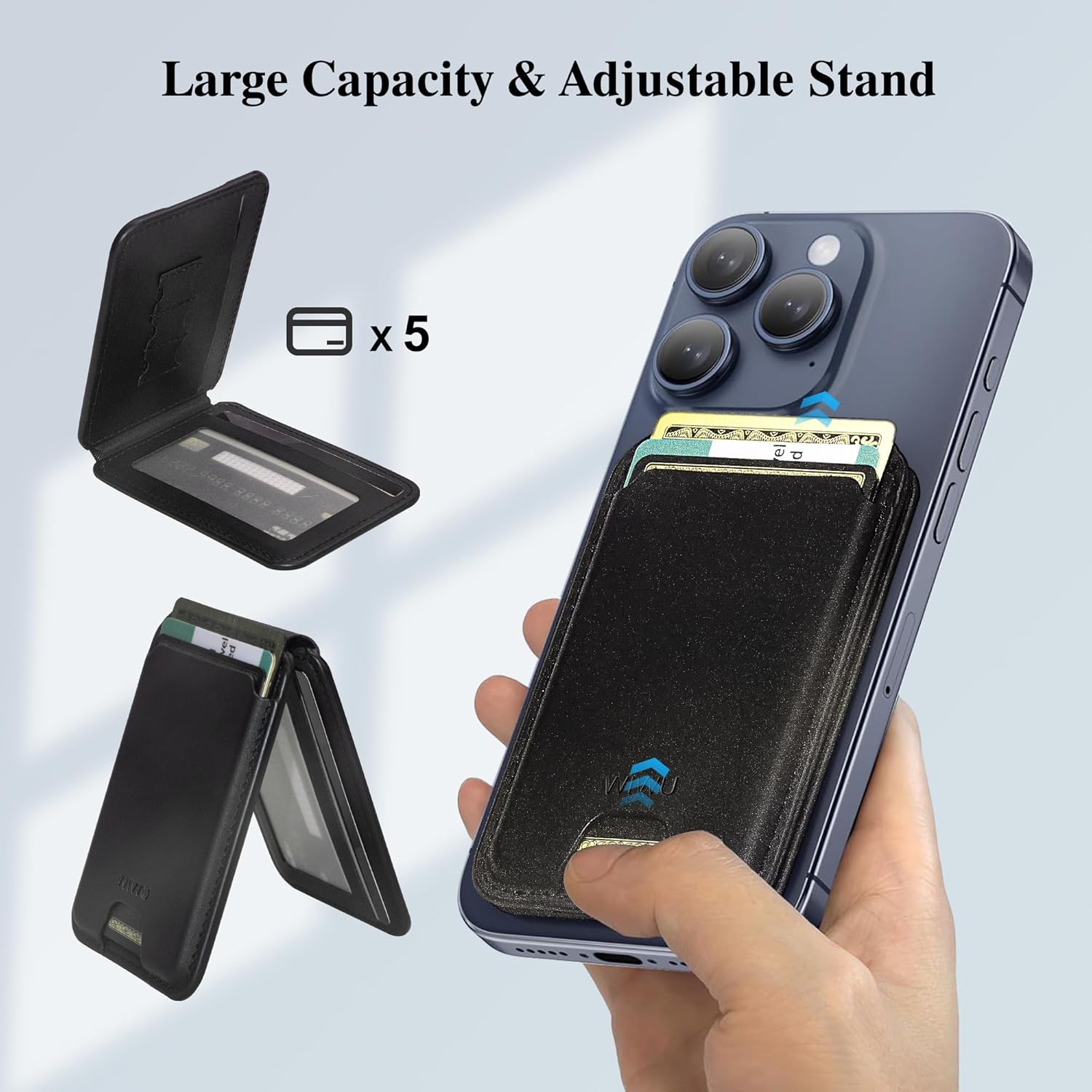
This image illustrates the wallet's ability to hold up to 5 cards and its integrated adjustable stand feature.

The wallet incorporates RFID shielding technology to protect your cards from unauthorized scanning and data theft.
Contingut del paquet
- 1 x WIWU MW-003 MagSafe Wallet
- 1 x Detachable MagSafe Ring (for non-MagSafe compatible devices)
Configuració i instal·lació
- For MagSafe-Compatible iPhones (12-16 Series): Simply align the WIWU MW-003 MagSafe Wallet with the MagSafe area on the back of your iPhone or MagSafe-compatible case. The strong magnets will automatically snap it into place.
- For Android Phones and Non-MagSafe iPhones:
- Clean the back surface of your phone or phone case thoroughly to ensure proper adhesion.
- Peel off the protective film from the adhesive side of the included detachable MagSafe ring.
- Carefully center and press the MagSafe ring onto the back of your phone or case. Ensure it is firmly attached.
- Once the MagSafe ring is installed, align the WIWU MW-003 MagSafe Wallet with the ring. The magnets will secure it.

The WIWU MagSafe Wallet securely attaches to the back of a MagSafe-compatible smartphone or case, providing convenient access to cards.

This image displays the wallet's compatibility with various iPhone models (12-16 series) and Android phones when used with the included MagSafe ring.
Instruccions de funcionament
Inserting and Accessing Cards
- Open the wallet flap.
- Slide up to 5 cards into the designated card slots. Ensure cards are fully inserted to prevent them from falling out.
- For quick access, gently push the bottom of the wallet to slide cards out.
- Utilize the internal pockets for smaller items like SIM cards or a card pin.
Using the Adjustable Stand
- To activate the stand, gently fold the wallet open at its hinge.
- Adjust the angle of the stand to your preferred viewing position (15-160°).
- The stand supports both portrait and landscape orientations for hands-free viewing, video calls, or navigation.
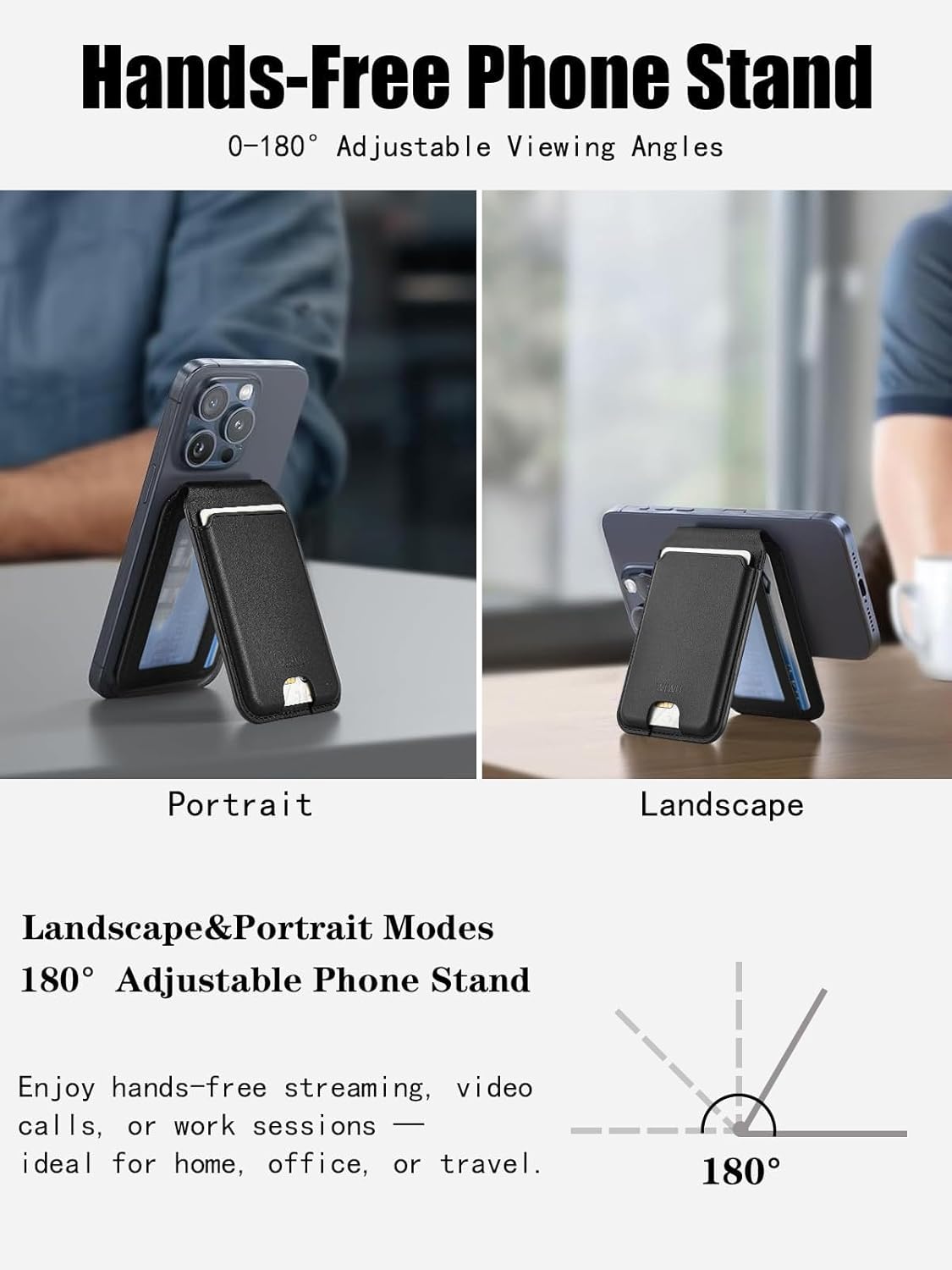
The adjustable stand feature allows the phone to be propped up in both portrait and landscape modes for versatile viewing.
This video provides a visual guide on how to attach the wallet, store cards, and utilize the adjustable stand feature.
Manteniment
To maintain the appearance and functionality of your WIWU MW-003 MagSafe Wallet, follow these guidelines:
- Clean the wallet with a soft, damp tela. Eviteu utilitzar productes químics aggressivs o netejadors abrasius.
- Do not expose the wallet to extreme temperatures or direct sunlight for extended periods.
- Avoid overfilling the card slots, as this may stretch the material and affect its magnetic attachment or card retention.
- Regularly check the magnetic ring (if used) for secure adhesion to your device.
Resolució de problemes
| Problema | Possible solució |
|---|---|
| Wallet does not attach securely to phone. | Ensure your phone or case is MagSafe-compatible. If not, use the included MagSafe ring and ensure it is properly installed and adhered. Clean the surfaces to remove any dust or debris. |
| Cards are difficult to insert or remove. | Avoid overfilling the wallet. It is designed for up to 5 cards. New leather may be stiff; it will loosen with use. |
| Stand is unstable or collapses. | Ensure the wallet is fully opened at the hinge to form a stable triangular base. Adjust the angle carefully. |
| RFID blocking seems ineffective. | Ensure sensitive cards are placed in the internal, dedicated RFID-protected slots. External slots may offer less protection. |
Especificacions
| Característica | Detall |
|---|---|
| Número de model | MW-003 |
| Dimensions del producte | 0.39 x 2.56 x 3.98 polzades (1.0 x 6.5 x 10.1 cm) |
| Pes de l'article | 2.4 unces (68 grams) |
| Material | Cuir PU |
| Capacitat de la targeta | Fins a 5 cartes |
| Força magnètica | 32 N52 Magnets (approx. 4200gf) |
| Angle de suport | 15-160° adjustable |
| Bloqueig RFID | 13.56 MHz signals |

Detailed measurements and weight of the WIWU MagSafe Wallet, emphasizing its ultra-slim and lightweight design.

A visual representation highlighting the strong magnetic hold of the WIWU MagSafe Wallet, showing it is significantly stronger than typical magnetic wallets.
Garantia i Suport
WIWU products are manufactured to high-quality standards. For warranty information, product support, or to contact customer service, please visit the official WIWU store or weblloc web. Conserveu el rebut de compra per a qualsevol reclamació de garantia.
Visita el WIWU Store on Amazon per a més informació.


