1. Introducció
The Ugoos SK2 TV Box is a high-performance streaming media player designed to transform your television into a smart entertainment hub. Running on Android 12.0 with Google TV, it offers seamless access to a vast library of movies, TV shows, and applications. Equipped with a Realtek RTD1325 ARM Cortex-A55 Quad-Core CPU, 4GB RAM, and 32GB ROM, the SK2 ensures smooth 4K HDR playback and efficient multitasking. Its advanced connectivity options, including WiFi 6 and Bluetooth 5.2, provide a stable and fast streaming experience.
2. Contingut del paquet
Please verify that all items are present in the box:
- Ugoos SK2 TV Box
- BT + IR Remote Control
- 12V/1A Power Adapter (US Plug)
- Cable HDMI
- Manual d'usuari en anglès

Figure 2.1: Ugoos SK2 TV Box and its accompanying remote control.
3. Producte acabatview
The Ugoos SK2 TV Box features a compact design with essential ports for connectivity.
3.1 Frontal i lateral Views

Figura 3.1: lateral view of the Ugoos SK2 TV Box, showing the USB-C, Reset button, and USB 2.0 (5V===) port.
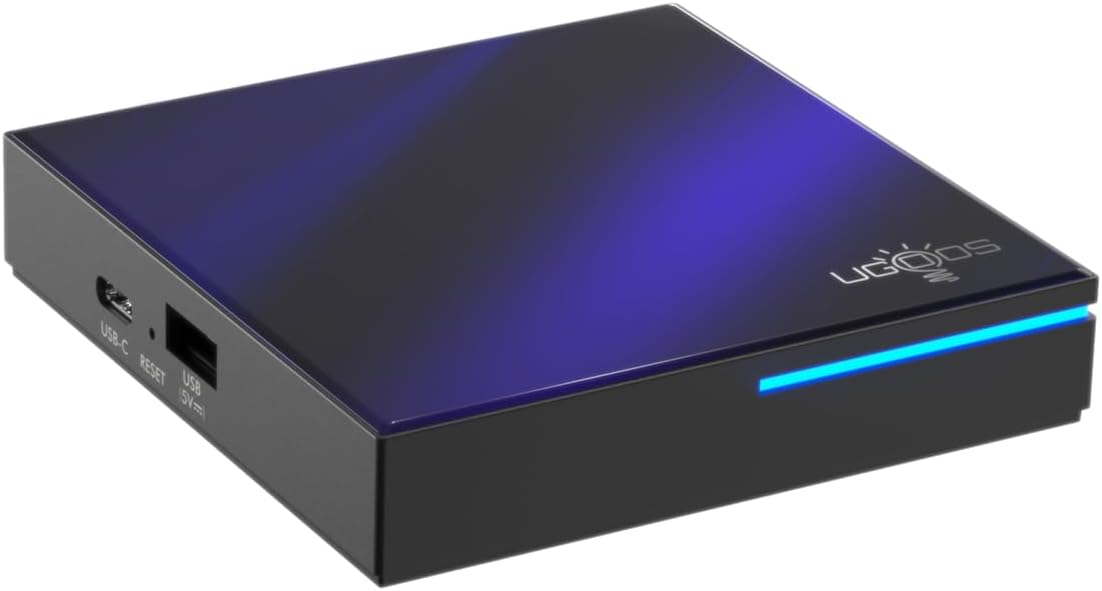
Figura 3.2: frontal i lateral view highlighting the indicator light strip, which illuminates when the device is powered on.
3.2 Darrera View (Ports)
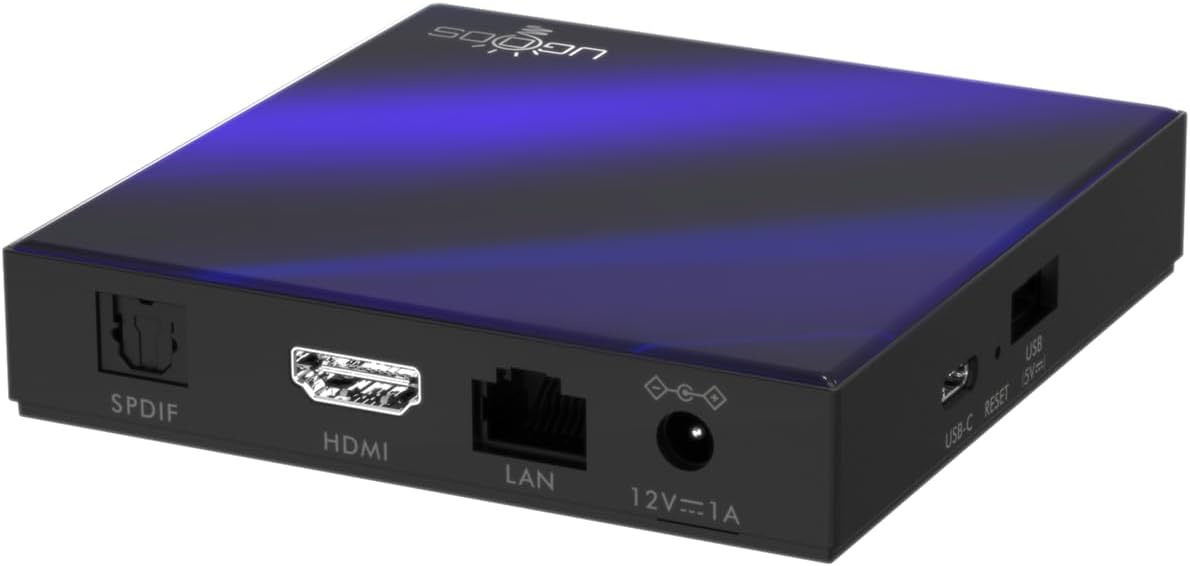
Figura 3.3: posterior view of the Ugoos SK2 TV Box, displaying the SPDIF, HDMI, LAN (Ethernet), and 12V/1A Power input ports.
Vídeo 3.1: Un unboxing i mésview of the Ugoos SK2 ATV Box, showcasing its design and available ports.
4. Guia de configuració
Follow these steps to set up your Ugoos SK2 TV Box:
- Connectar-se al televisor: Connect one end of the provided HDMI cable to the HDMI port on the Ugoos SK2 TV Box and the other end to an available HDMI input on your television.
- Connectar l'alimentació: Plug the 12V/1A power adapter into the DC IN port on the TV Box and then plug the adapter into a wall outlet. The indicator light on the front of the device will illuminate.
- Inseriu les piles del comandament a distància: Open the battery compartment on the back of the BT + IR Remote Control and insert two AAA batteries (not included), ensuring correct polarity.
- Encès: Power on your television and select the correct HDMI input source corresponding to where the TV Box is connected. The Ugoos SK2 TV Box should automatically power on.
- Configuració inicial: Follow the on-screen instructions to complete the initial setup, including language selection, region/country, and network connection (Wi-Fi or Ethernet).
- Parella el comandament a distància: During the initial setup, you may be prompted to pair the remote control. Press and hold the 'Home' and 'Back' buttons simultaneously for 5 seconds until the indicator light on the remote flashes, indicating successful pairing.
- Connecteu-vos a la xarxa: For optimal performance, connect the device to your home network. You can use either the built-in WiFi 6 (2.4/5/6Ghz) or connect an Ethernet cable to the LAN port for a wired connection.
5. Instruccions de funcionament
The Ugoos SK2 TV Box runs on Google TV, providing a user-friendly interface for content discovery and streaming.
5.1 Navegació i aplicacions
Use the remote control to navigate through the Google TV interface. The home screen provides personalized recommendations, quick access to installed apps like YouTube, Netflix, Prime Video, and Disney+, and a search function powered by Google Assistant.
5.2 Control per veu (Assistent de Google)
Press the Google Assistant button on your remote to activate voice control. You can use voice commands to search for content, control playback, get answers, and manage smart home devices.
5.3 Casting Content (Chromecast built-in)
The device features Chromecast built-in, allowing you to cast movies, shows, photos, and more directly from your phone or tablet to your TV.
5.4 4K HDR Playback
The Ugoos SK2 supports 4K 60fps resolution, H.265, AV1, and 4K HDR content, including Dolby Vision and HDR10+. This ensures a vibrant and detailed viewing experience with smooth playback.
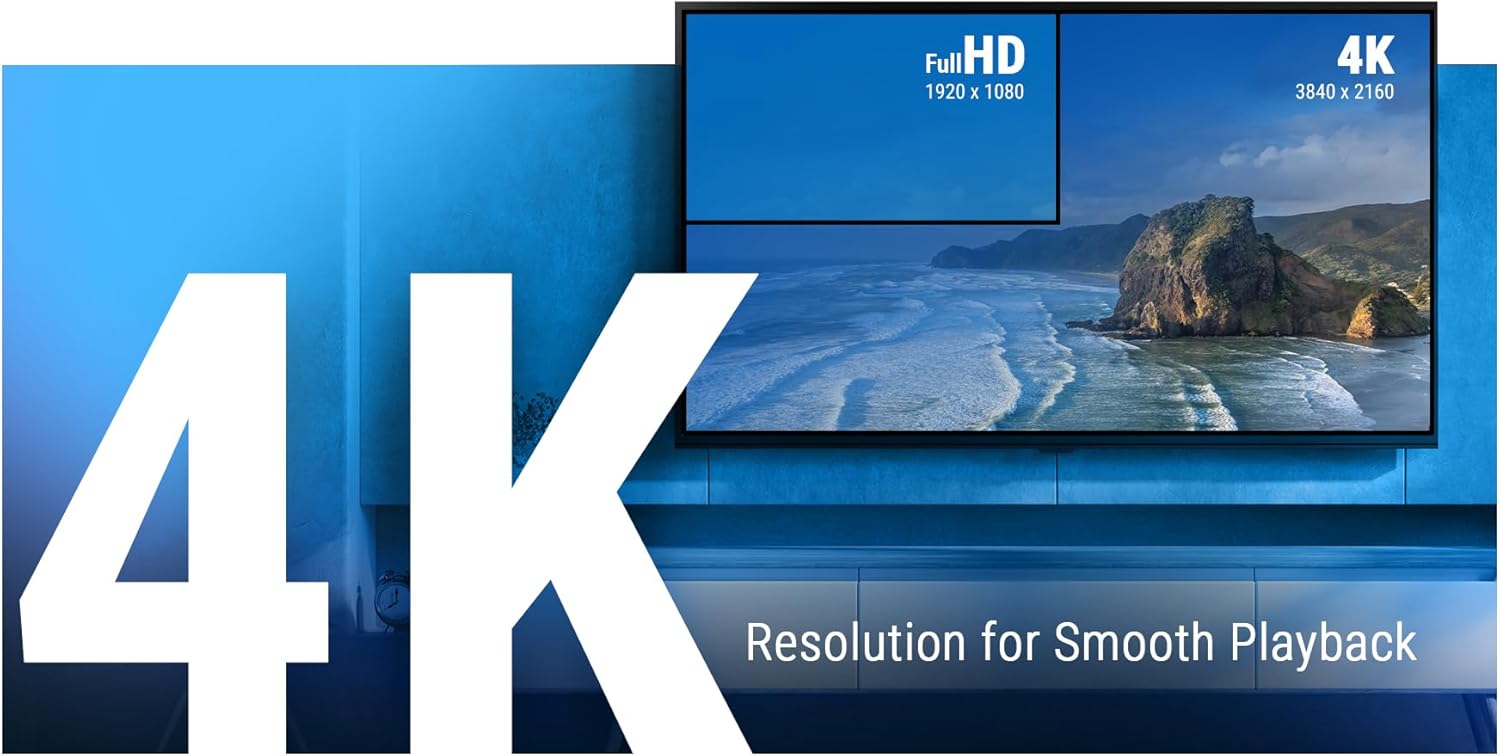
Figure 5.1: The Ugoos SK2 supports 4K resolution for smooth and high-quality video playback.

Figure 5.2: The device supports advanced video technologies like AV1, HDR10+, and Dolby Vision for enhanced visual fidelity.

Figure 5.3: The Automatic Frame Rate (AFR) system ensures optimal resolution and frequency matching for smooth video playback.
6. Manteniment
To ensure the longevity and optimal performance of your Ugoos SK2 TV Box, follow these maintenance guidelines:
- Neteja: Feu servir un drap suau i sec per netejar l'exterior del dispositiu. Eviteu utilitzar netejadors líquids o materials abrasius.
- Ventilació: Assegureu-vos que el dispositiu estigui col·locat en una zona ben ventilada per evitar el sobreescalfament. No tapeu les obertures de ventilació.
- Actualitzacions de programari: Periodically check for and install software updates to ensure you have the latest features and security patches. This can usually be done through the device's settings menu.
- Gestió d'emmagatzematge: While the device has 32GB of internal storage, regularly manage your installed apps and media to prevent performance degradation due to full storage.
7. Solució De Problemes
If you encounter issues with your Ugoos SK2 TV Box, refer to the following common problems and solutions:
- Sense energia:
- Assegureu-vos que l'adaptador de corrent estigui connectat correctament tant al dispositiu com a una presa de corrent que funcioni.
- Comproveu si la presa de corrent funciona connectant-hi un altre dispositiu.
- Sense imatge/senyal:
- Verifiqueu que el cable HDMI estigui connectat correctament tant al televisor com al receptor de televisió.
- Assegureu-vos que el televisor estigui configurat a la font d'entrada HDMI correcta.
- Prova un altre cable HDMI o port HDMI al televisor.
- El control remot no respon:
- Reviseu i substituïu les piles del comandament a distància.
- Re-pair the remote control by pressing and holding the 'Home' and 'Back' buttons simultaneously for 5 seconds.
- Problemes de connectivitat Wi-Fi:
- Assegureu-vos que el vostre encaminador Wi-Fi estigui activat i funcioni correctament.
- Move the TV Box closer to the router or consider using an Ethernet connection.
- Reinicieu tant el TV Box com el router Wi-Fi.
- Bloqueig/bloqueig de l'aplicació:
- Tanca i torna a obrir l'aplicació problemàtica.
- Clear the app's cache and data through the device settings.
- Assegureu-vos que el programari del dispositiu estigui actualitzat.
For persistent issues, consider performing a factory reset (refer to the device settings for this option). Note that a factory reset will erase all personal data and installed applications.
8. Especificacions
Detailed technical specifications for the Ugoos SK2 TV Box:
| Característica | Descripció |
|---|---|
| Nom del model | SK2 |
| Marca | Ugoos |
| Sistema operatiu | Android 12.0 (Google TV) |
| Processor (SOC) | Realtek RTD1325, ARM Cortex-A55 Quad-Core CPU |
| GPU | Mali-G57 MC1 |
| RAM | 4 GB DDR4 |
| Emmagatzematge intern | eMMC de 32 GB |
| Connectivitat sense fil | WiFi 6 (2.4/5/6Ghz, IEEE 802.11 a/b/g/n/ac/ax 2x2 MIMO) |
| Bluetooth | Bluetooth 5.2 |
| Sortida de vídeo | HDMI (4K 60fps, HDR, AV1, VP9, H.265) |
| Suport d'àudio | Dolby Vision-Atmos |
| Ethernet | Port LAN de 100M |
| Ports USB | USB-C, USB 2.0 |
| Altres ports | SPDIF, Reset |
| Entrada de potència | 12V/1A |
| Dimensions | 3.78 x 3.78 x 0.75 polzades |
| Pes de l'article | 1.35 lliures |
| Característiques especials | Chromecast integrat, Assistent de Google |

Figura 8.1: Mésview of the Ugoos SK2's core technical specifications.

Figure 8.2: Comparison illustrating the improved data transfer speed of Bluetooth 5.2 supported by the Ugoos SK2.
9. Informació de seguretat
Si us plau, llegiu i seguiu aquestes precaucions de seguretat per evitar danys al dispositiu o lesions personals:
- Utilitzeu només l'adaptador d'alimentació subministrat.
- No exposeu el dispositiu a l'aigua, la humitat ni a temperatures extremes.
- Eviteu col·locar el dispositiu a prop de fonts de calor o sota la llum solar directa.
- No intenteu desmuntar o modificar el dispositiu.
- Mantingueu el dispositiu i els accessoris fora de l'abast dels nens.
10. Garantia i Suport
The Ugoos SK2 TV Box is covered by a standard manufacturer's warranty. Please refer to the warranty card included in your package or contact Ugoos customer support for detailed information regarding warranty terms, service, and technical assistance.
For further support, visit the official Ugoos weblloc o poseu-vos en contacte amb el seu equip d'atenció al client.


