1. Introducció
The ANCEL AD310 Pro is an advanced diagnostic tool designed for both OBD2 system analysis and 12V vehicle battery testing. This compact device provides comprehensive insights into your vehicle's health, helping you identify and resolve issues efficiently. It combines the functionality of a professional OBD2 scanner with a reliable battery tester, making it an indispensable tool for vehicle owners and DIY mechanics.

Figure 1.1: ANCEL AD310 Pro OBD2 Scanner & Battery Tester
2. Què hi ha a la caixa
En obrir el paquet, comproveu que hi hagi tots els components següents:
- 1x ANCEL AD310 Pro Unit
- 1x Bateria Clamp Cable
- 1x USB - Type C Cable
- 1 x manual d'usuari

Figura 2.1: Contingut del paquet
3. Configuració
3.1 Connexió del dispositiu
- Localitza el port OBD2 del teu vehicle, que normalment es troba sota el tauler de control, al costat del conductor.
- Plug the AD310 Pro's OBD2 connector firmly into the vehicle's OBD2 port. The device will power on automatically.
- For battery testing, connect the red battery clamp al terminal positiu (+) de la bateria de 12 V i al cl negreamp al terminal negatiu (-).
3.2 Instal·lació de l'aplicació i connexió Bluetooth
The ANCEL AD310 Pro utilizes a Bluetooth connection for enhanced functionality via a smartphone app.
- Scan the QR code in the user manual or search for the official ANCEL app in your device's app store (iOS or Android).
- Instal·leu l'aplicació al vostre telèfon intel·ligent.
- Assegureu-vos que el Bluetooth estigui habilitat al vostre telèfon intel·ligent.
- Open the ANCEL app and follow the on-screen instructions to pair with your AD310 Pro device. The device name will typically appear as "AD310 Pro" or similar.

Figure 3.1: Wireless App Operation via Bluetooth
4. Funcionament del dispositiu
4.1 Funcions de diagnòstic OBD2 completes
The AD310 Pro supports all essential OBD2 functions to help you diagnose engine-related issues.
- Read & Erase Codes: Retrieve Diagnostic Trouble Codes (DTCs) and clear them after repairs.
- Flux de dades: View live sensor data in real-time, such as engine RPM, vehicle speed, oxygen sensor readings, etc.
- Preparació I/M: Comproveu l'estat dels monitors relacionats amb les emissions per assegurar-vos que el vostre vehicle estigui preparat per a una prova d'emissions.
- Congelar fotograma: Captura una instantània de les condicions del vehicle en el moment en què es va establir un codi d'error.
- Informació del vehicle: Display the vehicle identification number (VIN), calibration ID (CALID), and calibration verification number (CVN).
- Cerca DTC: Built-in library to explain the meaning of diagnostic trouble codes.
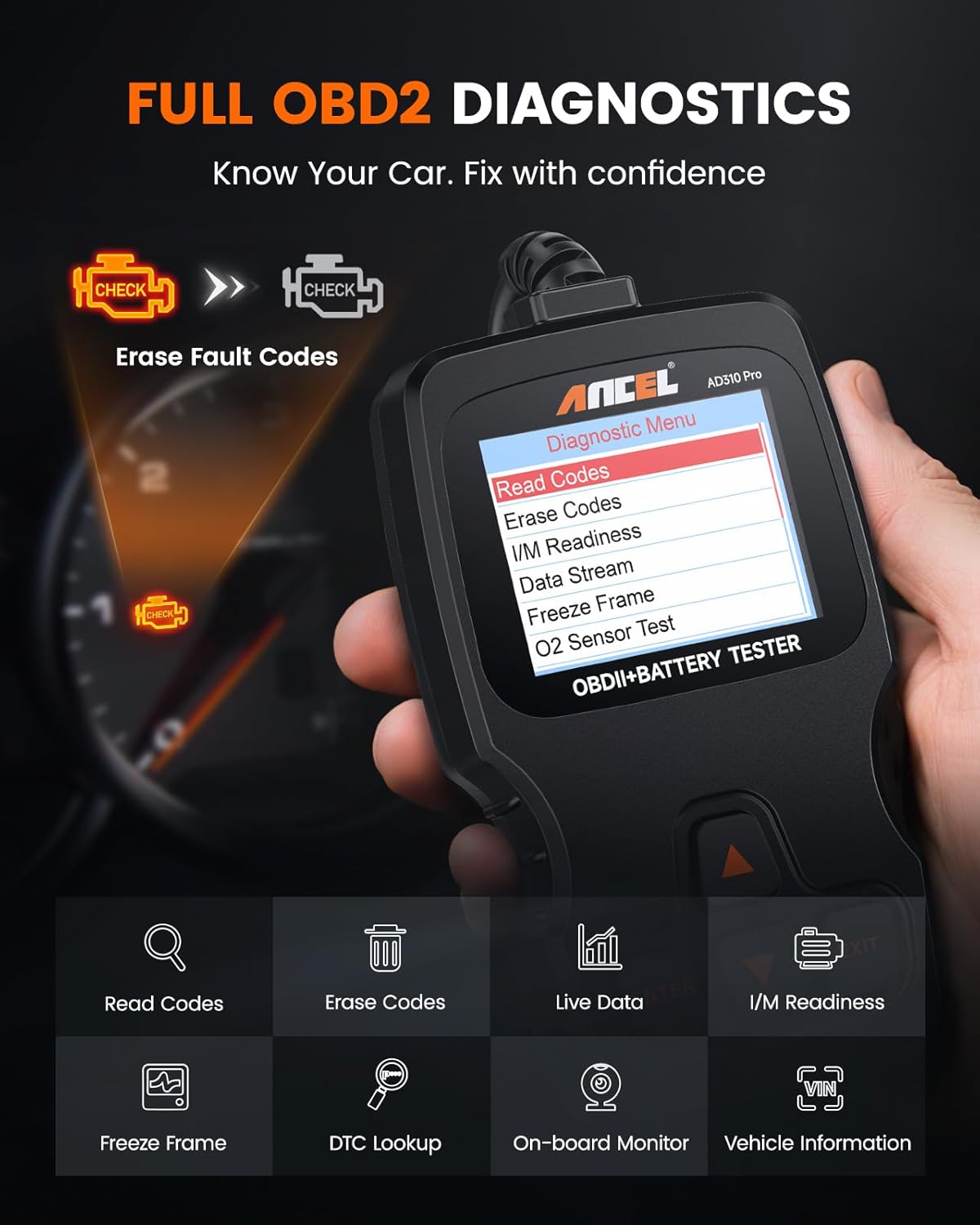
Figure 4.1: Full OBD2 Diagnostics Interface
4.2 Advanced 12V Battery Testing
The integrated battery testing feature allows for comprehensive analysis of your 12V battery's health, cranking performance, and charging system.
- Prova de la bateria: Assesses the overall health and charge level of the battery.
- Prova d'arrencada: Evaluates the battery's ability to start the engine, checking cranking voltage i el temps.
- Prova de càrrega: Analyzes the vehicle's charging system, including alternator output and ripple voltage, to ensure proper battery charging.
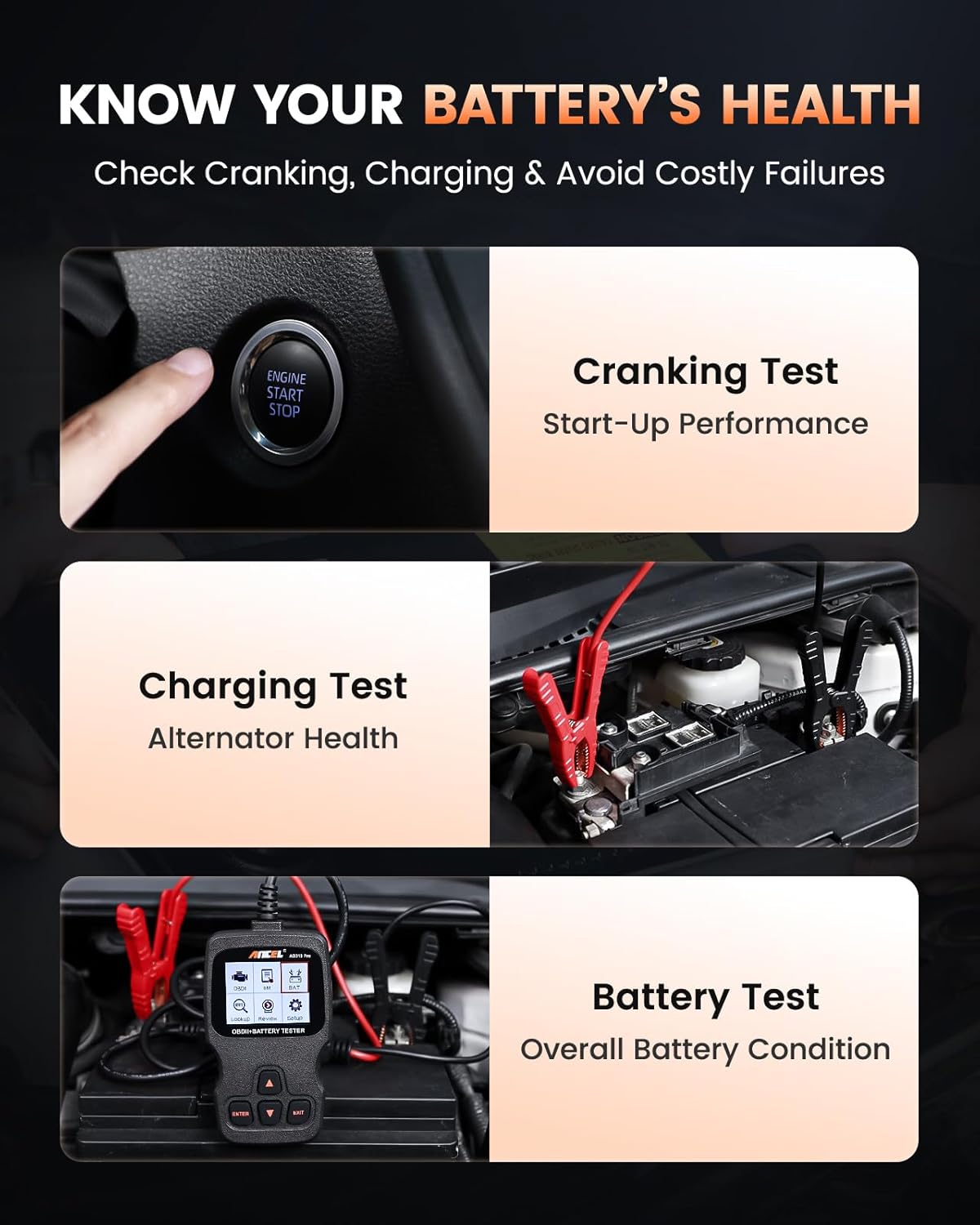
Figure 4.2: Battery Health, Cranking, and Charging Tests
4.3 Bluetooth App Features
The dedicated smartphone app enhances the AD310 Pro's capabilities, offering additional diagnostic and monitoring features.
- Proves de rendiment: Analyze acceleration, braking, and distance for insights into driving performance.
- Trip Analysis: Monitor driving habits and fuel consumption over trips.
- Flux de dades: View live data graphs directly on your phone for easier analysis.
- Generació d'informes: Create and share diagnostic reports with mechanics or for personal records.
Vídeo 4.1: Acabatview of ANCEL AD310 Pro 2-in-1 Bluetooth OBD2 & 12V Battery Tester functions, including battery tests, full OBD2 functions, and performance tests via the app.
5. Manteniment
- Neteja: Feu servir un drap suau i sec per netejar el dispositiu. Eviteu utilitzar productes de neteja o dissolvents abrasius.
- Emmagatzematge: Store the AD310 Pro in a cool, dry place away from direct sunlight and extreme temperatures.
- Actualitzacions de programari: Periodically check the ANCEL website or app for available software updates to ensure optimal performance and compatibility with new vehicle models.
6. Solució De Problemes
| Problema | Causa possible | Solució |
|---|---|---|
| El dispositiu no s'encén. | Loose OBD2 connection; vehicle's OBD2 port not supplying power. | Ensure the OBD2 connector is fully seated. Check vehicle's fuse for the OBD2 port. |
| No es pot connectar per Bluetooth. | Bluetooth not enabled; app not installed; device not discoverable. | Enable Bluetooth on your phone. Install the ANCEL app. Restart the AD310 Pro and try pairing again. |
| Error reading codes. | Ignition not on; vehicle not OBD2 compliant; faulty connection. | Turn ignition to ON position (engine off). Verify vehicle is 1996 or newer and OBD2 compliant. Re-check connection. |
| Inaccurate battery test results. | Clau de bateria soltaamp connection; dirty battery terminals; incorrect battery type selected. | Assegureu-vos que clamps are securely attached to clean battery terminals. Select the correct battery type in the device settings. |
7. Especificacions
| Característica | Detall |
|---|---|
| Model | AD310 Pro |
| Pes de l'article | 1.21 lliures |
| Dimensions del producte | 7.87 x 7.48 x 2.36 polzades |
| Sistema operatiu (aplicació) | Android, iOS |
| Tipus d'ajust d'automòbil | Ajuste universal |
| Compatibilitat de la bateria | 12V (Regular Flooded, AGM Flat Plate, AGM Spiral, GEL) |
| Gamma CCA | 100-2000 CCA |
| Connectivitat | Bluetooth 5.0, Wired OBD2 |
7.1 Compatibilitat
The ANCEL AD310 Pro offers broad compatibility with a wide range of vehicles and battery types:
- Compatibilitat de vehicles: Compatible with 99% of global vehicles, including American (1996+), European (2001+), and Asian (2005+) cars and light trucks.
- Compatibilitat de la bateria: Supports various 12V battery types such as regular flooded, AGM flat plate, AGM spiral, and GEL batteries. Covers most cars, SUVs, light trucks, and small RVs.

Figura 7.1: Compatibilitat àmplia de vehicles
8. Garantia i Suport
Per obtenir informació sobre la garantia, assistència tècnica o consultes de servei, consulteu la pàgina oficial d'ANCEL. weblloc web o contacteu directament amb el servei d'atenció al client. Conserveu el rebut de compra per a reclamacions de garantia.



