1. Introducció
This manual provides essential information for the installation, operation, and maintenance of your ZOTAC Gaming GeForce RTX 5060 Twin Edge OC graphics card. Designed for high-performance gaming, this card features the NVIDIA Blackwell architecture, DLSS 4, 8GB GDDR7 memory, and PCIE 5.0 support, all within a compact, SFF-ready design. Please read this manual thoroughly before installation and use to ensure optimal performance and longevity of your product.
2. Què hi ha a la caixa
Verifiqueu que tots els elements siguin presents al paquet:
- ZOTAC GAMING GeForce RTX 5060 Twin Edge OC graphics card
- Manual d'usuari (aquest document)
- Guia d'inici ràpid
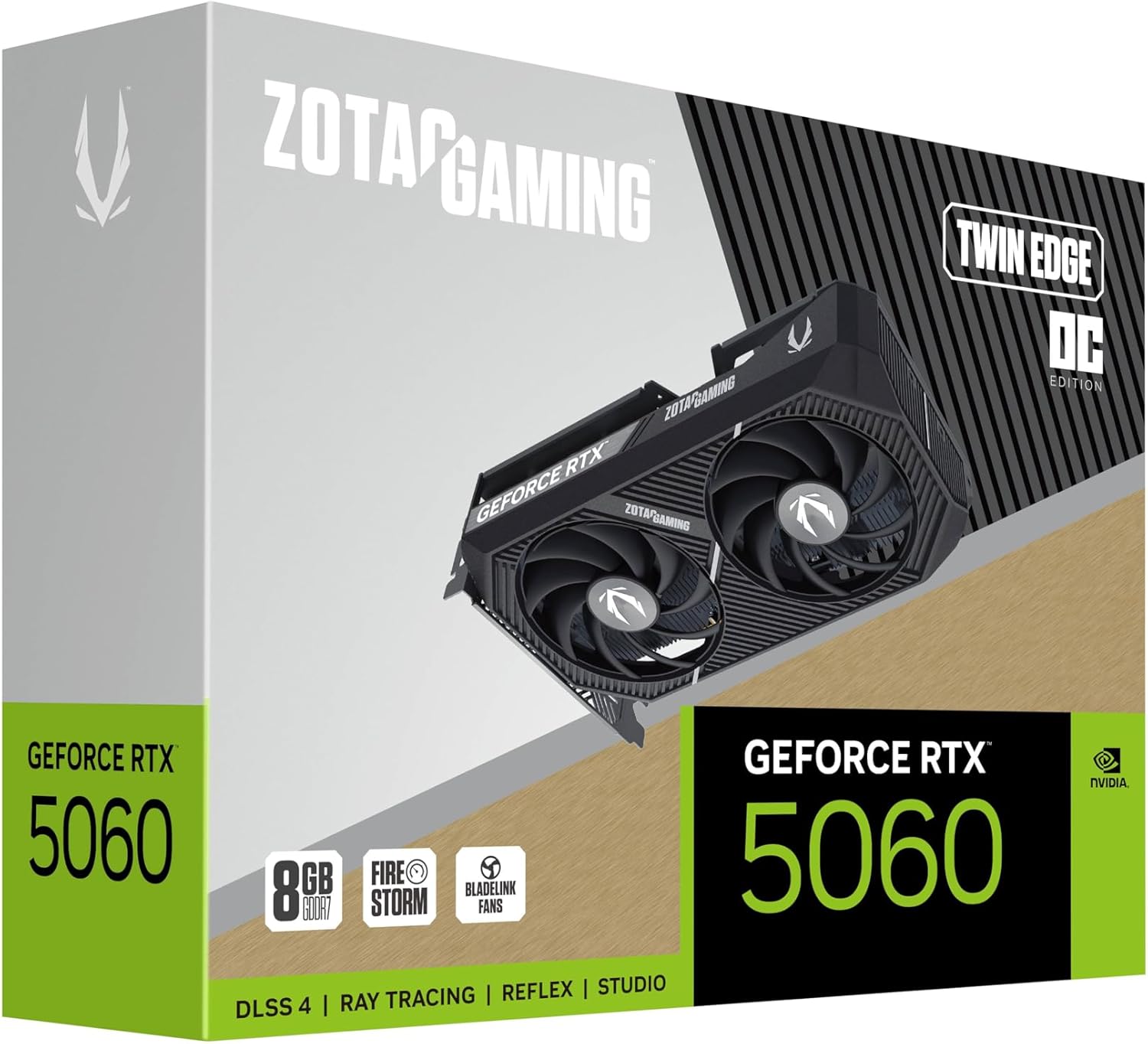
Image: The retail packaging for the ZOTAC Gaming GeForce RTX 5060 Twin Edge OC graphics card.
3. Producte acabatview
Familiarize yourself with the physical components of your graphics card.

Imatge: Frontal view de la targeta gràfica, mostraasing the dual 90mm BladeLink fans and ZOTAC GAMING branding.

Imatge: Part posterior view of the graphics card, showing the 3 DisplayPort 2.1b and 1 HDMI 2.1b output ports.

Imatge: Lateral view of the graphics card, highlighting its compact two-slot design.
4. Especificacions
Key technical specifications of the ZOTAC Gaming GeForce RTX 5060 Twin Edge OC graphics card:
| Característica | Especificació |
|---|---|
| Coprocessador gràfic | GeForce RTX 5060 |
| Xipset Brand | NVIDIA |
| Memòria de vídeo | 8 GB GDDR7 |
| Interfície de memòria | 128 bits |
| Velocitat de memòria | 28 Gbps |
| Interfície PCIe | PCIE 5.0 |
| Sortides de visualització | 3 x DisplayPort 2.1b, 1 x HDMI 2.1b |
| Resolució màxima | 7680x4320 (8K Ready) |
| Multi-Display Support | 4 Displays |
| Sistema de refrigeració | Dual 90mm BladeLink fans, Composite Heatpipes, Pass-thru Airflow Design |
| Connector d'alimentació | 8-pin PCIe |
| Dimensions (LxWxH) | 8.7 x 1.6 x 0.1 polzades (220.5 x 41.6 x 120.25 mm) |
| Pes | 1.57 lliures |
5. Configuració i instal·lació
5.1 Llista de comprovació prèvia a la instal·lació
- Assegureu-vos que la vostra font d'alimentació (PSU) compleixi amb els requisits d'aigua recomanatstage for your system, including the new graphics card.
- Turn off your computer and disconnect the power cable from the wall outlet.
- Ground yourself to discharge any static electricity before handling components.
5.2 Instal·lació de maquinari
- Obriu la caixa de l'ordinador.
- Localitza una ranura PCI Express 5.0 x16 disponible a la placa base.
- Remove any expansion slot covers that correspond to the graphics card's two-slot width.
- Carefully align the graphics card with the PCIe slot and press down firmly until it is securely seated. Ensure the retention clip on the PCIe slot locks into place.
- Fixeu la targeta gràfica a la carcassa amb cargols.
- Connect the 8-pin PCIe power connector from your PSU to the graphics card. Ensure a firm connection.
- Tanqueu la funda de l'ordinador.
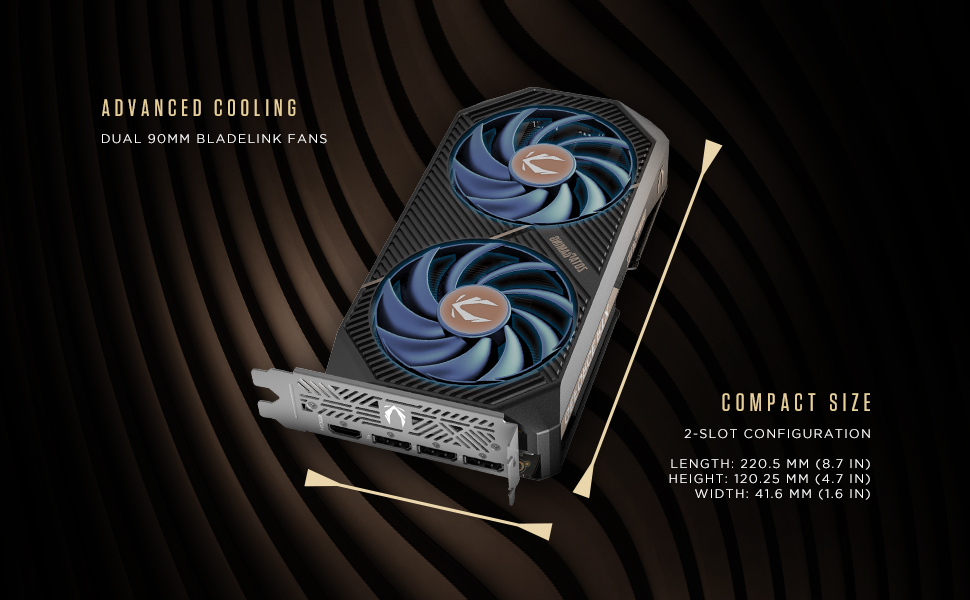
Image: Illustration of the graphics card's compact dimensions and dual fan cooling system, aiding in installation planning.
5.3 Instal·lació del controlador
- Torneu a connectar el cable d'alimentació i engegueu l'ordinador.
- Connecteu el cable de pantalla (HDMI o DisplayPort) de la targeta gràfica al monitor.
- Once the operating system loads, download the latest NVIDIA drivers for your GeForce RTX 5060 from the official NVIDIA weblloc (www.nvidia.com/drivers).
- Seguiu les instruccions que apareixen a la pantalla per completar la instal·lació del controlador. Pot ser necessari reiniciar el sistema.
6. Funcionament de la targeta gràfica
6.1 Actualitzacions de controladors
Regularly update your graphics drivers to ensure optimal performance, stability, and access to the latest features and game optimizations. NVIDIA releases new drivers frequently, which can be downloaded from their official website or through the GeForce Experience application.
6.2 ZOTAC GAMING Utilities
ZOTAC provides utility software, such as FireStorm, which allows you to monitor your graphics card's performance, adjust fan speeds, and customize lighting (if applicable). Refer to the ZOTAC weblloc per a més informació i descàrregues.
6.3 Configuració de la pantalla
Utilize the NVIDIA Control Panel to configure display settings, including resolution, refresh rate, and multi-monitor setups. This software is installed with the graphics drivers.
7. Manteniment
7.1 Neteja
- Periodically clean the fans and heatsink of your graphics card to prevent dust buildup, which can impede cooling performance.
- Use compressed air to gently blow dust out of the heatsink fins and fan blades. Hold the fan blades in place to prevent them from spinning excessively during cleaning.
- Ensure your computer is powered off and unplugged before performing any cleaning.
7.2 Flux d'aire
Maintain good airflow within your PC case. Ensure that case fans are properly configured to draw cool air in and expel hot air out. Avoid obstructing the graphics card's fans or exhaust vents.

Image: Visual representation of the card's pass-through airflow design for faster heat release and the metal backplate for enhanced rigidity.
8. Solució De Problemes
Aquesta secció tracta problemes comuns que podeu trobar amb la vostra targeta gràfica.
| Problema | Causa possible | Solució |
|---|---|---|
| Sense sortida de visualització | Incorrect cable connection, unseated card, no power, driver issue | Ensure display cables are securely connected. Reseat the graphics card. Verify the 8-pin PCIe power connector is fully inserted. Install or update drivers. |
| Inestabilitat o fallades del sistema | Outdated drivers, overheating, insufficient PSU power | Update graphics drivers. Monitor temperatures using ZOTAC FireStorm or other tools. Ensure PSU meets requirements. |
| Fans not spinning or excessive noise | Dust buildup, fan control settings, faulty fan | Clean fans and heatsink. Check fan speed settings in ZOTAC FireStorm. Contact support if a fan is faulty. |
| Baix rendiment en els jocs | Outdated drivers, incorrect game settings, CPU bottleneck | Ensure latest drivers are installed. Adjust in-game graphics settings. Verify other system components are not limiting performance. |
9. Garantia i Suport
ZOTAC provides dedicated customer support and warranty coverage for its products.
9.1 Cobertura de la garantia
Your ZOTAC Gaming GeForce RTX 5060 Twin Edge OC graphics card typically comes with a 3-year coverage. Please register your product on the official ZOTAC website to activate and verify your warranty terms and conditions, as they may vary by region.
9.2 Atenció al client
For technical assistance, troubleshooting, or warranty claims, please utilize ZOTAC's support resources:
- Xat en línia: Access 24/7 online chat support via the ZOTAC weblloc.
- RMA Program: For hardware issues requiring repair or replacement, refer to the Return Merchandise Authorization (RMA) program details on the ZOTAC support page.
- Comunitats en línia: Engage with other users and find solutions on ZOTAC's official forums and social media channels.
Visit the official ZOTAC weblloc web per obtenir la informació d'assistència més actualitzada: www.zotac.com/support

Imatge: Més deview of ZOTAC's online communities and dedicated customer support services, including warranty coverage and RMA program.


