1. Introducció
This manual provides essential information for setting up, operating, maintaining, and troubleshooting your Roku Smart TV 2025 – 24-Inch Select Series 720p HD TV. Please read these instructions carefully before using your television.
The Roku Select Series HD TV offers a streamlined entertainment experience. It features bright HD picture quality, auto speech clarity, and a night mode. Access free live television directly from the home screen and utilize the voice remote for content discovery across various applications. This television is suitable for various rooms including bedrooms, living rooms, kitchens, or children's rooms.
2. Què hi ha a la caixa
Verifiqueu que tots els components siguin presents a l'embalatge:
- Roku Select Series 24" HD TV
- Stands and screws
- Roku Voice Remote with batteries
- Guia d'inici ràpid

Image: The Roku Select Series TV box contents, showing the television, remote, and stand components.
3. Configuració
3.1 Fixació dels suports de TV
- Col·loqueu amb cura la pantalla del televisor amb la pantalla cap avall sobre una superfície suau i neta per evitar ratllades.
- Alineeu cada suport amb els forats de cargol corresponents a la part inferior del televisor.
- Fixeu els suports amb els cargols proporcionats. Assegureu-vos que estiguin ben ajustats.
3.2 Connexió de perifèrics
Your Roku TV includes multiple ports for connecting external devices:
- Ports HDMI: Connect devices such as cable boxes, gaming consoles, or Blu-ray players. The HDMI 1 (ARC) port supports Audio Return Channel for simplified audio connections.
- Port USB: For media playback from a USB drive or powering compatible devices.
- Entrada d'antena/cable: Connecteu una antena per a emissions per aire o una connexió de televisió per cable.
- Sortida d'àudio òptic: Per connectar-lo a una barra de so o a un receptor d'àudio.
- Entrada AV: Per connectar dispositius antics mitjançant cables de vídeo compost i àudio estèreo.

Image: Close-up of the back of the Roku TV, highlighting the HDMI, USB, optical, and AV input ports.
3.3 Engegada inicial i connexió de xarxa
- Connecteu el cable d'alimentació al televisor i després a una presa de corrent.
- Insert the included AAA batteries into the voice remote.
- Premeu el botó d'engegada del comandament a distància per encendre el televisor.
- Follow the on-screen instructions to select your language, connect to your Wi-Fi network, and activate your Roku account.
4. Operating Your Roku TV
4.1 Using the Voice Remote
The Roku Voice Remote simplifies navigation and content search. It features dedicated buttons for popular streaming services and voice control capabilities.
- Botó de veu: Press and hold to speak commands for searching content, launching apps, or controlling playback.
- Bloc de navegació: Use the directional arrows and OK button to move through menus and select items.
- Dreceres d'aplicacions: Dedicated buttons provide quick access to services like Netflix, Disney+, and Prime Video.
- Controls de volum: Adjust TV volume directly from the remote.
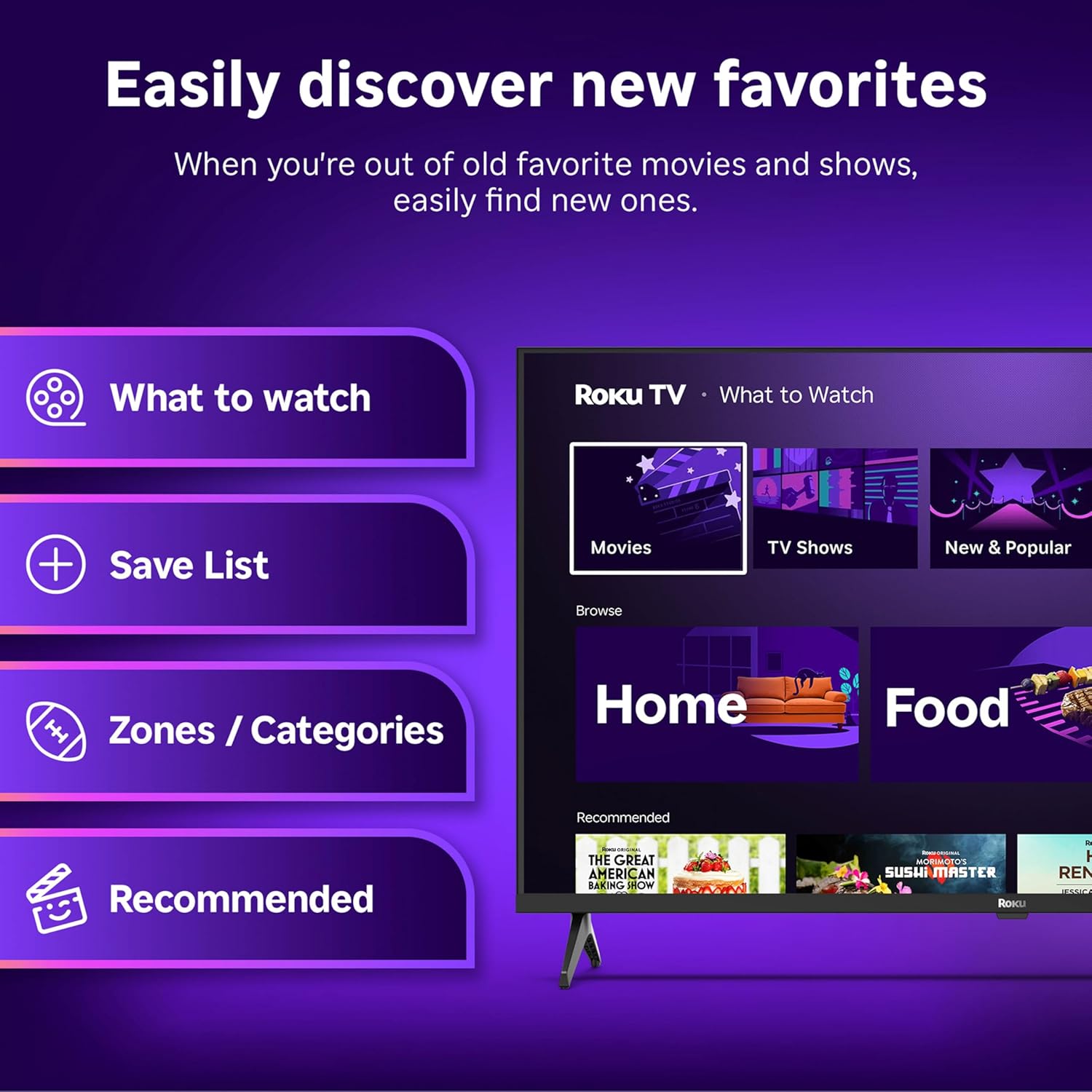
Image: The Roku Voice Remote, showing its layout and key functions.
4.2 Streaming and App Navigation
The Roku TV home screen provides quick access to all your streaming channels and inputs. You can customize the order of your apps for personalized access.
- Pantalla d'inici: Displays your installed apps, recommended content, and TV inputs.
- Botiga de reproducció en temps real: Browse and add new streaming channels.
- TV en directe: Access free live television channels directly from the home screen.
- Cerca: Use the search function or voice remote to find movies, shows, actors, or directors across various services.

Image: The Roku TV user interface, showing the home screen with app tiles and menu options.
4.3 Configuració d'imatge i so
Your Roku TV features Smart Picture technology to optimize viewing and offers enhanced audio features.
- Smart Picture: Automatically adjusts picture settings based on the content being viewed (e.g., movie, sports, vivid, standard).
- Audio Clarity: Designed for clear speech and louder sound.
- Bluetooth Headphone Mode: Connect your wireless headphones for private listening.

Image: A vibrant nature scene displayed on the Roku TV, demonstrating the clear picture quality.
4.4 Integració de la llar intel·ligent
The Roku TV integrates with various smart home ecosystems for convenient voice control and content sharing.
- Control de veu: Compatible with Roku Voice, Siri, Alexa, and Google Assistant for hands-free operation.
- Apple AirPlay: Effortlessly share videos, photos, and music from your Apple devices to your TV.

Image: A Roku TV screen with a smart speaker nearby, illustrating voice control integration with smart home systems.
5. Manteniment
5.1 Neteja del televisor
- Desendolla sempre el televisor abans de netejar-lo.
- Feu servir un drap suau i sense borrissol per netejar suaument la pantalla i la carcassa.
- Per a marques difícils, esbandiu lleugeramentampNetegeu el drap amb aigua o un netejador de pantalles suau i no abrasiu. No ruixeu mai el netejador directament sobre la pantalla.
- Eviteu utilitzar productes químics agressius, esponges abrasives o dissolvents.
5.2 Actualitzacions de programari
Your Roku TV receives automatic software updates to provide new features and improve performance. Ensure your TV is connected to the internet to receive these updates.
6. Solució De Problemes
If you encounter issues with your Roku TV, try the following basic troubleshooting steps:
- Sense energia: Assegureu-vos que el cable d'alimentació estigui ben connectat tant al televisor com a una presa de corrent que funcioni. Proveu una altra presa de corrent.
- Sense imatge/so: Verify that the correct input source is selected. Check all cable connections (HDMI, AV, etc.) are secure.
- El comandament a distància no respon: Substitueix les piles del comandament a distància. Assegura't que no hi hagi cap obstacle entre el comandament a distància i el televisor.
- Problemes de connexió de xarxa: Restart your Wi-Fi router. Go to the TV's network settings to reconnect to your Wi-Fi.
- App Not Loading: Try restarting the app. If the issue persists, remove the app and reinstall it from the Streaming Store.
- Restabliment de fàbrica: As a last resort, a factory reset can resolve many software issues. This will erase all personal settings and installed apps. Access this option through the TV's Settings menu.
7. Especificacions
| Característica | Especificació |
|---|---|
| Marca | Roku |
| Número de model | 24R2D5 |
| Mida de la pantalla | 24 polzades |
| Tecnologia de visualització | LED |
| Resolució | 720p |
| Freqüència d'actualització | 60 Hz |
| Relació d'aspecte | 16:9 |
| Tecnologia de connectivitat | Bluetooth, WiFi |
| Característiques especials | Bluetooth Headphone Mode, Dolby Audio, Voice Remote |
| Pes de l'article | 5.7 lliures |
| Dimensions del producte | 7 x 21.1 x 14.3 polzades |
| Piles necessàries | 2 piles AAA (per al comandament a distància) |
8. Garantia i Suport
For warranty information and technical support, please refer to the documentation included with your product or visit the official Roku support weblloc. Conserveu el rebut de compra per a reclamacions de garantia.
Roku offers various support resources, including online FAQs, troubleshooting guides, and customer service contact options.


