Introducció
This manual provides comprehensive instructions for the Black Shark S3 Smartwatch. It covers setup, operation, maintenance, and troubleshooting to ensure optimal use of your device. The Black Shark S3 features a 1.43-inch AMOLED display, magnetic strap, Bluetooth calling, over 150 sport modes, built-in GPS, and extensive health monitoring capabilities.
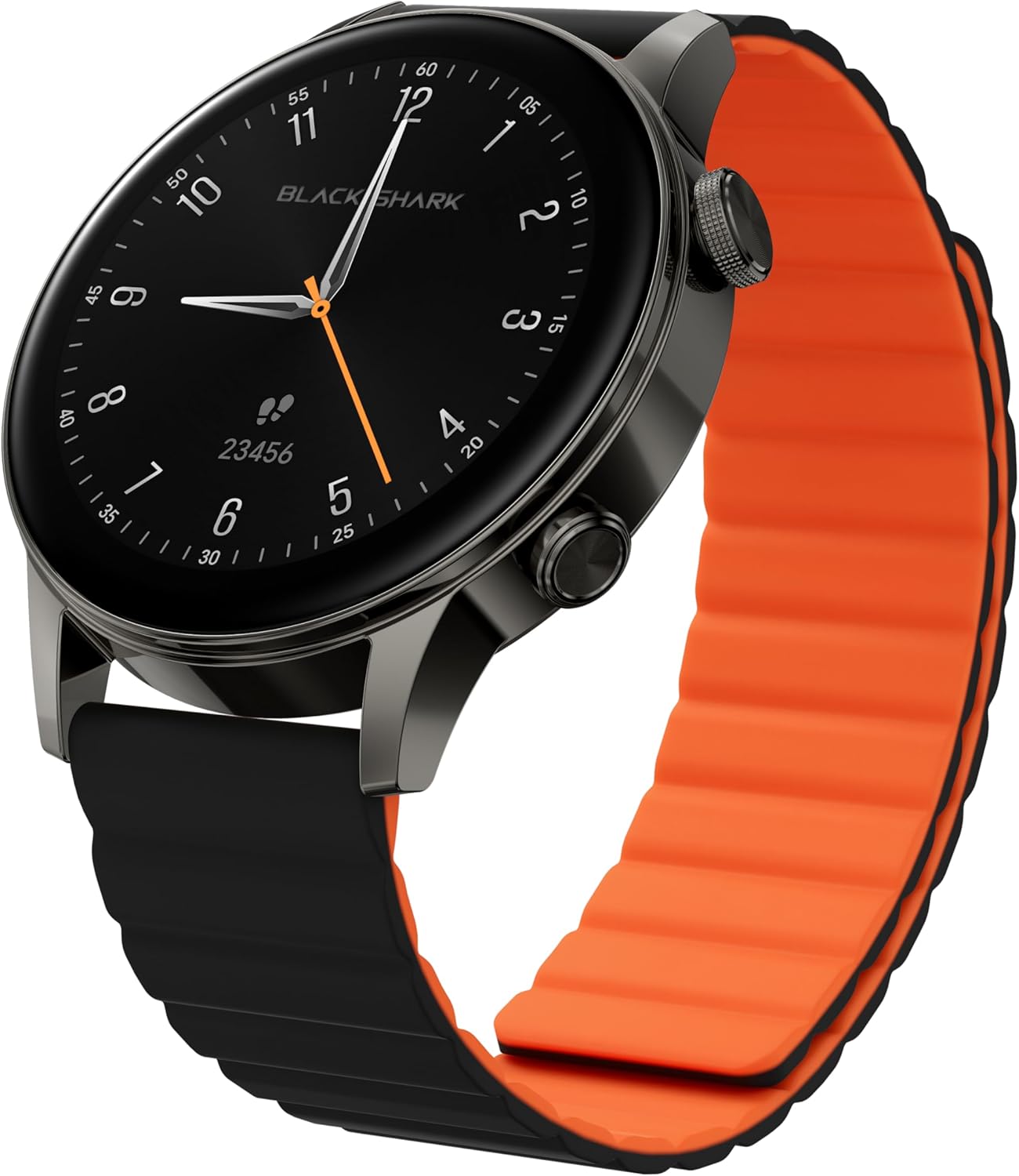
Image: Black Shark S3 Smartwatch, showcasing its round display and distinctive black and orange magnetic strap.
1. Guia de configuració
1.1 Desembalatge i inspecció inicial
Traieu amb cura tots els components de l'embalatge. Verifiqueu que hi hagi els elements següents:
- Black Shark S3 Smartwatch
- Cable de càrrega magnètica
- Manual d'usuari (aquest document)
Inspect the smartwatch for any visible damage before proceeding.
1.2 Càrrega del rellotge intel·ligent
Before first use, fully charge the Black Shark S3. Connect the magnetic charging cable to the charging contacts on the back of the watch and to a standard USB power adapter (not included).
- Align the magnetic end of the charging cable with the charging points on the back of the watch. The magnets will secure it in place.
- Connecteu l'extrem USB-A del cable a una font d'alimentació.
- La pantalla del rellotge indicarà l'estat de càrrega. Una càrrega completa sol trigar aproximadament 2.5 hores.

Image: The Black Shark S3 Smartwatch screen showing battery life indicators, illustrating the device's long battery performance.
1.3 Attaching the Magnetic Strap
The Black Shark S3 features a double-sided magnetic silicone strap for easy attachment and removal.
- Simply wrap the strap around your wrist.
- The magnetic ends will automatically connect and secure the watch.
- Adjust the strap for a comfortable and secure fit.

Image: A visual representation of the Black Shark S3's magnetic strap effortlessly securing around a wrist, highlighting its ease of use.
1.4 Emparellament amb el telèfon intel·ligent
To unlock the full functionality of your Black Shark S3, pair it with the companion app on your smartphone.
- Download the official Black Shark Health App from your smartphone's app store (iOS App Store or Google Play Store).
- Assegureu-vos que el Bluetooth estigui habilitat al vostre telèfon intel·ligent.
- Open the Black Shark Health App and follow the on-screen instructions to create an account or log in.
- Select "Add Device" or a similar option within the app.
- Choose "Black Shark S3" from the list of available devices.
- Confirma la sol·licitud d'emparellament tant al teu telèfon intel·ligent com al rellotge intel·ligent.
- Once paired, the app will synchronize data and allow for further customization.
2. Instruccions de funcionament
2.1 Navegació bàsica
The Black Shark S3 features a responsive 1.43-inch AMOLED touchscreen and two physical buttons for navigation.
- Pantalla tàctil: Swipe left, right, up, or down to navigate through menus, notifications, and widgets. Tap to select items.
- Top Button (Crown): Press to return to the home screen or access the app list. Rotate to scroll through menus and lists.
- Botó inferior: Customizable shortcut button, typically used for quick access to sport modes or a frequently used feature.

Imatge: Una imatge detallada view of the Black Shark S3's smart crown, highlighting its finely engraved pattern and functionality for precise control and navigation.
2.2 Personalització de les esferes del rellotge
Personalize your smartwatch with a variety of watch faces available through the Black Shark Health App.
- On the watch, long-press the current watch face to enter the watch face selection menu. Swipe left or right to browse pre-installed faces.
- For more options, open the Black Shark Health App on your smartphone, navigate to the watch face store, and download new designs.

Image: A selection of multifunctional watch faces available for the Black Shark S3, demonstrating customization options.
Trucades Bluetooth 2.3
The S3 supports Bluetooth calls with ENC noise reduction, allowing you to make and receive calls directly from your wrist.
- Ensure your watch is connected to your smartphone via Bluetooth.
- When a call comes in, you can answer or reject it directly on the watch screen.
- To make a call, access the call function from the watch's app list and select a contact or dial a number.
- The built-in speaker and microphone facilitate clear communication.

Image: A user making a call with the Black Shark S3 smartwatch, illustrating the convenience of its Bluetooth calling feature with noise reduction.
2.4 Sport Modes and GPS
The Black Shark S3 offers over 150 sport modes and built-in GPS for accurate activity tracking.
- Access the "Workout" or "Sport Modes" app on your watch.
- Selecciona l'activitat que vulguis (per exemple, córrer, anar en bicicleta, nedar).
- For outdoor activities, the built-in GPS will automatically activate to track your route, distance, and pace.
- Review your workout data on the watch or in the Black Shark Health App after completion.
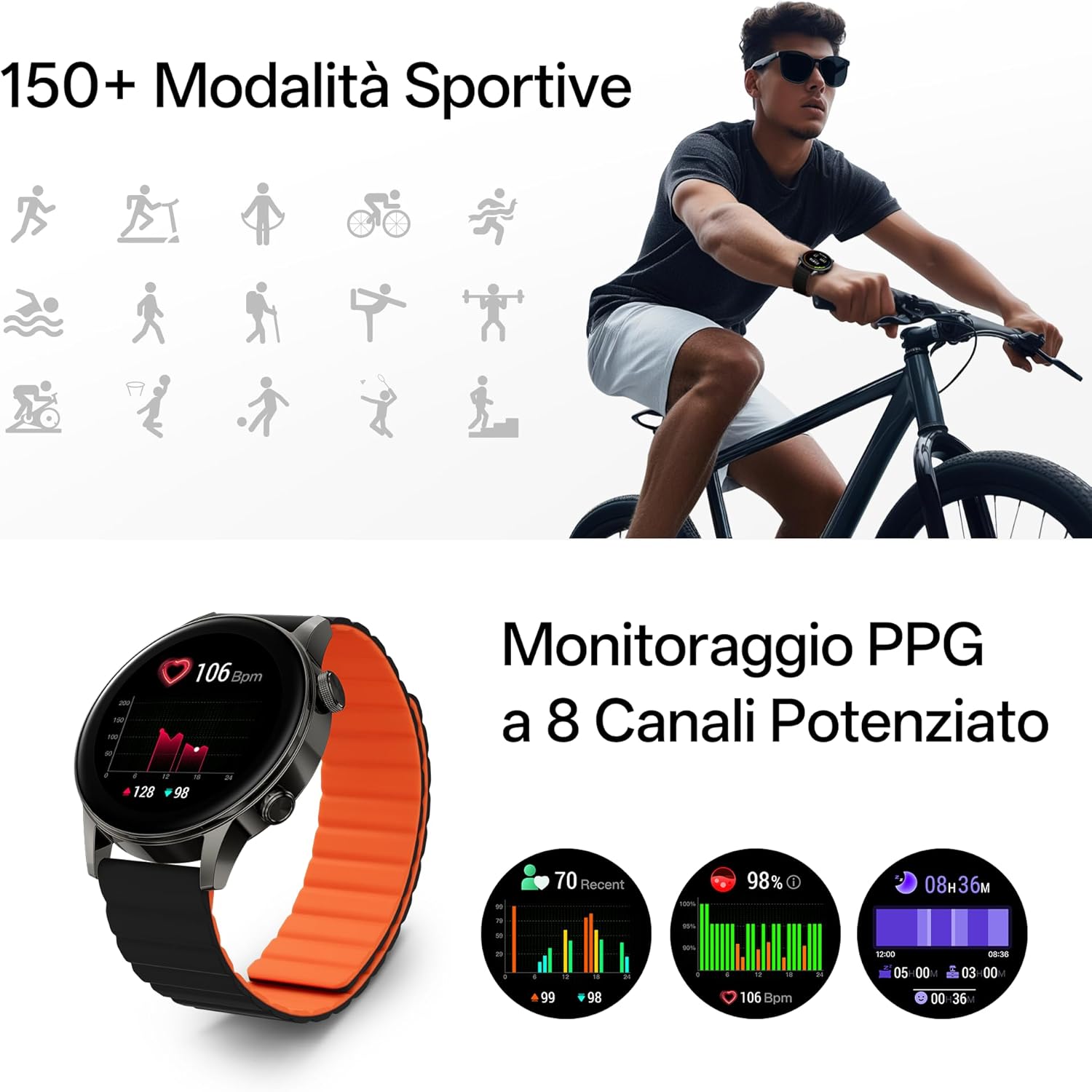
Image: The Black Shark S3 smartwatch showing various sport mode icons and detailed PPG health monitoring data, including heart rate and blood oxygen levels.

Image: The Black Shark S3 smartwatch screen showing GPS tracking with icons representing various satellite positioning systems (BeiDou, GPS, Galileo, QZSS, GLONASS).
2.5 Vigilància de la salut
The S3 provides 24/7 health monitoring for heart rate, blood oxygen (SpO₂), stress, steps, calories, and distance, along with advanced sleep tracking.
- Freqüència cardíaca: El rellotge controla contínuament la teva freqüència cardíaca. View dades en temps real al rellotge o tendències detallades a l'aplicació.
- Oxigen en sang (SpO₂): Mesura els teus nivells de saturació d'oxigen a la sang.
- Seguiment del son: Wear the watch to bed for analysis of your sleep stages (deep, light, REM) and overall sleep quality.
- Monitorització de l'estrès: The watch estimates your stress levels throughout the day.
- Seguiment de l'activitat: Registra automàticament els passos, la distància i les calories cremades.

Image: A woman sleeping with the Black Shark S3 smartwatch on her wrist, illustrating the device's sleep tracking capability.
2.6 Altres funcions intel·ligents
The Black Shark S3 includes several additional smart features:
- Temps: Rep actualitzacions meteorològiques en temps real.
- Brúixola: A built-in compass for navigation.
- Entrenament de la respiració: Exercicis de respiració guiats per a la relaxació.
- Control de música: Controla la reproducció de música al teu telèfon intel·ligent.
- Alarma, cronòmetre, temporitzador: Essential timekeeping functions.
- Llanterna: Uses the screen as a temporary light source.
- SOS: Quick access to emergency contacts (requires setup in app).
- Assistent de veu: Interactua amb l'assistent de veu del teu telèfon intel·ligent.
- Control de la càmera: Activa l'obturador de la càmera del teu telèfon intel·ligent de manera remota.
- Calendari: View el teu horari.

Image: A grid of icons illustrating the diverse smart features of the Black Shark S3, including weather, compass, music control, and SOS.
3. Manteniment
3.1 Neteja del rellotge intel·ligent
Regular cleaning helps maintain the appearance and functionality of your Black Shark S3.
- Netegeu la pantalla i la carcassa del rellotge amb un drap suau i sense borrissol.
- Per a taques persistents, lleugerament dampRenta el drap amb aigua. Evita utilitzar productes químics agressius o materials abrasius.
- Netegeu els contactes de càrrega periòdicament per garantir una càrrega correcta.
- The magnetic strap can be wiped clean with a damp tela.
3.2 Pautes de resistència a l'aigua
The Black Shark S3 has a 5ATM water resistance rating, meaning it can withstand pressures equivalent to a depth of 50 meters.
- It is suitable for swimming, showering, and training in various weather conditions.
- Avoid exposing the watch to hot water, steam, or high-velocity water (e.g., high-pressure washing).
- No accioneu els botons sota l'aigua.
- Després de l'exposició a l'aigua salada, esbandiu el rellotge amb aigua fresca i eixugueu-lo bé.

Image: A person swimming while wearing the Black Shark S3 smartwatch, demonstrating its 50m water resistance.
3.3 Cura de la bateria
Per maximitzar la vida útil de la bateria:
- Eviteu temperatures extremes.
- No descarregueu completament la bateria amb freqüència.
- Si guardeu el rellotge durant un període prolongat, carregueu-lo al 50% aproximadament abans de guardar-lo.
4. Solució De Problemes
4.1 El rellotge no s'encén
- Assegura't que el rellotge estigui completament carregat. Connecta'l al carregador durant almenys 30 minuts.
- Press and hold the top button (crown) for 10-15 seconds to attempt a force restart.
4.2 Problemes d'aparellament
- Assegureu-vos que el Bluetooth estigui activat al telèfon intel·ligent i que el rellotge estigui dins del seu abast.
- Reinicieu tant el telèfon intel·ligent com el rellotge intel·ligent.
- Forget the device in your smartphone's Bluetooth settings and attempt to pair again through the Black Shark Health App.
- Ensure the Black Shark Health App is updated to the latest version.
4.3 Inaccurate GPS Tracking
- Assegureu-vos que esteu en una zona oberta a l'aire lliure amb una vista clara view del cel per a una recepció òptima del senyal GPS.
- Wait a few moments after starting an outdoor activity for the GPS to acquire a strong signal.
- Ensure the watch's firmware is up to date via the Black Shark Health App.
4.4 Durada curta de la bateria
- Redueix la brillantor de la pantalla.
- Disable "Always-On Display" if enabled.
- Limit continuous heart rate or SpO₂ monitoring to less frequent intervals if not needed 24/7.
- Desactiva les notificacions innecessàries.
- Ensure the watch's firmware is up to date.
5. Especificacions del producte
| Marca | Tauró negre |
| Número de model | S3 |
| Mostra | 1.43-inch AMOLED, 466x466 resolution, 326 PPI, 60Hz Refresh Rate |
| Connectivitat | Bluetooth |
| GPS | Built-in GNSS (BeiDou, GPS, Galileo, QZSS, GLONASS) |
| Resistència a l'aigua | 5 ATM (fins a 50 metres) |
| Durada de la bateria | Up to 15 days (typical use), 30 days (ultra-long standby) |
| Temps de càrrega | Aprox. 2.5 hores |
| Vigilància de la salut | Heart Rate, SpO₂, Sleep Tracking, Stress Monitoring, Steps, Calories, Distance |
| Modes esportius | 150+ |
| Tipus de corretja | Magnetic Silicone Strap |
| Pes de l'article | 15.2 unces (0.43 quilograms) |
| Dimensions del paquet | 4.17 x 4.13 x 2.68 polzades |
| Sistema operatiu | Android (as per product data, typically proprietary for smartwatches) |
6. Informació de la garantia
Black Shark products are covered by a limited warranty. For specific warranty terms and conditions, please refer to the warranty card included with your product or visit the official Black Shark weblloc web. Conserveu el comprovant de compra per a reclamacions de garantia.
7. Atenció al client
If you encounter any issues or have questions regarding your Black Shark S3 Smartwatch, please contact Black Shark customer support. Contact information can typically be found on the official Black Shark website or within the Black Shark Health App.
For the latest FAQs and support resources, please visit the official Black Shark support page.


