1. Introducció
This manual provides essential information for the proper use and maintenance of your Picun F5 Active Noise Cancelling Headphones. Please read it thoroughly before operating the device.
2. Contingut del paquet
Verifiqueu que tots els elements siguin presents al vostre paquet:
- 1 x Picun F5 Headphone
- 1 cable d'àudio de 3.5 mm
- 1 x cable de càrrega USB
- 1 x Manual d'usuari

3. Característiques del producte
- Cancel·lació activa de soroll (ANC): Advanced technology to reduce ambient noise for an immersive audio experience.
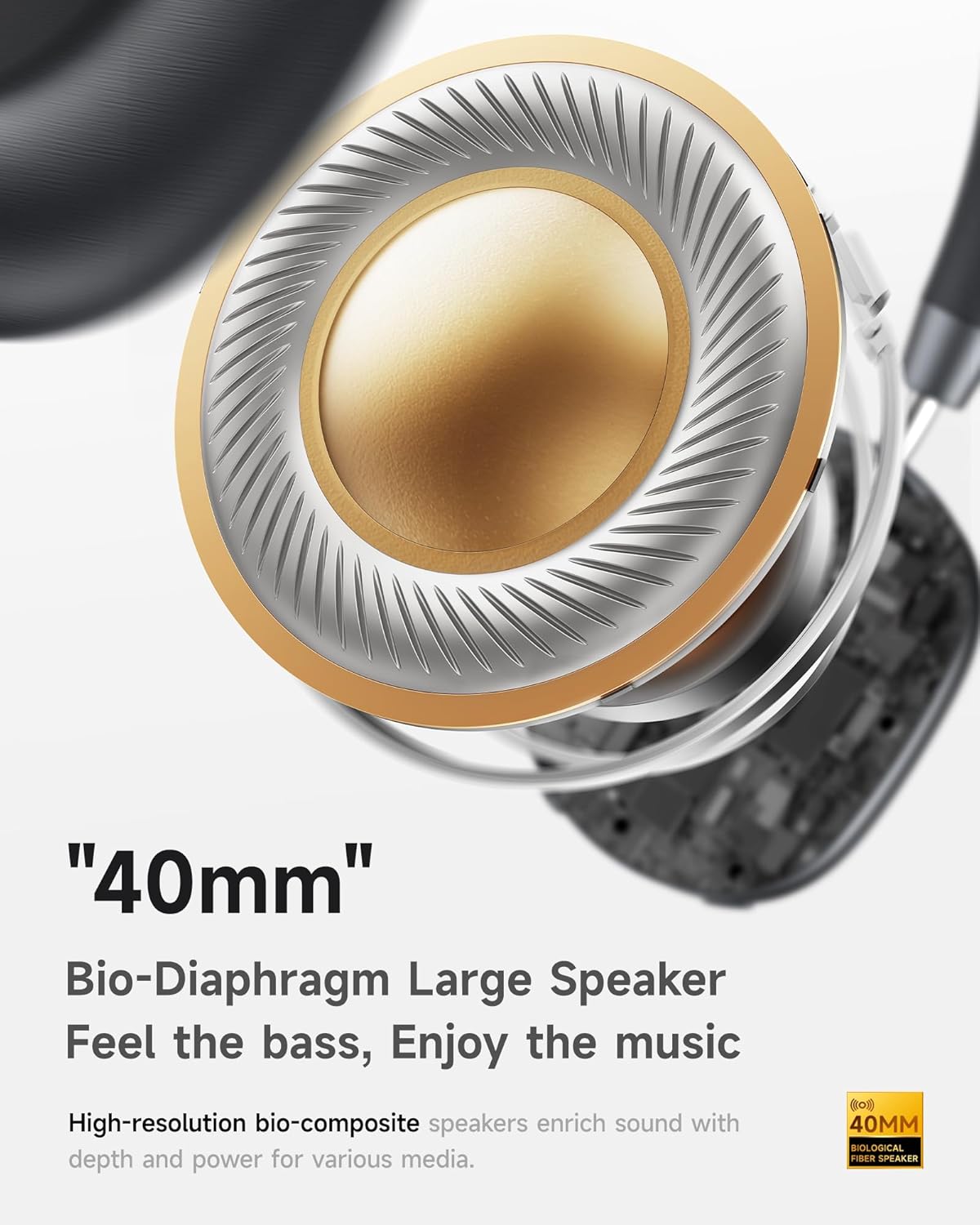
- Hi-Fi Audio with Deep Bass: Delivers clear sound with enhanced bass.
- App-Controlled EQ: Customize audio settings via a dedicated companion application.
- Micròfon integrat: Ensures clear voice calls.
- Connexió multipunt: Allows seamless switching between two connected Bluetooth devices.
- Disseny ergonòmic: Lightweight build with soft memory-foam earcups for extended comfort.
- Long Playtime & Fast Charging: Up to 30 hours of playback on a single charge, with quick recharge capabilities.



4. Configuració
4.1 Càrrega dels auriculars
Before first use, fully charge your Picun F5 headphones. Connect the provided USB charging cable to the headphone's charging port and a compatible USB power source. The charging indicator light will show the charging status.
4.2 Vinculació Bluetooth
- Assegureu-vos que els auriculars estiguin apagats.
- Premeu i manteniu premut el botó d'engegada fins que l'indicador lluminós parpellegi, cosa que indica el mode d'emparellament.
- Al dispositiu (telèfon intel·ligent, tauleta, ordinador), activeu el Bluetooth i cerqueu els dispositius disponibles.
- Select "Picun F5" from the list of devices to connect.
- Un cop connectat, l'indicador lluminós canviarà a blau fix o s'apagarà, segons el model.
4.3 Connexió multipunt
The Picun F5 supports connecting to two Bluetooth devices simultaneously. After pairing with the first device, disable Bluetooth on that device. Pair the headphones with the second device. Then, re-enable Bluetooth on the first device. The headphones should now be connected to both devices, allowing seamless audio switching.

5. Funcionament
5.1 Controls bàsics
The headphones feature intuitive controls for managing audio and calls:
- Encès/apagat: Manteniu premut el botó d'engegada.
- Ajust de volum: Use the dedicated volume knob/buttons on the earcup.
- Reproduir/pausa: Premeu una vegada el botó multifunció.
- Pista següent: Premeu dues vegades el botó multifunció.
- Pista anterior: Premeu tres vegades el botó multifunció.
- Respondre/Finalitzar la trucada: Premeu una vegada el botó multifunció durant una trucada entrant.
- Rebutja la trucada: Mantingueu premut el botó multifunció durant una trucada entrant.
5.2 Active Noise Cancelling (ANC) Modes
The ANC feature can be toggled or adjusted using a dedicated button on the headphones. Refer to the specific button layout on your device for exact functionality. Some models may offer different ANC levels or transparency modes.
5.3 App Control and Custom EQ
Download the companion app for your Picun F5 headphones to unlock personalized features. The app allows you to:
- Customize Equalizer (EQ) settings to match your audio preferences.
- Adjust ANC levels or switch between different noise control modes.
- Access additional smart features and settings.


6. Manteniment
To ensure the longevity and optimal performance of your Picun F5 headphones, follow these maintenance guidelines:
- Neteja: Feu servir un drap suau i sec per netejar els auriculars i la diadema. Eviteu utilitzar productes químics agressius o materials abrasius.
- Emmagatzematge: Store the headphones in a cool, dry place, away from direct sunlight and extreme temperatures. When not in use, consider storing them in a protective case.
- Eviteu la humitat: No exposeu els auriculars a l'aigua ni a una humitat excessiva.
- Manejar amb cura: Eviteu deixar caure els auriculars ni sotmetre'ls a impactes forts.

7. Solució De Problemes
If you encounter issues with your Picun F5 headphones, refer to the following common solutions:
- Sense energia: Assegureu-vos que els auriculars estiguin completament carregats. Connecteu-los a una font d'alimentació i comproveu l'indicador de càrrega.
- No es pot emparellar: Make sure the headphones are in pairing mode (indicator flashing). Disable and re-enable Bluetooth on your device, then try pairing again. Ensure the headphones are not already connected to another device.
- Sense so: Check the volume levels on both the headphones and your connected device. Ensure the headphones are properly paired. If using a wired connection, ensure the 3.5mm audio cable is securely plugged in.
- Qualitat de so baixa: Move closer to your connected device to avoid interference. Check for any obstructions between the headphones and the device. Ensure the audio source is of good quality.
- ANC no funciona: Ensure the ANC feature is activated. Check for any physical obstructions around the microphones.
If the issue persists, try resetting the headphones (refer to the full user manual for specific reset instructions) or contact customer support.
8. Especificacions
| Marca | Picun |
| Nom del model | F5 |
| Tecnologia de connectivitat | Sense fil (Bluetooth 4.0) |
| Control de soroll | Sound Isolation (Active Noise Cancelling) |
| Resposta de freqüència | 20 kHz |
| Sensibilitat | 42 dB |
| Conector d'auriculars | 3.5 mm Jack |
| Durada de la bateria | 30 hores |
| Tipus de controlador d'àudio | Conductor dinàmic |
| Forma de l'auricular | Ronda |
| Impedància | 32 ohms |
| Pes de l'article | 14 unces (0.4 quilograms) |
| Material | Acrilonitril butadiè estirè (ABS) |
9. Garantia i Suport
Picun products are designed for reliability and performance. For warranty information, product support, or technical assistance, please refer to the warranty card included in your package or visit the official Picun weblloc. Conserveu el rebut de compra per a reclamacions de garantia.


