1. Introducció
This manual provides detailed instructions for the operation and maintenance of your Bewinner Solar Powered DAB+ Radio. This versatile device combines DAB/DAB+ and FM radio reception with Bluetooth 5.0 connectivity, a 3W stereo speaker, and playback capabilities from USB drives and SD cards. Its integrated solar panel and 1200mAh battery make it suitable for home use, travel, and emergency preparedness.
2. Informació de seguretat
- Do not expose the device to extreme temperatures, direct sunlight for prolonged periods (beyond charging), or high humidity.
- Eviteu deixar caure la ràdio ni sotmetre-la a impactes forts.
- No desmunteu ni intenteu reparar el dispositiu vosaltres mateixos. Envieu totes les tasques de manteniment a personal qualificat.
- Mantingueu el dispositiu allunyat de l'aigua i altres líquids.
- Use only the specified charging cable and power adapter (if applicable) to prevent damage.
- Ensure proper ventilation when charging or operating the device.
3. Contingut del paquet
Si us plau, comproveu el paquet per veure si hi ha els elements següents:
- Bewinner Solar Powered DAB+ Radio
- Cable de càrrega USB
- Manual d'usuari (aquest document)

Image: The Bewinner Solar Powered DAB+ Radio shown with its included USB charging cable.
4. Producte acabatview
Familiarize yourself with the various components and controls of your radio.

Imatge: Part posterior view of the radio highlighting the large solar charging panel, which allows for power replenishment using sunlight.

Imatge: Frontal view of the radio, emphasizing the speaker grille and display. The internal strong magnetic speaker is designed to produce clear audio.
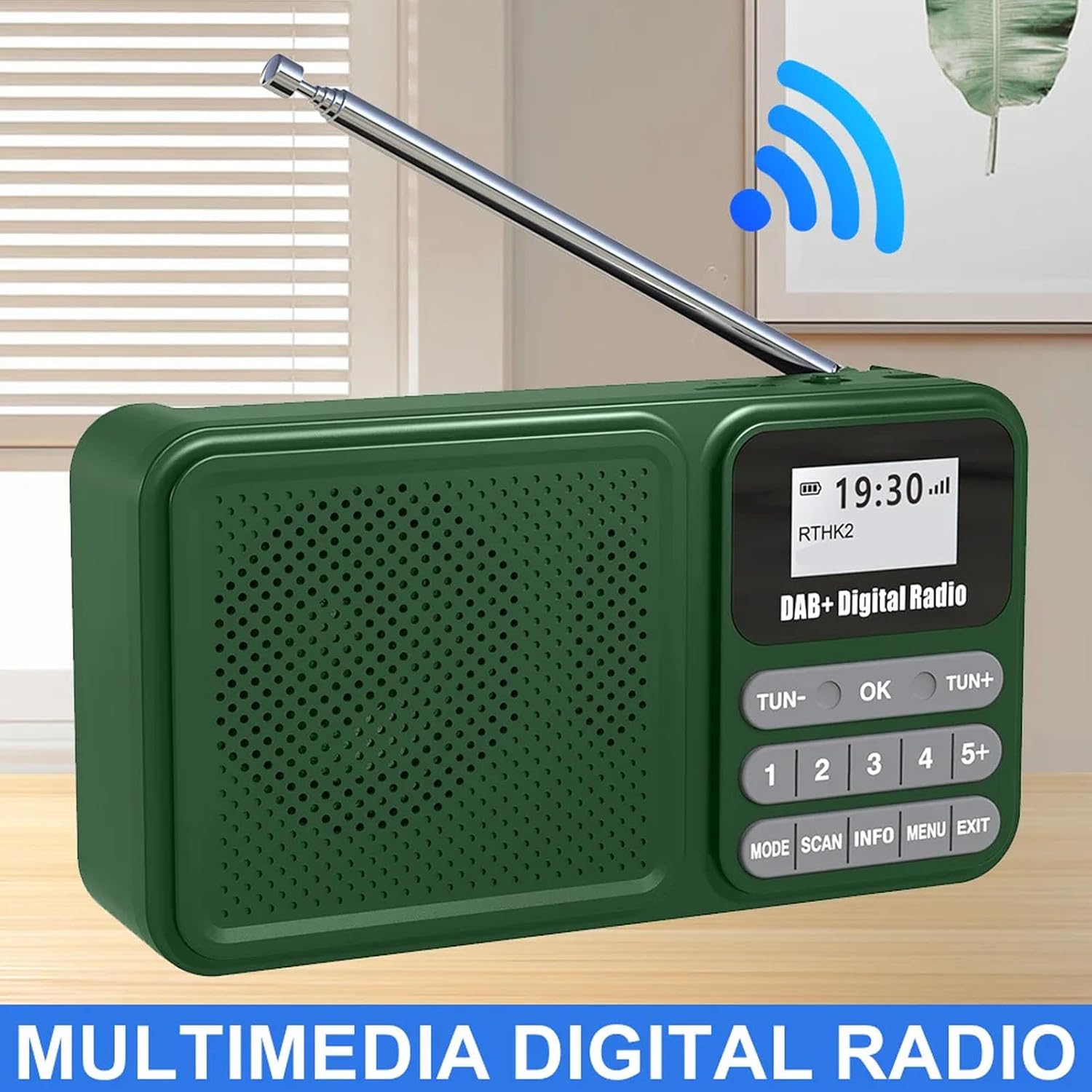
Image: A general front view of the radio with its antenna extended, showcasinla seva pantalla digital i els botons de control.

Image: The radio shown wirelessly connected to a smartphone via Bluetooth, demonstrating its capability as a Bluetooth speaker.

Imatge: Un primer pla view of the radio's telescopic antenna, illustrating its 360-degree rotation for optimal signal reception.

Imatge: Lateral view of the radio, pointing out the audio jack, USB port for playback, and the Type-C interface for charging.
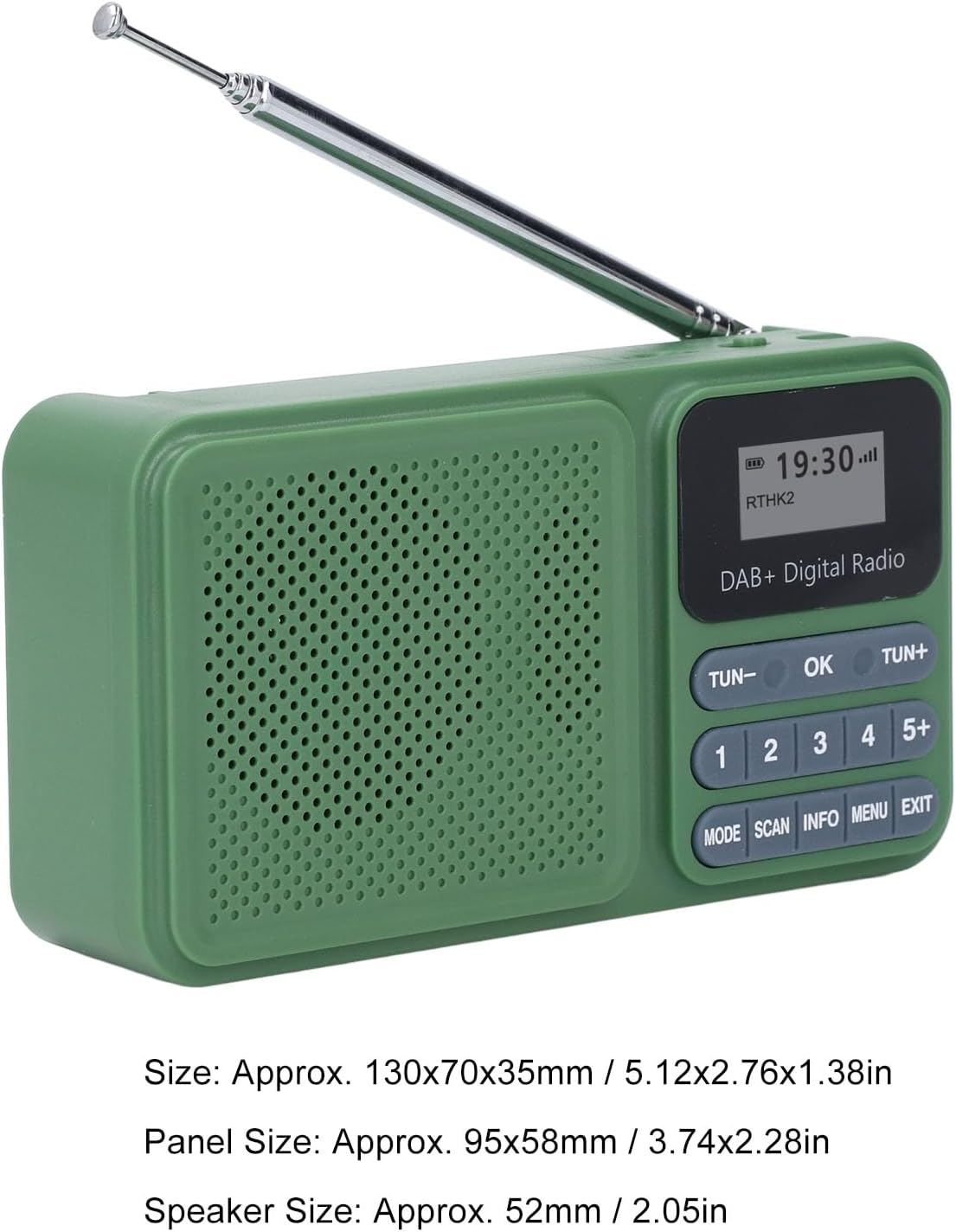
Image: The radio displayed with its approximate dimensions: 130x70x35mm (5.12x2.76x1.38 inches).
5. Configuració
5.1 Càrrega inicial
Before first use, fully charge the radio's internal 1200mAh battery. Connect the provided USB Type-C cable to the radio's Type-C port and the other end to a standard USB power adapter (not included) or a computer's USB port. The charging indicator will show the charging status. A full charge typically takes several hours.
5.2 Càrrega solar
For solar charging, place the radio with its solar panel facing direct sunlight. Ensure no obstructions block the panel. Solar charging is slower than USB charging and is ideal for maintaining battery life or for emergency power in outdoor settings.
Video: A short clip demonstrating the radio's solar charging capability in an outdoor environment, highlighting its portability and suitability for adventures.
5.3 Ajust de l'antena
Extend the telescopic antenna fully for optimal radio reception. Adjust its angle and direction for the best signal clarity, especially in DAB and FM modes.
6. Instruccions de funcionament
6.1 Encès/Apagat
Per encendre la ràdio, feu lliscar el botó ON/OFF canviar a ON position. The display will illuminate. To power off, slide the switch to the OFF posició.
6.2 Selecció del mode
Premeu el botó MODE button repeatedly to cycle through available modes: DAB Radio, FM Radio, Bluetooth, USB Playback, and SD Card Playback.
6.3 Funcionament de la ràdio DAB/DAB+
- Canvieu al mode DAB utilitzant el botó MODE botó.
- Premeu el botó ESCANEAR button to perform an automatic scan for available DAB/DAB+ stations. The radio will store all found stations.
- Utilitza el TUN- or TUN + botons per navegar per la llista d'emissores disponibles.
- To save a station as a preset, tune to the desired station, then press and hold one of the numbered preset buttons (1-5+). The display will confirm the preset has been saved. To recall a preset, simply press the corresponding numbered button.
- Premeu INFO a view station information (e.g., program type, signal strength).
6.4 Funcionament de la ràdio FM
- Canvieu al mode FM utilitzant el botó MODE botó.
- Manteniu premut el botó ESCANEAR button to auto-scan and save FM stations. Alternatively, short press TUN- or TUN + for manual tuning, or press and hold for auto-scan to the next strong station.
- Saving and recalling presets works similarly to DAB mode.
6.5 Vinculació Bluetooth
- Canvieu al mode Bluetooth mitjançant el MODE button. The radio will enter pairing mode, indicated by a flashing Bluetooth icon on the display.
- Al telèfon intel·ligent o a un altre dispositiu Bluetooth, activeu Bluetooth i cerqueu els dispositius disponibles.
- Select "Bewinner Radio" (or similar name) from the list to pair. Once paired, the radio will emit a confirmation sound, and the Bluetooth icon will stop flashing.
- You can now play audio from your connected device through the radio.
6.6 Reproducció des de targeta USB/SD
- Inseriu una unitat USB al port USB o una targeta SD a la ranura per a targetes SD.
- Switch to USB or SD mode using the MODE button. The radio will automatically detect and begin playing compatible audio files.
- Utilitza el TUN- i TUN + botons per saltar pistes.
6.7 Control de volum
Adjust the volume using the rotary volume knob located on the side of the radio. Rotate clockwise to increase volume (V+) and counter-clockwise to decrease volume (V-).
7. Manteniment
- Netegeu la ràdio amb un drap suau i sec. No utilitzeu productes de neteja abrasius ni dissolvents.
- Mantingueu net el panell solar per garantir una càrrega eficient.
- When not in use for extended periods, store the radio in a cool, dry place and charge it periodically to maintain battery health.
8. Solució De Problemes
| Problema | Causa possible | Solució |
|---|---|---|
| La ràdio no s'encén. | La bateria està esgotada. | Charge the radio using the USB Type-C cable or place it in direct sunlight for solar charging. |
| Mala recepció de ràdio. | Antena no estesa o zona amb senyal deficient. | Fully extend and adjust the telescopic antenna. Try moving to a different location with better signal. |
| El dispositiu Bluetooth no es pot emparellar. | Radio not in pairing mode or device too far. | Ensure the radio is in Bluetooth mode and the Bluetooth icon is flashing. Move your device closer to the radio. Restart both devices. |
| USB/SD playback not working. | Incompatible file format or card/drive not inserted correctly. | Assegureu-vos l'àudio files are in a compatible format (e.g., MP3). Reinsert the USB drive or SD card. Check if the radio is in the correct playback mode. |
9. Especificacions
| Característica | Detall |
|---|---|
| Número de model | Bewinner24no1gx983 |
| Modes de ràdio | DAB, DAB+, FM |
| Versió Bluetooth | 5.0 |
| Sortida de l'altaveu | 3W estèreo |
| Opcions de reproducció | USB Drive, SD Card |
| Estacions preseleccionades | 30 (DAB/FM combined) |
| Capacitat de la bateria | 1200 mAh |
| Durada de la bateria | Up to 8 hours continuous playback |
| Carregant | USB Type-C, Solar Panel |
| Dimensions del producte | 5.51 x 3.14 x 1.96 polzades (130 x 70 x 35 mm) |
| Pes de l'article | 10.6 unces |
10. Garantia i Suport
For warranty information and technical support, please refer to the documentation provided at the time of purchase or contact Bewinner customer service through the retailer where the product was purchased. Keep your proof of purchase for warranty claims.
