1. Introducció
This manual provides detailed instructions for the setup, operation, and maintenance of your CITLLA K9300 Wireless Bluetooth Keyboard. The K9300 is designed for versatility, offering multiple connection options and broad compatibility with various operating systems and devices. Its full-size layout and silent scissor-switch keys aim to provide a comfortable and efficient typing experience.

Figura 1.1: Frontal view of the CITLLA K9300 Wireless Bluetooth Keyboard.
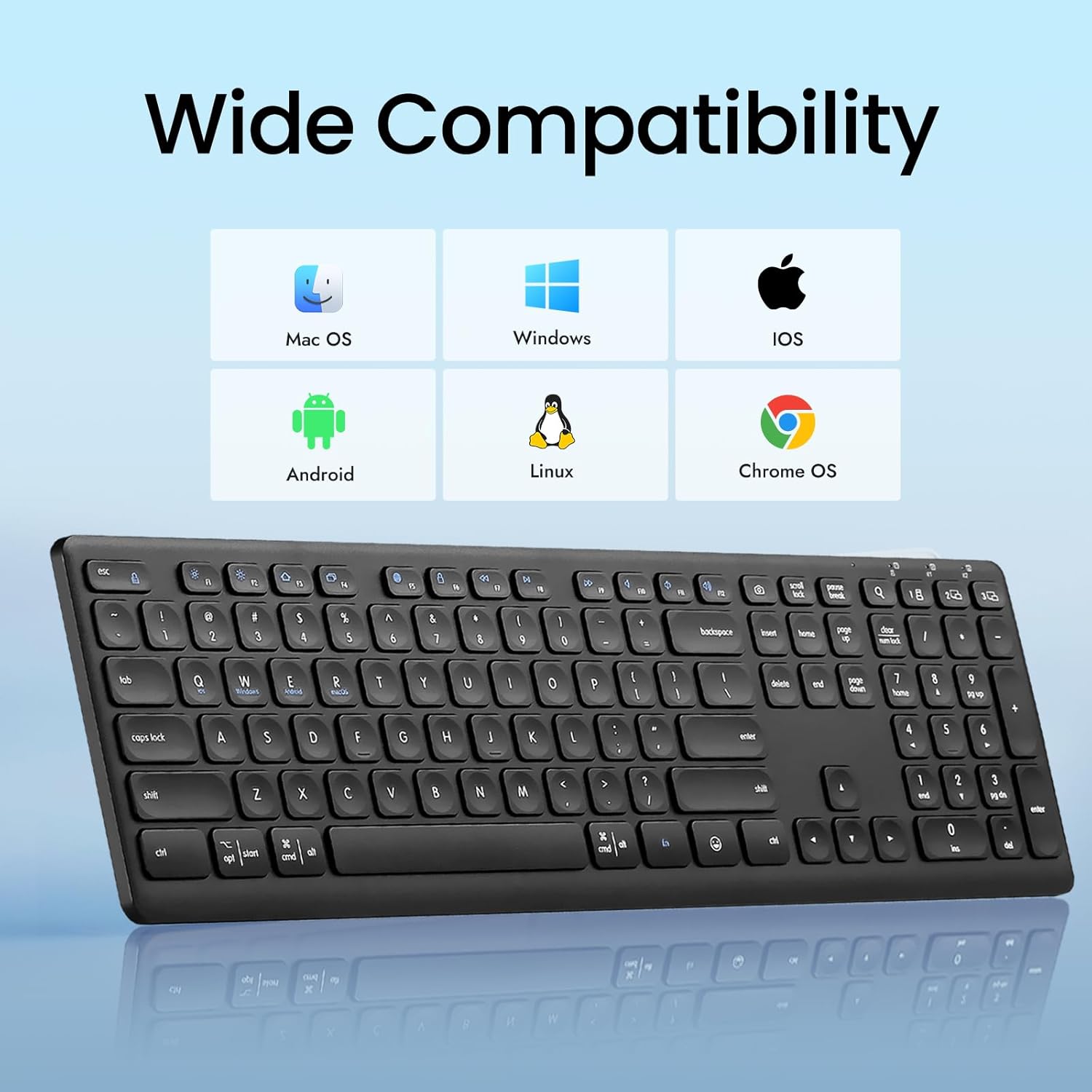
Figure 1.2: The K9300 keyboard is compatible with Mac OS, Windows, iOS, Android, Linux, and Chrome OS.
2. Contingut del paquet
Si us plau, verifiqueu que tots els elements siguin presents al paquet:
- CITLLA K9300 Wireless Bluetooth Keyboard
- Manual d'usuari
- 2 piles AAA (preinstal·lades o incloses per separat)
- USB-A 2.4GHz Receiver (typically stored in the battery compartment)
3. Producte acabatview
The K9300 keyboard features a full-size layout with 108 keys, including a numeric keypad. It incorporates scissor-switch keys for a stable and durable typing experience, along with a silent design to minimize typing noise.
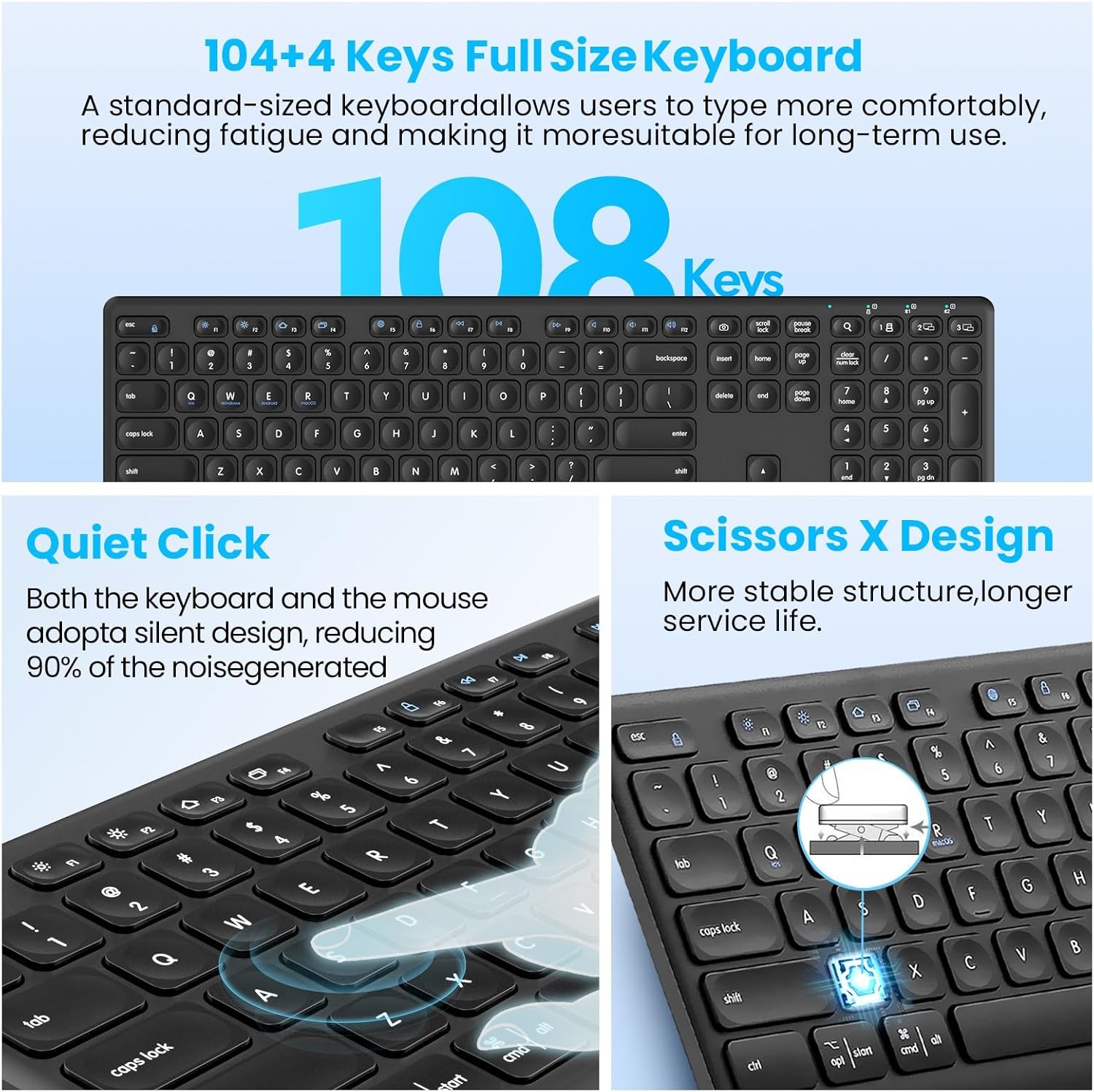
Figure 3.1: Key features of the K9300 keyboard, highlighting its full size, quiet operation, and scissor-switch mechanism.
4. Instruccions de configuració
4.1. Instal·lació de la bateria
The K9300 keyboard requires two AAA batteries for operation. These are typically included in the package or pre-installed. If installing new batteries:
- Localitzeu el compartiment de la bateria a la part inferior del teclat.
- Obriu la tapa del compartiment de la bateria.
- Introduïu dues piles AAA, assegurant-vos de la polaritat correcta (+/-).
- Tanqueu bé la tapa del compartiment de la bateria.

Figure 4.1: Underside of the keyboard, indicating the battery compartment, power switch, anti-slip pads, and foldable stand.
4.2. Modes de connexió
The K9300 keyboard supports three connection channels: one 2.4GHz USB receiver connection and two Bluetooth connections (BT1 and BT2). You can switch between these channels using the dedicated toggle button on the keyboard.

Figure 4.2: The keyboard offers three distinct connection channels for multi-device use.
4.2.1. 2.4GHz USB Receiver Connection
- Locate the USB-A receiver, typically stored in the keyboard's battery compartment.
- Plug the USB-A receiver into an available USB port on your computer or device.
- Enceneu el teclat amb l'interruptor d'encesa situat al lateral.
- Press the dedicated USB/Bluetooth toggle button on the keyboard until the indicator light for the 2.4G wireless mode is active. The keyboard should connect automatically.
4.2.2. Bluetooth Pairing (BT1 / BT2)
- Enceneu el teclat amb l'interruptor d'alimentació.
- Press the dedicated USB/Bluetooth toggle button to select either Bluetooth 1 (BT1) or Bluetooth 2 (BT2) mode. The corresponding indicator light will flash.
- On your device (computer, laptop, tablet, smartphone), navigate to the Bluetooth settings.
- Cerca available Bluetooth devices. The keyboard should appear as "CITLLA K9300" or similar.
- Select the keyboard to initiate pairing. Follow any on-screen prompts to complete the connection.
- Once paired, the indicator light will stop flashing and remain solid, indicating a successful connection.
5. Instruccions de funcionament
5.1. Commutació multidispositiu
The K9300 keyboard allows for quick switching between up to three connected devices (one via 2.4GHz USB receiver, two via Bluetooth). Simply press the dedicated USB/Bluetooth toggle button to cycle through the connected channels (2.4G, BT1, BT2). The active channel's indicator light will illuminate.
5.2. Adjustable Height
The keyboard is equipped with a three-level adjustable height stand to customize your typing angle for optimal comfort.
- Locate the foldable stands on the underside of the keyboard.
- Gently pull out the stands to adjust the keyboard to your desired height: low (6°), middle (10°), or high (15°).
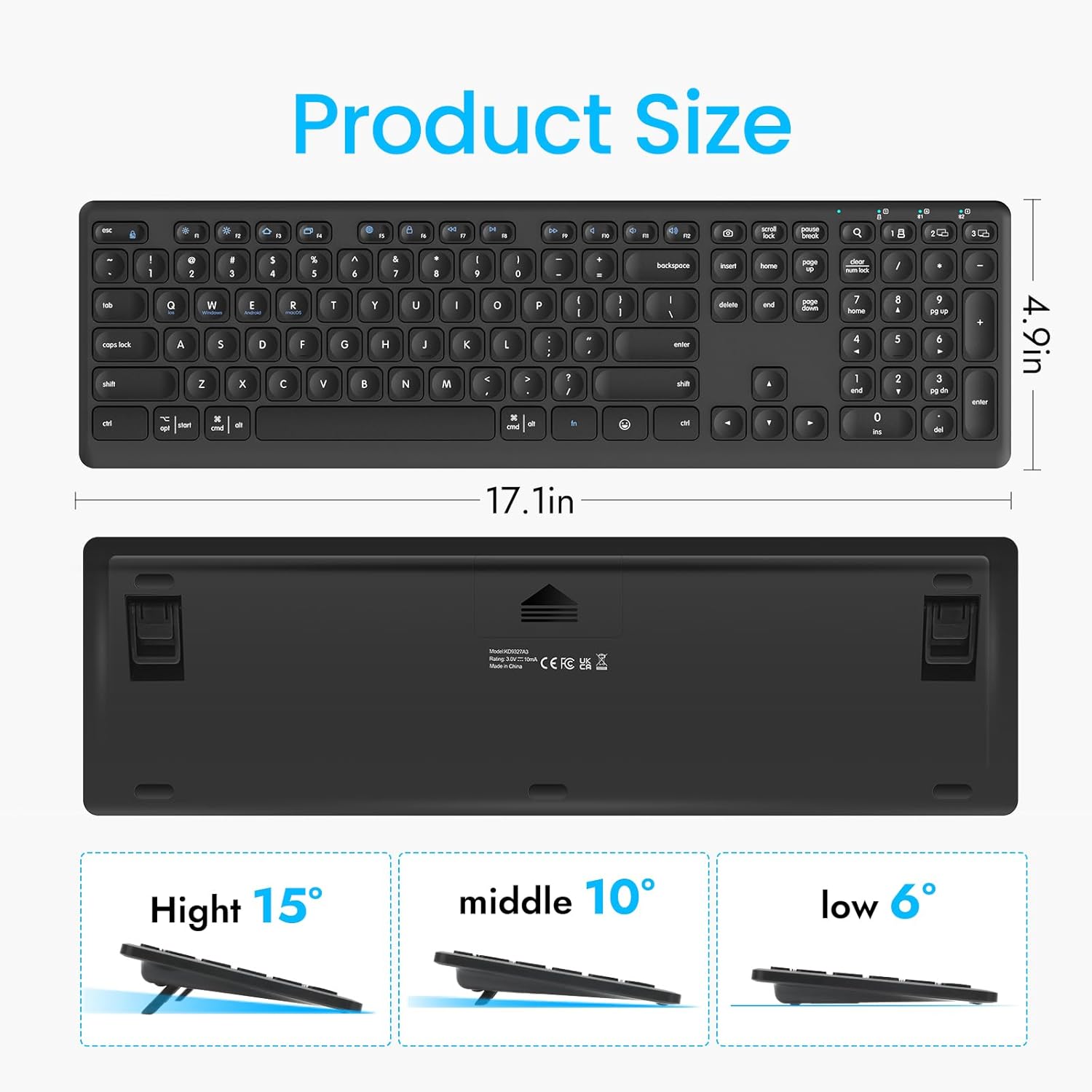
Figure 5.1: The keyboard's dimensions and three available height adjustments (6°, 10°, 15°).
5.3. Tecles de funció
The top row of keys (F1-F12) on the K9300 keyboard can be used as standard function keys or as multimedia/shortcut keys when combined with the Fn key. Refer to the diagram below for specific functions.

Figure 5.2: Diagram illustrating the function key combinations (Fn + F1-F12) and their respective actions.
6. Manteniment
6.1. Neteja
Per netejar el teclat, netegeu suaument la superfície amb un drap suau iamp cloth. Avoid using harsh chemicals or abrasive materials, as these can damage the keyboard's finish. Ensure the keyboard is powered off before cleaning.
6.2. Cura de la bateria
If the keyboard will not be used for an extended period, it is recommended to remove the AAA batteries to prevent potential leakage and damage. Replace batteries when the low battery indicator (if present) illuminates or when performance degrades.
7. Solució De Problemes
- El teclat no es connecta:
- Assegureu-vos que el teclat estigui encès.
- Comproveu els nivells de la bateria i substituïu-la si cal.
- Verify that the correct connection mode (2.4G, BT1, or BT2) is selected on the keyboard.
- For Bluetooth, ensure your device's Bluetooth is enabled and the keyboard is in pairing mode. Try re-pairing if issues persist.
- For 2.4GHz, ensure the USB receiver is securely plugged into a working USB port.
- Typing lag or dropped keystrokes:
- Ensure the keyboard is within the effective operating range (approximately 33 feet or 10 meters).
- Minimitzar les interferències d'altres dispositius sense fil.
- Comproveu els nivells de bateria.
- Les tecles no responen:
- Power cycle the keyboard (turn off, then on).
- Comproveu els nivells de bateria.
- Assegureu-vos que no hi hagi deixalles enganxades sota les claus.
8. Especificacions
| Característica | Detall |
|---|---|
| Número de model | K9300 |
| Tecnologia de connectivitat | Bluetooth, 2.4GHz USB-A |
| Dispositius compatibles | Laptop, PC, Smart TV, Smartphone, Tablet |
| Sistemes operatius | Windows, iOS, macOS, Linux, Android, Chrome OS |
| Descripció del teclat | Full Size, Multi-Functional |
| Tipus de clau | Interruptor de tisores |
| Característica especial | Quiet, Multi-Device Switching, Adjustable Height |
| Dimensions del producte | 17.02 x 4.96 x 0.77 polzades (43.23 x 12.60 x 1.96 cm) |
| Pes de l'article | 1.57 lliures (0.71 kg) |
| Bateries | 2 piles AAA (incloses) |
| Material | Plàstic |
9. Garantia i Suport
For warranty information and customer support, please refer to the documentation included with your purchase or contact CITLLA customer service through the retailer where the product was purchased. Keep your proof of purchase for warranty claims.
