1. Introducció
This manual provides detailed instructions for the setup, operation, and maintenance of your EWEADN V96 Wireless Keyboard and Mouse Combo. This 2.4G wireless full-sized retro typewriter style keyboard with round keycaps and a matching mouse is designed for seamless plug-and-play functionality across various operating systems.

Image: The EWEADN V96 Wireless Keyboard and Mouse Combo, showcasing its gradient pink and black design with round keycaps and a compact USB receiver.
2. Característiques clau
- Connexió sense fil de 2.4 GHz: Reliable and stable connection with a 33ft (10m) range.
- Full-Sized 104-Key Keyboard: Includes a numeric keypad and 13 easy-to-reach function keys.
- Estil de màquina d'escriure retro: Vintage round keycaps for a unique aesthetic and comfortable typing experience.
- Quiet Clicking Mouse: Designed for whisper-quiet operation to minimize disturbance.
- DPI del ratolí ajustable: Three DPI levels (800-1200-1600) for customizable cursor sensitivity.
- Mode de repòs automàtic: Both keyboard and mouse enter power-save mode after 5 seconds of inactivity.
- Àmplia compatibilitat: Supports Windows 10/8/7/XP/Vista, Mac OS, Chrome OS, and Linux.
- Disseny ergonòmic: Minimizes wrist strain for comfortable extended use.
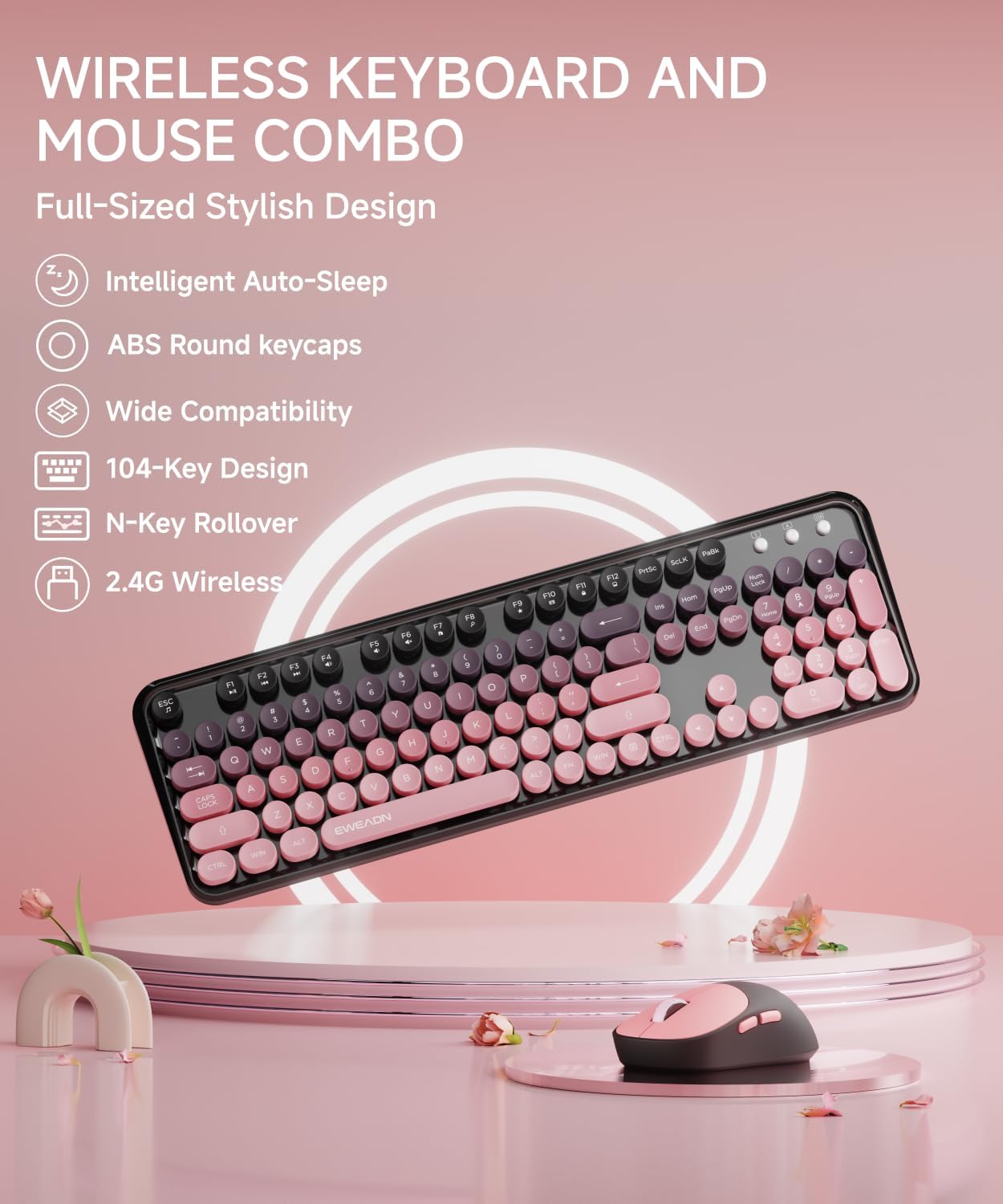
Imatge: Un diagrama il·lustratiu que mostraasing the key features of the V96 combo, including intelligent auto-sleep, ABS round keycaps, wide compatibility, 104-key design, N-key rollover, and 2.4G wireless connectivity.
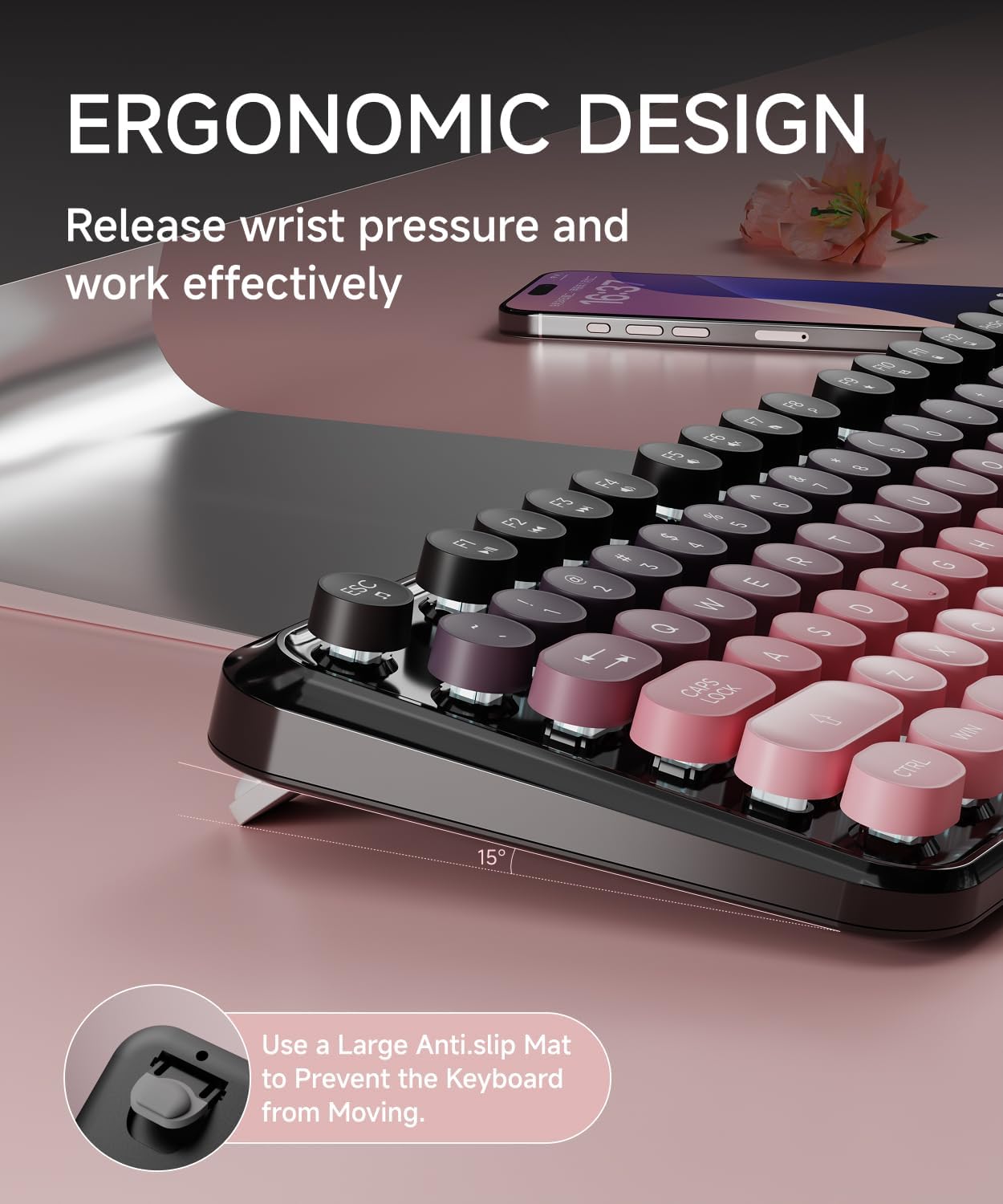
Imatge: Un primer pla view of the keyboard demonstrating its ergonomic design with a 15-degree tilt angle and anti-slip mat to prevent movement.
3. Contingut del paquet
Si us plau, assegureu-vos que tots els articles estiguin presents al vostre paquet:
- 1 x EWEADN V96 Wireless Keyboard
- 1 x EWEADN Wireless Mouse
- 1 x USB Receiver (stored inside the keyboard's battery compartment)
- 1 x Manual d'usuari (aquest document)
Note: AAA batteries for the keyboard (2 required) and AA battery for the mouse (1 required) are no inclòs.
4. Guia de configuració
Segueix aquests passos per configurar la combinació de teclat i ratolí sense fil:
- Instal·leu les bateries:
- Open the battery compartment on the back of the keyboard and insert two AAA batteries, ensuring correct polarity.
- Open the battery compartment on the bottom of the mouse and insert one AA battery, ensuring correct polarity.
- Localitza el receptor USB: The USB receiver is conveniently stored inside the keyboard's battery compartment. Carefully remove it.
- Plug in USB Receiver: Insert the USB-A receiver into an available USB port on your computer (desktop, laptop, Chromebook, etc.).
- Dispositius d'encesa:
- For the keyboard, ensure the power switch (usually located near the battery compartment) is in the 'ON' position.
- For the mouse, ensure the power switch on the bottom is in the 'ON' position.
- Connexió automàtica: The keyboard and mouse should automatically connect to your computer. No additional drivers are typically required.

Image: A visual guide illustrating the 2.4G wireless technology, showing the USB receiver being plugged into a laptop and its storage location within the keyboard's battery compartment.

Image: A four-step user guide showing battery insertion, USB receiver plugging, keyboard switch, and successful connection.

Imatge: Una part inferior view of the keyboard and mouse, highlighting the battery compartments, power switches, and the dedicated slot for the USB receiver within the keyboard.
5. Instruccions de funcionament
5.1 Ús del teclat
The V96 keyboard features a standard 104-key layout with additional multimedia functions.
Tecles de drecera multimèdia:
To use the multimedia functions (F1-F12), press and hold the Fn i, a continuació, premeu la tecla de funció desitjada.
- Fn+F1: Reproductor de música
- Fn+F2: Reproduir/Pausa
- Fn+F3: Pista anterior
- Fn+F4: Pista següent
- Fn+F5: Baixa el volum
- Fn+F6: Puja el volum
- Fn+F7: Silenciar
- Fn+F8: Web Navegador
- Fn+F9: Cerca
- Fn+F10: Preferits
- Fn+F11: Correu electrònic
- Fn+F12: Lock/Windows Key

Image: A detailed layout of the V96 keyboard, highlighting the multimedia shortcut keys (F1-F12) and their corresponding functions when used with the Fn key.
5.2 Ús del ratolí
The wireless mouse provides precise and quiet clicking. It features adjustable DPI settings.
Ajust de DPI:
The mouse has three adjustable DPI levels: 800, 1200 (default), and 1600. To change the DPI, press the DPI button located on the top of the mouse, usually behind the scroll wheel. Each press cycles through the available DPI settings.

Image: A close-up of the wireless mouse, indicating its quiet operation and the location of the DPI adjustment button, along with the 2.4G/OFF switch.
6. Gestió d'energia
Both the keyboard and mouse are designed with automatic sleep functions to conserve battery life.
- Repòs automàtic: After 5 seconds of inactivity, both devices will enter a power-saving sleep mode.
- Despertar-se: To wake up the keyboard, press any key. To wake up the mouse, click any button.
- Indicació de bateria baixa: The keyboard features a low battery indicator light in the top right corner. When the battery is low, this light will illuminate, reminding you to replace the batteries.

Image: An illustration detailing the automatic sleep function (10 mins auto sleep) and standby time (180 days), along with the battery requirements for both the keyboard (2 AAA) and mouse (1 AA).
7. Compatibilitat
The EWEADN V96 Wireless Keyboard and Mouse Combo is widely compatible with various operating systems:
- Windows 10/8/7/XP/Vista
- Mac OS
- Chrome OS
- Linux
It is suitable for use with desktops, Chromebooks, PCs, laptops, and more.

Image: The keyboard and mouse combo on a desk, with icons indicating compatibility with Mac OS, Windows, Chrome OS, and Linux.
8. Manteniment
To ensure the longevity and optimal performance of your keyboard and mouse combo, follow these maintenance guidelines:
- Neteja: Use a soft, dry cloth to wipe down the surfaces of the keyboard and mouse. For stubborn dirt, a slightly damp cloth can be used, but ensure no moisture enters the internal components.
- Eviteu líquids: Do not expose the devices to water or other liquids. Spills can cause permanent damage.
- Substitució de la bateria: Replace batteries promptly when the low battery indicator appears to maintain consistent performance. Dispose of old batteries responsibly.
- Emmagatzematge: When not in use for extended periods, turn off both the keyboard and mouse to conserve battery life. Store the USB receiver in its designated slot within the keyboard's battery compartment.
- Manejar amb cura: Eviteu deixar caure els dispositius ni sotmetre'ls a impactes forts.
9. Solució De Problemes
If you encounter issues with your EWEADN V96 combo, refer to the following common solutions:
- No Connection / Devices Not Responding:
- Ensure both the keyboard and mouse are turned ON.
- Check if the USB receiver is securely plugged into a working USB port on your computer. Try a different USB port.
- Replace the batteries in both the keyboard and mouse, even if the low battery indicator is not on.
- Re-pairing Procedure: If the devices lose connection, you may need to re-pair them. This can sometimes be achieved by pressing Fn + Q simultaneously, then Fn + W until the keyboard lights up briefly, indicating a successful re-connection.
- Connexió endarrerida o intermitent:
- Acosteu el teclat i el ratolí al receptor USB.
- Assegureu-vos que no hi hagi objectes metàl·lics grans ni altres dispositius sense fil (com ara encaminadors Wi-Fi o telèfons sense fil) que funcionin massa a prop del receptor, ja que poden causar interferències.
- El cursor del ratolí salta o és inexacte:
- Netegeu el sensor òptic de la part inferior del ratolí.
- Try using the mouse on a different surface. A mouse pad is recommended.
- Ajusteu la configuració de DPI a un valor més baix si el cursor és massa sensible.
- Keys Not Registering / Sticky Keys:
- Ensure the keyboard is clean and free of debris under the keycaps.
- Comproveu els nivells de bateria.
10. Especificacions
| Característica | Especificació |
|---|---|
| Número de model | V96 |
| Marca | EWEADN |
| Tecnologia de connectivitat | 2.4G sense fil |
| Disposició del teclat | 104 Keys, Full-Sized |
| Estil de tecla | Round, Retro Typewriter |
| Configuració de DPI del ratolí | 800-1200-1600 (Adjustable) |
| Bateria del teclat | 2 x AAA (no inclòs) |
| Bateria del ratolí | 1 x AA (no inclòs) |
| abast sense fils | Fins a 33 peus (10 metres) |
| Dispositius compatibles | Laptop, Desktop, PC, Chromebook |
| Sistemes operatius | Windows 10/8/7/XP/Vista, Mac OS, Chrome OS, Linux |
| Pes de l'article | 1.67 pounds (Keyboard and Mouse) |
| Color | Gradient Pink |
11. Garantia i Suport
EWEADN is committed to providing powerful after-sales backing for its products. If you encounter any issues or have questions regarding your V96 Wireless Keyboard and Mouse Combo, please contact our support team.
Atenció al client:
- Suport per correu electrònic: eweadnkeyboard@outlook.com
Our support team can assist with pre-sales inquiries, troubleshooting, accessory reissues, and returns/exchanges.

Image: An illustration depicting various customer support services offered by EWEADN, including pre-sales Q&A, troubleshooting, accessories reissue, and returns and exchanges, with an email contact provided.


