1. Introducció
Thank you for choosing the DELUX MF20 Wireless Bluetooth Travel Mouse. This manual provides detailed instructions for setting up, operating, and maintaining your device. Please read it carefully to ensure optimal performance and longevity of your mouse.
2. Producte acabatview
The DELUX MF20 is a versatile 2-in-1 sliding mouse designed for portability and efficiency. It features dual-mode connectivity (Bluetooth 5.2 and 2.4G wireless), adjustable DPI settings, quiet clicks, and a rechargeable battery.
Característiques principals:
- 2-in-1 Sliding Design: Compact and portable for travel and mobile use.
- Bateria recarregable: Built-in 300mAh Li-ion battery, offering up to one week of use on a single charge. USB-C charging port.
- Connectivitat de mode dual: Seamless switching between Bluetooth 5.2 and 2.4G wireless modes.
- 5 nivells de DPI ajustables: 800/1200/1600/2400/4000 DPI for precise control.
- Àmplia compatibilitat: Supports Windows 7/8/10, macOS, and Android devices.
- Noise-Free Clicks: Quiet operation to minimize distractions.
Components del ratolí:
Familiarize yourself with the different parts of your DELUX MF20 mouse.

Image: DELUX MF20 mouse with a physical scroll wheel.

Image: Detailed diagram illustrating the left button, right button, scrolling wheel, forward button, backward button, 2.4G/BT mode switch, DPI switch, and the magnetic slot for the USB receiver.
3. Configuració
3.1 Desembalatge i inspecció inicial
Upon opening the package, ensure all components are present and undamaged.
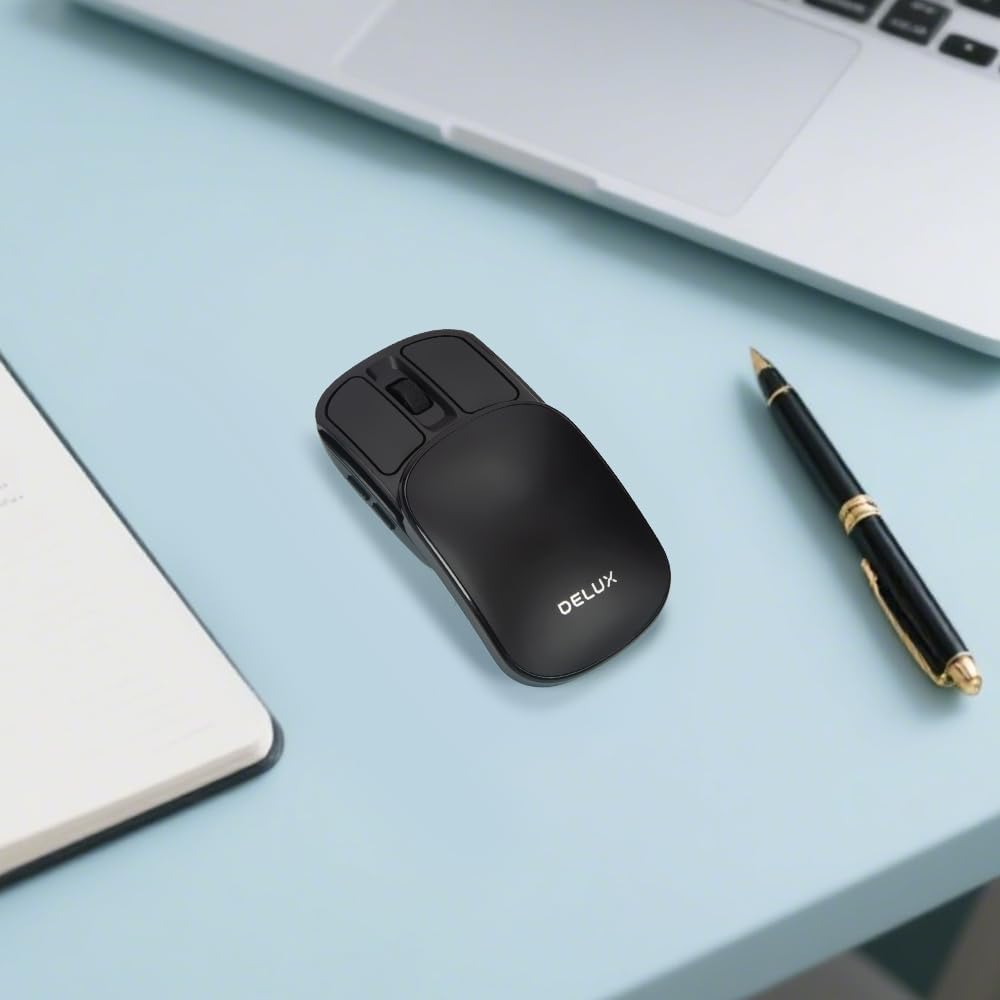
Image: The DELUX MF20 mouse, instruction manual, USB-C charging cable, and a carrying pouch are included in the box.
3.2 Càrrega del ratolí
The mouse is equipped with a built-in rechargeable battery. Before first use, or when the battery is low, connect the mouse to a power source using the provided USB-C cable.
- Localitzeu el port de càrrega USB-C a la part frontal del ratolí.
- Connect the USB-C cable to the mouse and the other end to a USB power adapter or computer.
- El llum indicador de càrrega s'il·luminarà durant la càrrega i s'apagarà quan estigui completament carregat.

Image: The DELUX MF20 mouse connected to a USB-C charging cable.
3.3 Modes de connectivitat
The DELUX MF20 supports two connection modes: 2.4G Wireless and Bluetooth 5.2.
3.3.1 Connexió sense fil 2.4G
- Slide the top cover of the mouse to reveal the USB receiver.
- Carefully remove the USB receiver from its magnetic storage slot.
- Connecteu el receptor USB a un port USB disponible de l'ordinador.
- Feu lliscar el commutador de mode a la part inferior del ratolí fins a la posició "2.4G".
- El ratolí s'hauria de connectar automàticament a l'ordinador.

Image: The DELUX MF20 mouse demonstrating dual-mode connectivity with a 2.4G USB receiver and Bluetooth 5.2.
Connexió Bluetooth 3.3.2 5.2
- Feu lliscar l'interruptor de mode a la part inferior del ratolí fins a la posició "BT".
- The indicator light on the mouse will start blinking, indicating it's in pairing mode.
- On your device (computer, tablet, or phone), go to Bluetooth settings.
- Cerca new devices and select 'DELUX MF20' from the list.
- Un cop emparellat, l'indicador lluminós deixarà de parpellejar.
Nota: The mouse can be paired with multiple Bluetooth devices, but only one can be active at a time. Use the mode switch to select the desired connection.
Video: An unboxing and setup demonstration of the DELUX MF20 Wireless Bluetooth Travel Mouse, showing how to connect it via 2.4G and Bluetooth modes.
4. Instruccions de funcionament
4.1 Power On/Off and Sliding Mechanism
The mouse features a unique sliding design. To power on the mouse, slide the top cover forward until it clicks into place. To power off and protect the buttons, slide the cover backward to its closed position.

Image: The DELUX MF20 mouse in its open position, ready for use.
Video: A demonstration of the DELUX MF20 Wireless Bluetooth Travel Mouse, highlighting its 2-in-1 sliding design and compact form factor.
4.2 Adjusting DPI Settings
The mouse offers five adjustable DPI levels to suit your preference and task requirements. You can cycle through these settings using the DPI switch button located on the bottom of the mouse.
- Press the DPI switch button to change the sensitivity.
- The available DPI settings are 800, 1200, 1600, 2400, and 4000.
- Each press will cycle to the next DPI level.

Image: Illustration of the DPI switch on the mouse's underside and the five adjustable DPI settings.
4.3 Commutació multidispositiu
When connected to multiple devices (one via 2.4G and others via Bluetooth), you can switch between them using the mode switch on the bottom of the mouse.
- Set the switch to '2.4G' to use the mouse with the device connected via the USB receiver.
- Set the switch to 'BT' to use the mouse with the currently paired Bluetooth device.
4.4 Silent Clicks
The DELUX MF20 mouse is designed with silent click buttons, providing a quiet user experience suitable for various environments without disturbing others.
5. Manteniment
5.1 Neteja
To maintain the mouse's performance and appearance:
- Feu servir un drap suau i sec per netejar la superfície del ratolí.
- Per a la brutícia persistent, lleugerament dampal drap amb aigua o una solució de neteja suau.
- Eviteu utilitzar productes químics agressius o materials abrasius, ja que poden danyar la superfície.
- Assegureu-vos que no entri líquid als components interns del ratolí.
5.2 Cura de la bateria
Per allargar la durada de la bateria:
- Charge the mouse regularly, especially when the battery indicator is low.
- Eviteu descarregar completament la bateria amb freqüència.
- Si guardeu el ratolí durant un període prolongat, carregueu-lo al 50% aproximadament i guardeu-lo en un lloc fresc i sec.
6. Solució De Problemes
If you encounter issues with your DELUX MF20 mouse, please refer to the following common solutions:
6.1 El ratolí no respon
- Comproveu la bateria: Ensure the mouse is charged. Connect it to a power source and try again.
- Encès: Make sure the mouse is slid open to the 'on' position.
- Interruptor de mode: Verify the mode switch on the bottom is set to the correct connection type (2.4G or BT).
6.2 2.4G Wireless Connection Issues
- Receptor USB: Assegureu-vos que el receptor USB estigui ben connectat a un port USB que funcioni. Proveu-ho amb un altre port USB.
- Interferència: Move the mouse closer to the receiver and away from other wireless devices that might cause interference.
6.3 Problemes de connexió Bluetooth
- Mode de sincronització: Ensure the mouse is in Bluetooth pairing mode (blinking indicator light). If not, switch to BT mode and re-initiate pairing.
- Dispositiu Bluetooth: Confirm that Bluetooth is enabled on your device and that the device is discoverable.
- Oblida el dispositiu: If previously paired, try 'forgetting' or 'removing' the mouse from your device's Bluetooth settings and then re-pairing.
6.4 Inconsistent Scrolling
- Roda de desplaçament neta: Ensure the scroll wheel area is free from dust or debris.
- Configuració de DPI: Experiment with different DPI settings, as very high DPI might feel too sensitive for some users.
Si el problema persisteix després d'intentar aquests passos, poseu-vos en contacte amb l'atenció al client.
7. Especificacions
| Característica | Detall |
|---|---|
| Dimensions del producte | 4.27 x 2.2 x 0.1 polzades |
| Pes de l'article | 1.76 unces |
| Número de model | MF20 |
| Bateries | 1 bateria no estàndard (inclosa) |
| Marca | DELUX |
| Tecnologia de connectivitat | Bluetooth, USB (sense fil 2.4G) |
| Característiques especials | 2-in-1 Sliding Design, 5 Adjustable DPI, Dual Mode Connectivity, Foldable and Slim, Rechargeable Battery |
| Tecnologia de detecció de moviment | Òptic |
8. Garantia i Suport
DELUX products are designed for reliability and performance. This product comes with a standard manufacturer's warranty. For specific warranty terms and conditions, please refer to the warranty card included in your product packaging or visit the official DELUX weblloc.
For technical support, troubleshooting assistance, or warranty claims, please contact DELUX customer service through the following channels:
- Weblloc: DELUX Official Store on Amazon
- Correu electrònic: [Insert Customer Service Email Here, if available]
- Telèfon: [Insert Customer Service Phone Number Here, if available]
Please have your product model number (MF20) and purchase information ready when contacting support.


