1. Introducció
The MCHOSE K7 Ultra is an advanced wireless gaming mouse designed for optimal performance and comfort. It features an ultra-lightweight design, high-precision sensor, and versatile connectivity options to enhance your gaming and productivity experience.
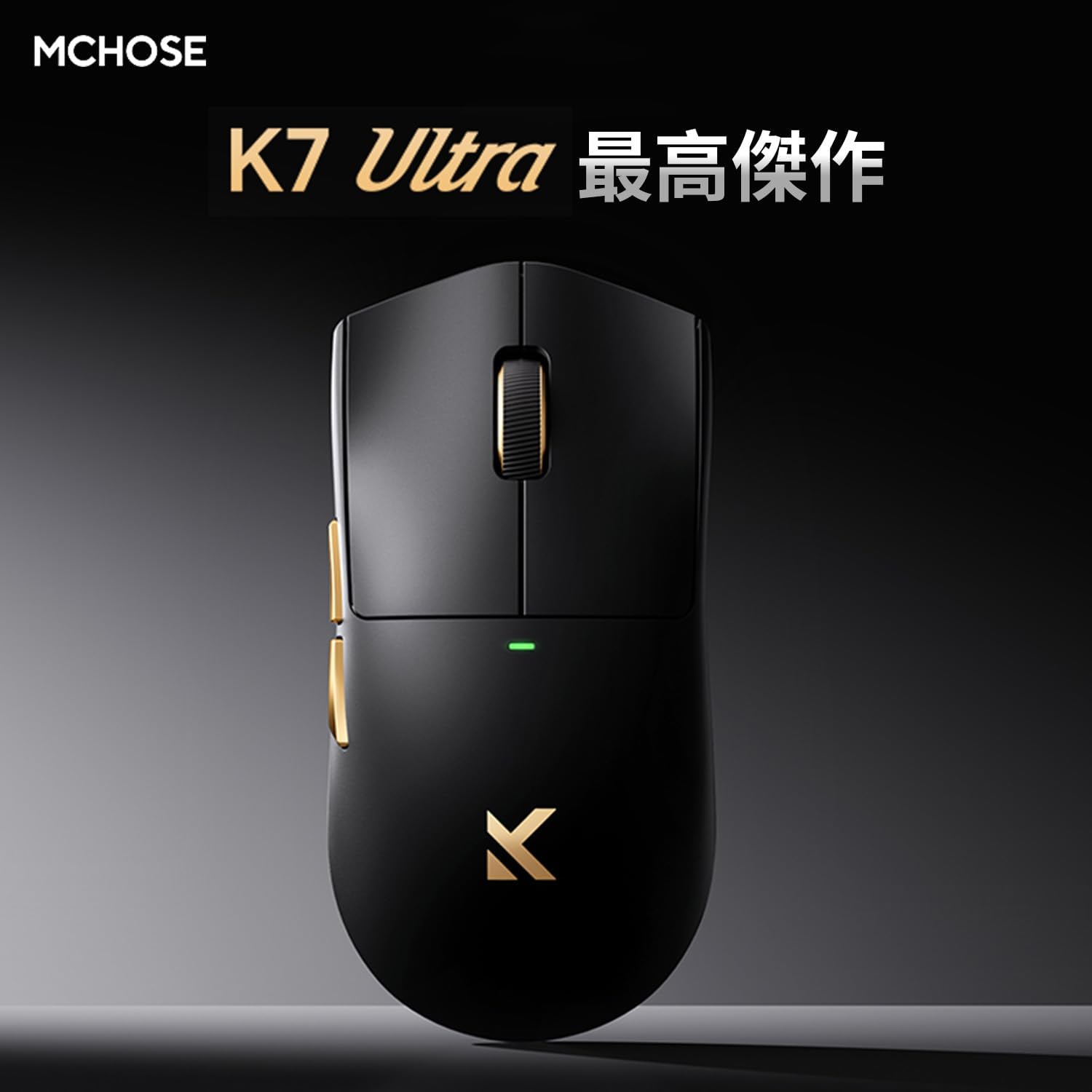
Image: MCHOSE K7 Ultra Gaming Mouse in black, highlighting its optimal performance.
2. Contingut del paquet
Si us plau, verifiqueu que tots els elements siguin presents al vostre paquet:
- MCHOSE K7 Ultra Gaming Mouse
- 8K Dongle & Magnetic Wireless Charging Dock (Integrated)
- 1K NANO Receiver
- Paracord USB Cable
- Anti-slip Grip Tape
- Targeta de funció
- Targeta de garantia
- Dedicated Mouse Storage Pouch
- "Burn" Mouse Pad (First Edition Standard Accessory)
- e-Sports Grade Glass Skates (First Edition Standard Accessory)
3. Producte acabatview
The MCHOSE K7 Ultra mouse is designed for right-handed users with a symmetrical shape, offering comfort during extended use. It features a lightweight construction and high-quality components.

Imatge: Part superior i lateral view of the MCHOSE K7 Ultra Gaming Mouse in white, showcasing el seu disseny ergonòmic.
Característiques principals:
- Ultralleuger: Approximately 59g for effortless movement.
- Sensor d'alta precisió: Pixart PAW3950 sensor with up to 42,000 DPI.
- Connectivitat versàtil: 2.4GHz Wireless, Bluetooth, and USB-C Wired modes.
- Interruptors duradors: Omron optical micro switches for reliable clicks.
- Bateria de llarga durada: Capacitat de la bateria de 500 mAh.
- Advanced Polling Rate: Supports 8K polling rate in both wired and wireless modes.

Image: Visual representation of key features including 59g weight, Super Glide glass coating, Omron optical switches, TTC Gold scroll wheel, and 500mAh battery.

Imatge: Explosió view illustrating the internal components and construction of the MCHOSE K7 Ultra mouse, including the gold-plated PCB, Omron switches, and magnetic charging coil.
4. Configuració
4.1 Càrrega del ratolí
Before first use, fully charge the mouse. Connect the USB-C cable to the charging dock and a power source, then place the mouse onto the magnetic charging dock. The RGB lighting on the dock will indicate charging status.
4.2 Connexió del ratolí
The MCHOSE K7 Ultra supports three connection modes: 2.4GHz Wireless, Bluetooth, and Wired USB-C.
Connexió sense fil de 2.4 GHz:
- Insert the 8K dongle into an available USB port on your computer.
- Engegueu el ratolí amb l'interruptor de la part inferior.
- The mouse should automatically connect to the dongle. The indicator light on the mouse will confirm connection.
Connexió Bluetooth:
- Turn on the mouse and switch it to Bluetooth mode (refer to the function card for specific switch position).
- A l'ordinador o dispositiu, vés a la configuració de Bluetooth i cerca dispositius nous.
- Select "MCHOSE K7 Ultra" from the list of available devices to pair.
Wired USB-C Connection:
- Connect the paracord USB cable to the mouse and an available USB port on your computer.
- El ratolí canviarà automàticament al mode amb cable i començarà a carregar-se.

Image: The MCHOSE K7 Ultra mouse on its 8K dongle and magnetic wireless charging dock, illustrating the charging process and RGB lighting.
5. Instruccions de funcionament
5.1 Ajust de DPI
The mouse features a dedicated DPI button (usually located on the bottom or top of the mouse, refer to the function card for exact placement) to cycle through preset DPI levels. The indicator light color will change to reflect the current DPI setting.
5.2 Botons programables
The MCHOSE K7 Ultra has programmable buttons. You can customize button functions, macros, and RGB lighting effects using the M HUB software. Download the M HUB software from the official MCHOSE weblloc.
5.3 Ajust de la taxa de sondeig
The polling rate can be adjusted via the M HUB software. The mouse supports up to 8K polling rate for ultra-responsive tracking.
6. Manteniment
6.1 Neteja
Per netejar el ratolí, feu servir un drap suau i sec. Per a la brutícia persistent, feu servir un drap lleugerament sec.amp Es pot fer servir un drap amb sabó suau, assegurant-se que no entri líquid al ratolí. Eviteu netejadors o dissolvents abrasius.
6.2 Cura de la bateria
To prolong battery life, avoid fully discharging the mouse frequently. Charge it regularly. If storing the mouse for an extended period, charge it to approximately 50% and store it in a cool, dry place.
7. Solució De Problemes
7.1 Mouse Not Responding:
- Assegureu-vos que el ratolí estigui encès.
- Comproveu el nivell de la bateria i carregueu-la si cal.
- For wireless connection, ensure the dongle is properly inserted and within range. Try a different USB port.
- For Bluetooth, ensure Bluetooth is enabled on your device and the mouse is paired.
- Prova de connectar-te mitjançant un cable USB-C per descartar problemes sense fil.
7.2 Cursor Movement is Erratic:
- Clean the mouse sensor with a soft cloth.
- Assegureu-vos que feu servir el ratolí sobre una superfície adequada (per exemple, una estora de ratolí).
- Check for any obstructions around the sensor.
7.3 M HUB Software Not Detecting Mouse:
- Ensure the mouse is connected to the computer (preferably wired or via 2.4GHz dongle).
- Restart the M HUB software and your computer.
- Check for software updates for M HUB.
8. Especificacions
Detailed technical specifications for the MCHOSE K7 Ultra Gaming Mouse:

Image: Table detailing the MCHOSE K7 Ultra product specifications.
| Característica | Especificació |
|---|---|
| Model | K7 Ultra |
| Mida (L x A x A) | Aprox. 127.3 x 63.8 x 39.9 mm |
| Xip | Realtek Flagship Chip |
| Tecnologia de transmissió | MCHOSE TOPSPEED Wireless Technology |
| Acabat superficial | Super Glide Glass Coating |
| Processament especial | Gold-plated PCB, Side Button Electroplating, Aluminum Alloy Wheel Anodized Gloss Finish |
| Pes | Aprox. 59 g |
| Conductor | Fully self-developed M HUB (Web Driver/Client Driver) |
| Micro interruptor | Omron Optical Switch |
| Roda de desplaçament | TTC Or |
| Bateria | 500 mAh |
| Dongle/Charging | 8K Dongle & Magnetic Wireless Charging Dock (Integrated) |
| Taxa de votació | Wired 8K + Wireless 8K |
| Mètode de connexió | Cablejat/2.4G/Bluetooth |
9. Garantia i Suport
The MCHOSE K7 Ultra Gaming Mouse comes with a limited warranty. Please refer to the included Warranty Card for detailed terms and conditions, including warranty period and coverage.
For technical support, driver downloads, or further assistance, please visit the official MCHOSE website or contact customer service through the information provided on your warranty card or product packaging.


