1. Introducció
This manual provides essential information for setting up, operating, and maintaining your KOOSMILE Mini Laptop P8. The P8 is an 8-inch 2-in-1 convertible laptop featuring Windows 11 Pro, an Intel N150 processor, 12GB LPDDR5 RAM, and a 512GB SSD. Its compact design and versatile modes make it suitable for various tasks and environments.
2. Contingut del paquet
Si us plau, comproveu el paquet per veure si hi ha els elements següents:
- KOOSMILE Mini Laptop P8 x1
- PD Adapter x1
- Active Stylus x1
- Cable HDMI x1
- Hub USB x1
- Manual d'usuari x1
3. Producte acabatview
Familiarize yourself with the physical components and ports of your KOOSMILE Mini Laptop P8.
3.1. Característiques clau
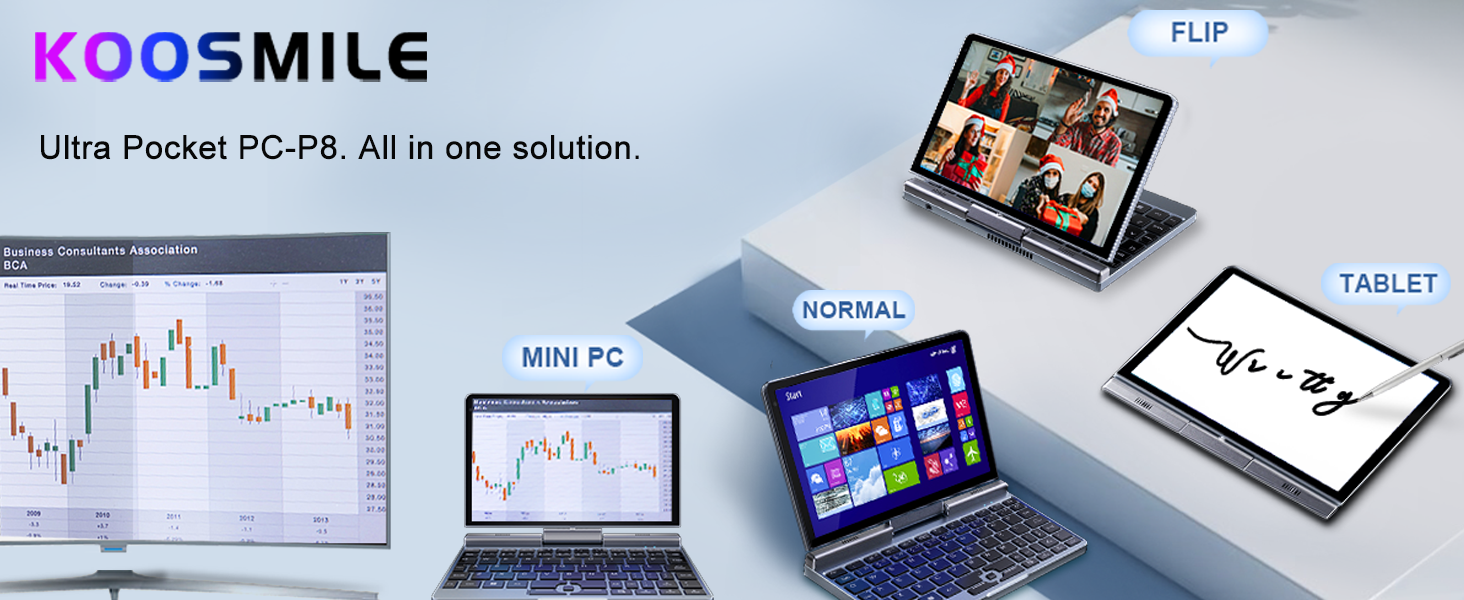
Imatge: Més deview of the KOOSMILE P8 Mini Laptop highlighting its key features including Intel N150 CPU, 12GB LPDDR5 RAM, SSD storage, 0.78kg weight, 2MP camera, and 8-inch HD IPS screen.
3.2. Ports i botons
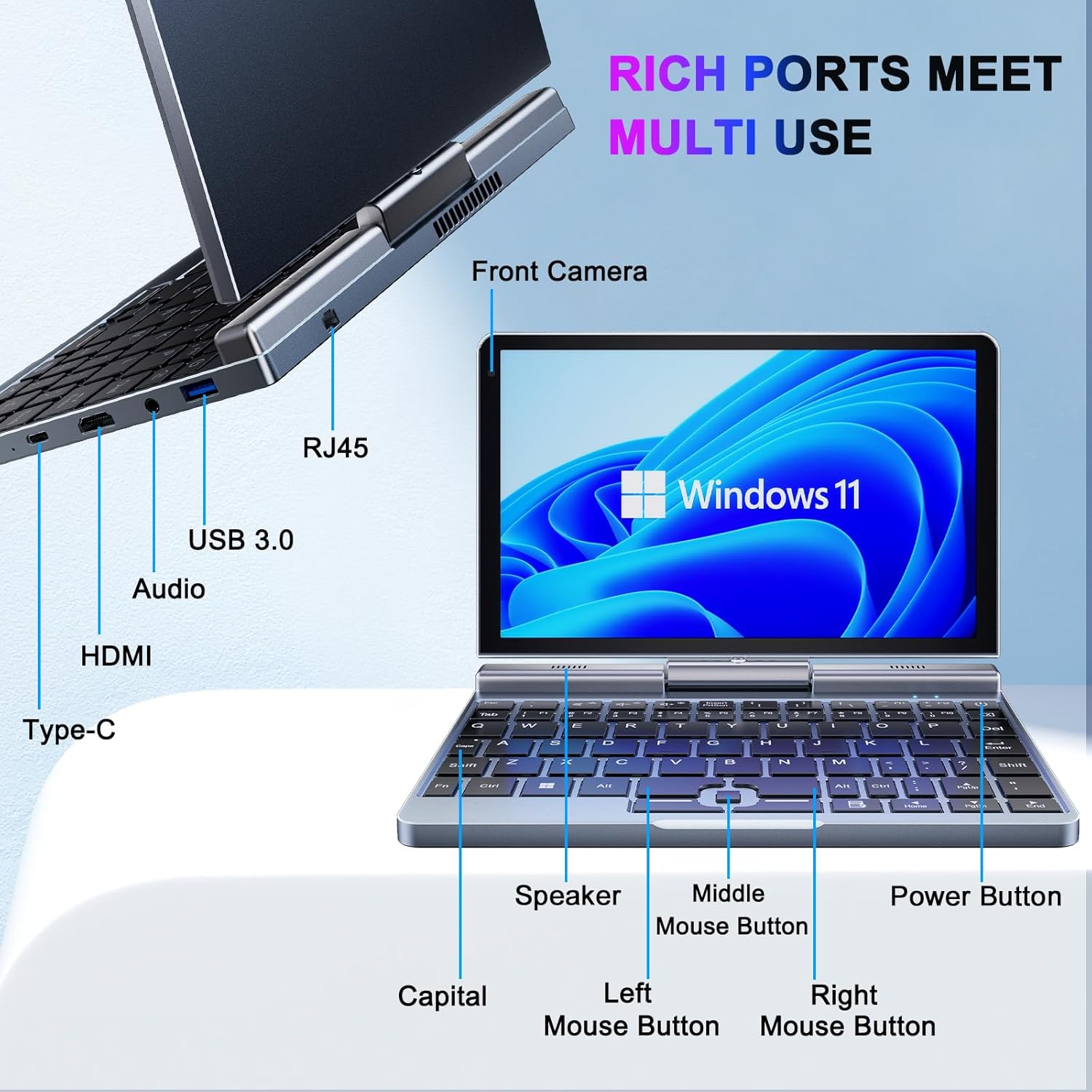
Imatge: Detallada view of the KOOSMILE P8 Mini Laptop's side ports and keyboard layout, labeling the RJ45 Ethernet port, USB 3.0, Audio jack, HDMI, Type-C port, Front Camera, Speaker, Middle Mouse Button, Left Mouse Button, Right Mouse Button, Power Button, and Capital key.
- Port USB 3.0: Per connectar dispositius USB.
- Port USB tipus C: For data transfer, charging, and DisplayPort (DP) video output.
- Port HDMI: Per connectar a pantalles externes.
- Jack d'àudio: Per a auriculars o altaveus externs.
- Port Ethernet RJ45: Per a la connexió de xarxa amb cable.
- Botó d'encesa: Per encendre/apagar el dispositiu o posar-lo en repòs.
- Càmera frontal: 2MP camera for video calls and conferencing.
4. Configuració
Follow these steps for initial setup of your KOOSMILE Mini Laptop P8.
- Carregueu el dispositiu: Connect the PD Adapter to the USB Type-C port on the laptop and plug it into a power outlet. Allow the device to charge fully before first use.
- Encès: Premeu i manteniu premut el botó d'engegada fins que la pantalla s'il·lumini.
- Configuració de Windows 11 Pro: Seguiu les instruccions que apareixen a la pantalla per completar la configuració inicial del Windows 11 Pro, inclosa la selecció d'idioma, la connexió de xarxa i la creació d'un compte d'usuari.
- Connecteu els perifèrics: If desired, connect the included USB Hub, external mouse, or other peripherals to the available USB ports.
5. Instruccions de funcionament
This section covers basic operation and usage modes of your device.
5.1. Engegada/Apagada i Mode de repòs
- Encès: Premeu el botó d'engegada.
- Mode de repòs: Briefly press the Power Button while the device is on. Press again to wake.
- Apagar: Des de l'escriptori de Windows, feu clic al botó Inici, després a Engegada i seleccioneu "Apagar".
- Reinicia: Des de l'escriptori de Windows, feu clic al botó Inici, després a Engegada i seleccioneu "Reinicia".
5.2. 2-in-1 Convertible Modes
The KOOSMILE P8 features a 180° rotating screen, allowing it to transform into multiple modes:
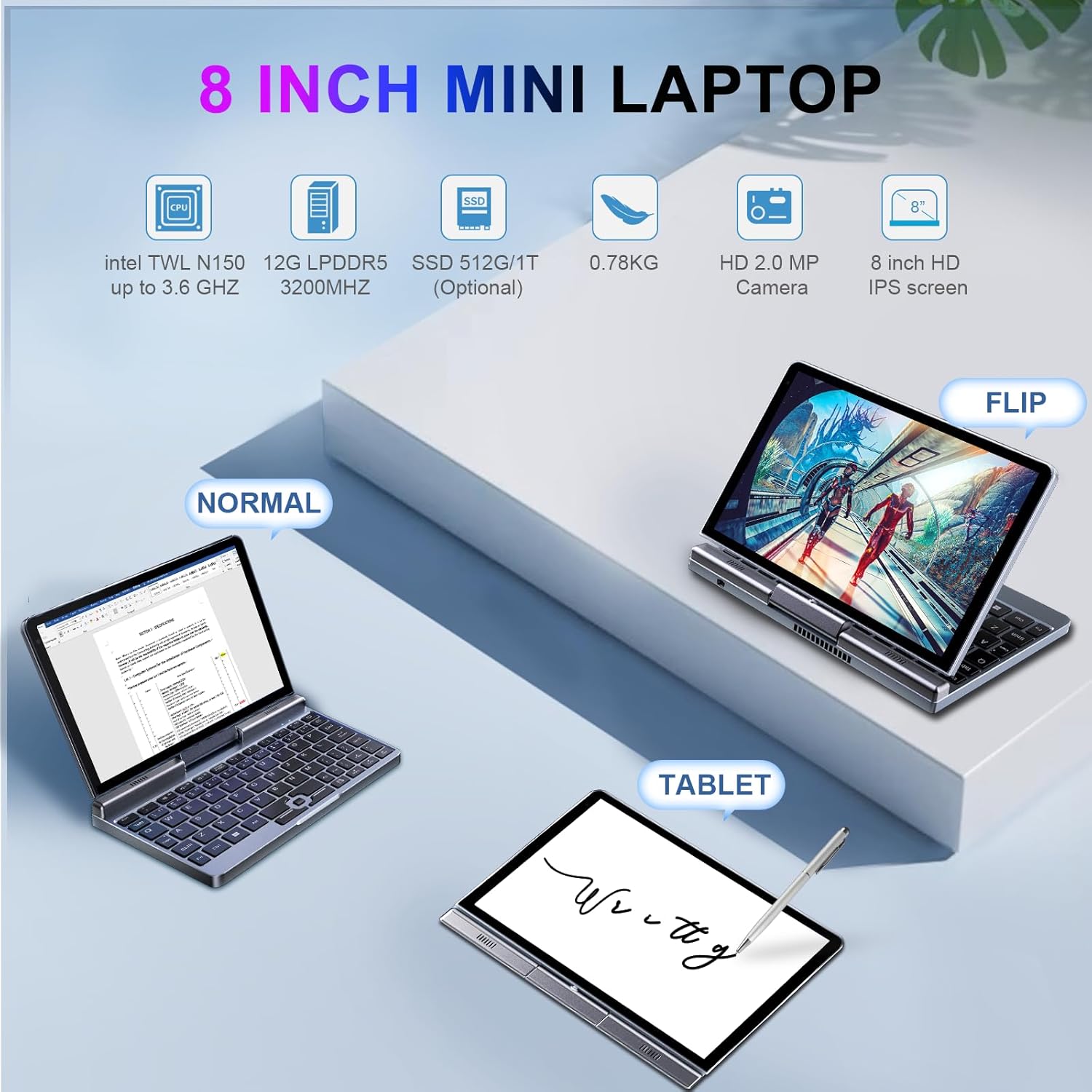
Image: The KOOSMILE P8 Mini Laptop shown in three different modes: Normal (laptop), Flip (tent/stand), and Tablet mode, demonstrating its 180-degree screen rotation capability.
- Mode portàtil: Standard configuration for typing and traditional computing.
- Mode tauleta: Rotate the screen 180° and fold it back against the keyboard for a full touchscreen experience. Windows will automatically switch to tablet interface.
- Tent/Stand Mode: Position the device in an inverted 'V' shape or with the keyboard facing down for media consumption or presentations.
5.3. Touchscreen and Stylus Use
The 8-inch HD touch screen supports multi-touch gestures and input from the included active stylus.
- Gestos tàctils: Use standard Windows touch gestures for navigation, zooming, and scrolling.
- Active Stylus: The stylus allows for precise input, drawing, and note-taking. Ensure the stylus is charged if it requires power.
5.4. External Display Connection
Connect your laptop to an external monitor or TV using the HDMI or USB Type-C (DisplayPort Alt Mode) ports.

Image: The KOOSMILE P8 Mini Laptop connected to an external monitor via HDMI, illustrating its Type-C DisplayPort (DP) out and HDMI DisplayPort (DP) out capabilities for extended display.
- HDMI: Use the included HDMI cable to connect to an HDMI-compatible display.
- USB tipus C: If your external display supports DisplayPort over USB-C, you can use a compatible USB-C to DisplayPort cable.
- Configuració de la pantalla: After connecting, press Tecla Windows + P to select your preferred display mode (Duplicate, Extend, Second screen only).
6. Connectivitat
The KOOSMILE P8 offers various connectivity options.
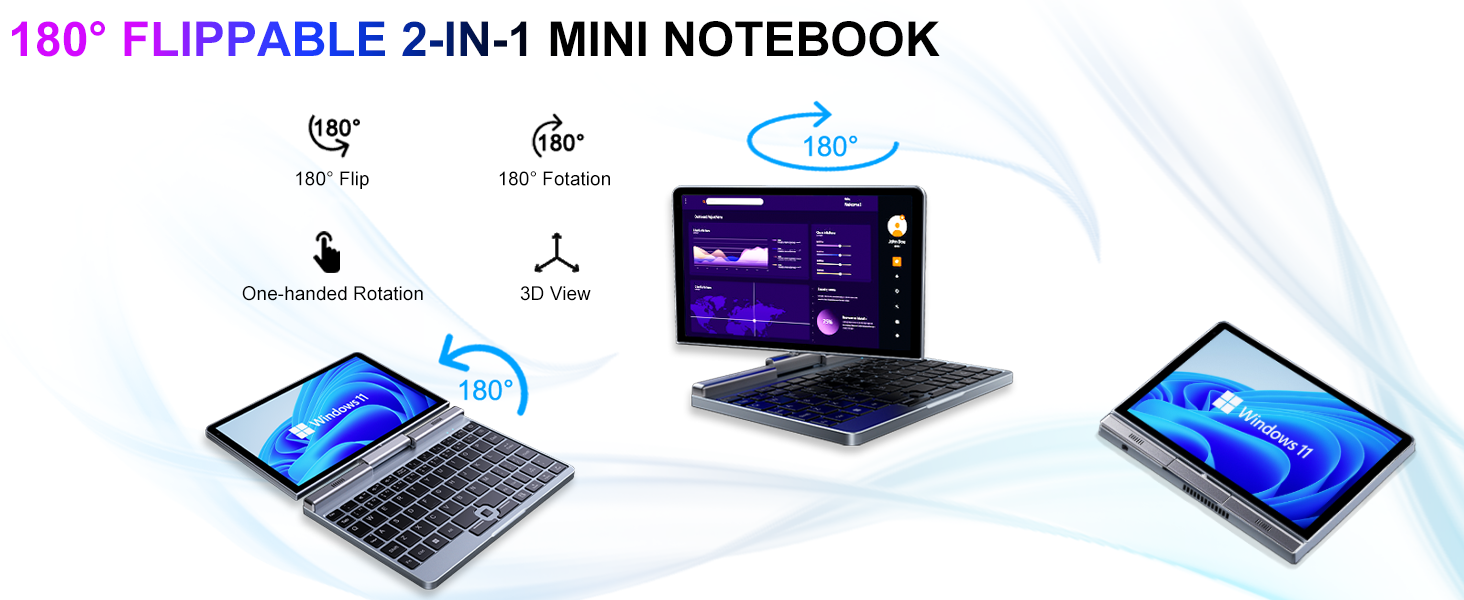
Image: Graphic illustrating the high-speed connectivity of the KOOSMILE P8 Mini Laptop, featuring Wi-Fi 6 and Bluetooth 5.2, with comparison bars showing improved speed, capacity, and reduced delay compared to Wi-Fi 5.
6.1. Connexió Wi-Fi
- Feu clic a la icona Wi-Fi de la barra de tasques.
- Seleccioneu la xarxa desitjada i introduïu la contrasenya si se us demana.
- The device supports Wi-Fi 6 for faster and more stable wireless connections.
6.2. Emparellament Bluetooth
- Vés a Settings > Bluetooth & devices > Bluetooth.
- Turn on Bluetooth and select 'Add device'.
- Choose the device you wish to pair and follow the on-screen instructions.
- The device supports Bluetooth 5.2 for efficient wireless accessory connections.
6.3. Wired Ethernet
- Connect an Ethernet cable to the RJ45 port on the laptop for a stable wired network connection.
7. Manteniment
Una cura adequada garanteix la longevitat i el rendiment del dispositiu.
- Neteja: Feu servir un drap suau i sense borrissol per netejar la pantalla i el xassís. Per a marques difícils, dampNetegeu lleugerament el drap amb aigua o un netejador de pantalles. Eviteu productes químics agressius.
- Ventilació: Assegureu-vos que les obertures de ventilació no estiguin bloquejades per evitar el sobreescalfament.
- Cura de la bateria: For optimal battery life, avoid fully discharging the battery frequently. Store the device in a cool, dry place if not used for extended periods.
- Actualitzacions de programari: Regularly update Windows and drivers to ensure system stability and security.
8. Solució De Problemes
Aquesta secció tracta problemes comuns que podeu trobar.
8.1. Screen Orientation Issues
- Rotació automàtica: When switching between laptop and tablet modes, the screen should automatically adjust its orientation.
- Rotació manual: If the screen does not rotate automatically or is stuck in an incorrect orientation, press Windows Key + A to open the Quick Settings panel. Look for the 'Rotation lock' tile and ensure it is off. You can also go to Configuració > Sistema > Pantalla and manually change the 'Display orientation'.
8.2. El dispositiu no s'encén
- Comproveu la potència: Ensure the PD adapter is securely connected to the laptop and a working power outlet.
- Nivell de bateria: If the battery is completely drained, it may take a few minutes of charging before the device can power on.
- Restabliment dur: Disconnect the charger, then press and hold the Power Button for 15-20 seconds. Reconnect the charger and attempt to power on again.
8.3. Problemes de connexió Wi-Fi
- Activa/desactiva el Wi-Fi: Turn Wi-Fi off and on again from the Quick Settings or Windows Settings.
- Reinicieu l'encaminador: Reinicieu el vostre encaminador i mòdem Wi-Fi.
- Oblida't de la xarxa: In Windows Settings, forget the problematic Wi-Fi network and reconnect.
9. Especificacions
Detailed technical specifications for the KOOSMILE Mini Laptop P8.
| Característica | Especificació |
|---|---|
| Processador | Intel N150 (4 Cores/4 Threads, up to 3.6 GHz) |
| RAM | 12 GB LPDDR5 a 3200 MHz |
| Emmagatzematge | 512GB SSD (Expandable up to 2TB) |
| Mostra | 8-inch HD Touch Screen, 1280x800 pixels |
| Sistema operatiu | Windows 11 Pro |
| Gràfics | Gràfics Intel UHD (integrats) |
| Connectivitat sense fil | Wi-Fi 6, Bluetooth 5.2 |
| Ports | 1x USB 3.0, 1x USB Type-C (DP Out), 1x HDMI (DP Out), 1x Headphone Jack, 1x RJ45 Ethernet |
| Càmera | Càmera frontal de 2MP |
| Pes | 0.78 kg (1.72 lliures) |
| Dimensions (LxWxH) | 7.87 x 5.51 x 0.79 polzades |
| Bateria | 36.5 WH, PD 30W Charging |
9.1. Rendiment per sobreview
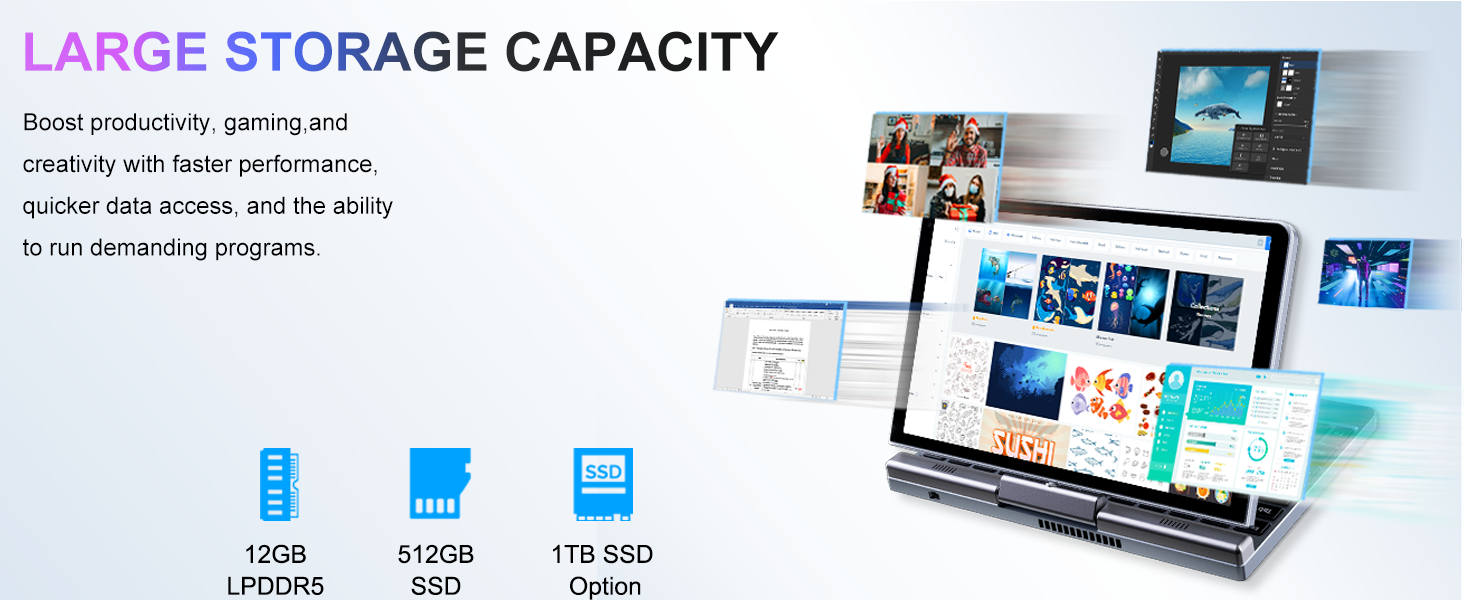
Image: Graphic detailing the performance aspects of the KOOSMILE P8 Mini Laptop, highlighting the Intel TwinLake N150 processor (4 cores, 4 threads, 3.6GHz turbo frequency, 10nm process) and Intel UHD Graphics for smooth content streaming and immersive experiences.
9.2. Capacitat d'emmagatzematge
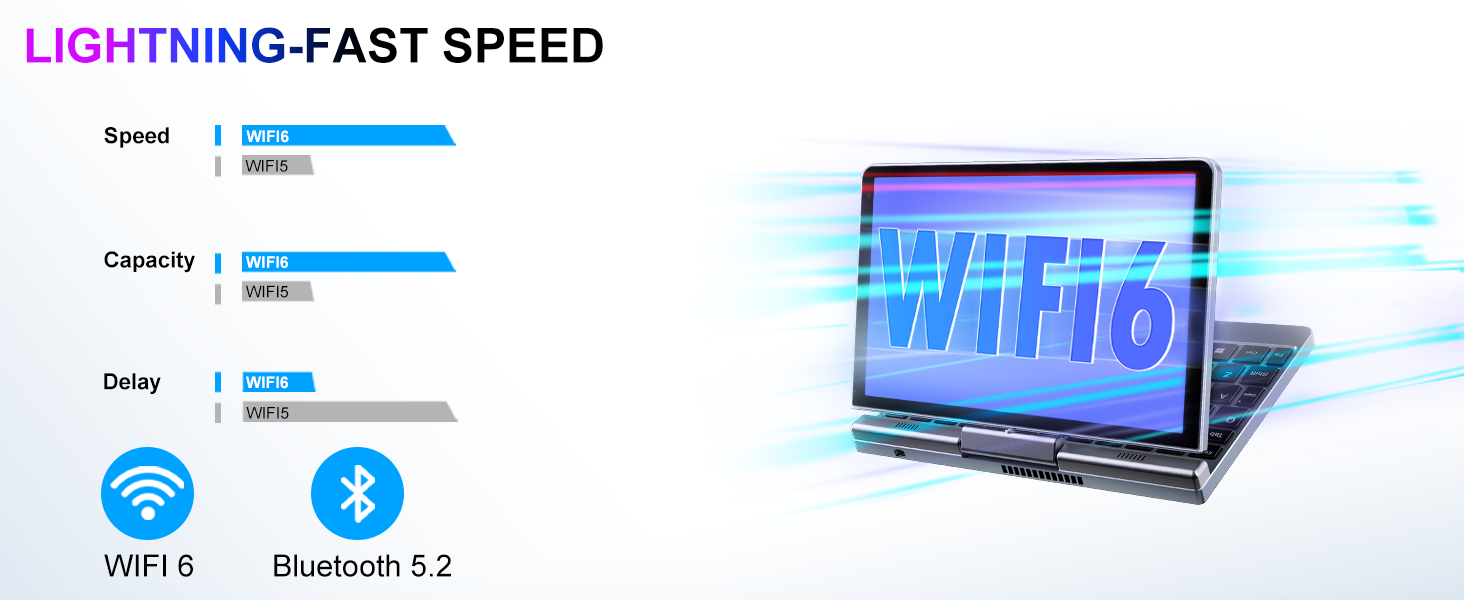
Image: Graphic illustrating the large storage capacity of the KOOSMILE P8 Mini Laptop, featuring 12GB LPDDR5 RAM, 512GB SSD, and an option for 1TB SSD, designed to boost productivity and handle demanding programs.
9.3. Compact Size and Weight
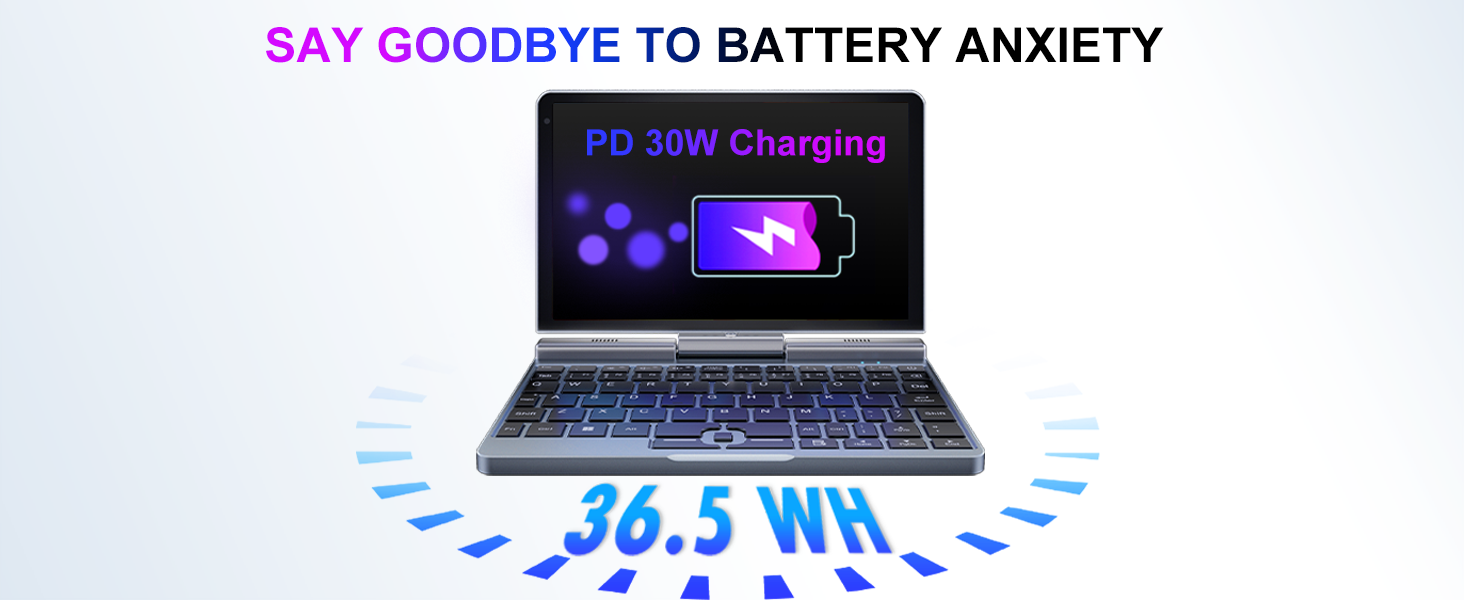
Image: Graphic demonstrating the ultra-compact size and light weight of the KOOSMILE P8 Mini Laptop, showing its 8.0-inch portable screen, 0.78-inch thin profile, and 0.78kg weight, compared to a smartphone for scale.
9.4. Informació de la bateria
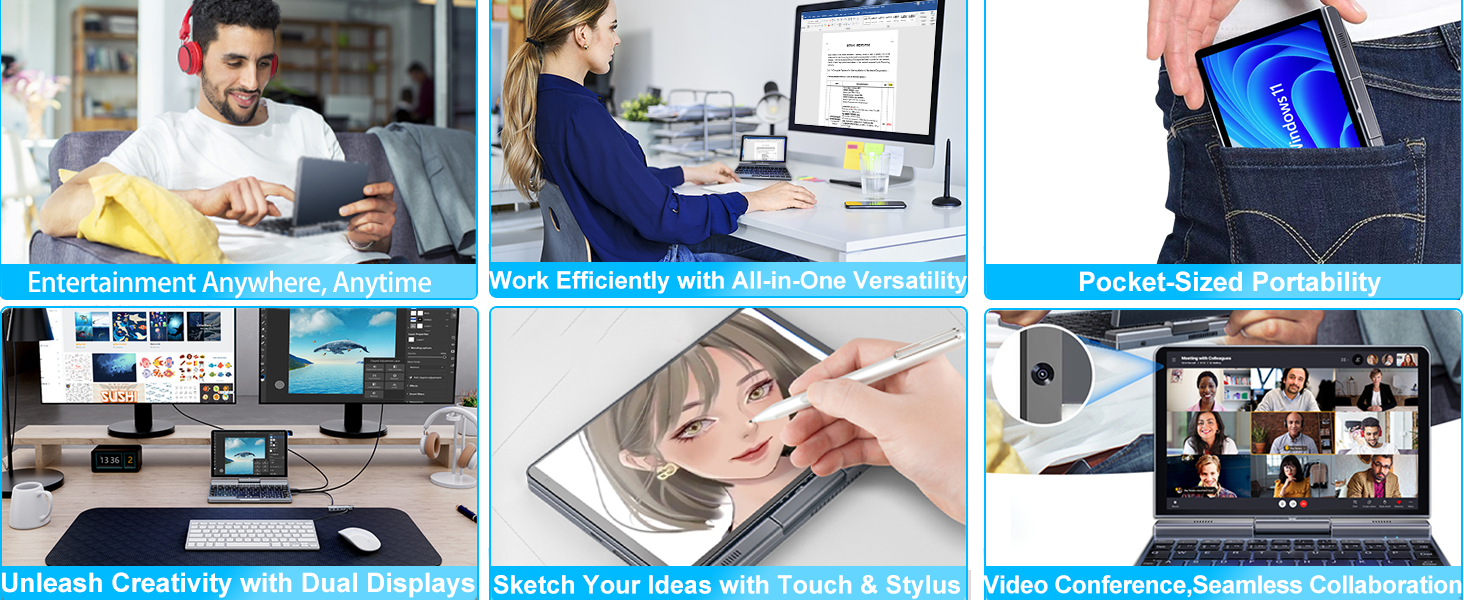
Image: Graphic highlighting the battery features of the KOOSMILE P8 Mini Laptop, indicating 36.5 WH battery capacity and PD 30W charging support to alleviate battery anxiety.
10. Garantia i Suport
Your KOOSMILE Mini Laptop P8 comes with a 1-year warranty. For technical assistance, troubleshooting, or warranty claims, please contact our customer support team. We provide 24-hour customer support to ensure a worry-free experience.
Si us plau, consulteu la targeta de garantia inclosa al paquet per obtenir els termes i condicions detallats.


