1. Configuració
1.1 Què hi ha a la caixa
Your Blackview Shark 6 package includes the following items:
- Negreview SHARK 6 Mobile Phone
- Power Adaptor (9V2A)
- Micro USB Cable (Type-C)
- Funda protectora
- Film de vidre temperat

Image: Blackview Shark 6 phone, charger, cable, protective case, and tempered glass film.
1.2 Instal·lació de la targeta SIM i la targeta MicroSD
El Negreview Shark 6 supports Dual SIM functionality and expandable storage up to 2TB via a microSD card. Locate the SIM tray on the side of the device. Use the provided SIM eject tool to open the tray. Carefully place your Nano-SIM cards and/or microSD card into the designated slots. Ensure they are correctly oriented before reinserting the tray into the phone.

Image: Close-up of the Blackview Shark 6 showing the dual SIM and microSD card tray.
1.3 Engegada inicial i compatibilitat de xarxa
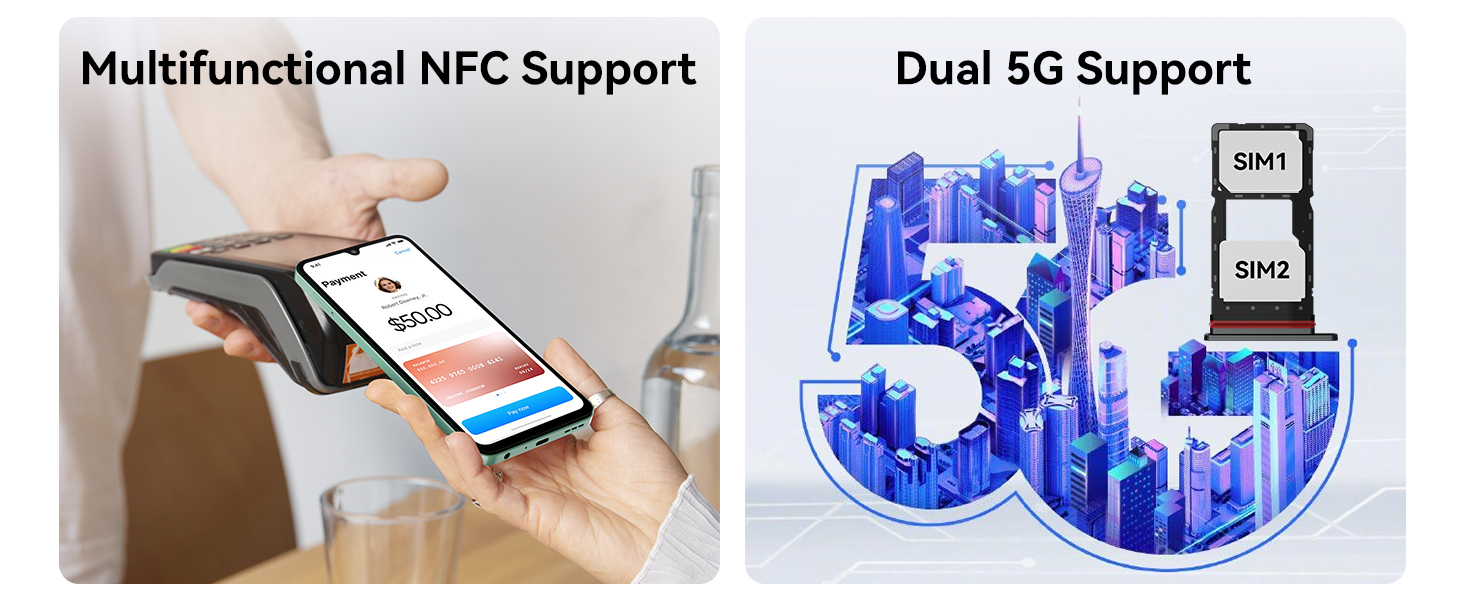
Press and hold the power button until the Blackview logo appears. Follow the on-screen instructions to complete the initial setup. For optimal 5G network performance, verify compatibility with your carrier's deployed bands in your area. The Blackview Shark 6 supports 5G Bands: 1, 2, 3, 5, 7, 8, 20, 26, 28, 38, 40, 41, 77, 78 and 4G LTE Bands: 1, 2, 3, 4, 5, 7, 8, 12, 17, 19, 20, 26, 28, 38, 40, 41, 66.

Image: Diagram illustrating the supported 5G, 4G LTE, and 3G network bands for the Blackview Shark 6.
2. Instruccions de funcionament
2.1 Pantalla i experiència visual
El Negreview Shark 6 features a 6.88-inch HD+ IPS display with a 120Hz refresh rate, offering a smooth and immersive visual experience. The screen resolution is 1080 x 2400 pixels, with a 20.5:9 aspect ratio and 450 nits brightness for clear viewing.

Image: Visual representation of the Blackview Shark 6's 6.88-inch FHD+ immersive display with 120Hz refresh rate.
2.2 Rendiment i emmagatzematge
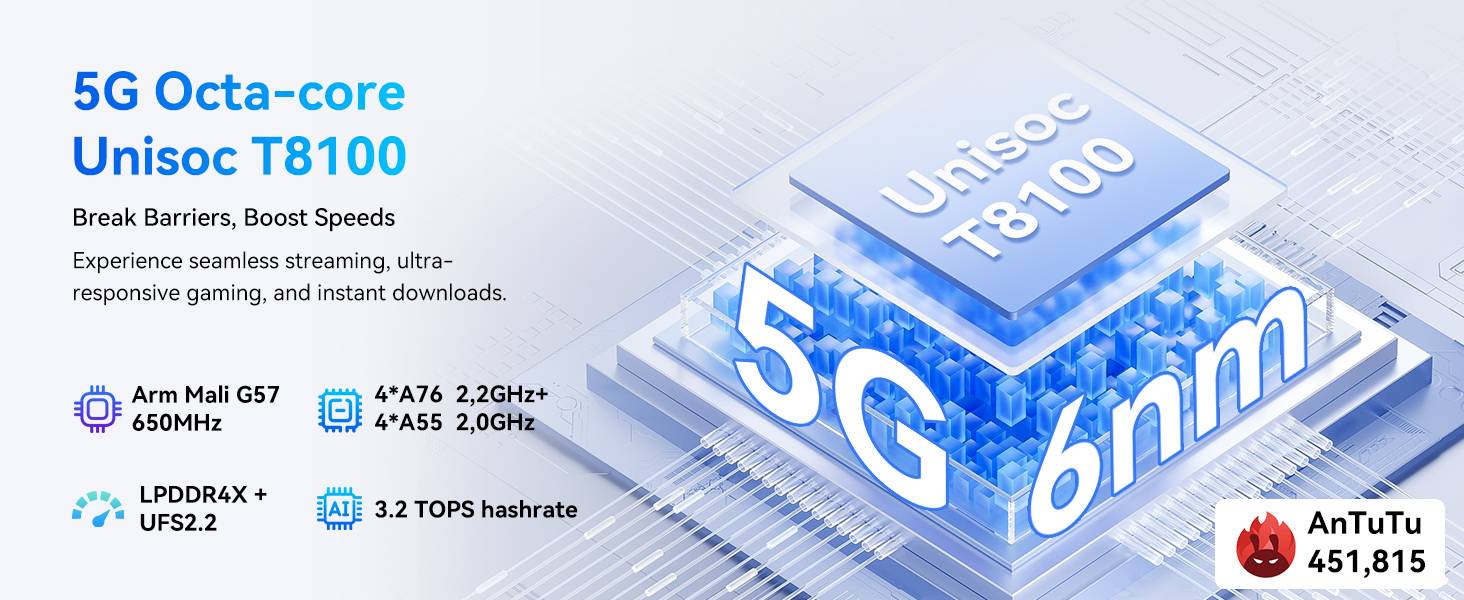
Equipped with a powerful octa-core Unisoc T8100 processor, the Shark 6 ensures smooth multitasking and gaming. It comes with 24GB of total RAM (8GB physical + 16GB virtual) and 128GB of internal storage, expandable up to 2TB with a microSD card.
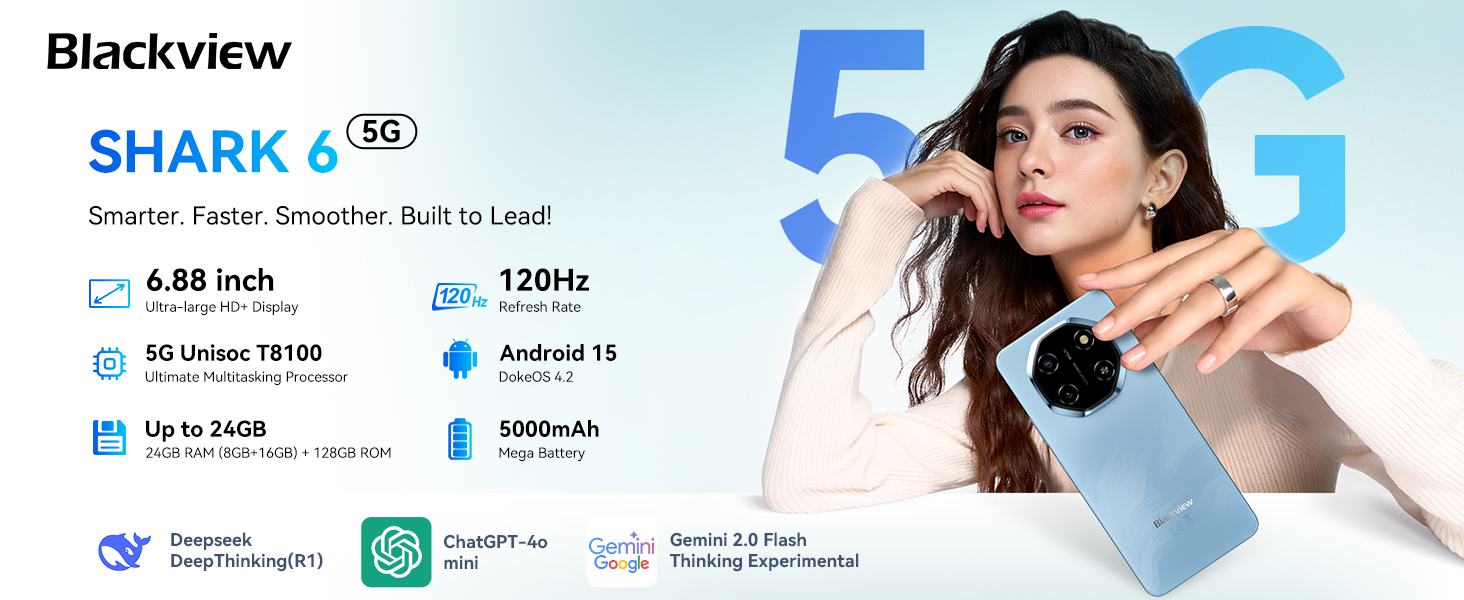
Image: Diagram detailing the 5G Octa-core Unisoc T8100 processor, 24GB RAM, and 128GB ROM with 2TB TF expansion.
2.3 AI Features and Operating System
El Negreview Shark 6 runs on the latest Android 15 with DokeOS 4.2, offering enhanced security and smart AI features. Utilize AI tools like ImageX for photo editing, VidGen for video generation, Soundle for music composition, and Hi Doki for natural conversations.
Imatge: Més deview of Doke AI features including AI Smart Chat App, AI Image Editing App, AI Video Trimming App, and AI Music Editing App.
Sistema de 2.4 càmeres
Capture clear and vibrant photos with the 16MP rear camera and 8MP front camera. The camera system includes AI Scene Recognition, Portrait mode, Smile Shutter, Face Fill Light, HDR, and 4K Ultra-clear Video Recording. Advanced AI photo editing tools like Magic Eraser, One-Tap Sky Replacement, and Portrait Blur are also available.
Imatge: Mostra de visualsasing the 16MP AI Rear Camera, 8MP AI Front Camera, and AI Magic Photo Editing Tools.
2.5 Funcions de seguretat
Unlock your device with ease and security using the optimized fingerprint scanner and facial recognition technology.
2.6 Durada i càrrega de la bateria
The Shark 6 is equipped with a massive 5000mAh battery, providing extended usage times: up to 550 hours standby, 25 hours calling, 8.5 hours browsing, and 6 hours gaming. It supports 18W Super Fast Charging and OTG functionality to charge other devices.
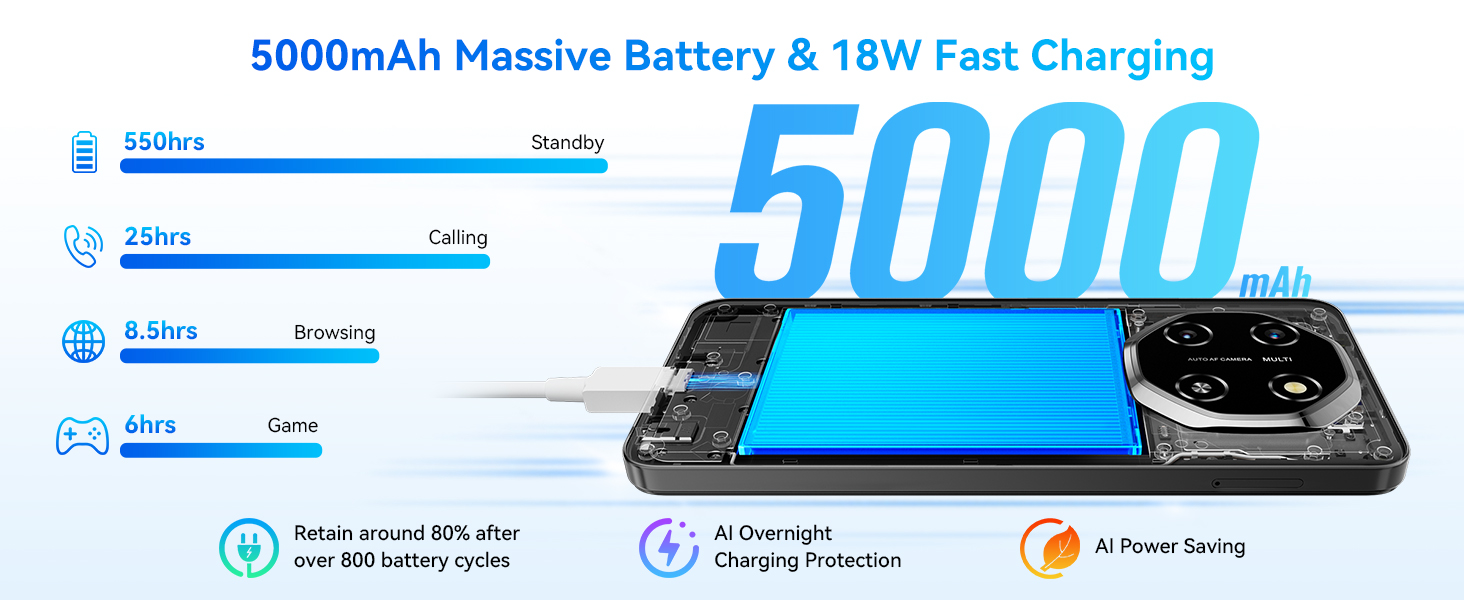
Image: Infographic detailing the 5000mAh long-lasting battery, 18W fast charging, and estimated usage times.
2.7 Power Key Update Notice
To meet Google Gemini integration requirements, the power key functionality has been updated:
- Long press Power: Launches Gemini.
- Power + Volume Up: Accesses the Power menu.
- Power + Volume Down: Fa una captura de pantalla.

Image: Visual guide to the updated power key functions for the Blackview Shark 6.
3. Manteniment
3.1 Atenció general
To ensure the longevity of your Blackview Shark 6, keep it clean and free from dust and debris. Avoid exposing the device to extreme temperatures or direct sunlight for prolonged periods. Use a soft, dry cloth for cleaning the screen and body.
3.2 Actualitzacions de programari
Comproveu i instal·leu regularment si hi ha actualitzacions del sistema per assegurar-vos que el dispositiu tingui les darreres funcions, pegats de seguretat i millores de rendiment. Navegueu a Configuració > Sistema > Actualització del sistema per comprovar si hi ha actualitzacions disponibles.
3.3 Estat de la bateria
To maximize battery lifespan, avoid fully discharging the battery frequently. It is recommended to keep the battery charge between 20% and 80%. Use the provided 18W fast charger for optimal charging performance.
4. Solució De Problemes
4.1 Problemes comuns
- El dispositiu no s'encén: Ensure the battery is charged. Connect the phone to the charger and wait a few minutes before attempting to power it on.
- Problemes de connectivitat de xarxa: Check if your SIM card is properly inserted. Verify that your carrier's network is available in your area and that your device supports the necessary bands. Restarting the device can often resolve minor network glitches.
- Aplicacions que es bloquegen o es bloquegen: Close background applications. If the issue persists, restart the phone. For persistent problems with a specific app, try clearing its cache or reinstalling it.
5. Especificacions
| Característica | Especificació |
|---|---|
| Sistema operatiu | Android 15 (DokeOS 4.2) |
| Mida de la pantalla | 6.88 polzades |
| Resolució de visualització | 1080 x 2400 (FHD+) |
| Freqüència d'actualització | 120 Hz |
| Processador | Octa-core Unisoc T8100 (2.2 GHz CPU Speed) |
| RAM | 24 GB (8 GB físic + 16 GB virtual) |
| Emmagatzematge intern | 128 GB |
| Memòria ampliable | Fins a 2 TB (microSD) |
| Càmera posterior | 16 MP |
| Càmera frontal | 8 MP |
| Capacitat de la bateria | 5000 mAh |
| Carregant | 18W Fast Charging, OTG Support |
| Connectivitat | 5G, Bluetooth, NFC, Wi-Fi, GPS |
| Seguretat | Fingerprint, Face Recognition |
| Dimensions | 7.28 x 3.82 x 2.12 polzades |
| Pes de l'article | 1.1 lliures |
6. Garantia i Suport
6.1 Garantia del producte
El Negreview SHARK 6 Unlocked Phone comes with a 2 any de garantia, garantint la tranquil·litat pel que fa a la qualitat i el rendiment del producte.
6.2 Atenció al client
For any inquiries, technical assistance, or warranty claims, please contact Blackview's dedicated service team:
- Correu electrònic: suport@blackview.hk
- Telèfon: +49 157 3598 0115
- Horari de funcionament: 9 AM - 5 PM (PST), Monday to Friday (official)

Image: Blackview customer support details including email, phone, and operating hours.
7. Vídeos de productes
7.1 Negreview SHARK 6 Unlocked Phones Overview
Vídeo: Un funcionari ha acabatview del Negreview SHARK 6 unlocked phone, highlighting its key features and design. This video is provided by the seller, RLXphone.


