1. Introducció
This manual provides essential information for the proper setup, operation, and maintenance of your Prechen 23.8" Portable Touchscreen Monitor. Please read this manual thoroughly before using the product to ensure optimal performance and to prevent damage.
The Prechen HD-238 is a 23.8-inch Full HD (1920x1080) portable touchscreen monitor featuring 100% sRGB color gamut, a 4000:1 contrast ratio, and a 75Hz refresh rate. It includes an integrated 90-degree adjustable stand, VESA mounting compatibility, built-in speakers, and versatile connectivity options via USB-C and HDMI.
2. Contingut del paquet
Verifiqueu que tots els elements siguin presents al paquet:
- Monitor tàctil portàtil Prechen de 23.8"
- Manual d'usuari
- Adaptador d'alimentació
- USB-C to USB-C Cable (x1)
- Cable USB-A a USB-C (x1)
- Cable HDMI (x1)

Figura 2.1: Accessoris inclosos
3. Producte acabatview
3.1 Ports i controls
Familiarize yourself with the monitor's ports and control buttons:
- Port HDMI: For video input from devices like PCs, PS4/5, X-Box.
- Type C 3.1 Port: For video, audio, power, and touch signal from compatible phones, tablets, and laptops.
- Port per a auriculars de 3.5 mm: Per connectar dispositius d'àudio externs.
- DC Powered Port: For connecting the power adapter to supply stable power to the monitor.
- Port USB: Used for touch functionality when connecting via HDMI.
- Brightness Shortcuts (+UP): Ajusta la brillantor de la pantalla.
- Menu/ON/OFF/Switching Button: Accesses the On-Screen Display (OSD) menu, powers the monitor on/off, and switches input sources.
- Volume Shortcuts (-Down): Ajusta el volum de l'àudio.
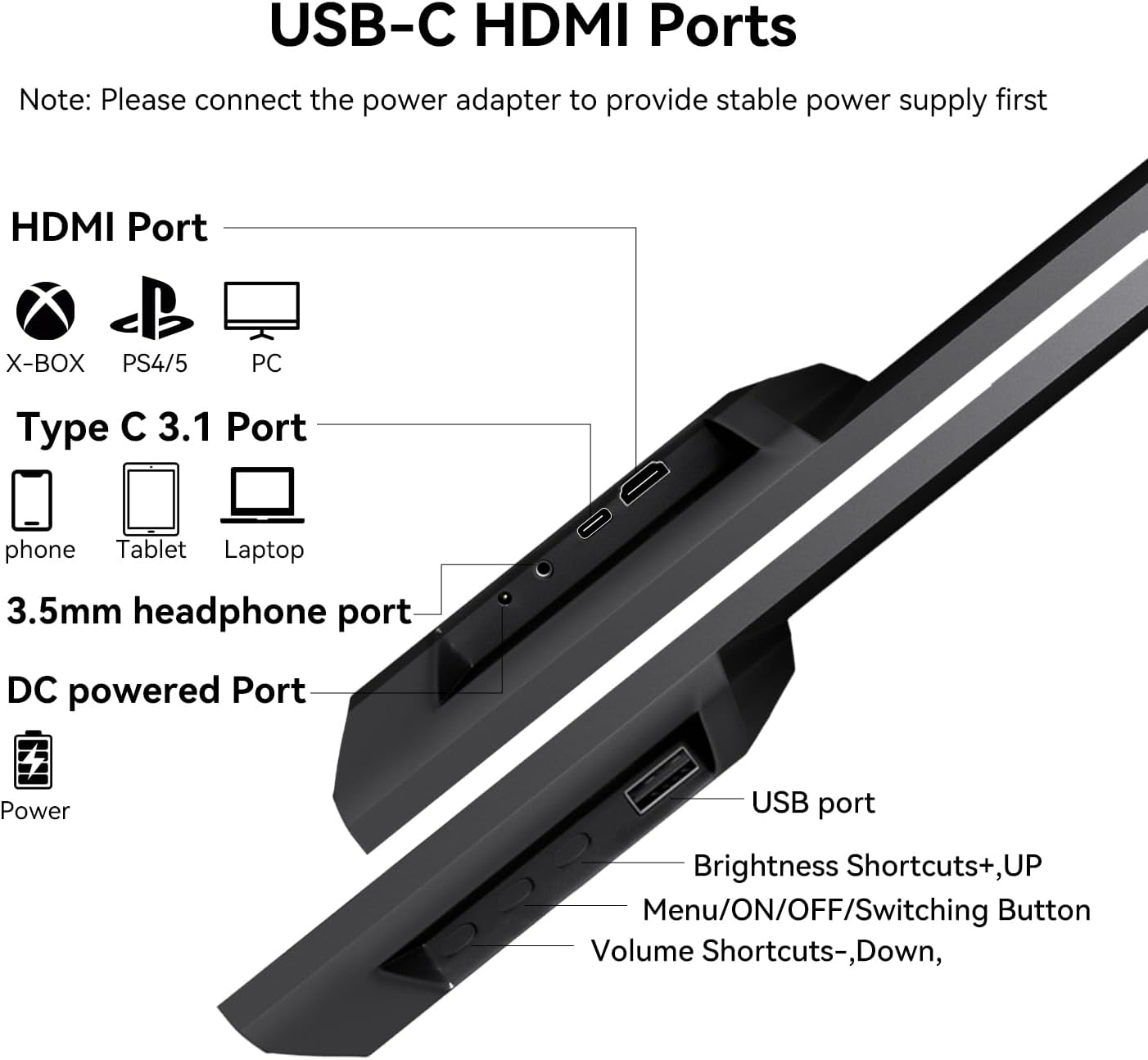
Figure 3.1: Monitor Ports and Controls
4. Configuració
Before connecting, ensure the monitor is placed on a stable surface or mounted securely. Always connect the power adapter first to provide stable power.
4.1 Connecting via USB-C (Full-featured USB-C 3.1 Port)
For devices with a full-featured USB-C port (supporting video, audio, power, and touch):
- Connect the power adapter to the monitor's DC Powered Port.
- Connect one end of the USB-C to USB-C cable to your device's full-featured USB-C port.
- Connect the other end of the USB-C to USB-C cable to the monitor's Type C 3.1 Port.
This connection method typically provides signal, touch functionality, and power (if your device can supply sufficient power, though external power is recommended for stability).
4.2 Connecting via HDMI and USB-A
For devices without a full-featured USB-C port, or for dedicated video input:
- Connect the power adapter to the monitor's DC Powered Port.
- Connect one end of the HDMI cable to your device's HDMI output.
- Connect the other end of the HDMI cable to the monitor's HDMI Port.
- Connect one end of the USB-A to USB-C cable to your device's USB-A port.
- Connect the other end of the USB-A to USB-C cable to the monitor's USB Port to enable touch functionality.
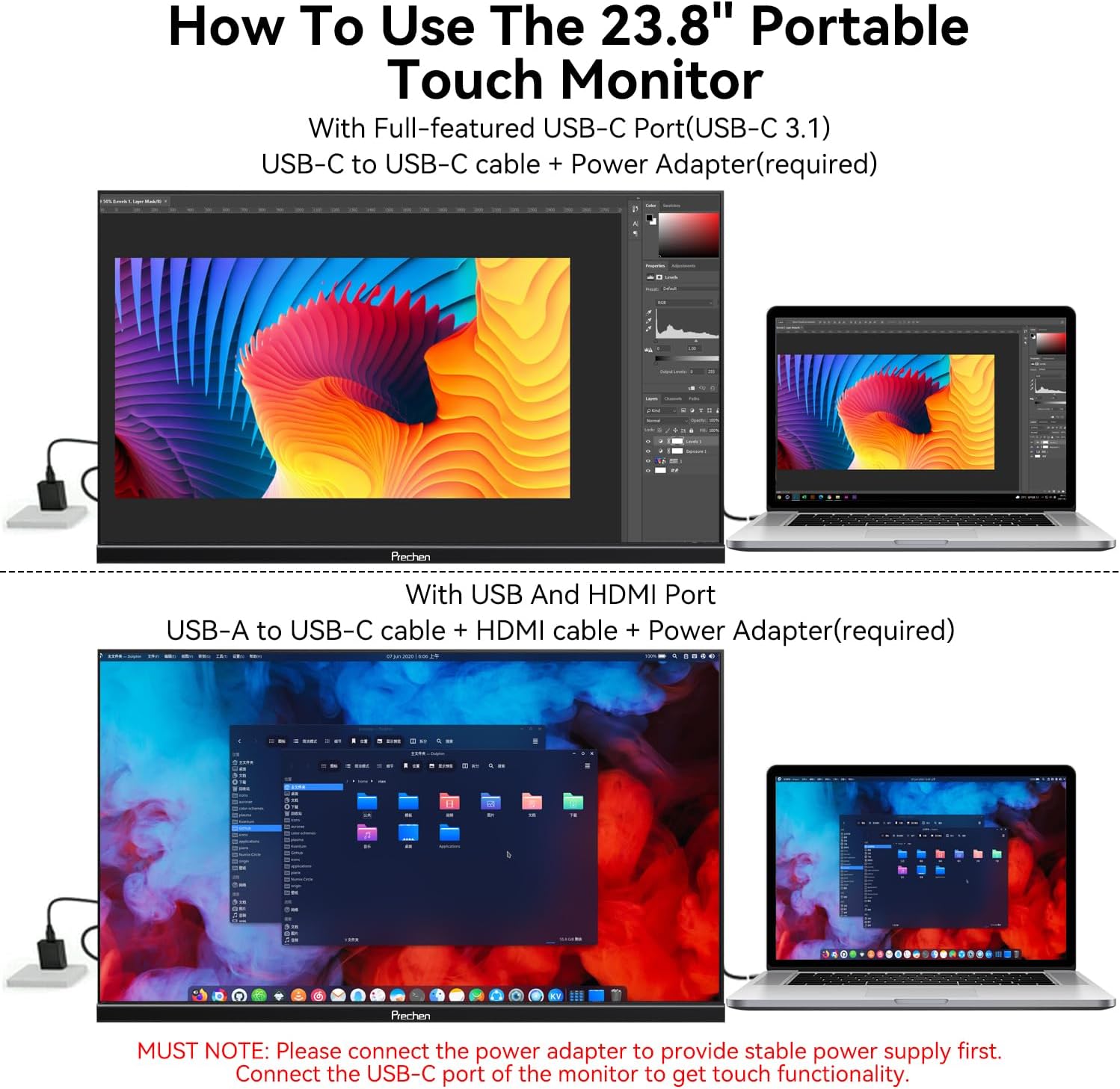
Figura 4.1: Mètodes de connexió
4.3 Touchscreen Configuration (Windows)
If this is the first touchscreen connected to your Windows device, or if touch input is misaligned:
- Go to the Windows Control Panel.
- Navigate to "Tablet PC Settings."
- Click "Setup" and follow the on-screen prompts to configure the touch display.
5. Instruccions de funcionament
5.1 Power On/Off and Input Switching
- Encès: Press the Menu/ON/OFF/Switching Button.
- Apagar: Press and hold the Menu/ON/OFF/Switching Button for a few seconds.
- Interruptor d'entrada: Briefly press the Menu/ON/OFF/Switching Button to cycle through available input sources (USB-C, HDMI).
5.2 Adjusting Brightness and Volume
- Brillantor: Use the Brightness Shortcuts (+UP) button to increase brightness.
- Volum: Use the Volume Shortcuts (-Down) button to adjust the audio output level.
5.3 Menú de visualització en pantalla (OSD)
The OSD menu allows for advanced display settings adjustments. Refer to the detailed instructions in the included user manual for navigation and options.
5.4 Funcionalitat tàctil
The monitor supports 10-point multi-touch for intuitive interaction. Common gestures include:
- Toca: Single tap for selection.
- 2-finger Touch: For specific application functions.
- Narrow/Enlarge: Pinch gestures for zooming.
- Multitàctil: Simultaneous touches for various commands.
- Up/Down/Drag: Swiping gestures for navigation.
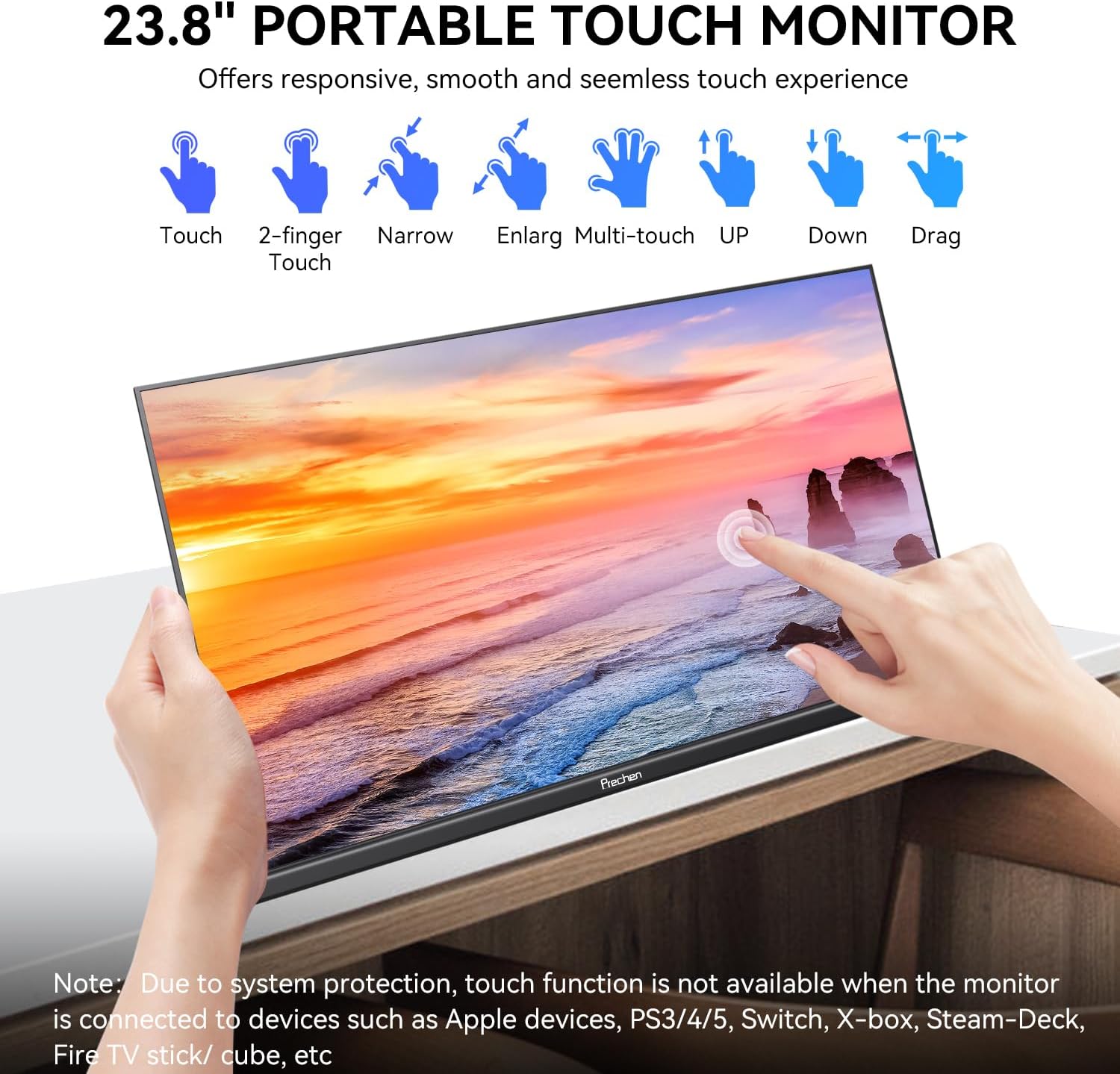
Figure 5.1: Touch Gestures
Important Note on Touch Functionality:
The touch functionality of this 23.8-inch portable monitor is not available when connected to devices such as Apple devices, PS3/4/5, Switch, X-box, Steam-Deck, or Fire TV stick/cube, due to system protection or compatibility limitations.
5.5 Adjustable Stand and VESA Mounting
The integrated stand allows for a 0-90 degree adjustment to achieve the optimal viewing angle. For alternative setups, the monitor supports 75x75mm VESA mounting standards.
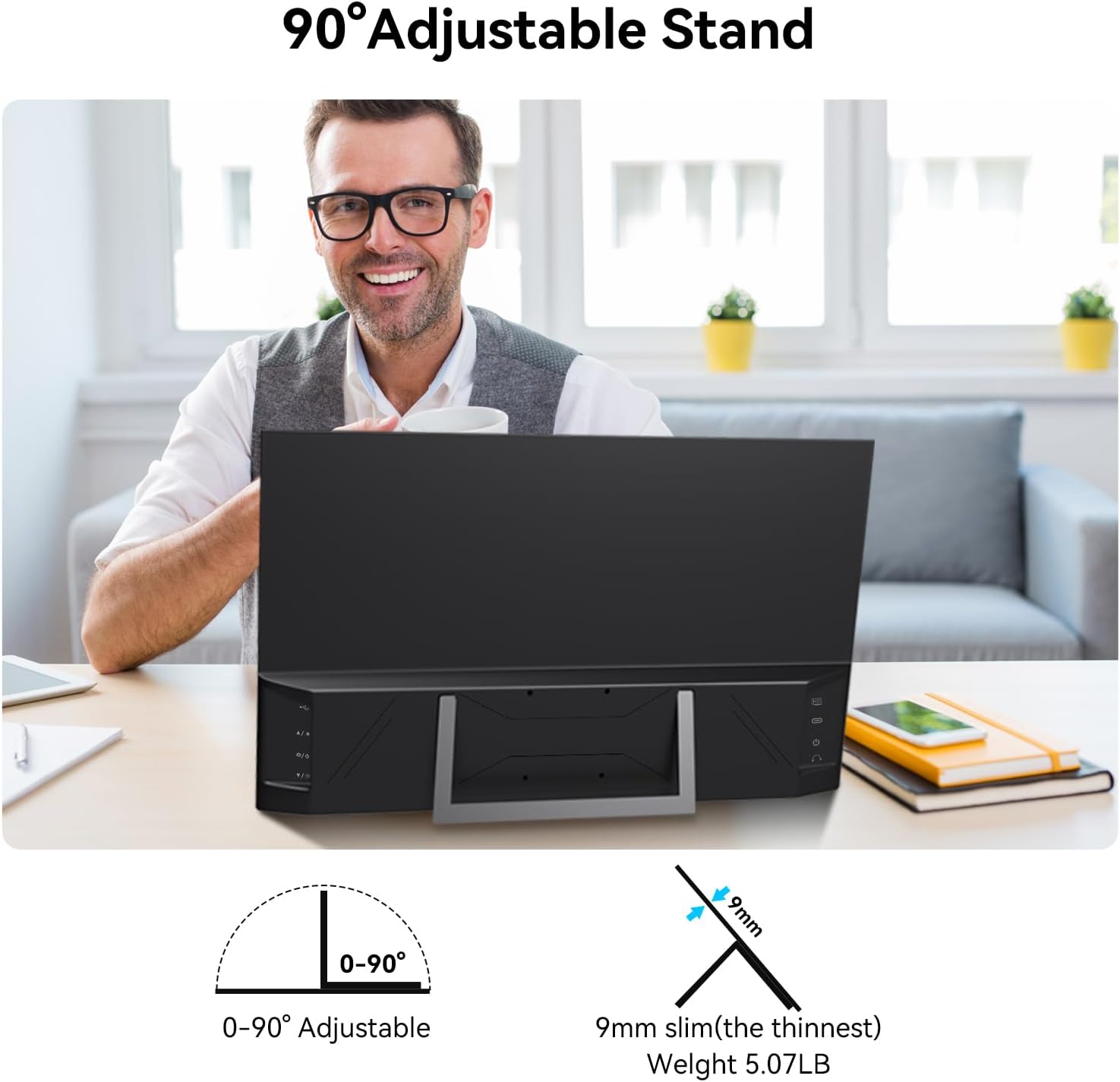
Figure 5.2: 90° Adjustable Stand
6. Manteniment
- Neteja de la pantalla: Utilitzeu un drap suau i sense pelusa lleugerament dampened with water or a screen cleaner. Avoid harsh chemicals or abrasive materials.
- Neteja de la Casing: Netegeu amb un drap suau i sec.
- Emmagatzematge: Quan no l'utilitzeu durant períodes prolongats, guardeu el monitor en un lloc fresc i sec, preferiblement en el seu embalatge original per protegir-lo de la pols i els danys físics.
- Eviteu líquids: Do not expose the monitor to excessive moisture or liquids.
7. Solució De Problemes
| Problema | Causa possible | Solució |
|---|---|---|
| No display/"No Signal" message |
|
|
| La pantalla tàctil no respon |
|
|
| Poor image quality/Incorrect colors |
|
|
| No audio from built-in speakers |
|
|
8. Especificacions
| Característica | Especificació |
|---|---|
| Mida de la pantalla | 23.8 polzades |
| Resolució | 1920 x 1080 (FHD 1080p) |
| Relació d'aspecte | 16:9 |
| Tipus de panell | VA |
| Gamma de colors | 100% sRGB |
| Relació de contrast | 4000:1 |
| Freqüència d'actualització | 75 Hz |
| Brillantor | 300 cd/m² |
| Pantalla tàctil | Multi-touch de 10 punts |
| Connectivitat | USB-C 3.1 (Full-featured), HDMI, 3.5mm Headphone, DC Power, USB-A |
| Altaveus | Altaveus estèreo incorporats |
| Dempeus | Integrated 0-90° Adjustable Stand |
| Muntatge VESA | 75x75mm |
| Dimensions del producte | 1.29 x 21.25 x 12.59 polzades |
| Pes de l'article | 7.83 lliures |
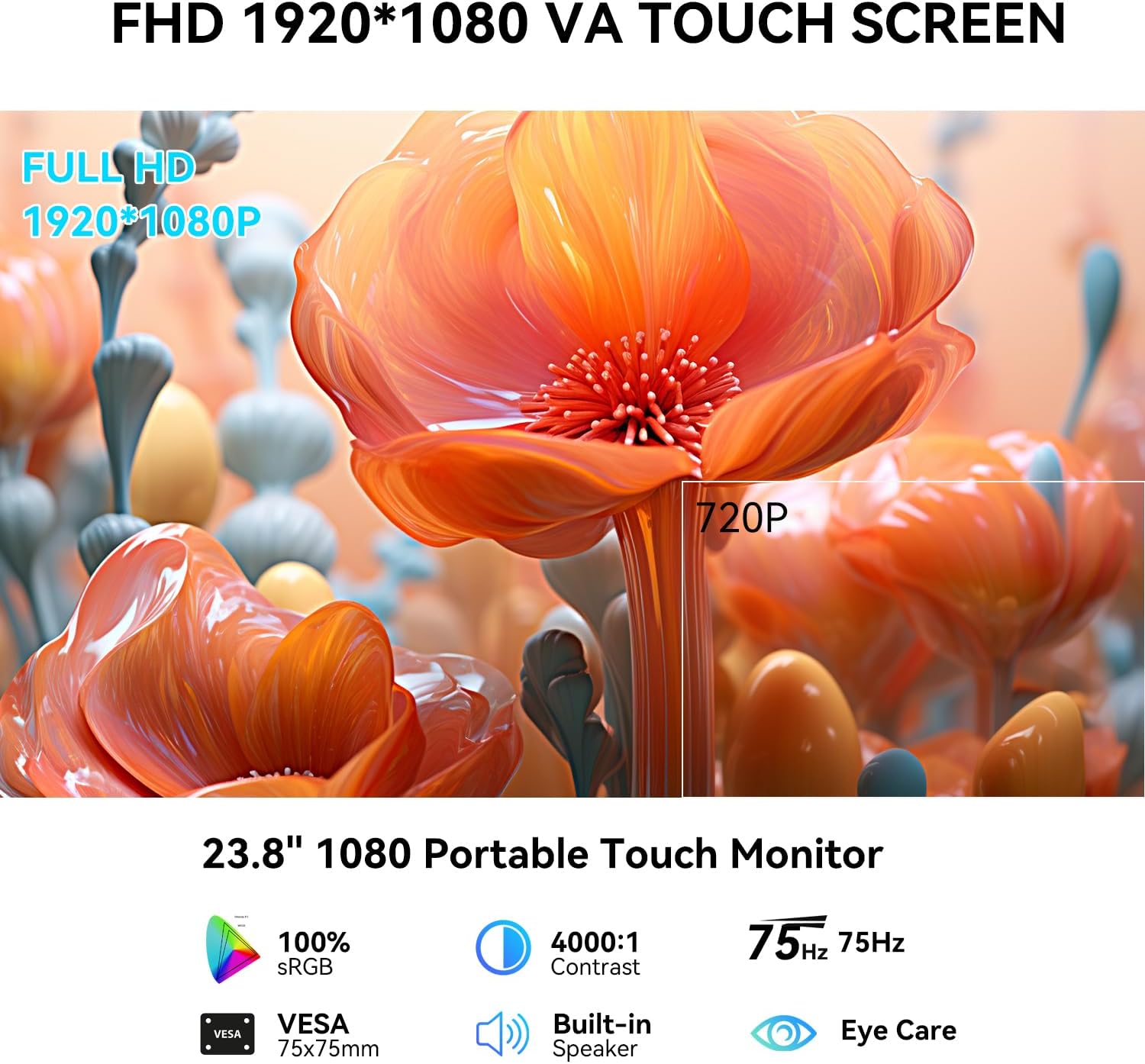
Figura 8.1: Resum de les característiques principals
9. Garantia i Suport
For warranty information, please refer to the warranty card included with your product or contact the seller directly. If you encounter any issues not covered in this manual or require further assistance, please contact Prechen customer support through the retailer's platform or the official Prechen weblloc.
Please have your product model number (HD-238) and purchase details ready when contacting support.


