1. Introducció
This manual provides detailed instructions for the setup, operation, and maintenance of your UCOCARE M7 4MP 4G LTE Cellular Security Camera. Please read this manual thoroughly before using the product to ensure proper functionality and safety. The UCOCARE M7 is designed for flexible security monitoring in locations without Wi-Fi access, utilizing 4G LTE connectivity.
2. Producte acabatview
2.1 Contingut del paquet
- UCOCARE M7 4MP 4G LTE Cellular Security Camera
- Suport de muntatge
- 4G SIM Card (with 300MB trial data)
- Screw Pack for installation
- Cable de càrrega USB
- Manual d'usuari (aquest document)
2.2 Característiques clau
- Connectivitat 4G LTE: Funciona independentment de Wi-Fi, ideal per a llocs remots.
- 4MP HD Video: Captures clear video at 2560 x 1440 resolution.
- 160° d'ample Viewangle: Provides extensive coverage.
- Zoom digital 10x: Allows for detailed inspection of captured footage.
- Bateria recarregable de 5200 mAh: Extended operational time.
- Detecció de moviment per IA: Reduces false alerts by distinguishing relevant motion.
- Visió nocturna millorada: Clear visibility up to 33 feet in low-light conditions without red glow.
- Disseny portàtil i compacte: Easy to carry and install in various environments.
- Opcions d'emmagatzematge flexibles: Supports Micro SD card (up to 128GB, not included) and optional cloud storage.
- Àudio bidireccional: Communicate through the camera (functionality implied by app features).

Image 2.1: UCOCARE M7 Camera and included SIM card.

Image 2.2: The UCOCARE M7 features a 5200mAh battery for extended use.
3. Guia de configuració
Follow these steps to set up your UCOCARE M7 camera:
3.1 Descàrrega i instal·lació d'aplicacions
- Download the "UBoxPro" app from your smartphone's app store (Google Play Store for Android or Apple App Store for iOS).
- Activa el Bluetooth al teu telèfon intel·ligent.
- Open the UBoxPro app and create an account or log in.
3.2 Inserció de la targeta SIM
The camera comes with a pre-activated 4G SIM card with a 300MB trial data. You can also use a compatible SIM card from major carriers like AT&T, T-Mobile, Verizon, MetroPCS, C Spire, or ClearTalk.
- Localitza la ranura de la targeta SIM a la càmera.
- Carefully insert the provided 4G SIM card into the slot until it clicks into place. Ensure the correct orientation as indicated on the camera.
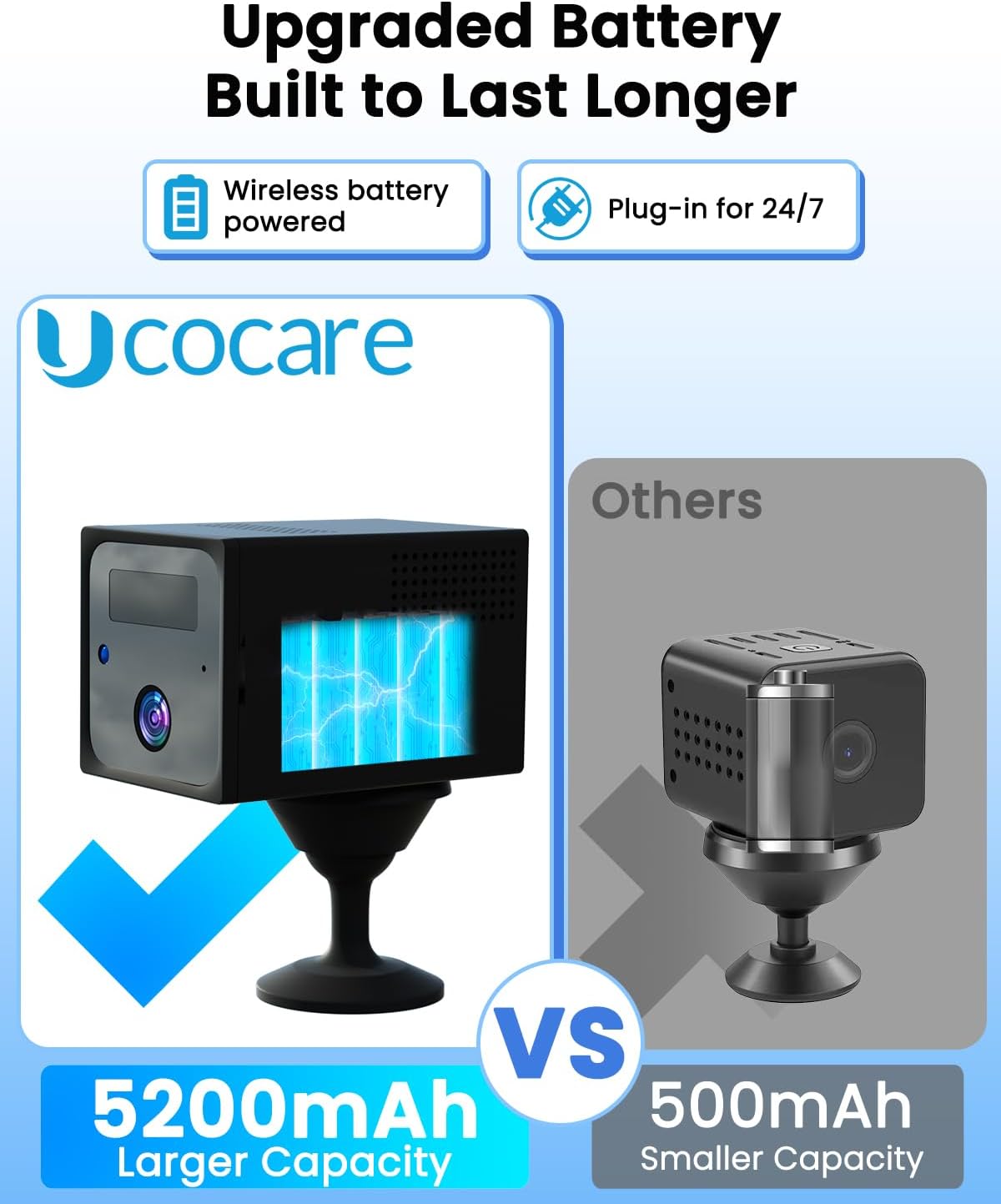
Image 3.1: Inserting the 4G SIM card into the camera.
3.3 Engegada inicial i emparellament
- After inserting the SIM card, power on the camera.
- If necessary, reset the camera using a pin to press the reset button.
- Wait for the blue indicator light on the camera to become solid, indicating it has connected to the 4G network.
- In the UBoxPro app, follow the on-screen instructions to add a new device. You may need to scan the QR code located on the back of the camera.
- Once paired, you will be able to view the camera feed and access settings.

Image 3.2: Visual guide for the four-step setup process.
3.4 Instal·lació i muntatge
The UCOCARE M7 camera is designed for versatile installation, including tabletop, wall, or ceiling mounting. The adjustable mount allows for 360° rotation.
- Trieu una ubicació que ofereixi el que vulgueu viewing angle and is within 4G network coverage.
- Use the included mounting bracket and screw pack to secure the camera to a surface.
- Adjust the camera's angle using its 360° rotatable base to achieve optimal surveillance.

Imatge 3.3: Ex.amples of flexible installation options for the portable camera.
4. Instruccions de funcionament
4.1 Monitorització en temps real
Once the camera is set up and connected, you can access live video feed through the UBoxPro app on your smartphone.
- Open the UBoxPro app.
- Seleccioneu la càmera de la llista de dispositius per view la transmissió en directe.
- Use the app interface for digital zoom (10x), two-way audio, and other controls.
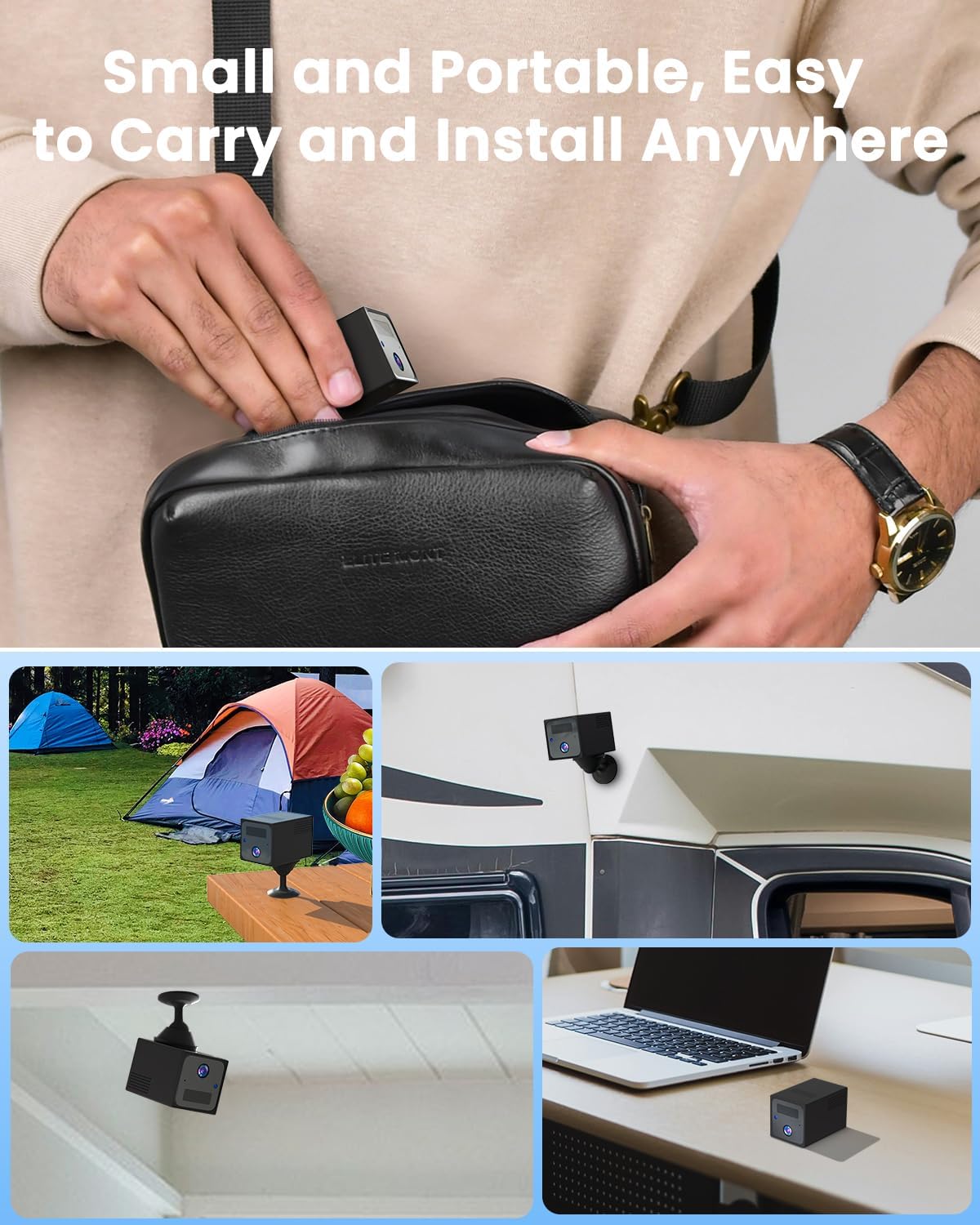
Image 4.1: Real-time video monitoring and alerts via the UBoxPro app.
4.2 Detecció de moviment i alertes
The camera features advanced AI motion detection to minimize false alarms.
- In the UBoxPro app, navigate to the camera settings.
- Adjust the motion sensitivity level to suit your environment. Higher sensitivity detects more subtle movements, while lower sensitivity filters out minor disturbances.
- Set specific arming periods to activate motion detection only during certain times.
- When motion is detected, you will receive instant notifications on your smartphone.

Image 4.2: Customizing motion detection settings in the app.
4.3 Video Storage and Playback
Recorded events can be stored locally or in the cloud.
- Targeta micro SD: Insert a Micro SD card (up to 128GB, not included) into the camera's designated slot for local storage of motion-triggered recordings.
- Emmagatzematge al núvol: A 30-day free trial of cloud storage is available. After the trial, subscription is optional. Cloud storage allows access to recordings from anywhere without needing physical access to the camera.
- Access recorded events and playback through the UBoxPro app's event history.

Image 4.3: Accessing recorded events and managing storage options.
4.4 Accés multiusuari
Pots compartir l'accés a la càmera amb membres de la família o persones de confiança.
- In the UBoxPro app, navigate to the sharing settings.
- Invite other users by entering their account details.
- Shared users can view live feeds and receive notifications, ensuring everyone stays informed.

Image 4.4: Sharing camera access with multiple users.
5. Manteniment
5.1 Càrrega de la bateria
The UCOCARE M7 is equipped with a 5200mAh rechargeable battery. When the battery level is low, connect the camera to a 5V USB power source using the provided USB charging cable. The camera can operate while charging for 24/7 security.
5.2 Neteja
To maintain optimal performance, periodically clean the camera lens and body with a soft, dry cloth. Avoid using harsh chemicals or abrasive materials that could damage the camera.
5.3 actualitzacions de microprogramari
Ensure your camera's firmware is up to date. Check for available updates within the UBoxPro app settings. Firmware updates often include performance improvements and security enhancements.
6. Solució De Problemes
If you encounter issues with your UCOCARE M7 camera, refer to the following common solutions:
- Camera not connecting to 4G:
- Assegureu-vos que la targeta SIM estigui correctament inserida i activada.
- Check for 4G network coverage in the camera's location.
- Verify that the SIM card has an active data plan.
- Reinicieu la càmera.
- No s'han rebut notificacions:
- Check app notification settings on your smartphone and within the UBoxPro app.
- Ensure motion detection is enabled and sensitivity is appropriately set.
- Verify the camera has a stable 4G connection.
- Poca qualitat de vídeo:
- Netegeu la lent de la càmera.
- Ensure adequate lighting for optimal day vision.
- For night vision, ensure no obstructions are blocking the infrared sensors.
- La bateria s'esgota ràpidament:
- Reduce motion detection sensitivity if it's triggering too frequently.
- Limit live view access if multiple users are constantly streaming.
- Assegureu-vos que la càmera estigui completament carregada abans de desplegar-la.
- App not pairing with camera:
- Assegureu-vos que el Bluetooth estigui habilitat al vostre telèfon.
- Confirm the camera's indicator light is solid blue.
- Try resetting the camera and attempting the pairing process again.
- Ensure the UBoxPro app is updated to the latest version.
7. Especificacions
| Característica | Especificació |
|---|---|
| Nom del model | M7 |
| Resolució de captura de vídeo | 4 MP (2560 x 1440) |
| Viewangle ing | 160 graus |
| Zoom digital | 10x |
| Gamma de visió nocturna | 33 peus (10 metres) |
| Capacitat de la bateria | 5200 mAh d'ions de liti |
| Font d'alimentació | Funciona amb bateria (5 V) |
| Protocol de connectivitat | Cel·lular (4G LTE) |
| Dispositius compatibles | Telèfon intel·ligent (Android, iOS) |
| Tipus de controlador | Aplicació UBox |
| Opcions d'emmagatzematge | Micro SD (fins a 128 GB), emmagatzematge al núvol (opcional) |
| Ús interior/exterior | Interior, Exterior |
| Tipus de muntatge | Ceiling Mount, Tabletop Mount, Wall Mount |
| Dimensions de l'article (L x A x A) | 2.28 x 1.5 x 1.5 polzades |
| Pes de l'article | 9.9 unces |
| UPC | 755560372271 |
8. Garantia i Suport
UCOCARE is committed to providing quality products and customer satisfaction. All products undergo strict factory standards and quality certifications (CE, FCC, ROHS).
8.1 Suport tècnic
For any technical assistance, questions, or concerns regarding your UCOCARE M7 camera, please contact our dedicated technical support team. Refer to the contact information provided on the product packaging or the official UCOCARE website for support channels.
8.2 Política de privadesa
UCOCARE utilizes financial-grade encryption to safeguard your video data, ensuring protection against theft and damage. Your privacy is a priority, and your data remains secure and inaccessible without your explicit permission.


