1. Introducció
This manual provides detailed instructions for the proper use, setup, and maintenance of your WIWU OWS O300 Wireless Earbuds. Please read this manual thoroughly before using the product to ensure optimal performance and longevity.
2. Contingut del paquet
Verifiqueu que tots els elements que s'enumeren a continuació siguin presents al paquet del producte:
- WIWU OWS O300 Wireless Earbuds (Left and Right)
- Estoig de càrrega
- Cable de càrrega USB-C
- Manual d'usuari
3. Producte acabatview
The WIWU OWS O300 earbuds feature an open-ear design for comfort and situational awareness, paired with a compact charging case.

Figure 3.1: WIWU OWS O300 Wireless Earbuds and Charging Case

Figure 3.2: WIWU OWS O300 Charging Case open with earbuds inside
Components dels auriculars
- Ganxo per a l'orella: Proporciona un ajust segur sobre l'orella.
- Unitat d'altaveus: Emet àudio.
- Àrea de control tàctil: Per gestionar la reproducció, les trucades i altres funcions.
- Micròfon: Per a trucades de veu.
- Contactes de càrrega: Es connecta amb l'estoig de càrrega.
Components de la caixa de càrrega
- Ranures per a auriculars: Conté i carrega els auriculars.
- Port de càrrega USB-C: Per carregar la funda.
- Indicador LED: Mostra l'estat de càrrega i el nivell de la bateria.
4. Configuració
4.1 Càrrega dels auriculars i l'estoig
Abans del primer ús, carregueu completament els auriculars i l'estoig de càrrega.
- Place the earbuds into the charging case, ensuring the charging contacts align.
- Connecteu el cable de càrrega USB-C al port de càrrega de la carcassa i l'altre extrem a una font d'alimentació (per exemple, un adaptador de paret USB, un port USB de l'ordinador).
- The LED indicator on the case will show the charging status. A full charge typically takes approximately 1.5 hours.
- Un cop estigui completament carregat, desconnecteu el cable de càrrega.
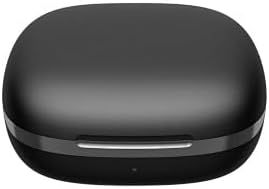
Figure 4.1: WIWU OWS O300 Charging Case in closed state
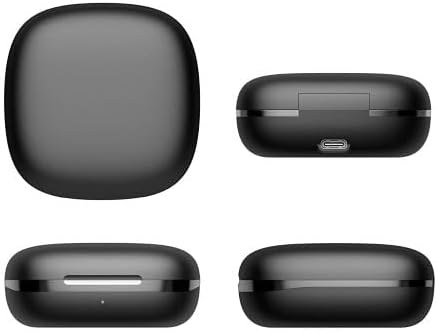
Figura 4.2: Diversos views of the WIWU OWS O300 charging case, highlighting its design and USB-C charging port
4.2 Vinculació amb un dispositiu
- Ensure the earbuds are charged. Open the charging case; the earbuds will automatically enter pairing mode. The LED indicator on the earbuds may flash to indicate pairing readiness.
- Al dispositiu (telèfon intel·ligent, tauleta, etc.), activeu el Bluetooth.
- Cerca available Bluetooth devices and select "WIWU OWS O300" from the list.
- Once connected, a voice prompt will confirm successful pairing, and the earbud LED indicators will turn off or show a steady light.
- If pairing fails, place the earbuds back into the case, close it, and repeat the steps.
5. Instruccions de funcionament
5.1 Encès/Apagat
- Encès: Obriu la funda de càrrega i els auriculars s'encendran automàticament.
- Apagar: Torneu a col·locar els auriculars a l'estoig de càrrega i tanqueu la tapa. S'apagaran automàticament i començaran a carregar-se.
5.2 Reproducció de música
- Reproduir/pausa: Toqueu una vegada la zona de control tàctil de qualsevol dels auriculars.
- Pista següent: Toqueu dues vegades la zona de control tàctil de l'auricular dret.
- Pista anterior: Toqueu dues vegades la zona de control tàctil de l'auricular esquerre.
- Pujar el volum: Toqueu tres vegades la zona de control tàctil de l'auricular dret.
- Baixar el volum: Toqueu tres vegades la zona de control tàctil de l'auricular esquerre.
5.3 Gestió de trucades
- Respondre/Finalitzar la trucada: Toqueu una vegada la zona de control tàctil de qualsevol dels auriculars.
- Rebutja la trucada: Premeu i manteniu premuda la zona de control tàctil de qualsevol dels auriculars durant 2 segons.
5.4 Assistent de veu
- Activa l'Assistent de veu: Press and hold the touch control area on either earbud for 3 seconds (when not on a call).

Figure 5.1: The open-ear design of the WIWU OWS O300 earbuds allows for situational awareness while listening.

Figure 5.2: Ergonomic design of the WIWU OWS O300 earbuds for a secure and comfortable fit.

Figure 5.3: The WIWU OWS O300 earbuds are suitable for various activities and environments, including outdoor use, office work, leisure, and sports.
6. Manteniment
Un manteniment adequat garanteix la longevitat i el rendiment dels teus auriculars.
- Neteja: Feu servir un drap suau, sec i sense borrissol per netejar els auriculars i l'estoig de càrrega. No utilitzeu productes químics agressius ni materials abrasius.
- Contactes de càrrega: Netegeu periòdicament els contactes de càrrega tant dels auriculars com de la funda amb un bastonet de cotó sec per garantir una bona connexió.
- Emmagatzematge: Quan no els utilitzeu, guardeu els auriculars a la funda de càrrega per protegir-los de la pols i els danys. Guardeu-los en un lloc fresc i sec, allunyat de temperatures extremes.
- Exposició a l'aigua: Eviteu exposar els auriculars o la funda a l'aigua o a una humitat excessiva.
7. Solució De Problemes
If you encounter issues with your WIWU OWS O300 earbuds, refer to the following table for common problems and solutions.
| Problema | Solució |
|---|---|
| Els auriculars no s'encenen. | Ensure the earbuds and charging case are fully charged. Place earbuds in the case and close the lid, then open again. |
| Els auriculars no s'aparellen amb el dispositiu. | Make sure Bluetooth is enabled on your device. Place earbuds back in the case, close, then open to re-enter pairing mode. Forget "WIWU OWS O300" from your device's Bluetooth list and try pairing again. |
| Sense so o amb un volum baix. | Check the volume level on both your device and the earbuds. Ensure earbuds are properly connected. Try playing different audio. |
| L'estoig de càrrega no es carrega. | Verify the USB-C cable is securely connected to both the case and the power source. Try a different cable or power adapter. |
| Un auricular no fa so. | Ensure both earbuds are charged. Try placing both earbuds back into the case, closing it, and then taking them out again to re-establish connection. |
8. Especificacions
Technical specifications for the WIWU OWS O300 Wireless Earbuds:
| Característica | Detall |
|---|---|
| Model | O300 |
| Versió Bluetooth | V5.3 |
| Xipset Bluetooth | Airohia AB1562M |
| Capacitat de la bateria dels auriculars | 50 mAh (per auricular) |
| Caixa de càrrega Capacitat de la bateria | 400 mAh |
| Port de càrrega | USB-C |
| Temps de càrrega | Aprox. 1.5 hores |
| Hora de trucada | Fins a 5 hores |
| Temps de reproducció de música | Fins a 8 hores |
| Temps d'espera | Fins a 12 mesos |
| Pes net de l'auricular | 7.5g ± 0.2g (per earbud) |
| Pes net de la caixa de càrrega | 52.6 g |
| Dimensions de l'auricular | 16.10 mm x 41.51 mm x 49.60 mm |
| Dimensions de la caixa de càrrega | 66.71 mm x 66.28 mm x 28.97 mm |
| Tecnologia de connectivitat | Sense fil |
| Col·locació de l'orella | In Ear (Open-Ear Design) |
| Opcions de color | Negre, Blanc |

Figure 8.1: The WIWU OWS O300 earbuds offer extended battery life for music playback, with additional charge provided by the charging case.
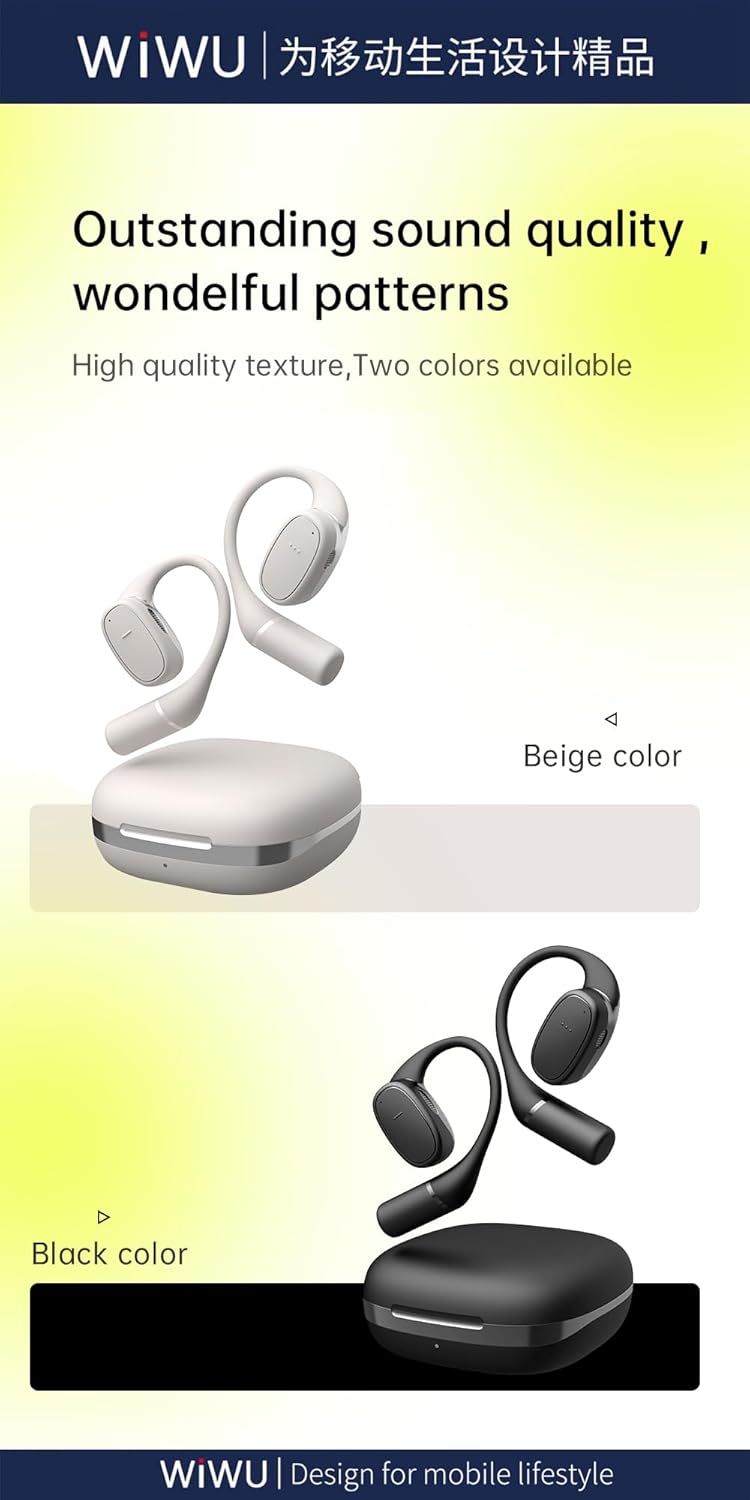
Figure 8.2: Available color options for the WIWU OWS O300 earbuds, including Black and White.
9. Informació de la garantia
WIWU products are covered by a limited warranty from the date of purchase. Please refer to the warranty card included in your package or visit the official WIWU website for detailed warranty terms and conditions. This warranty typically covers manufacturing defects but does not cover damage caused by misuse, accidents, or unauthorized modifications.
10. Suport
For further assistance, technical support, or inquiries regarding your WIWU OWS O300 Wireless Earbuds, please contact WIWU customer service through their official weblloc web o la informació de contacte que es proporciona a l'embalatge del producte.


