1. Introducció
Welcome to the user manual for your new TECLAST ArtPad Pro Tablet. This guide provides essential information to help you set up, operate, maintain, and troubleshoot your device. Please read this manual thoroughly to ensure optimal performance and longevity of your tablet.
1.1 Contingut del paquet
Abans de començar, comproveu que tots els elements que s'enumeren a continuació s'inclouen al paquet:
- TECLAST ArtPad Pro Tablet
- Adaptador d'alimentació
- Cable de dades
- Pin d'expulsió
- Targeta de garantia
- Manual d'usuari (aquest document)
- Teclast T-Pen (Active Stylus, may be sold separately or included depending on package)
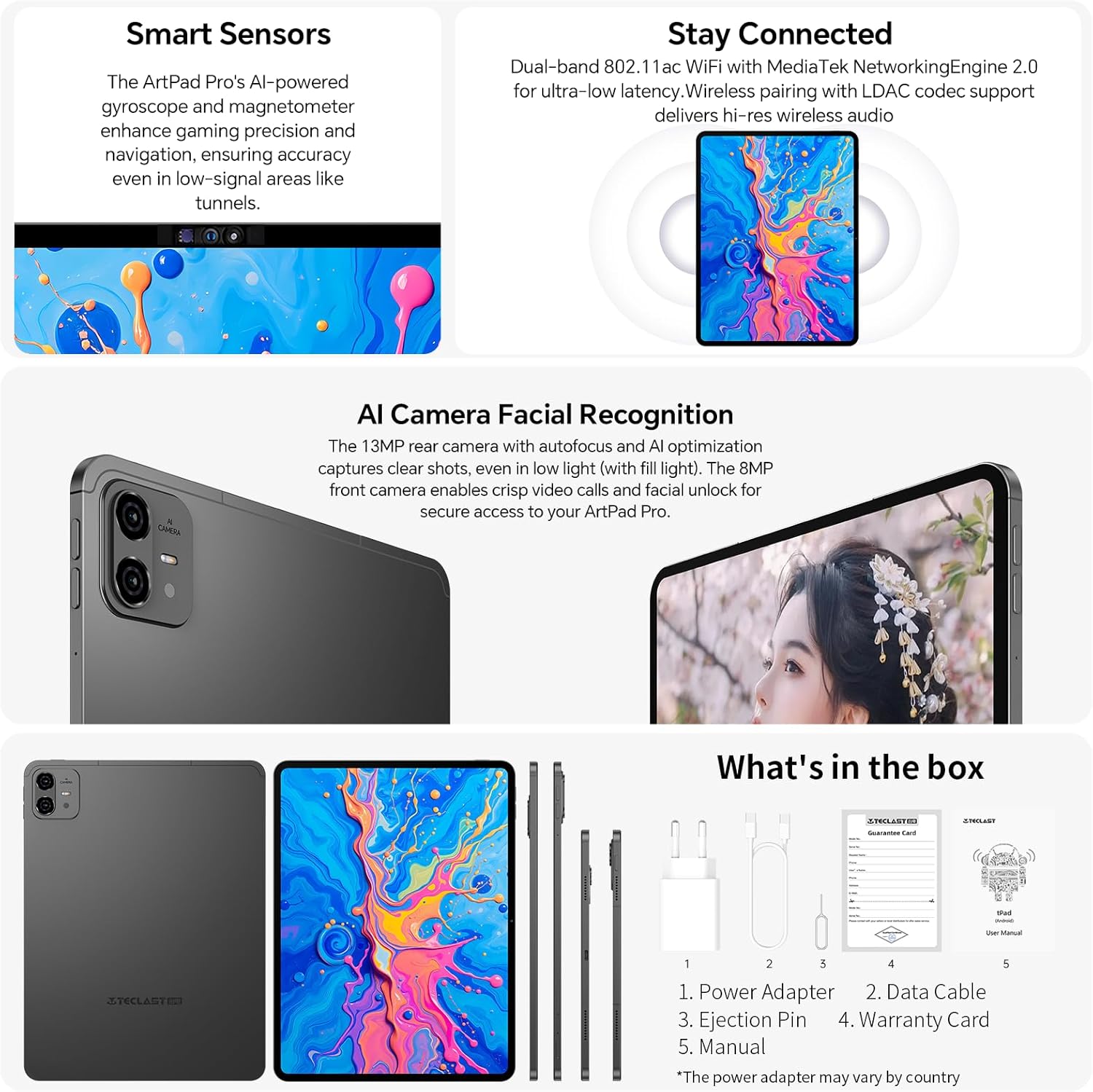
Image: The contents typically found in the TECLAST ArtPad Pro package, including the tablet, power adapter, data cable, ejection pin, warranty card, and manual.
2. Configuració
2.1 Càrrega del dispositiu
Before first use, fully charge your TECLAST ArtPad Pro. Connect the provided data cable to the tablet's USB-C port and the power adapter. Plug the power adapter into a wall outlet. The tablet supports 27W/30W USB-PD fast charging for quick power-ups.

Image: The TECLAST ArtPad Pro being used with its stylus, highlighting its fast charging capability and battery capacity.
2.2 Engegada/apagada
- Per encendre: Press and hold the Power button (usually located on the side or top edge) until the TECLAST logo appears on the screen.
- Per apagar: Press and hold the Power button until a power menu appears. Select "Power off" from the options.
- Per reiniciar: From the power menu, select "Restart".
2.3 Configuració inicial
Upon first power-on, the tablet will guide you through the initial setup process. This typically includes:
- Selecció del vostre idioma.
- Connexió a una xarxa Wi-Fi.
- Acceptació dels termes i condicions.
- Signing in to your Google account (or creating one).
- Setting up screen lock (PIN, pattern, password, or facial recognition).
2.4 SIM Card and Storage Expansion
The ArtPad Pro supports dual 4G LTE SIM cards and TF card expansion for additional storage up to 1TB.
- Localitza la safata de la targeta SIM/TF al lateral de la tauleta.
- Introduïu el passador d'expulsió al petit forat que hi ha al costat de la safata per obrir-la.
- Carefully place your Nano-SIM cards and/or TF card into the designated slots on the tray, ensuring correct orientation.
- Empenyeu suaument la safata cap a dins de la tauleta fins que encaixi al seu lloc.
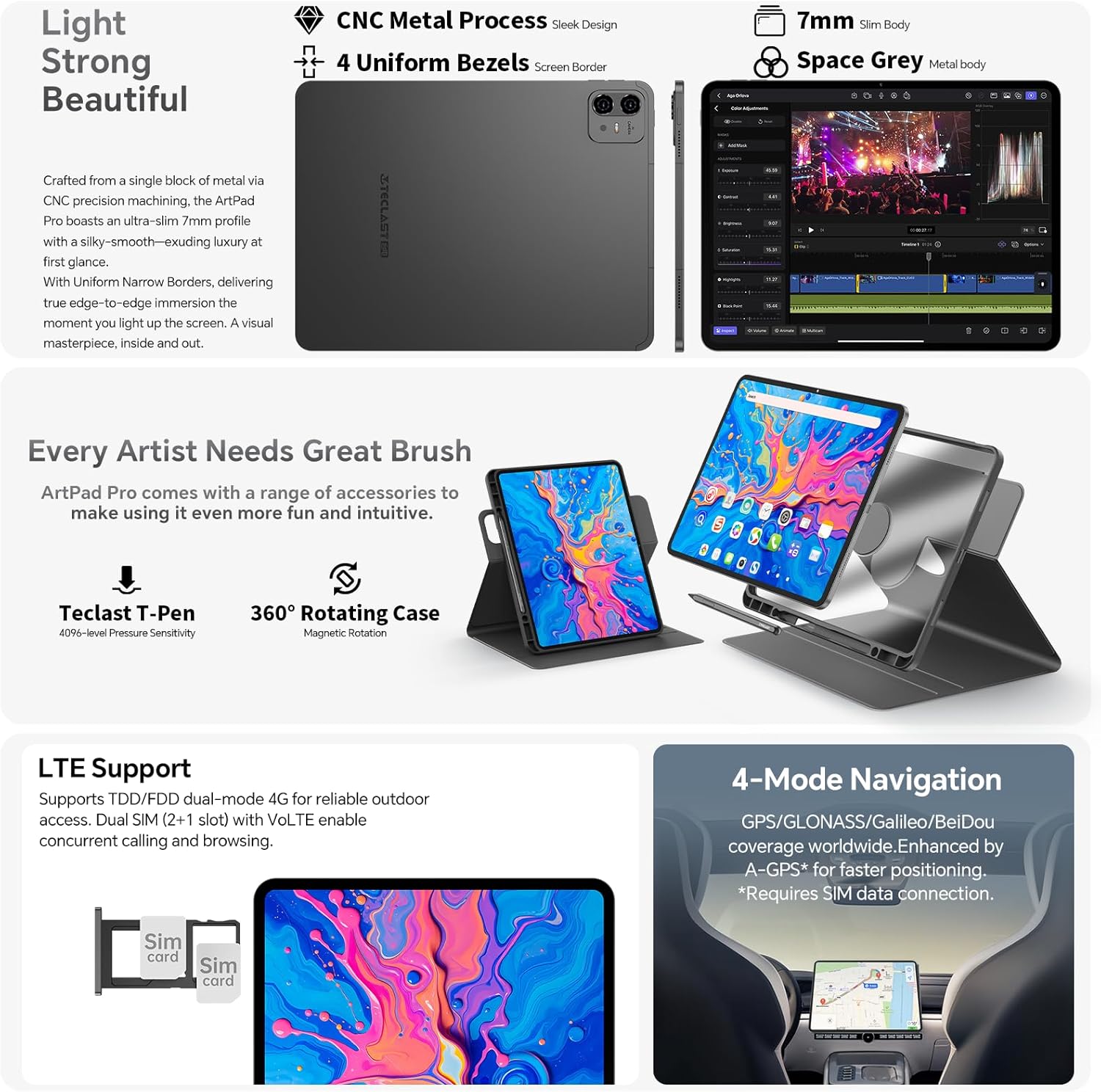
Imatge: Primer pla view of the TECLAST ArtPad Pro's SIM card tray, illustrating the dual SIM and TF card slots.
3. Funcionament
3.1 Pantalla i navegació
The ArtPad Pro features a 12.7-inch FHD display with a 2176x1600 resolution and a 4:3 aspect ratio, providing a larger viewing area for documents and creative work. It supports a 90Hz adaptive refresh rate for smooth visuals.

Image: The vibrant display of the TECLAST ArtPad Pro, showcasing its high resolution and color optimization.
3.2 Using the Teclast T-Pen (Stylus)
The optional Teclast T-Pen offers a precise and intuitive writing and drawing experience. It features 4096 levels of pressure sensitivity and global palm rejection, making it ideal for note-taking and digital art. For optimal performance, use it with the pre-installed Art Note App.
3.3 Smart Button Customization
The ArtPad Pro includes a customizable Smart Button. You can configure this button to quickly switch between various ArtOS modes (e.g., reading, drawing, office) or to launch specific applications or system functions with a single click, double tap, or press and hold.

Image: Visuals of the ArtOS interface and the Smart Button's customizable functions.
3.4 Connectivitat
Your tablet offers comprehensive connectivity options:
- Wi-Fi: Supports dual-band 2.4G/5G Wi-Fi for fast and stable internet connection.
- Bluetooth: BT5.2 for connecting wireless accessories like headphones and keyboards.
- 4G LTE: Dual SIM support for mobile data and VoLTE calls.
- GPS: Integrated GPS/GLONASS/BeiDou for navigation and location services.
3.5 Funcions de la càmera
The ArtPad Pro is equipped with an 8MP front camera and a 13MP rear camera. The rear camera features autofocus and AI optimization for clear photos, even in low light. The front camera is suitable for video calls and facial unlock.
3.6 Funcions d'àudio
Experience immersive sound with the ArtPad Pro's Symphony Acoustic System, featuring four large chamber speakers. The Art Tune Audio Algorithm enhances sound quality across various scenarios, including game mode, movie mode, and music mode.

Image: Diagram showing the advanced audio system and AI-powered sound enhancements of the TECLAST ArtPad Pro.
3.7 AI Assistant (Google Gemini)
The ArtPad Pro integrates with Google Gemini, an intelligent AI assistant. Utilize Gemini for AI image creation, data analysis, voice assistance, content creation, and more to enhance your productivity and creativity.
4. Manteniment
4.1 Cura de la bateria
To extend the lifespan of your 10000mAh battery:
- Eviteu temperatures extremes.
- No deixeu que la bateria es descarregui completament amb freqüència.
- Feu servir el carregador i el cable proporcionats per a una càrrega òptima.
- The smart charging system helps protect the battery by adjusting power flow.
4.2 Neteja del dispositiu
To clean your tablet:
- Utilitzeu un drap suau i sense pelusses.
- Per a taques persistents, lleugerament dampNetegeu el drap amb aigua o un netejador de pantalles.
- Eviteu l'ús de productes químics agressius, materials abrasius o humitat excessiva.
4.3 Actualitzacions de programari
Regularly check for and install software updates to ensure your tablet has the latest features, security patches, and performance improvements. You can usually find this option in the tablet's Settings menu under "System" or "About tablet".
5. Solució De Problemes
5.1 Problemes comuns i solucions
| Problema | Possible solució |
|---|---|
| El dispositiu no s'encén | Ensure the battery is charged. Press and hold the power button for at least 10-15 seconds to force a restart. |
| Problemes de connexió Wi-Fi | Reinicia la tauleta i el teu encaminador Wi-Fi. Oblida't de la xarxa a la configuració del Wi-Fi i torna a connectar-te. |
| Slow performance or apps crashing | Close unused apps. Clear cache for problematic apps. Restart the tablet. Ensure sufficient storage space. |
| El llapis no respon | Ensure the stylus is charged (if applicable). Check if the stylus is properly paired (if Bluetooth). Restart the tablet. |
| La tauleta no es carrega | Check the charging cable and adapter for damage. Try a different outlet. Ensure the charging port is clean. |
If you encounter persistent issues, consider performing a factory reset (Nota: Això esborrarà totes les dades de la tauleta. Primer fes una còpia de seguretat de la informació important.). Navigate to Settings > System > Reset options > Erase all data (factory reset).
6. Especificacions tècniques
| Característica | Especificació |
|---|---|
| Nom del model | ArtPad Pro |
| Sistema operatiu | Android 15 |
| Processador | MediaTek Helio G99 Octa-Core (2.2 GHz) |
| Mida de la pantalla | 12.7 polzades |
| Resolució de visualització | 2176 x 1600 píxels |
| RAM | 20 GB |
| Emmagatzematge intern | 256 GB UFS |
| Emmagatzematge ampliable | Fins a 1 TB mitjançant targeta TF |
| Capacitat de la bateria | 10000 mAh |
| Carregant | 27W/30W USB-PD Fast Charging |
| Càmera posterior | 13 MP |
| Càmera frontal | 8 MP |
| Connectivitat | Dual 4G LTE/SIM, 2.4G/5G WiFi, Bluetooth 5.2 |
| Navegació | GPS/GLONASS/BeiDou |
| Dimensions | 30 x 20 x 0.8 cm |
| Pes | 732 g |
7. Garantia i Suport
7.1 Informació de la garantia
TECLAST typically provides a 2-year warranty for its products. Please refer to the warranty card included in your package for specific terms and conditions applicable to your region.
7.2 Atenció al client
If you encounter any issues or have questions not covered in this manual, please contact TECLAST customer support. We aim to provide professional advice and resolve your inquiries within 24 hours on business days. For the most up-to-date contact information, please visit the official TECLAST weblloc web o consulteu la targeta de garantia.


