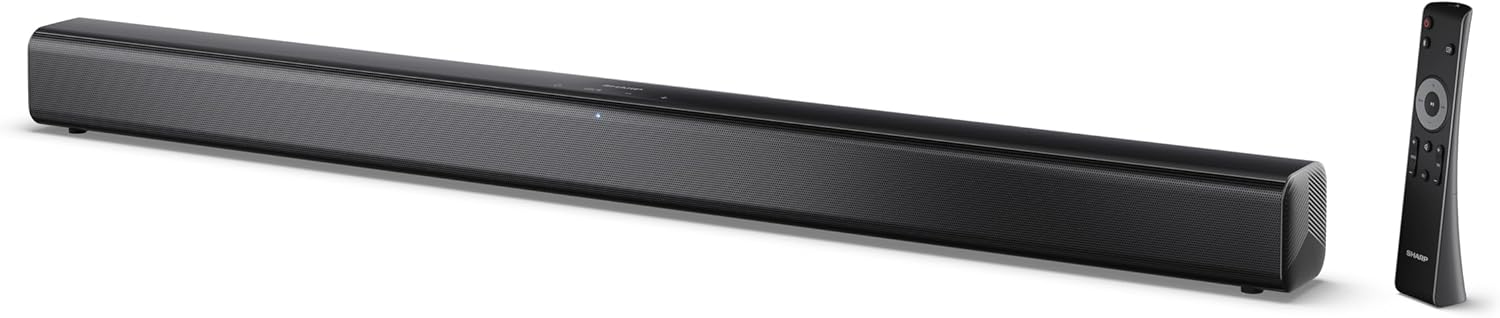
Image 0.1: The SHARP HT-SB145 2.0 Channel Soundbar shown alongside its remote control.
1. Introducció
This manual provides essential instructions for the safe and efficient operation of your SHARP HT-SB145 2.0 Channel Soundbar. Please read this manual thoroughly before use and retain it for future reference.
2. Informació de seguretat
Observeu les següents precaucions de seguretat per evitar descàrregues elèctriques, incendis o danys a la unitat:
- No exposeu aquest aparell a degoteigs o esquitxades.
- No col·loqueu objectes plens de líquids, com ara gerros, a l'aparell.
- Assegureu-vos que hi hagi una ventilació adequada. No bloquegeu les obertures de ventilació.
- No instal·leu a prop de cap font de calor com ara radiadors, registres de calor, estufes o altres aparells (inclosos amplificadors) que produeixen calor.
- Eviteu que el cable d'alimentació sigui trepitjat o pessigat.
- Utilitzeu només accessoris/accessoris especificats pel fabricant.
- Desendolleu aquest aparell durant les tempestes amb llamps o quan no l'utilitzeu durant llargs períodes.
- Demaneu tot el servei a personal de servei qualificat.
3. Contingut del paquet
Verifiqueu que tots els elements que s'enumeren a continuació s'inclouen al vostre paquet:
- Barra de so SHARP HT-SB145
- Control remot
- Cable d'alimentació
- Suports de muntatge a la paret (2)
- Screws and Wall Plugs (for mounting)
- Piles AAA (2)
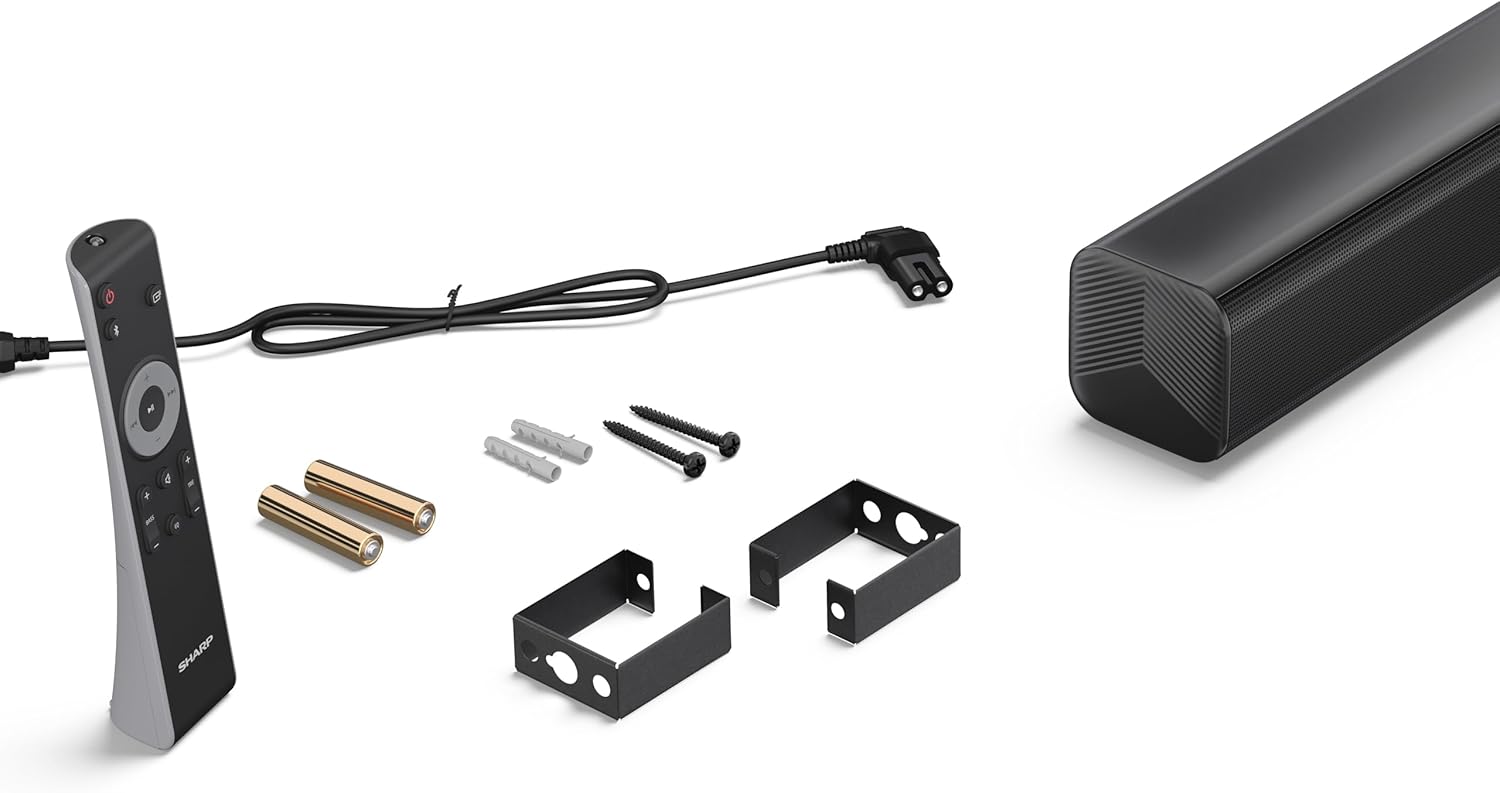
Image 3.1: Contents of the SHARP HT-SB145 Soundbar package, including the soundbar, remote control, power cable, wall mount brackets, screws, and two AAA batteries.
4. Producte acabatview
4.1 Davant i superior View

Imatge 4.1: Frontal view of the SHARP HT-SB145 Soundbar, showcasing the speaker grille and the central LED indicator.
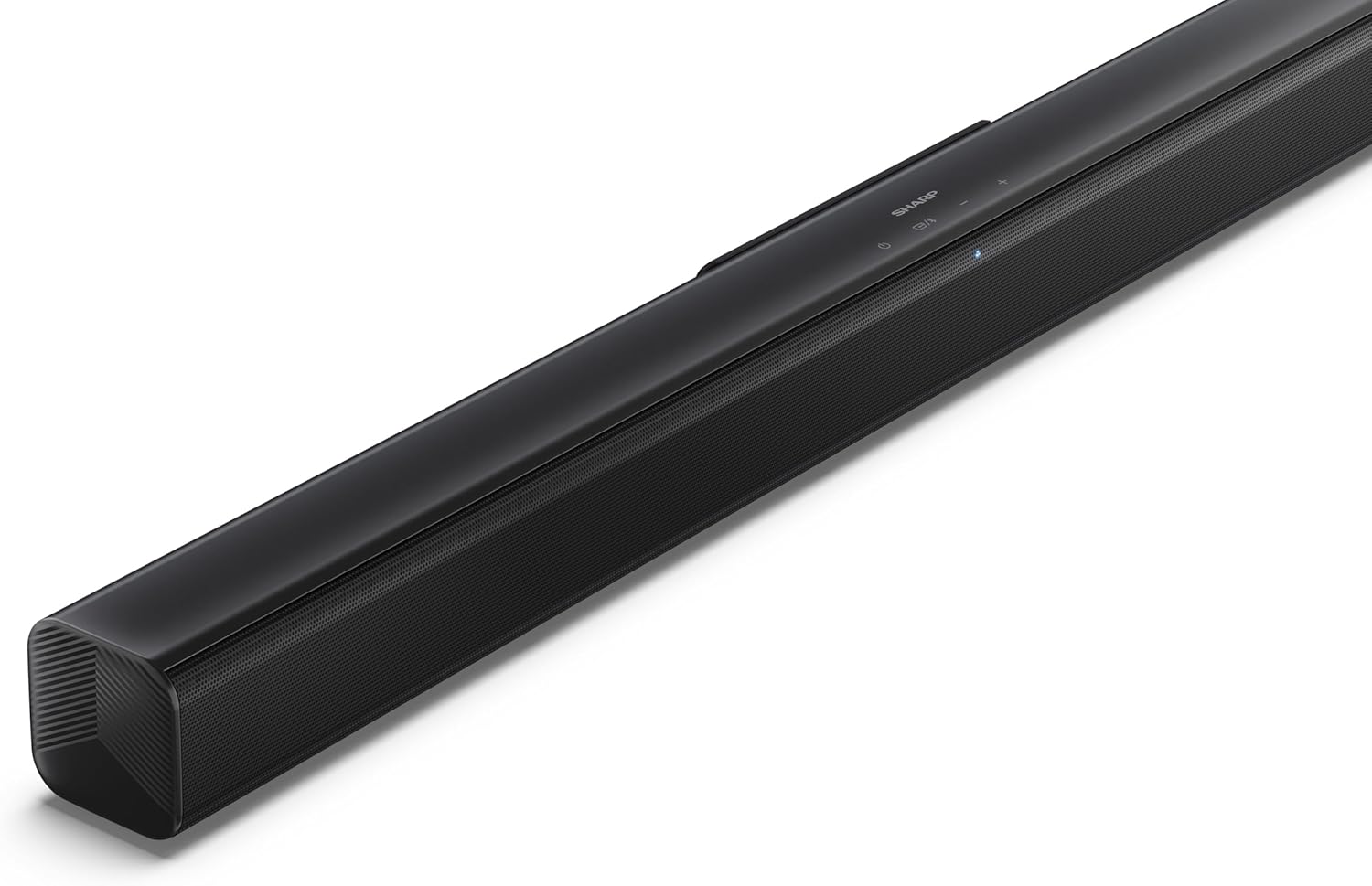
Image 4.2: Angled top view of the soundbar, highlighting the integrated control buttons for power, source selection, and volume adjustment, along with the SHARP logo.

Image 4.3: Close-up of the top-mounted control panel, showing the power button, source/Bluetooth button, and volume up/down buttons.
4.2 Connexions del panell posterior

Imatge 4.4: posterior view of the soundbar, displaying the various input ports and power connection.

Imatge 4.5: Detallada view of the rear panel connections, including OPTICAL input, USB port (5V 500mA), AUX input, and HDMI ARC (TV) port.
5. Configuració
5.1 Opcions de col·locació
The SHARP HT-SB145 Soundbar offers flexible placement options:
- Col·locació de la taula: Place the soundbar on a stable, flat surface in front of your TV. Ensure it does not obstruct the TV's remote sensor.
- Muntatge a la paret: Use the provided wall mount brackets to attach the soundbar to a wall below your TV. Refer to section 5.4 for detailed wall mounting instructions.

Image 5.1: The soundbar positioned on a media console beneath a television, demonstrating a typical tabletop setup.
5.2 Connexió a l'alimentació
- Connect the power cable to the AC IN port on the rear of the soundbar.
- Connecteu l'altre extrem del cable d'alimentació a una presa de corrent.
5.3 Connexions d'àudio
Trieu un dels mètodes següents per connectar la barra de so al televisor o a una altra font d'àudio:
- HDMI ARC/CEC (recomanat):
Connect an HDMI cable (not included) from the HDMI ARC port on the soundbar to the HDMI ARC port on your TV. This connection allows for audio return and control via your TV remote.
- Òptic:
Connect an optical cable (not included) from the OPTICAL port on the soundbar to the optical digital output on your TV or audio source.
- AUX:
Connect a 3.5mm audio cable (not included) from the AUX port on the soundbar to the headphone jack or audio output on your TV or audio source.
5.4 Muntatge a la paret
Segueix aquests passos per a un muntatge segur a la paret:
- Determine the desired mounting location on the wall, ensuring it is level and within reach of power and audio cables.
- Mark the positions for the two wall mount brackets using a pencil. The distance between the brackets should match the mounting points on the soundbar.
- Drill pilot holes at the marked positions. Insert the wall plugs if mounting into drywall or plaster.
- Secure the wall mount brackets to the wall using the provided screws.
- Carefully attach the soundbar to the mounted brackets. Ensure it is securely seated.
6. Instruccions de funcionament
6.1 Encès/Apagat
- Premeu el botó Poder botó de la barra de so o del comandament a distància per encendre o apagar la unitat.
6.2 Selecció de la font
Premeu el botó Font button on the soundbar or remote control repeatedly to cycle through the available input sources:
- ARC HDMI: For audio from a TV connected via HDMI ARC.
- TPTICA: For audio from a device connected via optical cable.
- AUX: For audio from a device connected via 3.5mm audio cable.
- BLUETOOTH: Per a la transmissió d'àudio sense fil.
- USB: For audio playback from a USB drive.
6.3 Control de volum
- Premeu el botó Volum + botó per augmentar el volum.
- Premeu el botó Volum - botó per baixar el volum.
6.4 Vinculació Bluetooth
- Turn on the soundbar and select the Bluetooth source. The LED indicator will flash, indicating pairing mode.
- Activa el Bluetooth al teu telèfon intel·ligent, tauleta o altre dispositiu.
- Cerca "SHARP HT-SB145" in your device's Bluetooth list and select it to pair.
- Once paired, the LED indicator on the soundbar will glow steadily. You can now stream audio wirelessly.
Reproducció USB 6.5
The soundbar supports MP3/WAV audio playback from a USB drive.
- Insert a USB drive containing MP3/WAV audio files al port USB de la part posterior de la barra de so.
- Select the USB source using the Source button.
- Playback will begin automatically. Use the remote control to navigate tracks (if supported).
The USB port also provides 5V 500mA for charging compatible devices.
7. Manteniment
- Neteja: Feu servir un drap suau i sec per netejar la superfície de la barra de so. No utilitzeu netejadors líquids ni materials abrasius.
- Emmagatzematge: Si guardeu la unitat durant un període prolongat, desendolleu-la de la presa de corrent i guardeu-la en un lloc fresc i sec.
8. Solució De Problemes
| Problema | Causa possible | Solució |
|---|---|---|
| Sense poder | Cable d'alimentació no connectat o presa de corrent no activa. | Assegureu-vos que el cable d'alimentació estigui connectat correctament i que la presa de corrent funcioni. |
| Sense so | Incorrect input source selected, volume too low, or cable connection issue. | Seleccioneu la font d'entrada correcta. Augmenteu el volum. Comproveu les connexions del cable d'àudio. |
| L'aparellament de Bluetooth falla | Soundbar not in pairing mode, or device too far. | Ensure soundbar is in Bluetooth pairing mode (flashing LED). Move device closer. Try re-pairing. |
| El comandament a distància no funciona | Batteries depleted or obstructed signal. | Canvieu les piles. Assegureu-vos que no hi hagi obstacles entre el comandament a distància i la barra de so. |
9. Especificacions
| Característica | Detall |
|---|---|
| Nom del model | HT-SB145 |
| Tipus d'altaveu | Barra de so |
| Canals | Canal 2.0 |
| Potència de sortida màxima | 150 watts |
| Versió Bluetooth | 5.3 |
| Connectivitat | HDMI ARC/CEC, Optical, AUX, Bluetooth, USB |
| Reproducció USB | MP3 / WAV |
| Sortida de càrrega USB | 5V 500mA |
| Dimensions del producte (L x A x A) | 80 cm x 6.2 cm x 6.3 cm (31.5 polzades x 2.4 polzades x 2.5 polzades) |
| Pes de l'article | 1.4 quilos (3.1 lliures) |
| Components inclosos | Remote Control, Power Cable, Wall Mount Brackets, AAA Batteries |

Image 9.1: Diagram illustrating the dimensions of the SHARP HT-SB145 Soundbar: 800mm length, 63mm height, and 63mm depth.
10. Garantia i Suport
For warranty information and technical support, please refer to the warranty card included with your product or visit the official Sharp weblloc web. Conserveu el comprovant de compra per a reclamacions de garantia.
For further assistance, contact Sharp customer service.


