1. Introducció
The FreedConn KY PRO Hi-Res Motorcycle Helmet Bluetooth Headset is designed to provide clear and reliable communication for motorcyclists. Featuring advanced Bluetooth 5.1 technology, CVC noise cancellation, and support for up to 6 riders over a 1200m intercom range, this system enhances your riding experience with stereo music, dual device connectivity, and IP65 waterproof protection.
This manual provides detailed instructions for installation, operation, maintenance, and troubleshooting to ensure optimal performance and longevity of your device.
2. Contingut del paquet
Verifiqueu que tots els elements que s'enumeren a continuació s'inclouen al vostre paquet:
- FreedConn KY PRO Bluetooth Headset Unit (2 units for dual pack)
- D6 Hi-Res Headphones (speakers)
- Boom Microphone (for full-face helmets)
- Clip Microphone (for modular helmets)
- Cable de càrrega USB tipus C
- Hook Clip and Velcro Clip (for mounting)
- Headphone Velcro Pads
- Manual d'usuari (aquest document)

Figure 2.1: FreedConn KY PRO Package Contents
3. Producte acabatview
The FreedConn KY PRO headset features an intuitive design with glove-friendly controls for ease of use while riding.

Figure 3.1: FreedConn KY PRO Headset Components
- Stereo Ear Speakers: Deliver high-resolution audio.
- On/Off/(Intercom) Button: Powers the unit on/off and initiates intercom functions.
- Jog Wheel: Used for volume control, track navigation, and FM radio tuning.
- Botó multifunció: Manages calls, music playback, and activates voice assistants (Siri/S Voice).
- Indicador LED: Displays device status (power, pairing, charging).
- Micròfon amb cancel·lació de soroll: Available as a boom mic for full-face helmets or a clip mic for modular helmets, both designed for clear voice transmission with CVC noise cancellation.
- Hard Cable/Slot Cable: Connects the microphone and speakers to the main unit.
4. Instal·lació
Follow these steps to properly install the FreedConn KY PRO headset on your helmet:
- Mount the Headset Unit: Choose between the hook clip or velcro clip to securely attach the main headset unit to the side of your helmet. Ensure it is positioned for easy access to controls.
- Instal·lar altaveus: Place the stereo ear speakers inside the helmet's ear pockets using the provided velcro pads. Ensure they are aligned with your ears for optimal sound quality.
- Connecteu el micròfon: Select the appropriate microphone for your helmet type. For full-face helmets, use the boom mic, positioning it close to your mouth. For modular helmets, use the clip mic and adjust its position.
- Cables de ruta: Carefully route all cables within the helmet lining to avoid interference and ensure a comfortable fit. Connect the speakers and microphone to the main headset unit.

Figure 4.1: Headset Installation Steps
5. Operacions bàsiques
5.1 Encès/Apagat
- Encès: Press and hold the On/Off button for approximately 3 seconds until the LED indicator lights up.
- Apagar: Press and hold the On/Off button for approximately 3 seconds until the LED indicator turns off.
5.2 Bluetooth Pairing with Phone
The KY PRO supports dual device connection, allowing you to connect two smartphones simultaneously.
- Assegureu-vos que els auriculars estan apagats.
- Press and hold the Multi-function Button for approximately 5-7 seconds until the LED indicator flashes red and blue alternately, indicating pairing mode.
- On your smartphone, enable Bluetooth and search for "FreedConn KY PRO".
- Select the device to pair. Once connected, the LED will flash blue slowly.
- To connect a second phone, repeat steps 1-4. The headset intelligently manages connections, prioritizing GPS navigation alerts and allowing call interruption.
5.3 Reproducció de música
- Reproduir/pausa: Premeu el botó multifunció una vegada.
- Pista següent: Rotate the Jog Wheel forward.
- Pista anterior: Rotate the Jog Wheel backward.
- Pujar/baixar el volum: Rotate the Jog Wheel and hold to adjust volume.
- Compartir música: The headset supports sharing Spotify playlists between two connected headsets. Refer to the intercom section for pairing instructions.

Figura 5.1: Funció per compartir música
5.4 Gestió de trucades
- Respon a la trucada: Premeu el botó multifunció una vegada.
- Finalitzar la trucada: Premeu el botó multifunció una vegada durant una trucada.
- Rebutja la trucada: Mantén premut el botó multifunció durant 2 segons.
- Voice Assistant (Siri/S Voice): Double-press the Multi-function Button to activate your phone's voice assistant.
5.5 Ràdio FM
The KY PRO features a built-in FM radio for entertainment during your ride.
- Activar/desactivar la ràdio FM: Press the On/Off button twice quickly.
- Estacions d'escaneig: Rotate the Jog Wheel forward or backward to scan for available stations.

Figure 5.2: Built-in FM Radio
6. Intercom Functions
6.1 Pairing Intercom Units
To establish intercom communication between two KY PRO units:
- Ensure both headsets are powered off.
- On both units, press and hold the On/Off button for approximately 5 seconds until the LED indicators flash red and blue alternately.
- Press the On/Off button on one of the units once. The units will search for each other and automatically pair. Once paired, the LED indicators will flash blue slowly.
6.2 6-Rider Group Intercom
The KY PRO supports group intercom communication for up to 6 riders with a range of up to 1200 meters.
- Pair the first two units as described in Section 6.1.
- To add a third unit, put the third unit into pairing mode (red and blue flashing LED).
- On one of the already paired units, press the On/Off button once to search and connect to the third unit.
- Repeat the process for additional units, connecting each new unit to an already paired unit until all 6 riders are connected.
- Once connected, any rider can initiate communication by pressing their On/Off button.
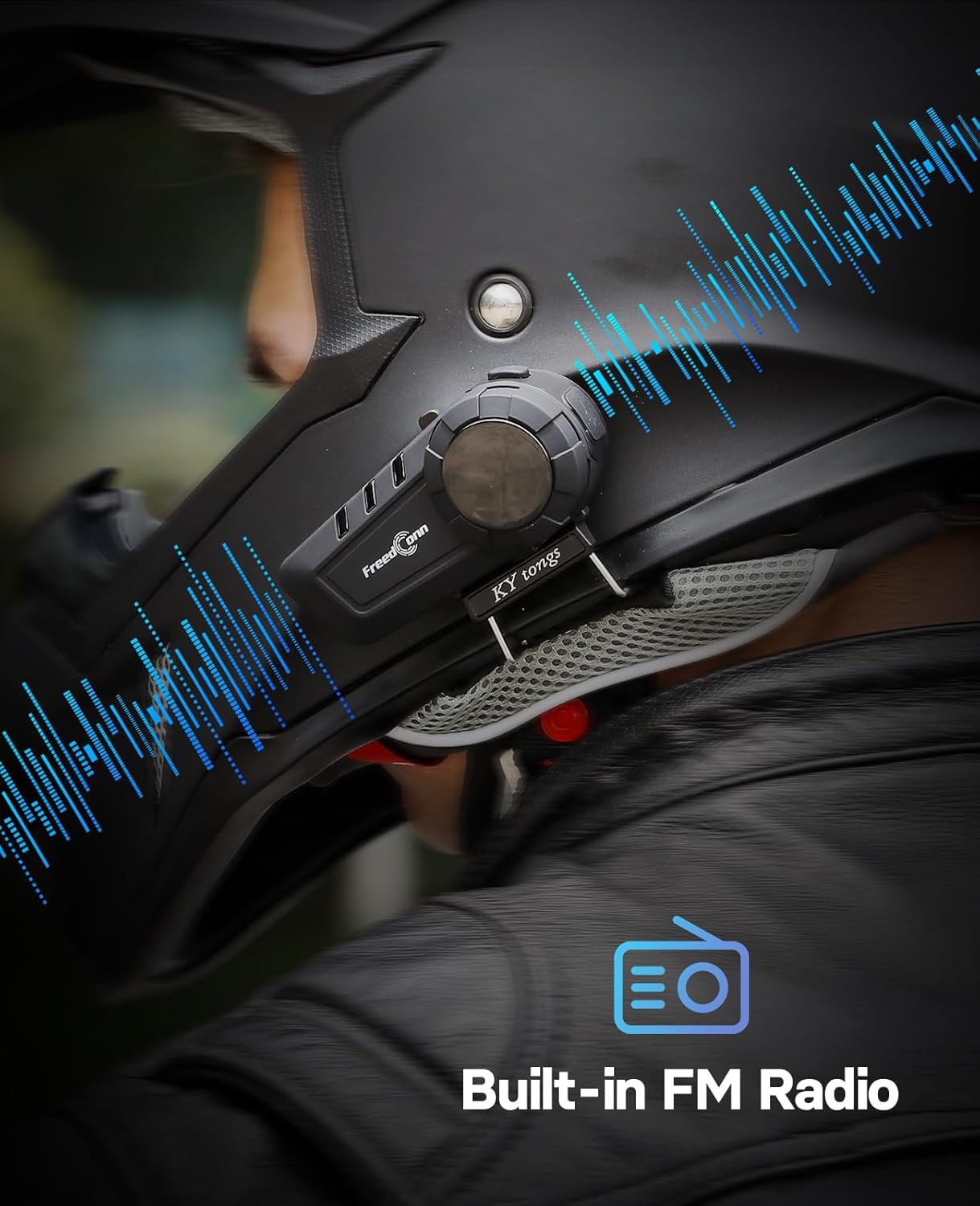
Figure 6.1: 6-Rider Group Intercom Communication
6.3 Intercom with Third-Party Headsets
The KY PRO is designed to support intercom communication with certain third-party headsets. Refer to the specific instructions for your third-party device for compatibility and pairing procedures.

Figure 6.2: Third-Party Intercom Compatibility
7. Càrrega i bateria
The KY PRO headset is equipped with a rechargeable Lithium Polymer battery.
- Càrrega: Connect the headset to a power source using the provided USB Type-C charging cable. The LED indicator will show red during charging and turn off when fully charged.
- Durada de la bateria: A full charge provides approximately 15 hours of intercom talk time and 12 hours of music playback.
- Avís de bateria baixa: The headset will provide an audible alert when the battery level is low.

Figure 7.1: Type-C Fast Charging
8. Manteniment i cura
To ensure the longevity and optimal performance of your FreedConn KY PRO headset, follow these maintenance guidelines:
- Neteja: Utilitzeu un suau, damp cloth to clean the headset unit. Avoid using harsh chemicals or abrasive cleaners.
- Resistència a l'aigua: The headset has an IP65 waterproof rating, protecting it from dust and low-pressure water jets. While it is resistant to heavy rain, avoid submerging the unit in water.
- Emmagatzematge: Guardeu els auriculars en un lloc fresc i sec quan no els feu servir. Eviteu temperatures extremes.
- Càrrega: Charge the battery regularly, even if the device is not used for extended periods, to maintain battery health.

Figura 8.1: IP65 Impermeable i resistent a la pols
9. Solució De Problemes
If you encounter issues with your FreedConn KY PRO headset, refer to the following common problems and solutions:
| Problema | Causa possible | Solució |
|---|---|---|
| Sense poder | Bateria baixa; Dispositiu apagat | Charge the headset fully; Press and hold the On/Off button to power on. |
| No es pot emparellar amb el telèfon | Els auriculars no estan en mode d'emparellament; el Bluetooth està desactivat al telèfon. | Ensure headset is in pairing mode (red/blue flashing LED); Enable Bluetooth on your phone and search again. |
| No hi ha so dels altaveus | Volume too low; Speakers not connected; Faulty speakers | Increase volume using the Jog Wheel; Check speaker connections; Contact support if speakers are faulty. |
| Intercom not connecting | Units not in intercom pairing mode; Out of range | Ensure both units are in intercom pairing mode; Move units closer together (within 1200m). |
| Mala qualitat d'àudio | Microphone position; High wind noise; Interference | Adjust microphone closer to mouth; Ensure CVC noise cancellation is active; Move away from sources of interference. |
10. Especificacions
| Característica | Especificació |
|---|---|
| Nom del model | KY PRO |
| Versió Bluetooth | 5.1 |
| Gamma d'intercomunicació | Up to 1200m (6 riders) |
| Control de soroll | Cancel·lació activa de soroll (CVC) |
| Resistència a l'aigua | Impermeable IP65 |
| Temps de conversa | Fins a 15 hores |
| Temps de Música | Fins a 12 hores |
| Port de càrrega | USB tipus C |
| Dispositius compatibles | Cellphones, other Bluetooth intercoms |
| Components inclosos | Headset, D6 Hi-Res Headphones, Microphones |
| Pes de l'article | 718 grams (1.58 lliures) |
| Dimensions del producte | 5.91 x 4.53 x 2.56 polzades |
11. Informació de seguretat
- Prioritzeu sempre la seguretat viària. No feu servir el dispositiu de manera que us distregui de la conducció.
- Adjust volume to a safe level to ensure you can hear ambient traffic sounds.
- No intenteu desmuntar ni modificar el dispositiu, ja que això podria anul·lar la garantia i causar danys.
- Keep the device away from open flames and extreme temperatures.
- Desfeu-vos de la bateria i del dispositiu d'acord amb la normativa local.
12. Garantia i Suport
For warranty information and technical support, please refer to the official FreedConn weblloc web o poseu-vos en contacte amb el vostre distribuïdor. Conserveu el rebut de compra per a reclamacions de garantia.


