1. Introducció
Thank you for choosing the Sudio F4 Bluetooth Wireless Speaker. This manual provides essential information for setting up, operating, and maintaining your speaker. Please read it thoroughly before use to ensure optimal performance and longevity of your device.
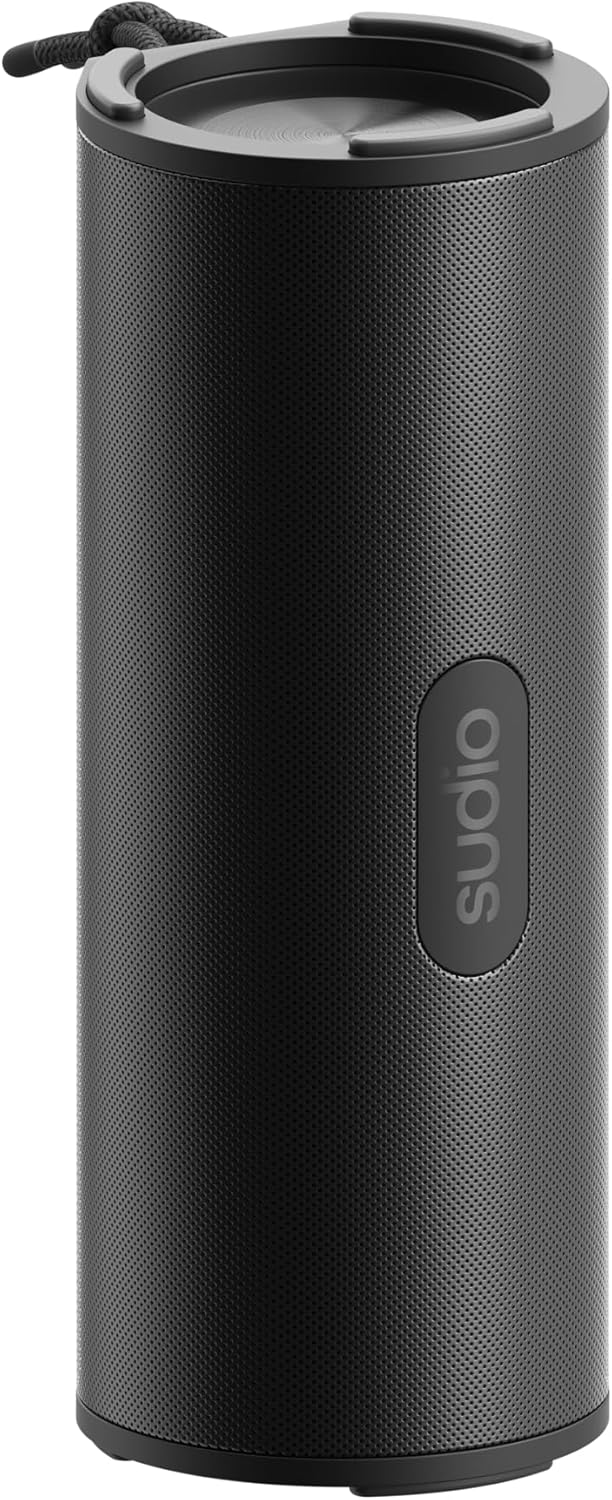
Figure 1: Sudio F4 Bluetooth Wireless Speaker
2. Informació de seguretat
- No exposeu l'altaveu a temperatures extremes, llum solar directa ni flames obertes.
- Eviteu deixar caure o sotmetre l'altaveu a forts impactes.
- No intenteu desmuntar, reparar o modificar l'altaveu. Això anul·larà la garantia.
- Keep the speaker away from water and liquids, except for splashes as per its IPX4 rating. Do not submerge.
- Use only the provided or a certified USB-C charging cable.
- Desfeu-vos del producte i de la bateria de manera responsable d'acord amb la normativa local.
3. Contingut del paquet
Assegureu-vos que tots els elements siguin presents al paquet:
- Sudio F4 Bluetooth Wireless Speaker
- Cable de càrrega USB-C
- Manual d'usuari
4. Producte acabatview
Familiarize yourself with the Sudio F4 speaker's components and controls.

Figura 2: lateral view with control buttons and USB-C port
- Botó d'encesa: Press and hold to power on/off. Short press for battery status.
- Botó per baixar el volum / pista anterior: Premeu curt per baixar el volum. Premeu llargament per anar a la pista anterior.
- Play / Pause / Call Button: Short press to play/pause music. Short press to answer/end calls. Long press to reject calls.
- Botó Pujar volum / Pista següent: Premeu curtament per augmentar el volum. Premeu llargament per anar a la pista següent.
- Botó de vinculació Bluetooth: Premeu breument per accedir al mode de sincronització Bluetooth.
- Port de càrrega USB-C: Per carregar l'altaveu.
- Micròfon: Per trucades mans lliures.
- Adjunt de corda: Per a la portabilitat.

Figura 3: superior view with speaker grille and lanyard
5. Configuració
5.1 Càrrega de l'altaveu
- Connect the USB-C charging cable to the speaker's USB-C port.
- Connecteu l'altre extrem del cable a un adaptador de corrent USB (no inclòs) o al port USB d'un ordinador.
- El llum indicador de càrrega s'il·luminarà durant la càrrega i s'apagarà quan estigui completament carregat.
- Una càrrega completa proporciona fins a 25 hores de reproducció.
5.2 Encès/Apagat
- Per encendre: Premeu i manteniu premut el botó d'engegada durant aproximadament 2 segons fins que sentiu un missatge audible.
- Per apagar: Premeu i manteniu premut el botó d'engegada durant aproximadament 2 segons fins que sentiu un missatge audible.
5.3 Vinculació Bluetooth
- Assegureu-vos que l'altaveu estigui encès i que es trobi a menys d'1 metre del dispositiu Bluetooth.
- The speaker will automatically enter Bluetooth pairing mode when powered on for the first time, indicated by a flashing LED light. If already paired, short press the Bluetooth pairing button to enter pairing mode.
- Activa el Bluetooth al teu telèfon intel·ligent, tauleta o altre dispositiu d'àudio.
- In your device's Bluetooth settings, select "Sudio F4" from the list of available devices.
- Once successfully paired, the speaker will provide an audible confirmation, and the LED light will stop flashing.
6. Instruccions de funcionament
Reproducció d'àudio 6.1
- Reproduir/pausa: Short press the Play/Pause/Call button.
- Pista següent: Premeu llargament el botó de pujar el volum.
- Pista anterior: Premeu llargament el botó per baixar el volum.
6.2 Control de volum
- Augmenta el volum: Premeu breument el botó de pujar el volum.
- Disminueix el volum: Premeu breument el botó per baixar el volum.
6.3 Gestió de trucades
The Sudio F4 includes a built-in microphone for hands-free calling.
- Respondre/Finalitzar la trucada: Short press the Play/Pause/Call button.
- Rebutja la trucada: Long press the Play/Pause/Call button.
Resistència a l'aigua IPX4 6.4
The Sudio F4 speaker is rated IPX4, meaning it is resistant to splashing water from any direction. This makes it suitable for outdoor use where it might encounter light rain or splashes. It is no dissenyat per ser submergit a l'aigua.
7. Manteniment
- Neteja: Wipe the speaker with a soft, dry, lint-free cloth. Do not use abrasive cleaners, alcohol, or chemical solvents.
- Emmagatzematge: Guardeu l'altaveu en un lloc fresc i sec, allunyat de la llum solar directa i de temperatures extremes quan no l'utilitzeu durant períodes prolongats.
- Cura de la bateria: To preserve battery life, charge the speaker fully at least once every three months if not used regularly.
8. Solució De Problemes
| Problema | Possible solució |
|---|---|
| L'altaveu no s'encén. | Assegureu-vos que l'altaveu estigui carregat. Connecteu-lo a una font d'alimentació amb el cable USB-C. |
| No es pot emparellar amb un dispositiu Bluetooth. |
|
| Sense so o amb un volum baix. |
|
| Mala qualitat de so. |
|
9. Especificacions
| Model | Sudio F4 |
| Versió Bluetooth | 5.4 |
| Temps de reproducció | Fins a 25 hores |
| Port de càrrega | USB-C |
| Resistència a l'aigua | IPX4 (a prova d'esquitxades) |
| Sortida de l'altaveu | 15W |
| Dimensions (L x A x A) | 8.9 x 8.7 x 20.6 cm |
| Pes | 300 g |
| Micròfon | Sí |
10. Garantia i Suport
For warranty information, technical support, or any inquiries regarding your Sudio F4 speaker, please visit the official Sudio weblloc web o contacteu directament amb el servei d'atenció al client. Conserveu el comprovant de compra per a reclamacions de garantia.
Official Sudio Weblloc: www.sudio.com


