1. Introducció
This manual provides detailed instructions for the installation, operation, and maintenance of your Fortdows Car Radio Upgrade for Ford Escape 2013-2018 models. This system integrates advanced features such as a 9-inch HD touchscreen, wireless CarPlay and Android Auto, GPS navigation, Bluetooth 5.0, 5G WiFi, and DSP HiFi sound. Please read this manual thoroughly before installation and use to ensure proper functionality and safety.

Image 1.1: Product compatibility and key features overview.
2. Informació de seguretat
- Instal·lació professional recomanada: A causa de la complexitat dels sistemes elèctrics dels vehicles, es recomana la instal·lació professional per evitar danys a la unitat o al vehicle.
- Desconnecta la bateria: Desconnecteu sempre el terminal negatiu de la bateria del vehicle abans de començar qualsevol treball elèctric per evitar curtcircuits i riscos elèctrics.
- Cablejat: Ensure all wiring connections are secure and properly insulated to avoid electrical shorts or interference.
- Seguretat de conducció: No feu servir la unitat de manera que us distregui de la conducció. Prioritzeu sempre la seguretat viària.
- Temperatura: Eviteu exposar la unitat a temperatures extremes o a la llum solar directa durant períodes prolongats.
3. Contingut del paquet
Verifiqueu que tots els elements que s'enumeren a continuació s'inclouen al vostre paquet. Si falta algun element o hi ha algun malmès, poseu-vos en contacte amb l'atenció al client.

Image 3.1: Included accessories with the Fortdows Car Radio Upgrade.
- Fortdows Car Radio Head Unit
- Reversing Cable
- Antena GPS
- Càmera de seguretat
- Cable d'alimentació
- Micròfon (micròfon)
- Crowbar (for trim removal)
- Cable USB original
- CAN BUS Decoder
- Cable RCA
- Additional USB Cable
4. Configuració i instal·lació
4.1 Comprovacions prèvies a la instal·lació
- Confirm vehicle compatibility: This unit is designed for Ford Escape models from 2013 to 2018.
- Gather necessary tools: Trim removal tools (crowbar included), screwdriver set, wire strippers/crimpers (if needed).
- Disconnect the vehicle battery before starting.
4.2 Finalització de la instal·lacióview
The installation process involves removing the factory radio, connecting the new unit's wiring harness, and mounting the new display. The unit is designed for a seamless fit.

Image 4.1: Before and After installation in a Ford Escape dashboard.
4.3 Esquema de cablejat
Refer to the following diagram for proper wiring connections. Ensure each cable is connected to its corresponding port.

Image 4.2: Radio Wiring Diagram.
- Cable de corrent: Connecteu el cablejat principal de l'aparell al cablejat del vehicle.
- CAN BUS: Connect the CAN BUS decoder for steering wheel controls and vehicle data integration.
- Cables USB: Connect the provided USB cables for external devices and data transfer.
- Antena GPS: Munteu l'antena GPS en un lloc amb llum clara view of the sky, typically on the dashboard.
- Antena de ràdio: Connecteu l'antena de ràdio del vehicle.
- Càmera de seguretat: Connect the reversing cable and backup camera for rear view funcionalitat.
- Micròfon: Connecteu el micròfon extern per millorar la qualitat de la trucada.
- Cables RCA: Use RCA cables for external audio/video input or output, such as amplifiers or additional displays.
4.4 Postinstal·lació
- Torneu a connectar la bateria del vehicle.
- Power on the unit and perform initial setup, including language, time, and network settings.
- Test all functions: radio, GPS, Bluetooth, CarPlay/Android Auto, steering wheel controls, and backup camera.
5. Instruccions de funcionament
5.1 Navegació bàsica de la interfície
The unit features a responsive 9-inch 1280x800 HD touchscreen. Navigate through menus and applications by tapping, swiping, and pinching gestures similar to a smartphone or tablet.

Image 5.1: Main interface of the Fortdows Car Radio.
5.2 CarPlay sense fil i Android Auto
Connect your iPhone or Android device wirelessly for seamless integration of navigation, music, messages, and voice assistants.

Imatge 5.2: Funcionalitat de CarPlay sense fil i Android Auto.
- Maridatge: Enable Bluetooth and Wi-Fi on your smartphone. On the car radio, go to the CarPlay/Android Auto app and follow the on-screen instructions to pair your device.
- Control de veu: Use "Hey Siri" or "Hey Google" for hands-free operation.
5.3 Bluetooth 5.0
Connecta el teu telèfon intel·ligent mitjançant Bluetooth per a trucades de mans lliures i transmissió d'àudio.

Image 5.3: Bluetooth 5.0 for calls and music.
- Maridatge: Go to the Bluetooth settings on the car radio, enable Bluetooth, and search for your phone. Pair the devices using the provided PIN.
- Trucades mans lliures: Access your phonebook, make, and receive calls directly from the touchscreen.
- Transmissió de música: Reprodueix àudio del telèfon a través dels altaveus del cotxe.
5.4 Navegació GPS
The built-in GPS module provides accurate navigation. Supports online and offline maps.

Image 5.4: GPS Navigation in action.
- Mapes en línia: Connect to Wi-Fi or a mobile hotspot to use real-time traffic and updated map data.
- Mapes fora de línia: Download map data for your region to navigate without an internet connection.
5.5 Comandaments al volant (SWC)
Maintain control of your audio and calls without taking your hands off the steering wheel.

Image 5.5: Steering Wheel Controls setup interface.
- Configuració: Access the SWC settings menu on the unit. Follow the on-screen instructions to program each button on your steering wheel to its corresponding function on the radio.
5.6 5G WiFi & Hotspot
Connect to high-speed internet for streaming, app downloads, and system updates.
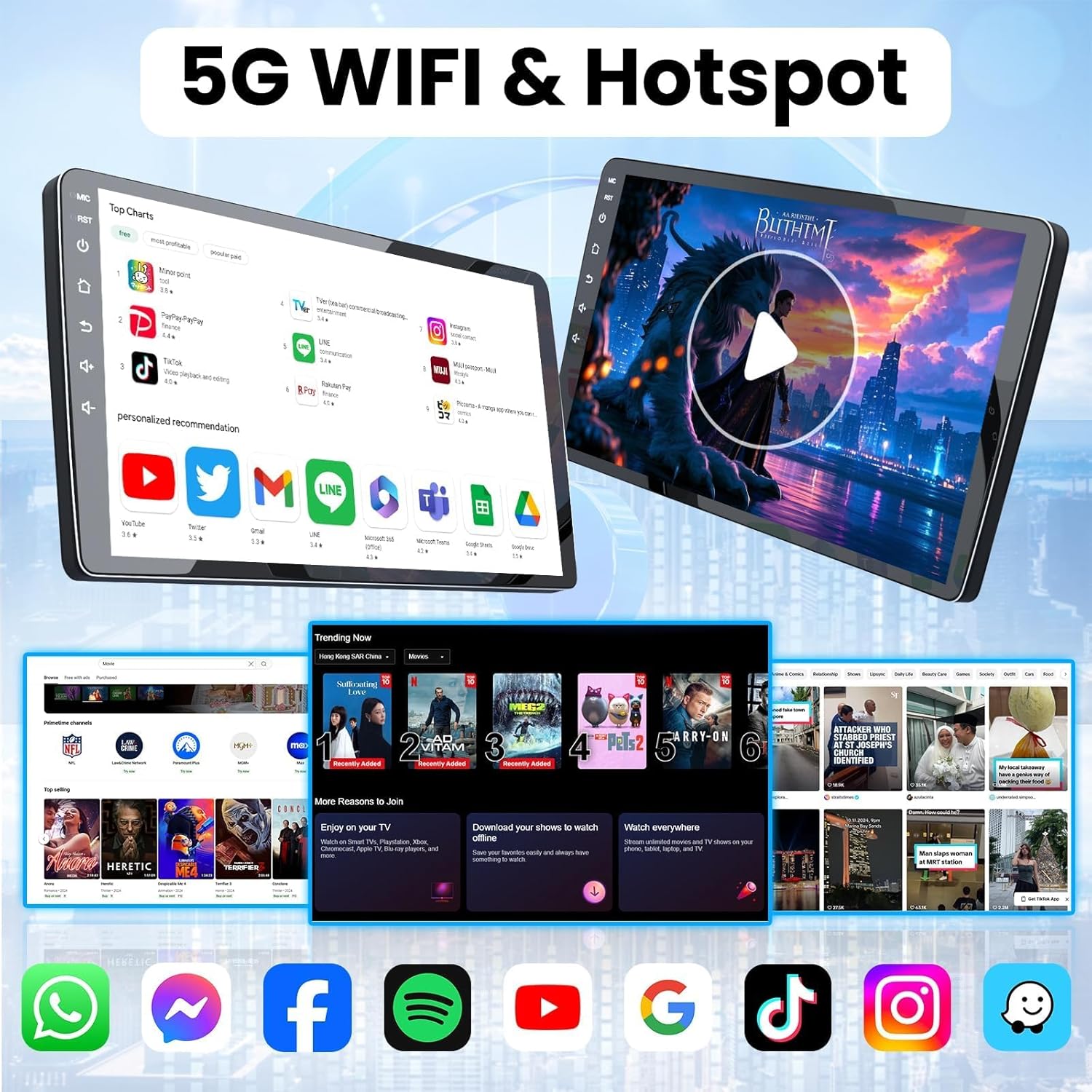
Image 5.6: 5G WiFi connectivity for entertainment and apps.
- Connexió a WiFi: Go to Settings > Network > Wi-Fi. Select your desired network and enter the password.
- Punt d'accés: The unit can also act as a hotspot, sharing its internet connection with other devices (if connected to mobile data via a dongle, not included).
5.7 Càmera de marxa enrere
La càmera de marxa enrere inclosa proporciona una visió clara view de la zona que hi ha darrere del vehicle en fer marxa enrere.

Image 5.7: Reversing Camera view.
- Activació automàtica: La pantalla canvia automàticament a la càmera view quan el vehicle es posa en marxa enrere.
- Directrius: Dynamic parking guidelines assist with safe maneuvering.
5.8 Funció de pantalla dividida
Multitask efficiently by running two applications side-by-side on the large display.

Image 5.8: Split Screen Functionality.
- Activació: Mantingueu premut el botó d'aplicacions recents o arrossegueu una aplicació a un costat de la pantalla per activar el mode de pantalla dividida.
5.9 Mirror Link (Wired & Wireless)
Mirror your smartphone's screen directly onto the car radio display.

Image 5.9: Wired and Wireless Mirror Link.
- Connexió per cable: Connect your smartphone via USB cable.
- Connexió sense fil: Connect via Wi-Fi by following the instructions in the Mirror Link application.
5.10 DSP HiFi Sound with RDS
Enjoy enhanced audio quality with the built-in Digital Signal Processor (DSP) and HiFi sound technology. RDS provides clear radio information.
- Configuració DSP: Access the equalizer and sound field settings to customize your audio experience.
- RDS: Radio Data System displays station information, song titles, and other broadcast data.
6. Manteniment
- Neteja de pantalla: Use a soft, lint-free cloth specifically designed for electronics screens. Do not use abrasive cleaners or solvents.
- Actualitzacions de programari: Comproveu periòdicament si hi ha actualitzacions de programari a través de la configuració del sistema per garantir un rendiment òptim i l'accés a les noves funcions.
- Condicions ambientals: Avoid exposing the unit to extreme heat, cold, or humidity.
7. Solució De Problemes
Si teniu problemes, consulteu els següents problemes i solucions habituals:
| Problema | Causa possible | Solució |
|---|---|---|
| La unitat no s'encén | Connexió d'alimentació fluixa, fusible fundit, cablejat incorrecte. | Check power cable connections. Inspect vehicle fuses. Verify wiring against diagram. |
| Sense so | Volume too low, mute activated, speaker wires disconnected, incorrect audio settings. | Increase volume. Check mute status. Ensure speaker wires are connected. Adjust audio output settings. |
| Senyal GPS perdut o inexacte | Antena GPS obstruïda o mal col·locada, dades del mapa desactualitzades. | Assegureu-vos que l'antena GPS tingui una visió clara view del cel. Actualitzeu les dades del mapa si cal. |
| Problemes de connexió Bluetooth | Dispositiu no emparellat, Bluetooth desactivat, interferències. | Ensure Bluetooth is enabled on both devices. Re-pair the devices. Move away from sources of interference. |
| CarPlay/Android Auto no es connecta | Incorrect pairing, Wi-Fi/Bluetooth issues, phone software outdated. | Verify Wi-Fi and Bluetooth are active. Re-pair the phone. Update phone's operating system. |
| Els comandaments del volant no funcionen | CAN BUS not connected, controls not programmed. | Ensure CAN BUS is correctly connected. Re-program SWC in settings. |
8. Especificacions
Key technical specifications of the Fortdows Car Radio Upgrade:

Image 8.1: Core system specifications.
- Sistema operatiu: Android 13
- Processador: 4-Nucli
- RAM: 4 GB
- Emmagatzematge intern (ROM): 64 GB
- Mida de la pantalla: 9 polzades
- Resolució de visualització: 1280 x 800 HD
- Connectivitat: Bluetooth 5.0, 5G Wi-Fi
- Característiques especials: Wireless CarPlay, Wireless Android Auto, GPS Navigation, DSP HiFi Sound, RDS, Steering Wheel Control (SWC) support, Backup Camera support.
- Pes de l'article: Aproximadament 5.93 lliures
- Dimensions del paquet: 17.13 x 13.79 x 6.61 polzades
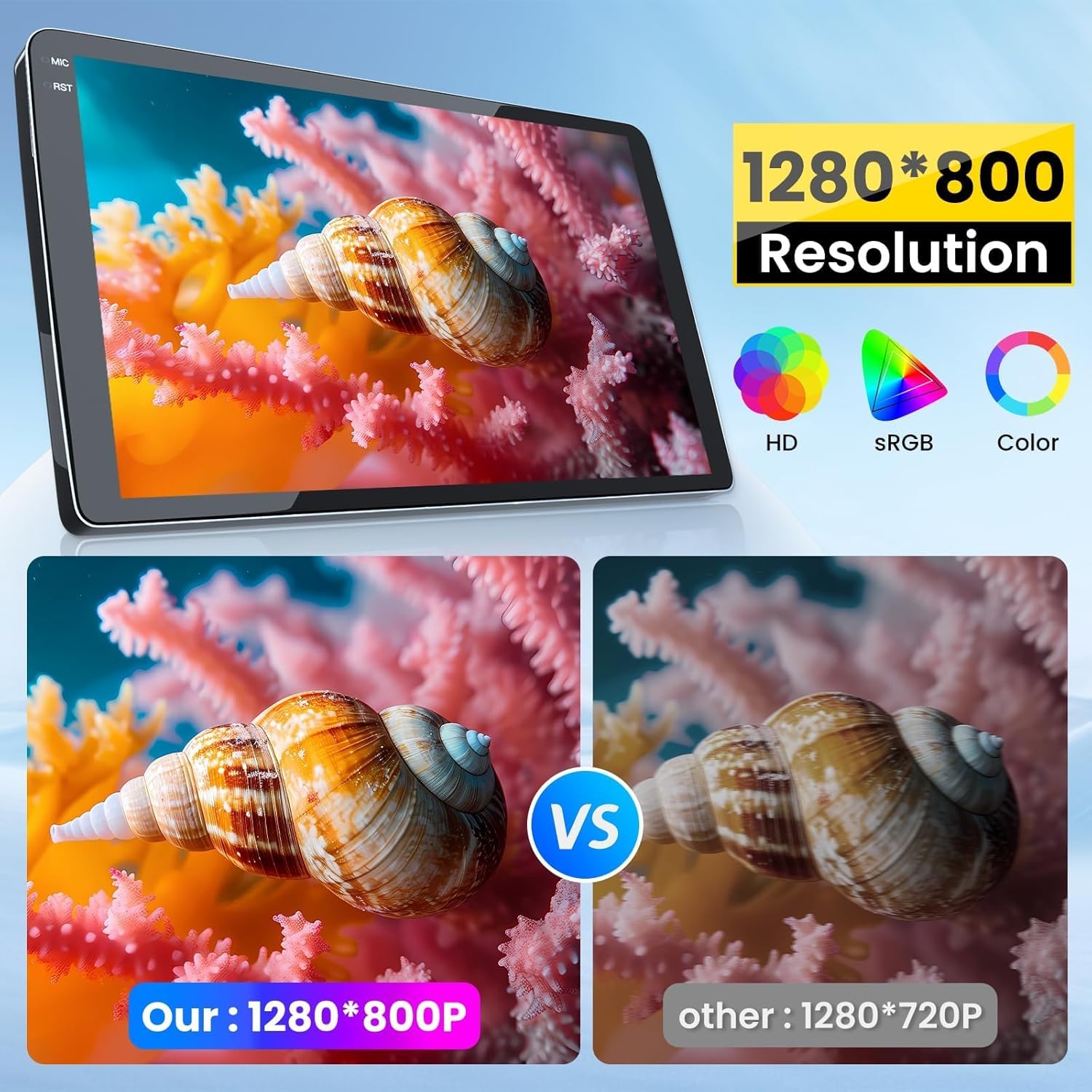
Image 8.2: Display resolution comparison.
9. Garantia i Suport
For warranty information and technical support, please refer to the documentation included with your purchase or contact Fortdows customer service directly. Contact details can typically be found on the manufacturer's weblloc web o a través del vostre distribuïdor.
- Atenció al client: For assistance with installation, troubleshooting, or warranty claims, please reach out to Fortdows support.
- Recursos en línia: Check the official Fortdows website for FAQs, updated manuals, and software downloads.


