Introducció
This manual serves as a comprehensive training guide for Corel Photo-Paint 2025, designed to help users master image editing techniques through practical, integrated exercises. It is also suitable for those using Photo-Paint as part of CorelDRAW Essentials 2025 or Home and Student 2025. The content is presented in full color, emphasizing a "learning by doing" approach to facilitate easy understanding and skill acquisition.
Sobre aquest manual
Authored by Peter Schiessl, this training book is part of a successful series developed for computer courses and self-study. With over 30 years of refinement, it provides a structured learning path, moving from fundamental concepts to advanced applications. Unlike mere collections of materials, this book is a true training resource, presenting everything step-by-step and reinforcing knowledge through exercises. It aims to transform beginners into proficient photo manipulators.

Figure 1: Front cover of the COREL PHOTO-PAINT 2025 Training Manual. The cover displays the title prominently with a graphic of a winged horse.
Prerequisites and Setup
To effectively utilize this training manual, users should have access to Corel Photo-Paint 2025. This can be the standalone application or the version included within CorelDRAW Essentials 2025 or CorelDRAW Home and Student 2025. No prior advanced knowledge of image editing is required, as the book is designed for beginners to learn step-by-step.
- Ensure Corel Photo-Paint 2025 software is installed on your computer.
- Familiarize yourself with basic computer operations (e.g., opening programs, saving files).
- Prepare to engage with hands-on exercises for optimal learning.
Using This Manual (Operating)
This manual is structured to provide a practical, exercise-driven learning experience. Each concept is introduced and then immediately reinforced with exercises, allowing users to apply what they've learned. The book is fully colored and rich with illustrations to enhance clarity.
- Read Each Section Carefully: Understand the theoretical concepts before attempting exercises.
- Perform Integrated Exercises: The core of this manual is "learning by doing." Follow each exercise step-by-step.
- Experimenta i explora: After completing an exercise, feel free to experiment with the tools and techniques discussed.
- Review i pràctica: Regularment review previously learned material and practice techniques to solidify your skills.
Contingut acabatview
The manual covers a wide range of topics in digital image editing, progressing from foundational knowledge to advanced artistic manipulation.
Basics of Image Editing
- Understanding the difference between pixel photos and graphic files.
Base Techniques
- Adjusting contrast and brightness.
- Cutting off borders.
- Using the eraser tool.
- Applying basic effect tools.
Aplicacions avançades
- Painting with brushes and image sprayer.
- Utilizing special tools like pipette and paint bucket.
- Exploring brush variations and fill patterns.
Professional Image Editing
- Working with masks and objects.
- Understanding different mask types.
- Deleting elements from photos.
- Applying effects only to masked areas.
- Creating objects with masks.
- Copying and inserting objects between photos.
Artistically Alienating Photos with Effects
- Using special effects for artistic results (e.g., vignette, wet paint, fish eye).
- Acabatview of effects like solarize, glass, shear, blur, bubbles.
- Applying effects to text.
- Cloning and copying techniques.
- Achieving special results with transparency and overlay functions.
Temes addicionals
- Special considerations for photos regarding printing.
- Scanning techniques.
- Transferring images to other programs.
- Data backup strategies.
Further Learning and Resources (Maintenance)
To continue your journey in graphic design and image editing, the author, Peter Schiessl, offers a range of other training books. These include manuals for CorelDRAW graphics drawing program and a Built-Up Volume with more sophisticated exercises and techniques for both CorelDRAW and Photo-Paint. Additionally, books for other software like MS Excel, MS Word, and MS PowerPoint are available.
You can search for "manual schiessl" on Amazon to find the complete collection of available training materials.
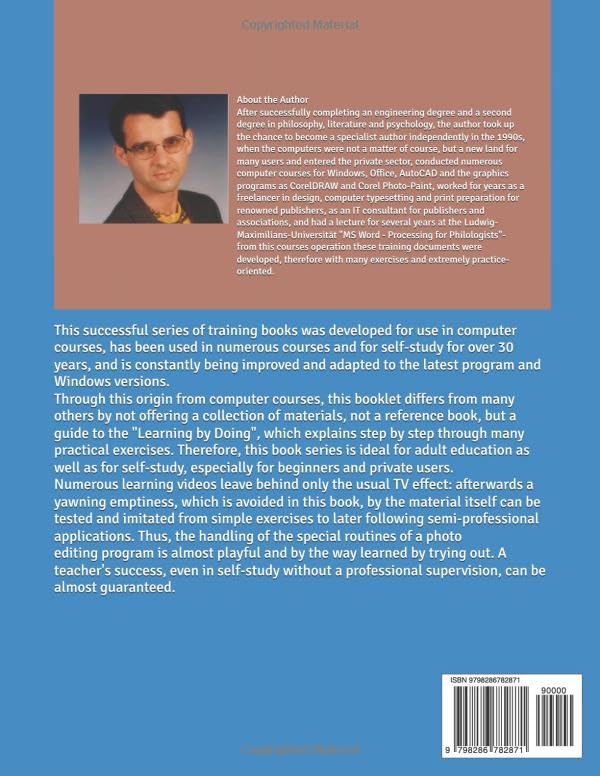
Figure 2: Back cover of the COREL PHOTO-PAINT 2025 Training Manual. This image provides details about the author, Peter Schiessl, and describes the pedagogical approach of the training series. It also includes the ISBN barcode.
Assistance and Troubleshooting
While this manual is designed for clear, step-by-step learning, should you encounter difficulties or wish to deepen your understanding beyond the scope of this book, consider the following:
- Review Previous Steps: Often, issues arise from a missed step. Re-read the instructions carefully.
- Consult Software Help: Corel Photo-Paint itself has extensive built-in help documentation.
- Explore Other Books in the Series: The "Built-Up Volume" offers more sophisticated exercises and techniques that might address advanced queries.
- Recursos en línia: Corel's official website and user forums can provide additional support and community insights.
Especificacions
| Atribut | Detall |
|---|---|
| Títol | COREL PHOTO-PAINT 2025 - Manual de formació amb molts exercicis integrats |
| Autor | Peter Schiessl |
| Editor | Publicat independentment |
| Data de publicació | 4 de juny de 2025 |
| Llengua | Anglès |
| Longitud d'impressió | 139 pàgines |
| ISBN-13 | 979-8286782871 |
| Pes de l'article | 15 unces |
| Dimensions | 8.5 x 0.32 x 11 polzades |
| Sèrie | CorelDRAW 2025 Training Book Series: CorelDRAW + Corel Photo-Paint + Build-Up Volume (Book 2 of 3) |


