Introducció
This manual provides detailed instructions for setting up and operating your sktome V8MAX KIT FOR 2 Podcast Equipment Bundle. This professional audio solution is designed for live streaming, podcasting, recording, and gaming, offering high-quality sound and versatile features. Please read this manual thoroughly before use to ensure optimal performance and longevity of your equipment.
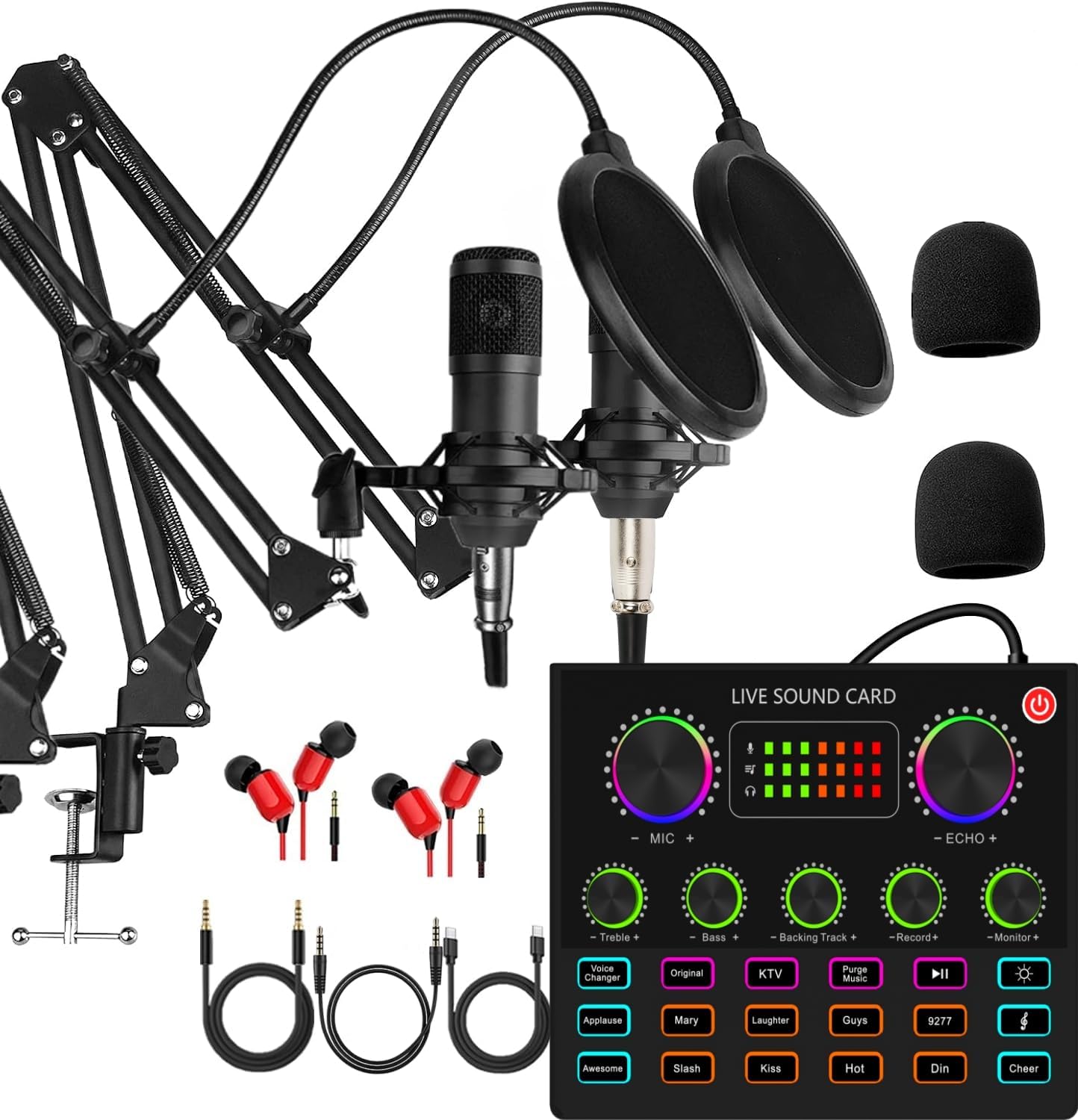
Image: The complete sktome V8MAX KIT FOR 2 Podcast Equipment Bundle, including the V8max sound card, two condenser microphones, and accessories.
Què hi ha a la caixa
Your sktome V8MAX KIT FOR 2 Podcast Equipment Bundle includes the following components:
- 1 x V8max Sound Card
- 2 x Condenser Microphones (BM-800/cantilever type)
- 2 x Adjustable Microphone Boom Arms
- 2 x Microphone Shock Holders
- 2 x Pop Filters
- 2 x Foam Caps
- 2 x XLR Cables
- 2 x USB/3.5mm Cables
- 2 x 3.5mm Earphones

Image: All included components of the podcast equipment bundle laid out, showing microphones, sound card, cables, and accessories.
Instruccions de configuració
Segueix aquests passos per configurar el teu paquet d'equipament de podcast:
- Charge the V8max Sound Card: Before initial use, connect the V8max sound card to a 5V DC power source using the provided USB charging cable. Ensure the device is fully charged for uninterrupted operation.
- Assemble the Microphones:
- Attach each adjustable boom arm to a stable surface using its clamp.
- Mount each condenser microphone into its shock holder.
- Attach the shock holder to the boom arm.
- Place a foam cap over each microphone and attach a pop filter to the boom arm in front of each microphone.

Image: A condenser microphone fully assembled with its boom arm, shock mount, and pop filter.
- Connect Microphones to Sound Card: Connect each condenser microphone to the V8max sound card using the provided XLR cables. The sound card has dedicated microphone input ports.
- Connecteu els auriculars: Plug the 3.5mm earphones into the 'Earphone' or 'Headset' port on the V8max sound card for real-time audio monitoring.
- Connecta't al dispositiu:
- Per a PC/ordinador portàtil: Connect the V8max sound card to your computer using a USB cable. The device is plug-and-play and typically requires no drivers.
- Per a telèfons intel·ligents/tauletes: Use the appropriate USB/3.5mm cables to connect your smartphone or tablet to the 'LIVE1' or 'LIVE2' ports on the sound card for live streaming or recording.
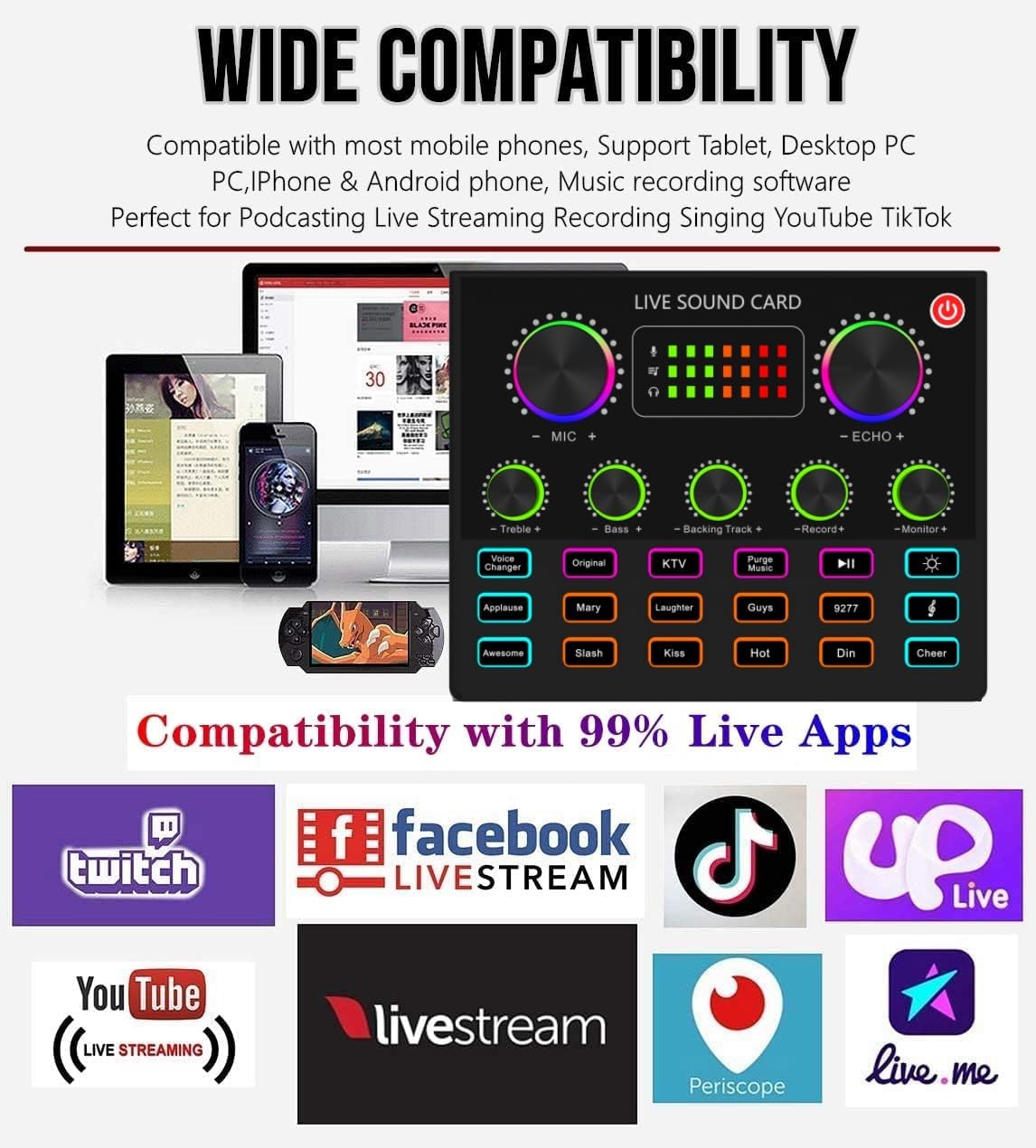
Image: The back panel of the V8max sound card, illustrating various input and output ports for microphones, earphones, and external devices.
Instruccions de funcionament
The V8max sound card offers a range of controls and effects to enhance your audio experience:
- Botó d'encesa: Press and hold to turn the sound card on or off.
- Indicadors de volum: Colorful LED indicators display real-time volume levels for microphone, echo, and monitor outputs.
- Independent Sound Controls: Adjust knobs for Microphone Volume (MIC+), Echo (ECHO+), Treble, Bass, Backing Track Volume, Record Volume, and Monitor Volume to fine-tune your audio.
- Canviador de veu: Press the 'Voice Changer' button to cycle through 4 different voice effects: vigorous and deep male voice, cute and sweet female voice, adorable and tender child voice, and rough and abrasive magic voice.
- Sound Effects Buttons: Utilize the 10 built-in sound effects buttons (e.g., Applause, Mary, Laughter, Guys, 9277, Awesome, Slash, Kiss, Hot, Din, Cheer) to add dynamic audio elements to your streams or recordings.
- Control de la llum: The sound card features light control functionality, indicated by a dedicated button.
- Monitorització en temps real: Connect earphones to the 'Earphone' or 'Headset' port to monitor your audio in real-time without delay.

Image: The front panel of the V8max sound card, highlighting the various knobs for sound control, voice changer, and sound effect buttons.
Compatibilitat
The sktome V8MAX KIT FOR 2 Podcast Equipment Bundle offers wide compatibility with various devices and platforms:
- Dispositius: Compatible with PC, Mac, PS5, Xbox, Android phones, and iOS devices via USB plug-and-play (no drivers required).
- Plataformes: Supports popular live streaming and recording applications such as OBS, Skype, YouTube, TikTok, Twitch, Facebook Live, Livestream, Periscope, and Live.me.
- Dual-Platform Streaming: Allows simultaneous streaming to two phones with two professional streaming microphones.

Image: A visual representation of the V8max sound card connected to a laptop, tablet, and smartphone, demonstrating its wide compatibility with various devices and streaming applications.
Especificacions
Key technical specifications for the sktome V8MAX KIT FOR 2 Podcast Equipment Bundle:
| Característica | Especificació |
|---|---|
| Factor de forma del micròfon | Matriu de taula |
| Font d'alimentació | Elèctric amb cable |
| Tipus de bateria | 1 bateria de polímer de liti (inclosa) |
| Material | Metall |
| Ràtio senyal / soroll | 78 dB |
| Plataforma de maquinari | Portàtil, PC, Smartphone |
| Nombre de canals | 1 |
| Pes de l'article | 5.46 lliures |
| Tecnologia de connectivitat | USB |
| Tipus de connector | USB tipus C |
| Patró polar | Unidireccional |
Resolució de problemes
If you encounter issues with your podcast equipment bundle, consider the following troubleshooting steps:
- No Sound Output/Input:
- Ensure all cables are securely connected to the correct ports on the sound card and your device.
- Check the volume knobs on the sound card (MIC+, Monitor+, Record+) and your connected device.
- Verify that the sound card is powered on and charged.
- Confirm that the correct audio input/output device is selected in your computer's sound settings or streaming software.
- Soroll estàtic:
- Ensure all connections are firm and not loose.
- Try adjusting the microphone gain (MIC+ knob) to prevent overdriving.
- Test with different cables or a different USB port on your computer.
- Minimitzar les interferències d'altres dispositius electrònics.
- El canviador de veu/els efectes de so no funcionen:
- Ensure the sound card is powered on.
- Confirm that the effects are enabled and the volume is adequate.
- Dispositiu no reconegut:
- For PC/Mac, try connecting to a different USB port.
- Reinicieu l'ordinador o el dispositiu mòbil.
- Assegureu-vos que el vostre sistema operatiu estigui actualitzat.
Manteniment
To ensure the longevity and optimal performance of your sktome V8MAX KIT FOR 2 Podcast Equipment Bundle, follow these maintenance guidelines:
- Neteja: Use a soft, dry cloth to clean the surfaces of the sound card and microphones. Avoid using liquid cleaners or abrasive materials, which can damage the components.
- Emmagatzematge: Quan no l'utilitzeu, guardeu l'equip en un lloc fresc i sec, allunyat de la llum solar directa i de temperatures extremes.
- Manipulació: Handle microphones and the sound card with care. Avoid dropping or subjecting them to strong impacts.
- Gestió de cables: Avoid bending or kinking cables sharply. Store cables neatly to prevent damage.
- Condicions ambientals: Protect the equipment from moisture, dust, and excessive heat.
Garantia i Suport
sktome is dedicated to product improvement and user experience. If you encounter any product or usage problems, please contact our customer service team promptly. We aim to resolve issues within 12 hours.
For assistance, please refer to the contact information provided with your purchase or visit the official sktome brand store online.
Informació de càrrega: Please use the USB charging cable included in the package to charge the sound card. The supply voltagEl requeriment és DC 5V.


