Introducció
This manual provides essential information for setting up, operating, maintaining, and troubleshooting your new RCA 8-inch Tablet. Please read this guide thoroughly to ensure optimal performance and longevity of your device. This tablet features a MediaTek MT8781/G99 Octa-Core processor, 4GB RAM, 64GB storage, and runs on Android 14.
1. Configuració
1.1 Contingut del paquet
- Tauleta RCA de 8 polzades
- Cable de càrrega USB
- Adaptador d'alimentació
- Guia d'inici ràpid
1.2 Càrrega de la tauleta
Before first use, fully charge your tablet. Connect the USB charging cable to the tablet's charging port and the power adapter, then plug the adapter into a wall outlet. The battery indicator on the screen will show charging status.
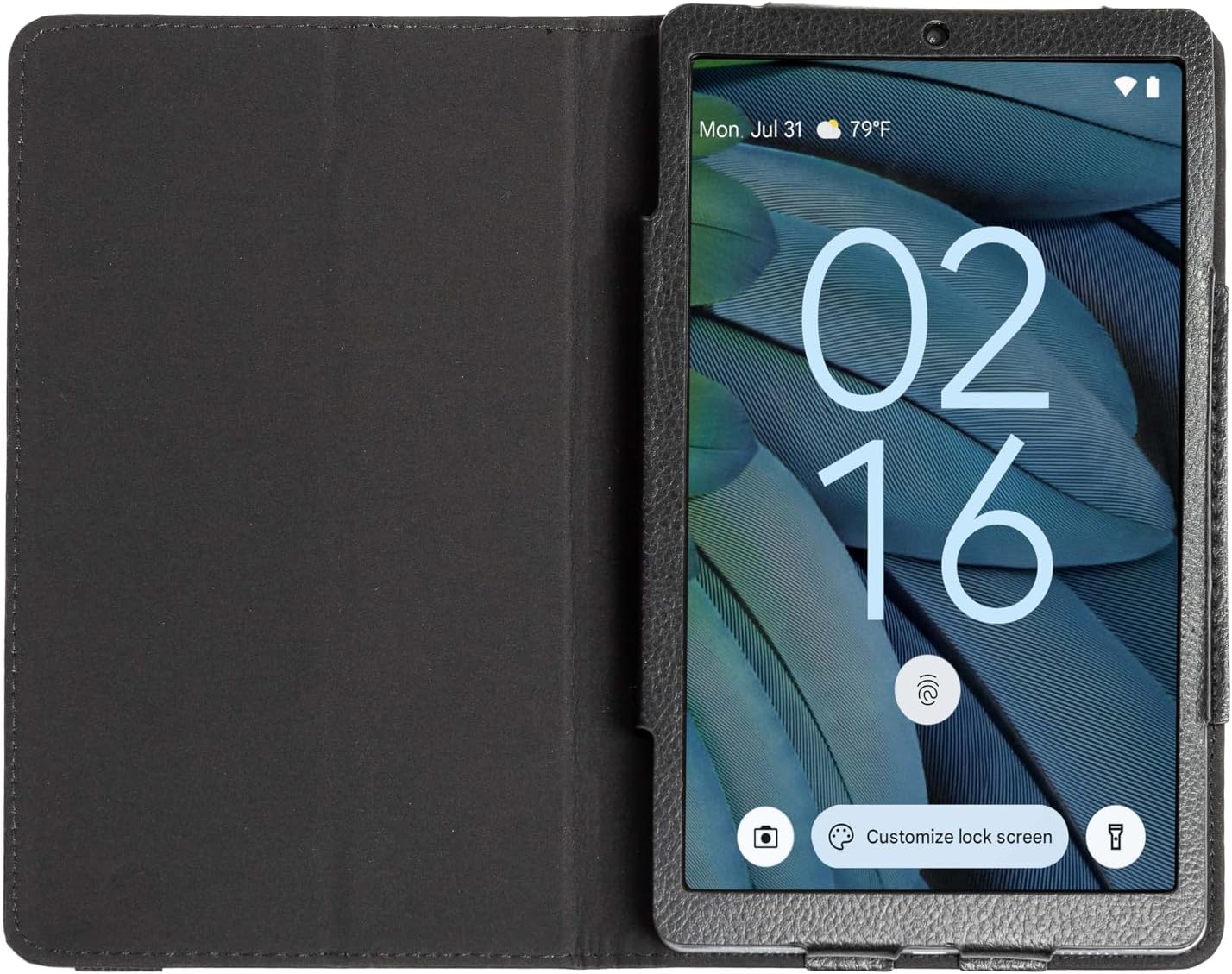
Image: The RCA 8-inch Tablet shown within its black folio case, displaying the lock screen. This illustrates the device's appearance during initial setup or general use.
1.3 Engegada/apagada
- Per encendre: Press and hold the Power button until the RCA logo appears.
- Per apagar: Mantingueu premut el botó d'engegada i, a continuació, seleccioneu "Apagar" de les opcions que apareixen a la pantalla.
1.4 Assistent de configuració inicial
En engegar-la per primera vegada, la tauleta us guiarà a través d'un procés de configuració inicial. Això inclou:
- Selecció d'idioma: Trieu el vostre idioma preferit.
- Connexió Wi-Fi: Seleccioneu la vostra xarxa Wi-Fi i introduïu la contrasenya per connectar-vos a Internet.
- Compte de Google: Sign in with your Google account or create a new one. This is necessary for downloading apps from the Google Play Store and accessing Google services.
- Data i hora: Estableix la data i l'hora correctes o permet que la xarxa les estableixi automàticament.
- Seguretat: Set up a screen lock (PIN, pattern, or password) for device security.
1.5 Inserció d'una targeta MicroSD (opcional)
The tablet supports storage expansion up to 512GB via a microSD card. Locate the microSD card slot on the side of the tablet. Gently insert the card with the gold contacts facing down until it clicks into place.
2. Funcionament de la tauleta
2.1 Navegació bàsica
The RCA 8-inch Tablet uses a capacitive touchscreen for navigation:
- Toca: Per obrir una aplicació, seleccioneu un element o premeu un botó.
- Toca i mantén premut: Per accedir a menús contextuals o moure elements.
- Llisca: To scroll through lists, switch between home screens, or navigate within apps.
- Pessigar: Per ampliar o reduir les imatges i web pàgines.

Image: A user interacting with the RCA 8-inch Tablet, demonstrating typical handheld use and touchscreen interaction.
2.2 Ús de les càmeres
Your tablet is equipped with a 5 MP rear camera and a 2 MP front camera for photos and video calls.
- Obre l'aplicació Càmera des de la pantalla d'inici o des del calaix d'aplicacions.
- Toqueu la icona de la càmera per canviar entre la càmera frontal i la posterior.
- Toqueu el botó de l'obturador per fer una foto o iniciar/aturar la gravació de vídeo.
- Access settings within the app to adjust modes, filters, and other camera options.

Imatge: Una imatge detallada view of the tablet's rear camera, highlighting its placement and design.
2.3 Android 14 Features
The tablet runs on Android 14, offering enhanced features:
- Tauler de control de privadesa: Monitor and manage app permissions for your data.
- Notification Controls: Customize how and when you receive notifications.
- AI-Driven Optimizations: The system intelligently manages background processes and battery usage for improved performance.
2.4 Google Assistant Integration
Your tablet seamlessly integrates with Google Assistant. Say "Hey Google" or "Ok Google" to activate the assistant and use voice commands for tasks such as:
- Getting information (weather, news).
- Setting alarms and reminders.
- Controlling smart home devices.
- Making calls or sending messages.
3. Manteniment
3.1 Neteja de la tauleta
To clean your tablet, power it off and use a soft, lint-free cloth. For stubborn smudges, slightly dampNetegeu el drap amb aigua o un netejador de pantalles dissenyat específicament per a electrònica. Eviteu productes químics agressius o materials abrasius.
3.2 Cura de la bateria
- Eviteu les temperatures extremes, que poden reduir la durada de la bateria.
- No deixeu la tauleta completament descarregada durant períodes prolongats.
- Feu servir només el carregador proporcionat o un carregador compatible certificat.
3.3 Actualitzacions de programari
Comproveu periòdicament si hi ha actualitzacions del sistema per assegurar-vos que la tauleta tingui les funcions i els pegats de seguretat més recents. Aneu a Configuració > Sistema > Actualització del sistema per comprovar i instal·lar les actualitzacions disponibles.
3.4 Còpia de seguretat de dades
Regularly back up important data to a cloud service (like Google Drive) or a computer to prevent data loss.
4. Solució De Problemes
4.1 El dispositiu no s'encén
- Assegureu-vos que la bateria estigui carregada. Connecteu la tauleta al carregador durant almenys 30 minuts.
- Mantingueu premut el botó d'engegada durant 10-15 segons per realitzar un reinici forçat.
4.2 Problemes de connexió Wi-Fi
- Reinicieu el router Wi-Fi i la tauleta.
- Oblida't de la xarxa a la configuració del Wi-Fi i torna a connectar-te.
- Assegureu-vos que esteu dins de l'abast del senyal Wi-Fi.
4.3 Rendiment lent
- Tanca les aplicacions que no s'utilitzen i que s'executen en segon pla.
- Clear cache data for frequently used apps (Settings > Apps > [App Name] > Storage > Clear cache).
- Ensure sufficient storage space is available. Delete unnecessary files or move them to a microSD card.
- Reinicieu la tauleta periòdicament.
4.4 Restabliment de fàbrica (últim recurs)
Si els problemes persisteixen, un restabliment de fàbrica pot resoldre molts problemes relacionats amb el programari. Avís: Això esborrarà totes les dades de la tauleta. Fes una còpia de seguretat de les dades importants abans de continuar.
- Vés a Configuració > Sistema > Opcions de restabliment > Esborra totes les dades (restabliment de fàbrica).
- Seguiu les indicacions de la pantalla per confirmar el restabliment.
5. Especificacions
Below are the key technical specifications for the RCA 8-inch Tablet:

Image: An infographic summarizing the main technical specifications and features of the RCA 8-inch Tablet.
| Característica | Especificació |
|---|---|
| Processador | MediaTek MT8781/G99 de vuit nuclis |
| Sistema operatiu | Android 14 |
| Mida de la pantalla | 8 polzades |
| Resolució de pantalla màxima | 800 x 1340 píxels |
| RAM | 4 GB |
| Emmagatzematge intern | 64 GB |
| Emmagatzematge ampliable | Up to 512GB via MicroSD (card not included) |
| Càmera posterior | 5 MP |
| Càmera frontal | 2 MP |
| Durada mitjana de la bateria | 10 hores |
| Pes de l'article | 1.71 lliures |
| Dimensions del producte | 8.68 x 5 x 0.39 polzades |
| Color | Gris |
6. Garantia i Suport
6.1 Informació de la garantia
Your RCA 8-inch Tablet is covered by a limited manufacturer's warranty. Please refer to the warranty card included in your product packaging for specific terms and conditions. Keep your proof of purchase for warranty claims.
6.2 Atenció al client
For technical assistance, troubleshooting beyond this manual, or warranty inquiries, please visit the official RCA support website or contact their customer service. Contact details can typically be found on the RCA brand weblloc web o a la documentació del producte.


