1. Introducció
This manual provides comprehensive instructions for the installation, operation, and maintenance of your CYCPLUS GPS Bike Computer M3 and Bike Mount Z3. Please read this manual thoroughly before using the product to ensure proper function and safety.

Image 1.1: The CYCPLUS GPS Bike Computer M3 and its accompanying Z3 Bike Mount.
2. Contingut del paquet
Verifiqueu que tots els elements que s'enumeren a continuació s'inclouen al vostre paquet:
- CYCPLUS GPS Bike Computer M3 x 1
- CYCPLUS Bike Mount Z3 x 1
- USB-C Charging Cable x 1 (not explicitly listed but implied by USB-C charging)
- Mounting Hardware (screws, spacers if applicable) x 1 set (implied by mount)
3. Producte acabatview
The CYCPLUS M3 is a GPS bike computer designed to provide accurate cycling data. It features a clear display and robust GPS capabilities, paired with the Z3 mount for secure handlebar integration.
3.1 Característiques clau
- Posicionament GPS precís: Utilizes 5 major satellite systems (GPS, GLONASS, Galileo, QZSS, BeiDou) for fast and precise positioning, typically within 10 seconds. Offline ephemeris can be downloaded via the CYCPLUS FIT APP to reduce initial wait times.
- Esborra la pantalla: Features a 2.8-inch segment code FSTN glass screen that is sunlight-readable. The display includes an automatic backlight function that senses ambient light.
- Durada de la bateria ampliada: Equipped with a 1500mAh rechargeable lithium battery, offering up to 100 hours of runtime. Charges via USB-C and reaches full capacity in approximately 2.5 hours.
- Integrated Mount Design: The Z3 mount is specifically designed for most integrated handlebars, providing a comfortable and centered viewing angle for the computer. It is not compatible with round tube or split handlebars.
- Visualització de dades personalitzable: Data fields can be customized via the CYCPLUS FIT APP, allowing users to prioritize up to 8 key metrics per page.

Image 3.1: The M3 computer features a 2.8-inch LCD screen and a 20mm ultra-thin body for a slim profile.

Image 3.2: The M3 utilizes GPS, GLONASS, Galileo, QZSS, and BeiDou for rapid and precise positioning.

Image 3.3: The M3 offers up to 100 hours of battery life and charges conveniently via a USB-C port.
4. Configuració
4.1 Instal·lació del suport per a bicicleta Z3
The Z3 mount is designed for integrated handlebars. It is crucial to ensure your handlebar type is compatible before installation. This mount is not suitable for round tube or split handlebars.
- Identify the central mounting point on your integrated handlebar.
- Position the Z3 mount, ensuring it extends forward and is centered for optimal viewing.
- Secure the mount using the provided screws. Do not overtighten.
- The Z3 mount features two hanging points. The front point is ideal for securing a sports camera, offering an unobstructed, wider field of view. The middle hanging point provides higher strength and stability, recommended for fixing bike lights or flashlights.

Image 4.1: The Z3 mount is constructed from 6061 Aluminum Alloy and Nylon reinforced with fiberglass, weighing approximately 27g.

Image 4.2: The Z3 mount offers two hanging points for accessories like action cameras or bike lights.
4.2 Càrrega del dispositiu
Before first use, fully charge the M3 bike computer. Connect the provided USB-C cable to the charging port on the device and to a standard USB power adapter (not included). A full charge takes approximately 2.5 hours.
4.3 Posicionament GPS inicial
For the first-time positioning, ensure you are outdoors in an open area. This process may take 3-5 minutes. To minimize waiting time for subsequent uses, you can download offline ephemeris data via the CYCPLUS FIT APP.
4.4 Connecting to CYCPLUS FIT APP
Download the CYCPLUS FIT APP from your smartphone's app store. Use the app to:
- Download offline ephemeris data.
- Customize data fields on your M3 computer.
- Review and analyze your ride data.

Image 4.3: The CYCPLUS FIT APP allows for customization of the M3's display to show preferred data metrics.
5. Instruccions de funcionament
5.1 Encès/Apagat
Press and hold the power button (usually located on the side or bottom) for a few seconds to turn the device on or off.
5.2 Pantalla i retroil·luminació
The 2.8-inch FSTN glass screen is designed for readability in various lighting conditions, including direct sunlight. The auto backlight feature automatically adjusts brightness based on ambient light, ensuring visibility without manual intervention.

Image 5.1: The M3 computer mounted on a handlebar, demonstrating its centered design and clear data display.
5.3 Available Data Metrics
The M3 computer can display a wide range of cycling data. Some data types require additional external sensors (not included) to be connected.
- Velocitat actual
- Velocitat mitjana
- Velocitat màxima
- Altitud
- Gradient
- Ascensió
- ODO Meter (Odometer)
- Volta
- Rellotge
- Temperatura
- Distància del viatge
- Temps de viatge
- Cadència (Requires additional sensor)
- Freqüència cardíaca (Requires additional sensor)
- Poder (Requires additional sensor)
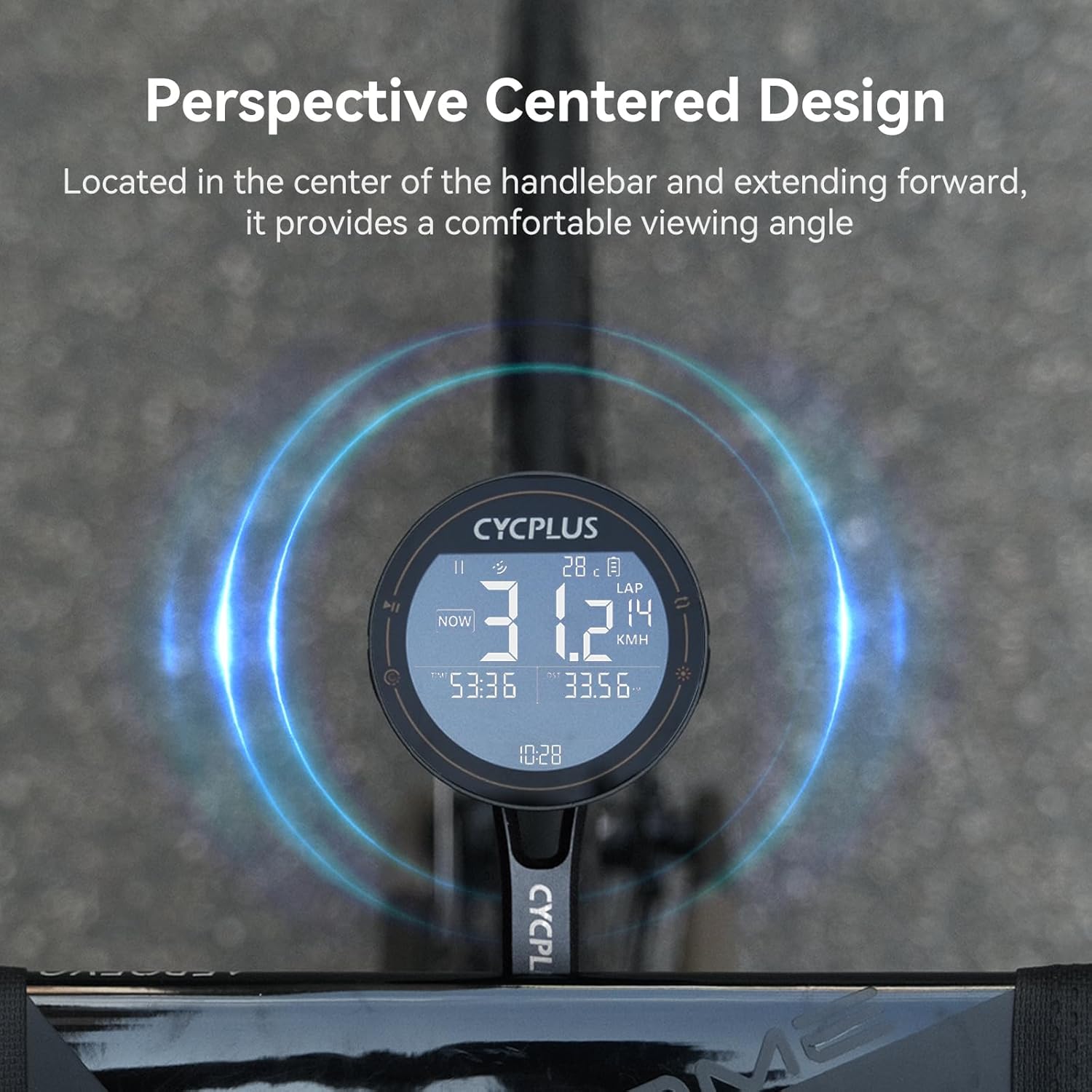
Image 5.2: Visual representation of various data metrics the M3 can display. Cadence, Heart Rate, and Power require additional sensors.
6. Manteniment
6.1 Neteja
Per netejar el dispositiu, netegeu-lo amb un damp cloth. Avoid using harsh chemicals, abrasive cleaners, or solvents, as these can damage the screen or casing. Ensure the USB-C port cover is securely closed before cleaning to prevent water ingress.
6.2 Cura de la bateria
To prolong battery life, avoid fully discharging the device frequently. If storing the device for an extended period, charge it to approximately 50-70% and store it in a cool, dry place. Recharge every few months to prevent deep discharge.
6.3 Consideracions ambientals
The device is designed for outdoor use but should be protected from extreme temperatures and prolonged direct exposure to harsh weather conditions. While it has some water resistance, it is not designed for submersion.
7. Solució De Problemes
- El dispositiu no s'encén: Ensure the device is fully charged. Connect it to a power source using the USB-C cable and try again.
- GPS signal acquisition is slow or unsuccessful: Assegureu-vos que esteu en una zona oberta a l'aire lliure amb una vista clara view of the sky. For faster acquisition, download offline ephemeris data via the CYCPLUS FIT APP. First-time positioning can take 3-5 minutes.
- Display is dim or difficult to read: The device features an auto backlight. Ensure the screen is clean. If issues persist, check settings via the CYCPLUS FIT APP.
- Data not displaying correctly or missing: Verify that the device is properly connected to any external sensors (if applicable). Check data field customization settings in the CYCPLUS FIT APP.
- Mount does not fit my handlebar: The Z3 mount is designed for integrated handlebars only. It is not compatible with round tube or split handlebars. Please ensure your handlebar type matches the mount's specifications.
8. Especificacions
| Característica | Especificació |
|---|---|
| Marca | CYCPLUS |
| Model | M3 + Z3 |
| Mida de la pantalla | 2.8 polzades |
| Tipus de visualització | LCD FSTN |
| Durada de la bateria | Fins a 100 hores |
| Capacitat de la bateria | 1500 mAh |
| Port de càrrega | USB-C |
| Sistemes GPS | GPS, GLONASS, Galileo, QZSS, BeiDou |
| Tipus de muntatge | Handlebar Mount (Integrated Handlebars Only) |
| Material de muntatge | 6061 Aluminum Alloy, Nylon reinforced with fiberglass |
| Pes del muntatge | Aprox. 27 g |
| Device Body Thickness | Aprox. 20 mm |
9. Garantia i Suport
For warranty information or technical support, please contact CYCPLUS customer service. You can typically find contact details on the official CYCPLUS weblloc web o a través del venedor on vau comprar el producte.
Visita el Botiga CYCPLUS a Amazon per obtenir més informació i recursos de suport.


