1. Introducció
The Vyzzle E20 is a versatile robot vacuum and mop designed to provide automated cleaning for various floor types. It features advanced LiDAR navigation, powerful suction, and a self-emptying dust station for enhanced convenience. This manual provides essential information for setting up, operating, and maintaining your device.
2. Contingut del paquet
Verifiqueu que tots els elements siguin presents al paquet:
- Robot aspirador (1)
- 2-in-1 Dust Box & Water Tank (1)
- Dust Collection Bucket (1)
- Bossa de pols (2)
- Filtres (2)
- Raspall lateral (2)
- Cleaning Knife (1)
- Mopping System (Mop holder*1, Mop cloth*2)
3. Producte acabatview
The Vyzzle E20 consists of the robot unit and a self-emptying charging station. The robot is equipped with sensors for navigation and cleaning components, while the station automatically collects debris from the robot's dustbin.
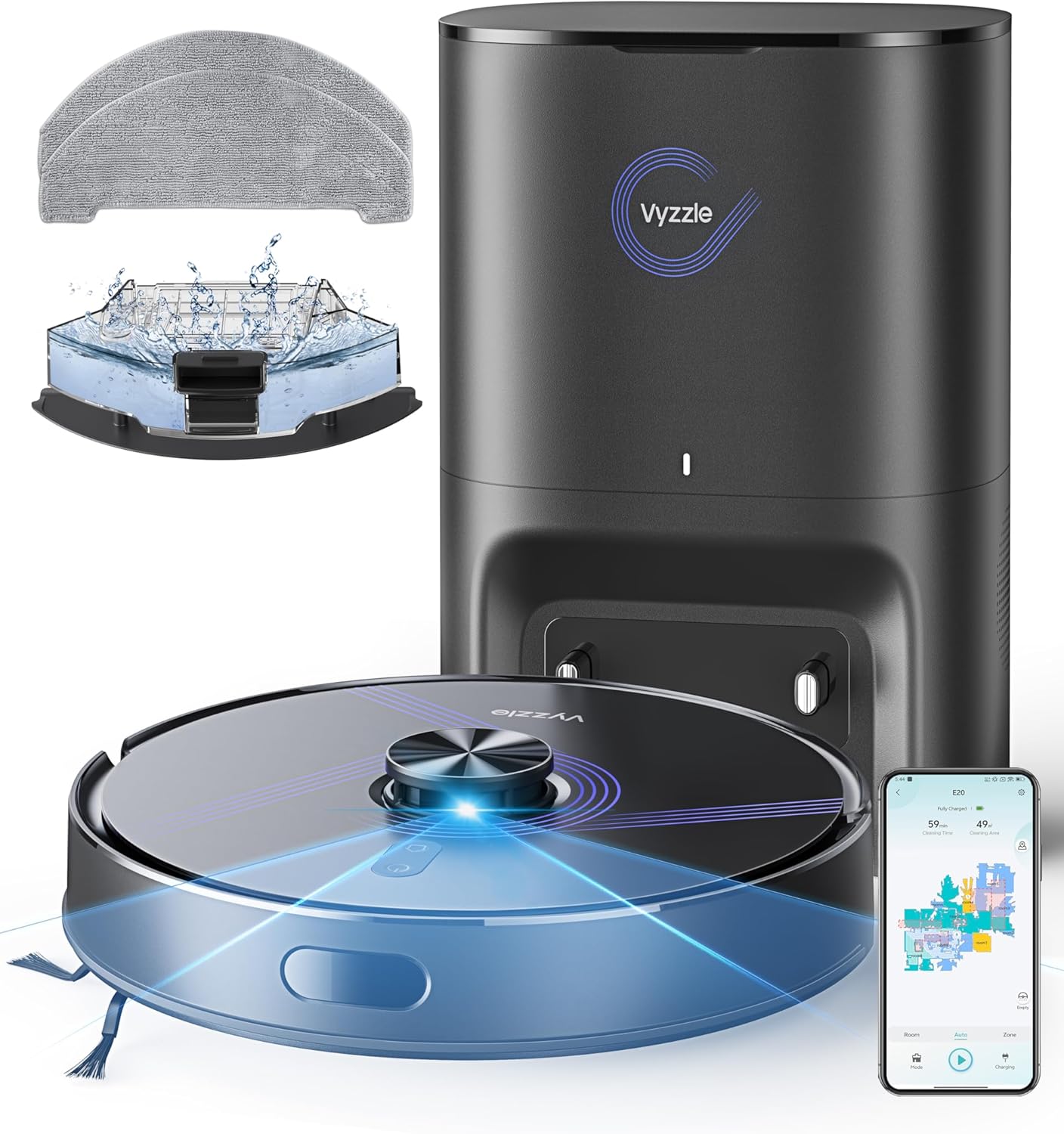
Image: Vyzzle E20 Robot Vacuum, Self-Emptying Station, and included accessories.

Image: The robot vacuum docked with the self-emptying station, illustrating the dust collection process into the 3.5L dust bag.
4. Configuració
4.1 Desembalatge
Carefully remove all components from the packaging. Remove any protective films or packing materials from the robot and charging station.
4.2 Col·locació de l'estació de càrrega
Place the self-emptying charging station against a wall in an open area, ensuring there is at least 0.5 meters of clear space on either side and 1.5 meters in front. Plug the station into a power outlet. Ensure the voltage és 110V-120V.
4.3 Càrrec inicial
Before first use, place the robot on the charging station and allow it to fully charge to 100%. This ensures optimal battery performance and longevity.
4.4 Instal·lació i connexió de l'aplicació
To utilize all smart features, download the Vyzzle app on your smartphone. The robot supports 2.4GHz Wi-Fi networks only.
- Download the Vyzzle app from your device's app store.
- Open the app and select "Add Device".
- If the device is not turned on, press and hold the "Power" button for 3 seconds to turn it on.
- To reset the device, press and hold the "Power" and "Recharge" buttons simultaneously for 5 seconds until the indicator light flashes.
- Follow the in-app instructions to connect via Bluetooth and then to your 2.4GHz Wi-Fi network.

Image: Step-by-step guide for connecting the E20 robot vacuum to the mobile application.
5. Funcionament
5.1 modes de neteja
The Vyzzle E20 offers 3-in-1 functionality: sweeping, vacuuming, and mopping. It can perform these tasks simultaneously or individually based on your selection.
- Sweep & Vacuum: Utilizes the main brush and side brushes to collect debris while suctioning.
- Només aspiradora: Focuses solely on suctioning dust and debris.
- Només fregona: Dispenses water from the 250ml water tank to clean hard floors. Customizable water levels (3 settings) are available via the app.

Image: Visual representation of the Vyzzle E20's switchable cleaning modes and components.
5.2 Potència de succió
The robot features up to 5500Pa of adjustable suction power. It includes an automatic carpet boost feature, which increases suction when carpet is detected for deeper cleaning. The device operates for up to 150 minutes on a full charge.
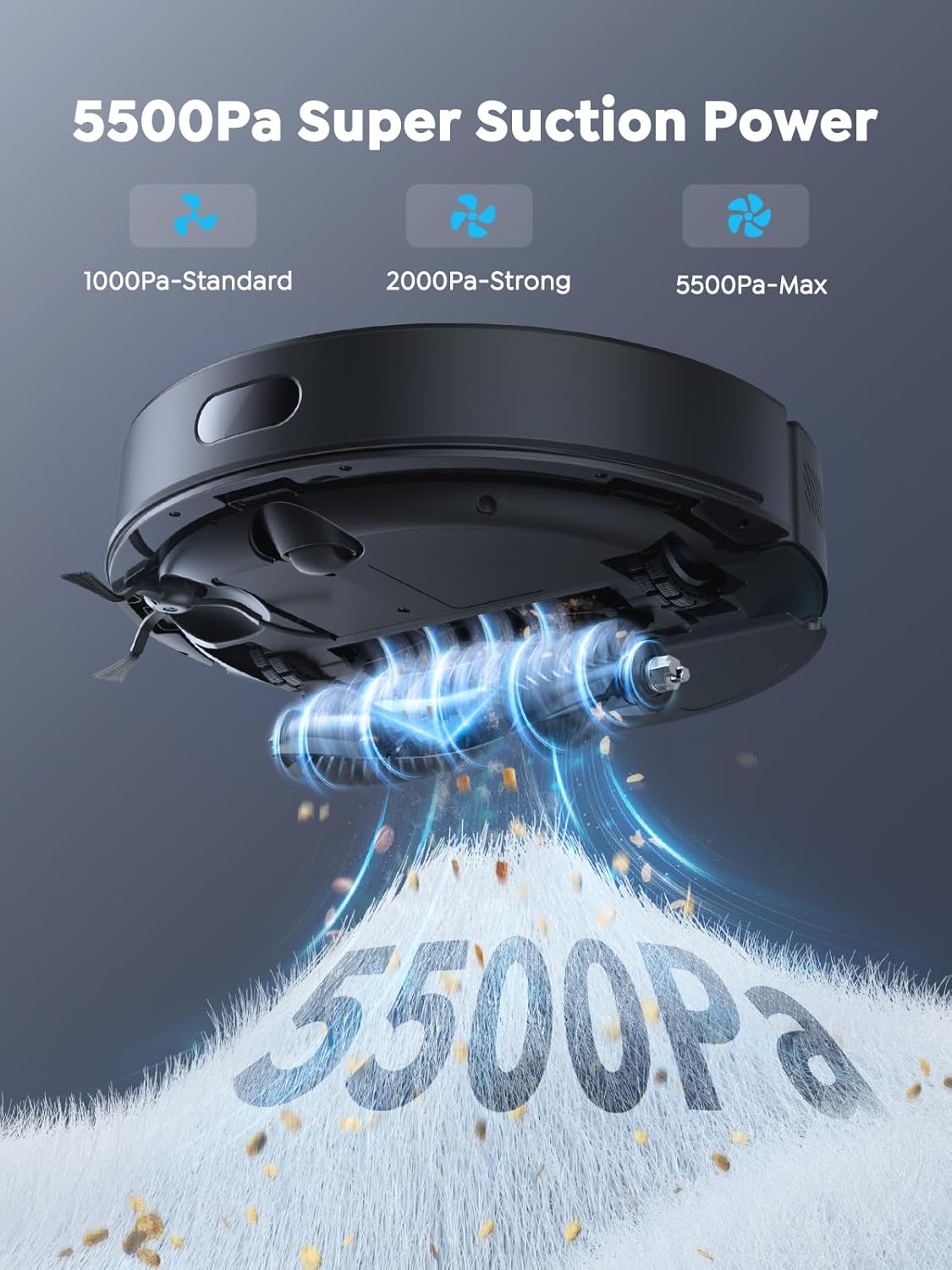
Image: Depiction of the robot vacuum's powerful 5500Pa suction, effectively cleaning various debris.
5.3 Navegació i cartografia
Equipped with advanced LiDAR navigation and collision sensors, the E20 creates accurate real-time maps of your home. It can store up to 3 maps for different floors, allowing for efficient and systematic cleaning routes, avoiding missed spots or repeated cleaning.
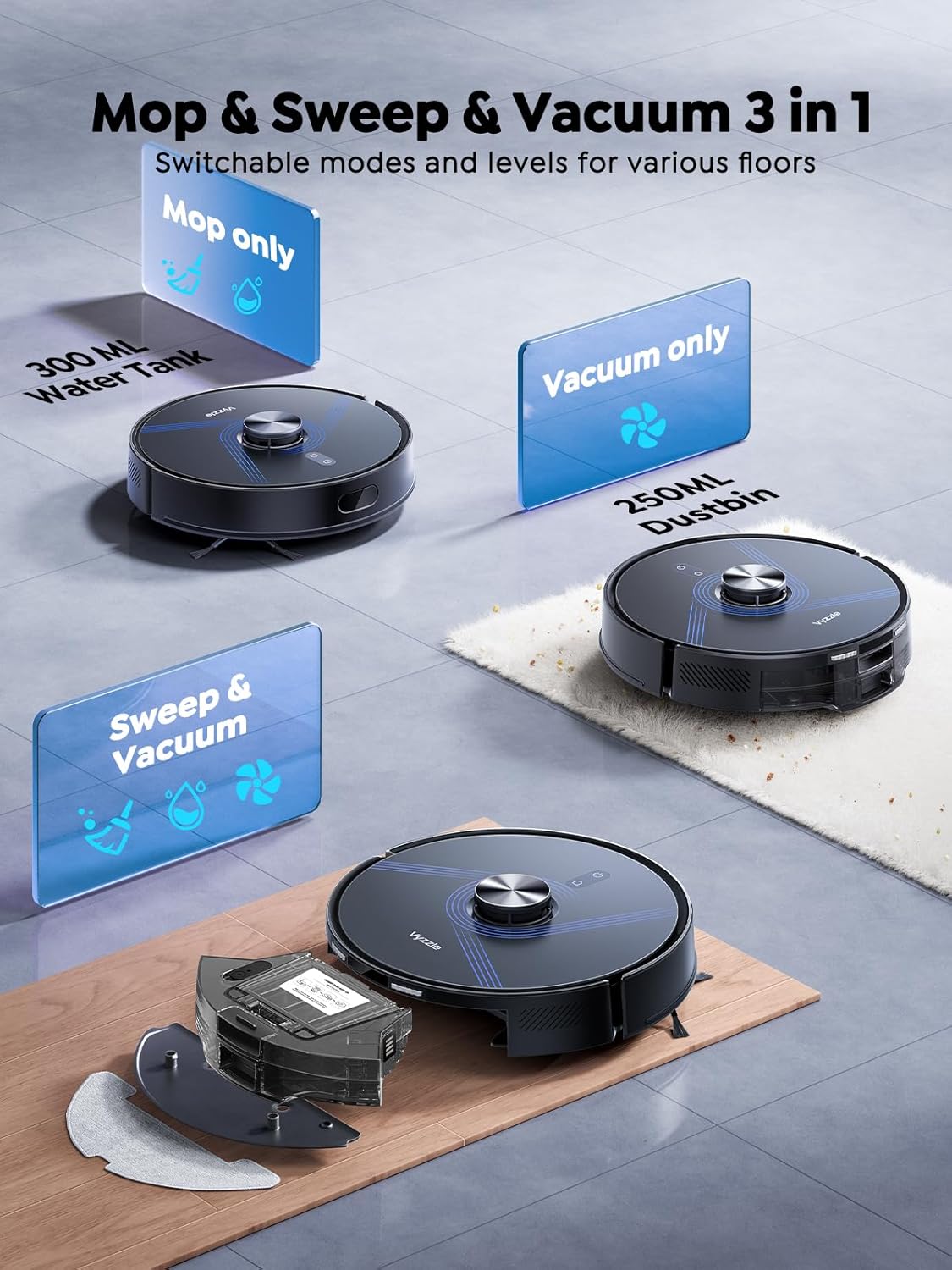
Image: The robot vacuum utilizing LiDAR technology to map and navigate a multi-floor home layout.
5.4 Customizable Cleaning Zones
Through the app, you can create custom cleaning tasks, set specific areas to clean or avoid (e.g., virtual no-go zones, no-mop zones), and adjust settings like suction power and water flow for different rooms or schedules. The robot can cross thresholds and obstacles up to 20mm.

Image: The mobile app displaying various cleaning zones and scheduled cleaning times for different areas of a home.

Image: The robot vacuum avoiding designated virtual wall areas, including no-go and no-mop zones.
5.5 Mètodes de control
Control your Vyzzle E20 using the mobile app, voice commands, or physical buttons on the robot.
- Control de l'aplicació: Set schedules, view real-time maps, create virtual no-go zones, and monitor cleaning progress.
- Control de veu: Compatible with Amazon Alexa and Google Assistant for starting cleaning tasks.
- Botons físics: Quick start and auto-recharge functions are available directly on the robot.

Image: A user interacting with the robot vacuum via voice command, compatible with smart home assistants.
5.6 Obstacle Avoidance and Auto-Recharge
The robot is equipped with cliff sensors and advanced anti-collision technology to safely navigate your home, avoiding stairs, furniture, and drop-offs. When the battery is low, the robot automatically returns to its charging station.

Image: The robot vacuum automatically returning to its charging dock when battery levels are low.

Image: The robot vacuum demonstrating its ability to cross obstacles up to 20mm and avoid collisions.
6. Manteniment
6.1 Self-Emptying Dust Bag
The 3.5L self-sealing dust bag in the charging station can hold debris for up to 60 days, minimizing the frequency of manual emptying and dust exposure.
6.2 Cubell d'escombraries i dipòsit d'aigua
The robot is equipped with a 300ml dustbin and a 250ml water tank. Regularly empty the dustbin and refill the water tank as needed. Clean both components with water and allow them to air dry completely before reinstallation.
6.3 Raspall de rodets
The roller brush features removable end caps, making it easier to clean tangled hair and debris. Regularly inspect and clean the roller brush to maintain optimal cleaning performance and extend the robot's lifespan.
6.4 filtres
The device uses HEPA filters. Clean the filters regularly by tapping them to remove dust. Replace filters every 3-6 months, or as needed, to ensure efficient filtration.
6.5 raspalls laterals
Inspect the side brushes for wear or damage. Remove any tangled hair or debris. Replace worn brushes to ensure effective edge cleaning.
6.6 Sensors i contactes de càrrega
Wipe the robot's sensors and charging contacts, as well as the charging station's contacts, with a dry cloth periodically to ensure proper function.
7. Solució De Problemes
If the robot encounters an issue, consult the following general troubleshooting steps:
- El robot no s'engega: Ensure the robot is fully charged and the power button is pressed. Check if the charging station is properly connected to power.
- Mal rendiment de neteja: Check and clean the dustbin, filters, roller brush, and side brushes. Ensure the water tank is filled for mopping.
- Robot que es queda encallat: Clear obstacles from the cleaning path. Ensure no-go zones are correctly set in the app.
- Problemes de connexió: Verify your Wi-Fi network is 2.4GHz. Restart the robot and your router. Re-attempt the app connection process.
- Sorolls inusuals: Inspect the main brush and side brushes for tangled hair or foreign objects.
For persistent issues, refer to the detailed troubleshooting section in the full product manual or contact customer support.
8. Especificacions
| Característica | Detall |
|---|---|
| Marca | Vyzzle |
| Nom del model | E20 |
| Dimensions del producte | 12.99 cm de llargada x 12.99 cm d'amplada x 3.93 cm d'alçada |
| Pes de l'article | 18.51 lliures |
| Color | Negre |
| Característiques especials | 360-Degree Swivel, Scheduling, Selective Room Cleaning, Simultaneous Vacuuming & Mopping, Anti-Collision, Anti-Fall, Automatic Dust Collection, Edge Cleaning, LiDAR Navigation, Smart Mapping, Multi-Floor Mapping, No-Go Zone, Obstacle Avoidance, Advanced Custom Cleaning, Low Noise, Pet Hair Pick Up, Self-Emptying |
| Tipus de filtre | Filtres HEPA |
| Durada de la bateria | 150 minuts |
| Font d'alimentació | Funciona amb bateria |
| Piles incloses | Yes (1 AAA battery required, included) |
| Mètode de control | App, Push Button, Voice |
| Dispositius compatibles | Amazon Echo, Google Home, telèfons intel·ligents |
| Factor de forma | Ronda |
| Any de fabricació | 2025 |
9. Garantia i Suport
Vyzzle is committed to product quality and customer satisfaction. For warranty information, technical support, or any questions regarding your Vyzzle E20 Robot Vacuum and Mop, please refer to the official Vyzzle website or contact their customer service directly. Contact details can typically be found in the product packaging or on the manufacturer's weblloc.


