1. Primers passos
1.1 Contingut del paquet
Assegureu-vos que tots els elements siguin presents al paquet:
- EZON Smart Watch
- Manual d'usuari
- Cable de càrrega magnètica
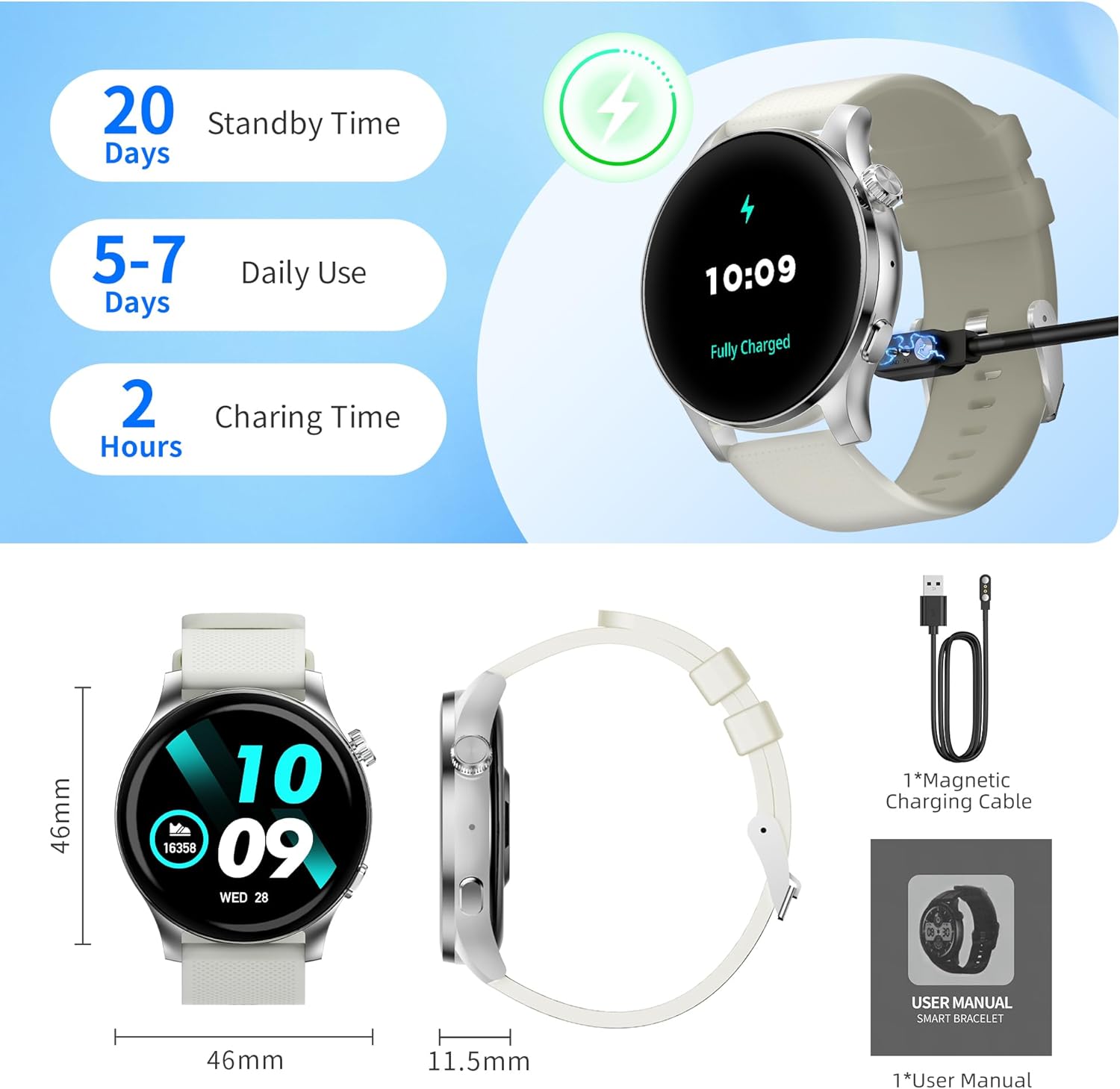
Image: EZON Smart Watch S8 and its accessories, including the watch, magnetic charging cable, and user manual.
1.2 Càrrega del dispositiu
Before first use, fully charge your EZON Smart Watch S8. Connect the magnetic charging cable to the charging points on the back of the watch and plug the USB end into a power adapter (not included) or computer USB port. The watch will display a charging indicator.
- Temps de càrrega: Aproximadament 2 hores per a una càrrega completa.
- Durada de la bateria: Up to 5-7 days of daily use, up to 20 days standby time.
Image: The EZON Smart Watch S8 connected to its magnetic charging cable, showing the charging process.
1.3 Encès/Apagat
- Per encendre: Long press the upper right button until the screen lights up.
- Per apagar: Long press the upper right button. A power-off confirmation screen will appear. Select 'X' to cancel or confirm to power off.
1.4 Connexió a l'aplicació
To unlock the full features of your EZON Smart Watch S8, download and connect to the companion app on your smartphone (Android or iOS).
- Scan the QR code in the watch manual or search for the "Wa Kit" app in your phone's app store.
- Instal·leu i obriu l'aplicació.
- Follow the in-app instructions to pair your watch via Bluetooth. Ensure Bluetooth is enabled on your phone.
2. Instruccions de funcionament
2.1 Navegació bàsica
- Pantalla activada/desactivada: Click the upper right button.
- Centre de control: Swipe down from the watch face to access quick settings like brightness, power saving mode, and flashlight.
- Notificacions de missatges: Llisca cap amunt des de l'esfera del rellotge fins a view recent notifications from your connected phone.
- Daily Functions: Swipe right from the watch face to access features like AI Voice, Timer, Alarm, Stopwatch, Find Phone, and Settings.
- Health Monitoring & Weather: Swipe left from the watch face to view health data (Heart Rate, Blood Pressure, SpO2, Sleep) and weather forecasts.
Video: This video demonstrates basic operations of the EZON Smart Watch S8, including powering on/off, navigating the interface, accessing control center, message notifications, health monitoring, and daily functions.
2.2 Canviar les esferes del rellotge
Personalize your watch with various watch faces:
- Using the Dial Button: Rotate the upper right dial button to cycle through available watch faces.
- Premta llarga de la pantalla: Long press the watch face, then swipe left or right to select a different face. Tap to confirm.
- Mitjançant l'aplicació: The "Wa Kit" app offers over 100 watch faces and allows you to upload your own photos or generate AI-powered designs.
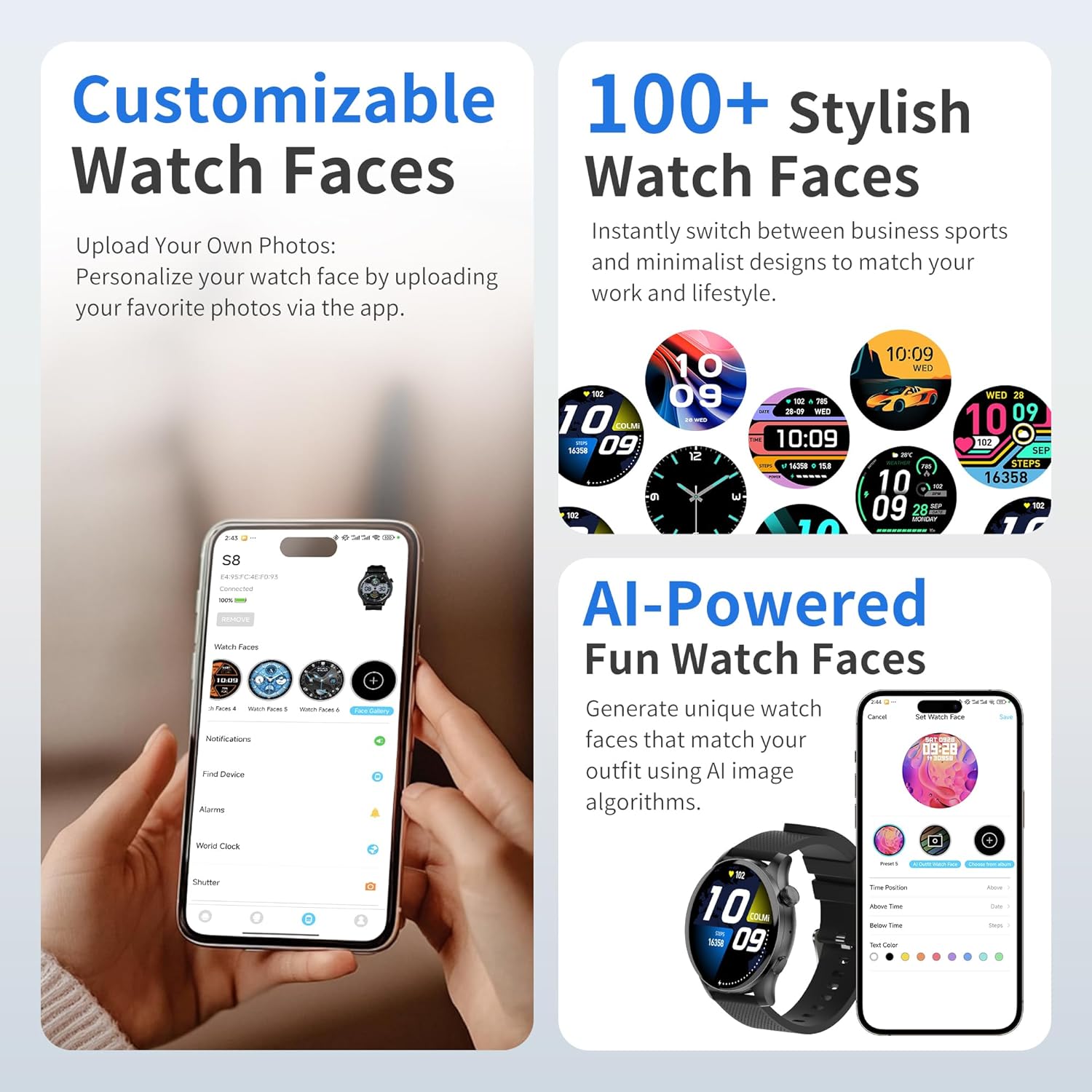
Image: The EZON Smart Watch S8 showcasing a selection of customizable watch faces, including options to upload personal photos or use AI-generated designs via the app.
Trucades Bluetooth 2.3
Once connected to the app, you can make and answer calls directly from your watch.
- Contestar trucades: When a call comes in, the watch will display the caller ID. Tap the green icon to answer.
- Fer trucades: Access the phone dialer, call records, or contacts list from the watch interface to initiate a call.
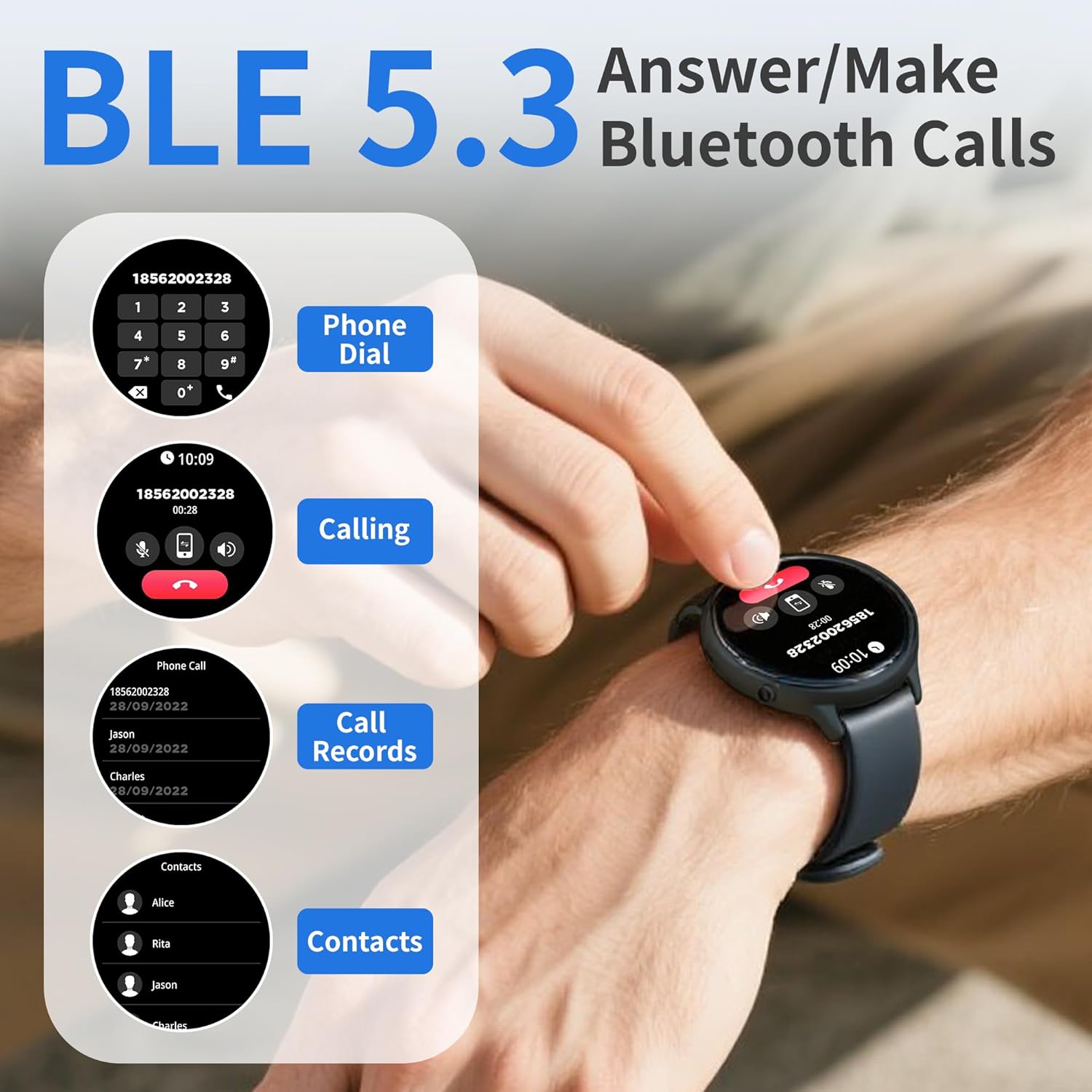
Image: A user interacting with the EZON Smart Watch S8 to use its Bluetooth calling functions, showing the phone dialer, call records, and contacts interface.
2.4 Notificacions intel·ligents
Receive instant alerts for messages, app notifications, and calls directly on your wrist when connected to your smartphone.
- Ensure notification permissions are enabled in the "Wa Kit" app and your phone settings.
- Llisca cap amunt des de l'esfera del rellotge fins a view el vostre historial de notificacions.

Image: The EZON Smart Watch S8 showing an incoming message notification from a social media application.
2.5 Assistent de veu d'IA
Activate your phone's smart voice assistant (e.g., Siri) directly from your watch to make calls, search for information, and set reminders.
- Access the AI Voice Assistant feature from the daily functions menu (swipe right from watch face).
- Tap to activate and speak your command.

Image: The EZON Smart Watch S8 displaying its AI Voice Assistant interface, ready to receive voice commands.
2.6 Control de música
Controla la reproducció de música al teu telèfon intel·ligent directament des del rellotge.
- Access the Music Control feature from the daily functions menu.
- Reprodueix, pausa, salta pistes i ajusta el volum.

Image: The EZON Smart Watch S8 displaying its music control interface, allowing users to manage playback on their connected smartphone.
3. Monitorització de la salut
The EZON Smart Watch S8 provides comprehensive health insights, tracking various metrics throughout the day.
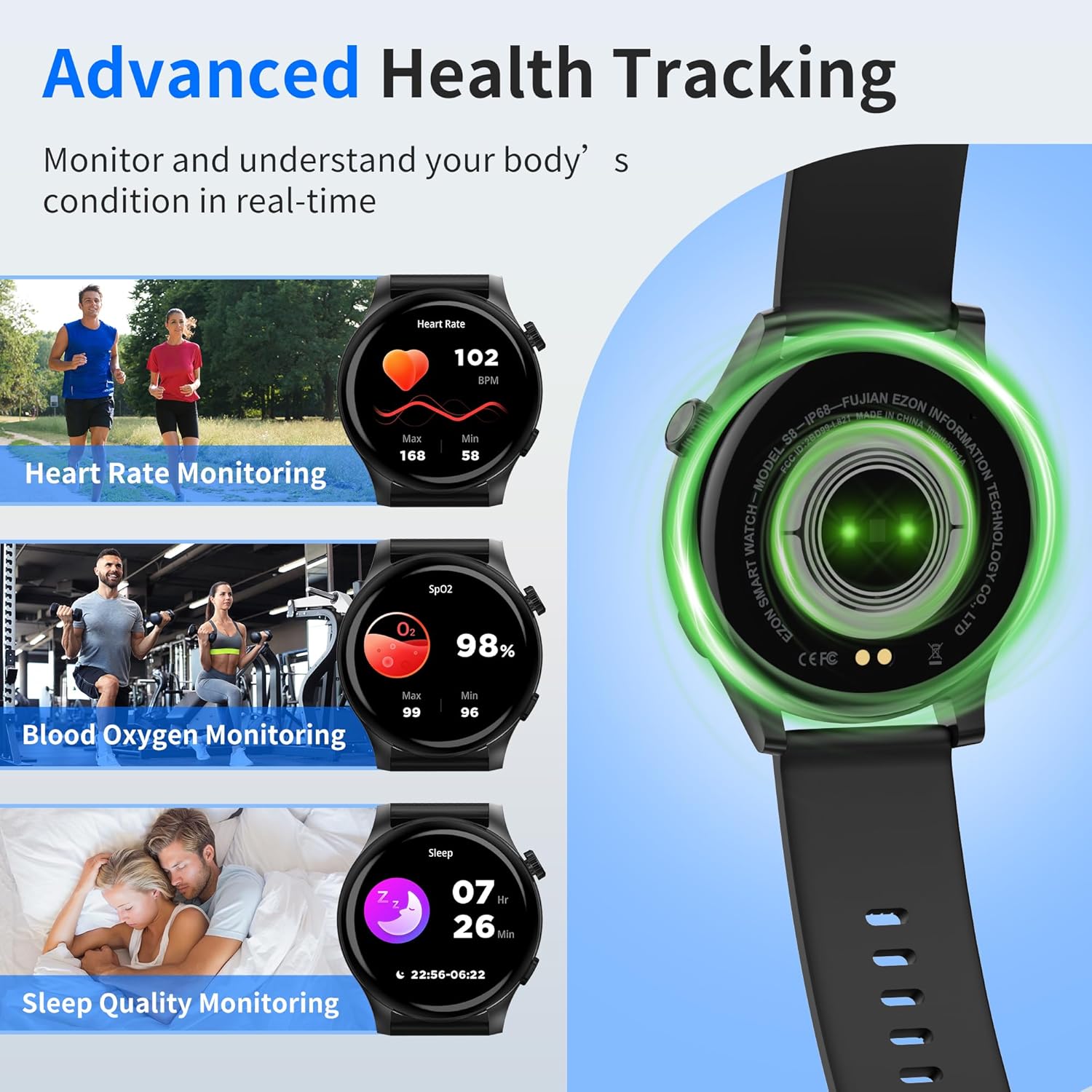
Image: The EZON Smart Watch S8 showing real-time data for heart rate, blood oxygen saturation (SpO2), and sleep quality monitoring.
3.1 Monitorització de la freqüència cardíaca
Continuously tracks your heart rate, providing real-time insights into your cardiovascular health. View your current heart rate, as well as historical data in the app.

Image: The EZON Smart Watch S8 displaying heart rate data, including current BPM and a graph of heart rate trends over time.
3.2 Monitorització de l'oxigen en sang (SpO2)
Monitors your blood oxygen levels to help ensure your vital indicators stay within a healthy range. Access current SpO2 readings and trends in the app.

Image: The EZON Smart Watch S8 displaying blood oxygen saturation (SpO2) levels, with current percentage and historical data.
3.3 Sleep Quality Monitoring
Tracks your sleep cycles, including awake time, REM sleep, light sleep, and deep sleep, to provide a better understanding of your sleep quality and help improve rest.

Image: The EZON Smart Watch S8 displaying sleep quality data, including duration of different sleep stages like awake, REM, light, and deep sleep.
3.4 Monitorització del cicle menstrual
The watch, in conjunction with the companion app, can assist in tracking menstrual cycles, providing predictions and reminders.

Image: The EZON Smart Watch S8 displaying its menstrual cycle tracking interface, showing a calendar view with cycle predictions.
4. Modes esportius
The EZON Smart Watch S8 features over 100 built-in sports modes to track various physical activities. Each mode provides specific metrics relevant to the activity.
- Accés als modes esportius: Press the lower right button on the watch to enter the sports mode menu.
- Selecting an Activity: Scroll through the list and tap on your desired activity (e.g., Walking, Running, Cycling, Swimming, Yoga, Basketball, Football, etc.).
- Seguiment: The watch will begin tracking your duration, steps, calories burned, heart rate, and other relevant data.

Image: The EZON Smart Watch S8 showing a selection of over 100 sports modes, including icons for walking, running, cycling, and more, alongside activity tracking data.
5. Especificacions
| Característica | Detall |
|---|---|
| Marca | EZON |
| Nom del model | S8 |
| Mida de la pantalla | AMOLED d'1.43 polzades |
| Forma | Ronda |
| Sistema operatiu | RTOS |
| Tecnologia de connectivitat | Bluetooth (BLE 5.3) |
| Característiques especials | Activity Tracker, Daily Workout Memory, Notifications, Phone Call, Touchscreen, Heart Rate, SpO2, Sleep Monitor, AI Voice Assistant, 100+ Sports Modes |
| Classificació impermeable | IP68 |
| Durada de la bateria (ús típic) | 5-7 dies |
| Temps d'espera | Fins a 20 dies |
| Temps de càrrega | Aprox. 2 hores |
| Pes de l'article | 6.3 unces (180 grams) |
| Compatibilitat | Dispositius Android i iOS |
6. Manteniment
6.1 Neteja
- Netegeu el rellotge i la corretja regularment amb un drap suau i sec.amp tela.
- Assegureu-vos que els contactes de càrrega de la part posterior del rellotge estiguin nets i secs abans de carregar-lo.
- Eviteu utilitzar productes químics o materials abrasius per netejar.
6.2 Resistència a l'aigua (IP68)
The EZON Smart Watch S8 is IP68 waterproof, meaning it is resistant to dust and can withstand immersion in water up to 1.5 meters for up to 30 minutes. It is suitable for daily use, hand washing, and light rain. However, it is not recommended for hot showers, saunas, or diving, as steam and high water pressure can compromise the seal.
- Asseca bé el rellotge després de l'exposició a l'aigua.
- No accioneu els botons sota l'aigua.
6.3 Emmagatzematge
Guardeu el rellotge en un lloc fresc i sec quan no l'utilitzeu. Eviteu temperatures extremes.
7. Solució De Problemes
- Watch does not turn on: Assegura't que el rellotge estigui completament carregat. Connecta'l al carregador magnètic durant almenys 10 minuts.
- No es pot emparellar amb el telèfon:
- Assegureu-vos que el Bluetooth estigui habilitat al vostre telèfon.
- Assegureu-vos que el rellotge estigui dins de l'abast del telèfon.
- Reinicia tant el rellotge com el telèfon.
- Check if the "Wa Kit" app has necessary permissions.
- Sense notificacions:
- Verify the watch is connected to the app.
- Check notification settings in the "Wa Kit" app and your phone's system settings.
- Assegureu-vos que l'aplicació s'executa en segon pla.
- Dades de salut inexactes:
- Assegureu-vos de portar el rellotge ben ajustat al canell, ni massa ajustat ni massa fluix.
- Netegeu el sensor de la part posterior del rellotge.
- Note that smartwatches are not medical devices and data is for reference only.
- La pantalla no respon: Restart the watch by long-pressing the upper right button.
8. Garantia i Suport
EZON is committed to providing quality products and customer satisfaction.
- Suport de per vida: Access to ongoing customer assistance.
- Resposta en 24 hores: Espereu una resposta a les consultes en un termini de 24 hores.
- Política de devolució de 30 dies: Eligible for returns within 30 days of purchase.
- Substitució gratuïta durant 1 any: Product replacement for manufacturing defects within one year.
Per obtenir més ajuda, visiteu el EZON Official Store o poseu-vos en contacte amb el servei d'atenció al client.


