1. Introducció
The Soundcore Sleep A30 earbuds are designed to provide a tranquil sleep environment through advanced noise cancellation and adaptive sound technologies. This manual provides detailed instructions for setting up, operating, and maintaining your Sleep A30 earbuds to ensure optimal performance and comfort.

Image: Soundcore Sleep A30 earbuds and their charging case, highlighting their compact design.
2. Què hi ha a la caixa
Verifiqueu que tots els components siguin presents al vostre paquet:
- Soundcore Sleep A30 Earbuds (1 pair)
- Estoig de càrrega (1)
- Cable USB-C (1)
- Ear Tips: XXS, XS, S, M (pre-installed), L, XL (6 pairs total)
- Ear Wings: S, M (pre-installed), L (3 pairs total)
Image: All components included in the Soundcore Sleep A30 package, laid out for inspection.
3. Configuració
3.1. Choosing the Right Fit
Selecting the correct ear tips and ear wings is crucial for comfort and effective noise cancellation. Experiment with different sizes to find the best seal and most comfortable fit for your ears, especially if you are a side sleeper.
Image: A diagram illustrating the proper insertion angle for the earbuds and the various ear tip and wing options.
3.2. Càrrega
Before first use, fully charge the earbuds and the charging case. Connect the USB-C cable to the charging case and a power source. The LED indicators on the case will show the charging status.
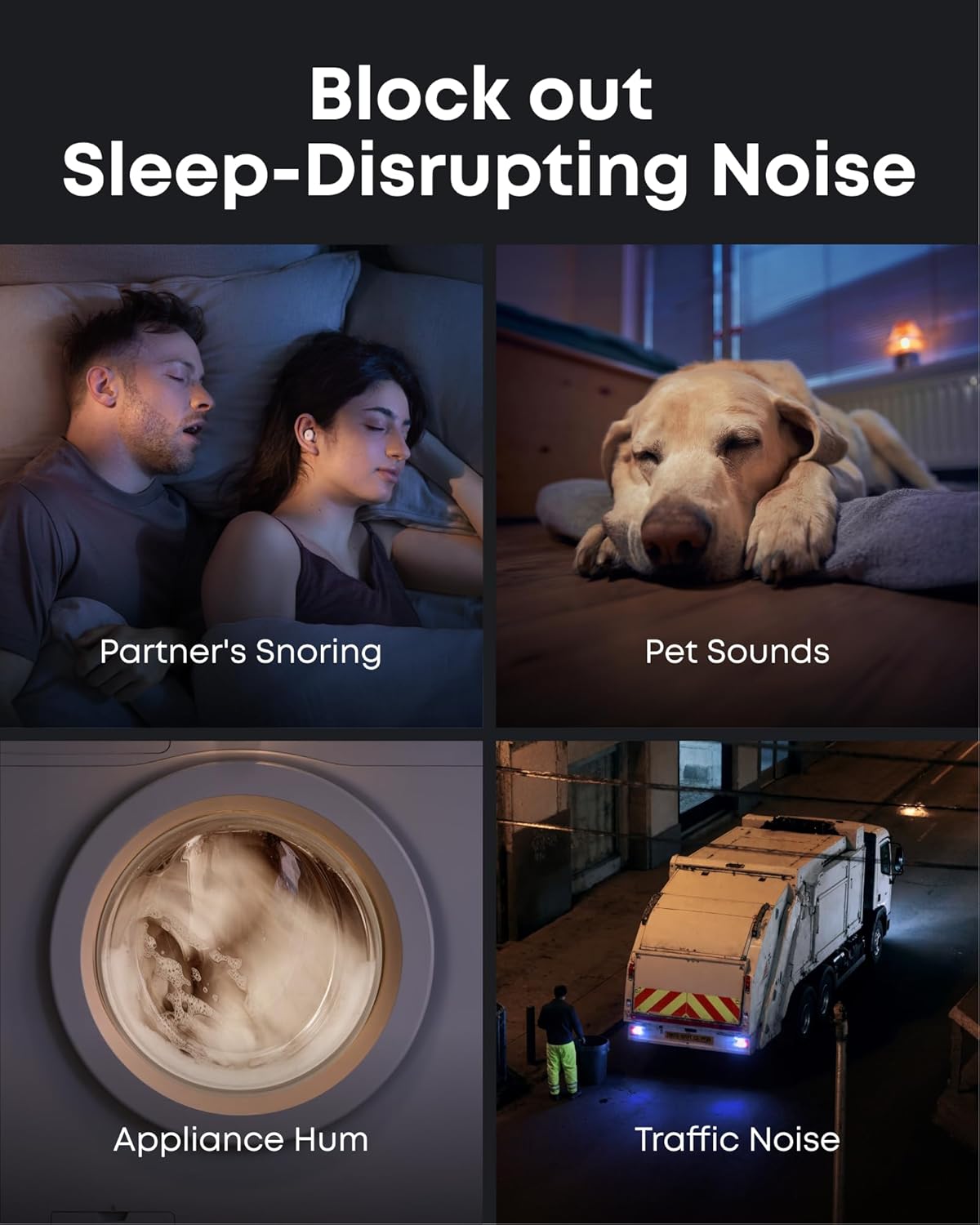
Image: Soundcore Sleep A30 earbuds resting in their open charging case, ready for charging.
3.3. Emparellament Bluetooth
Open the charging case. The earbuds will automatically enter Bluetooth pairing mode. On your device, enable Bluetooth and select "Soundcore Sleep A30" from the list of available devices.
3.4. Soundcore App Installation
Download the Soundcore app from your device's app store. The app provides access to advanced features, sound customization, sleep tracking, and firmware updates.
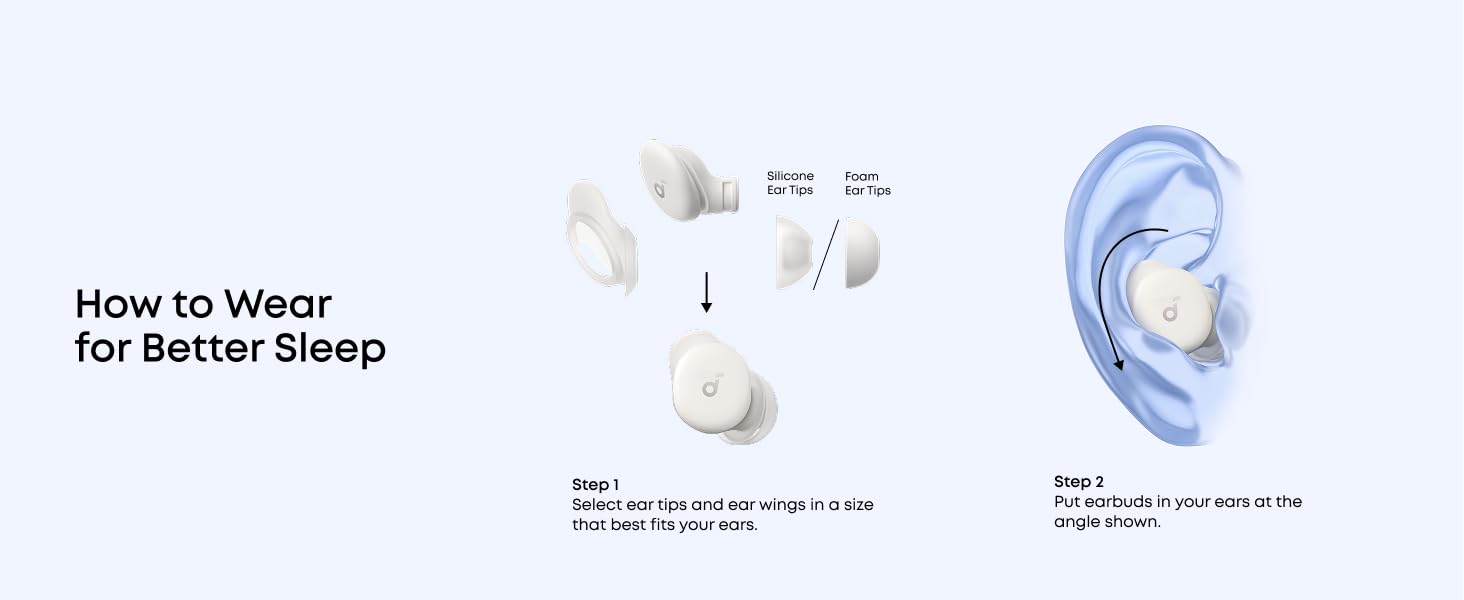
Image: Screenshots of the Soundcore app interface, demonstrating options for customizing your sleep journey.
4. Instruccions de funcionament
4.1. Encendre/apagar
The earbuds power on automatically when removed from the charging case and power off when placed back inside and the case is closed.
4.2. Toqueu Controls
The Sleep A30 earbuds feature touch-sensitive controls. Customize these controls via the Soundcore app for actions such as playing/pausing audio, adjusting volume, or switching noise control modes.
4.3. Noise Control
The Sleep A30 utilizes Smart Active Noise Cancelling (ANC) with Ear Canal Adaptation Technology to reduce ambient noise. It also features a Passive Noise Cancellation (PNC) system for high-frequency sounds.

Image: Visual representation of the earbuds blocking common sleep-disrupting noises like snoring, pet sounds, appliance hum, and traffic noise.
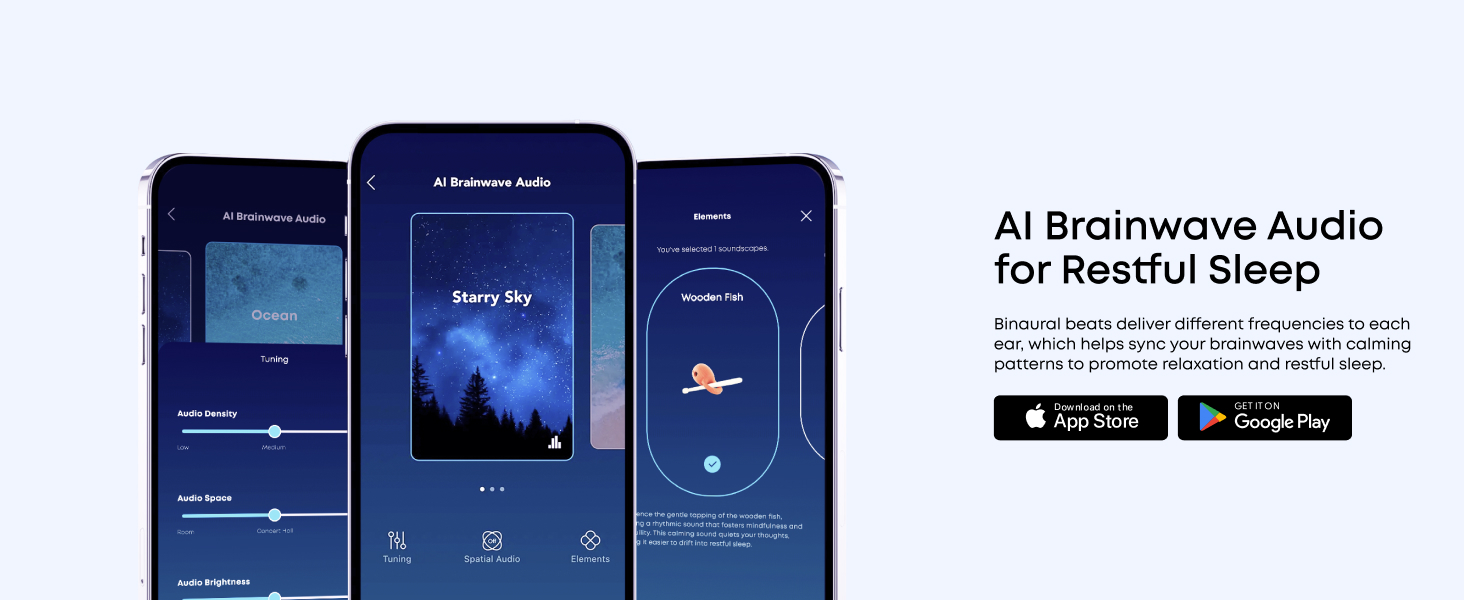
Image: An exploded diagram illustrating the components of the Dual Noise Cancellation System, including ANC and PNC elements.
4.4. Adaptive Snore Masking System
The charging case monitors and analyzes snoring sounds in real-time. The earbuds then constantly optimize the snore-masking audio to ensure you remain undisturbed. For best results, place the charging case within 5 feet (1.5 m) of the snorer.

Image: A visual explanation of the 3-Stage Snore Masking System, showing the snore-tracking case, adaptive snore-masking audio, and memory foam ear tips working together.
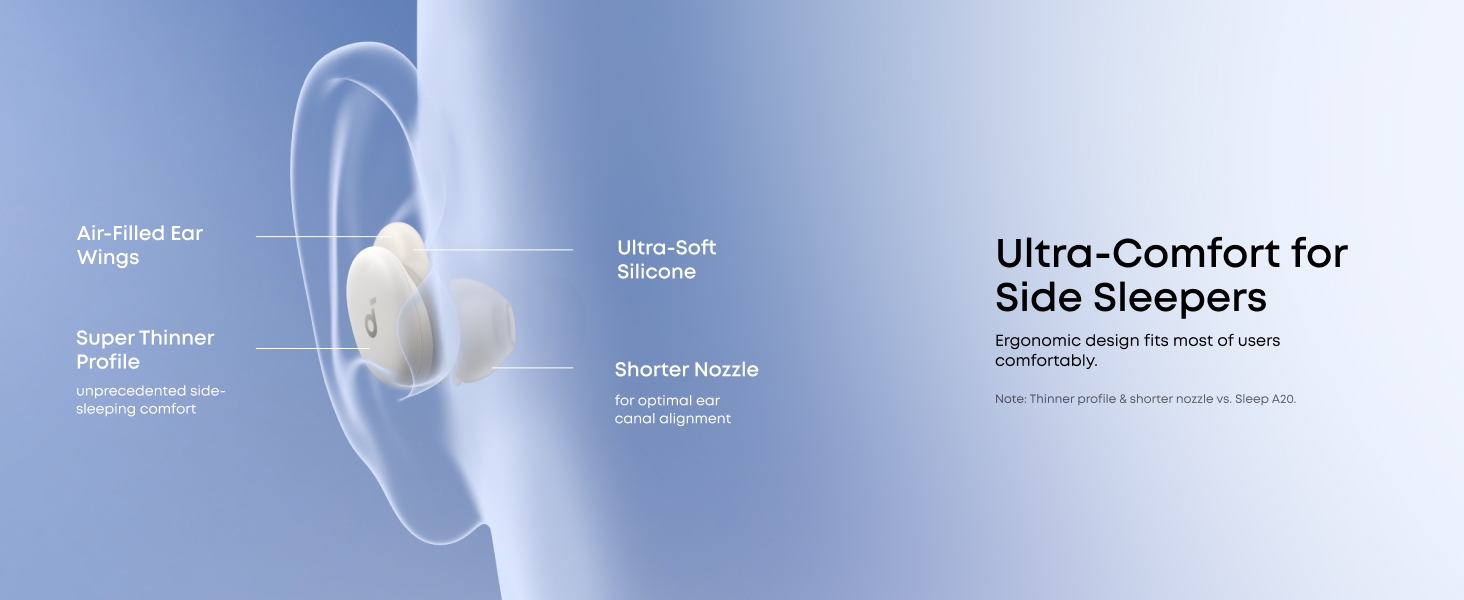
Image: The charging case emitting sound waves, indicating its real-time snore-tracking capability.
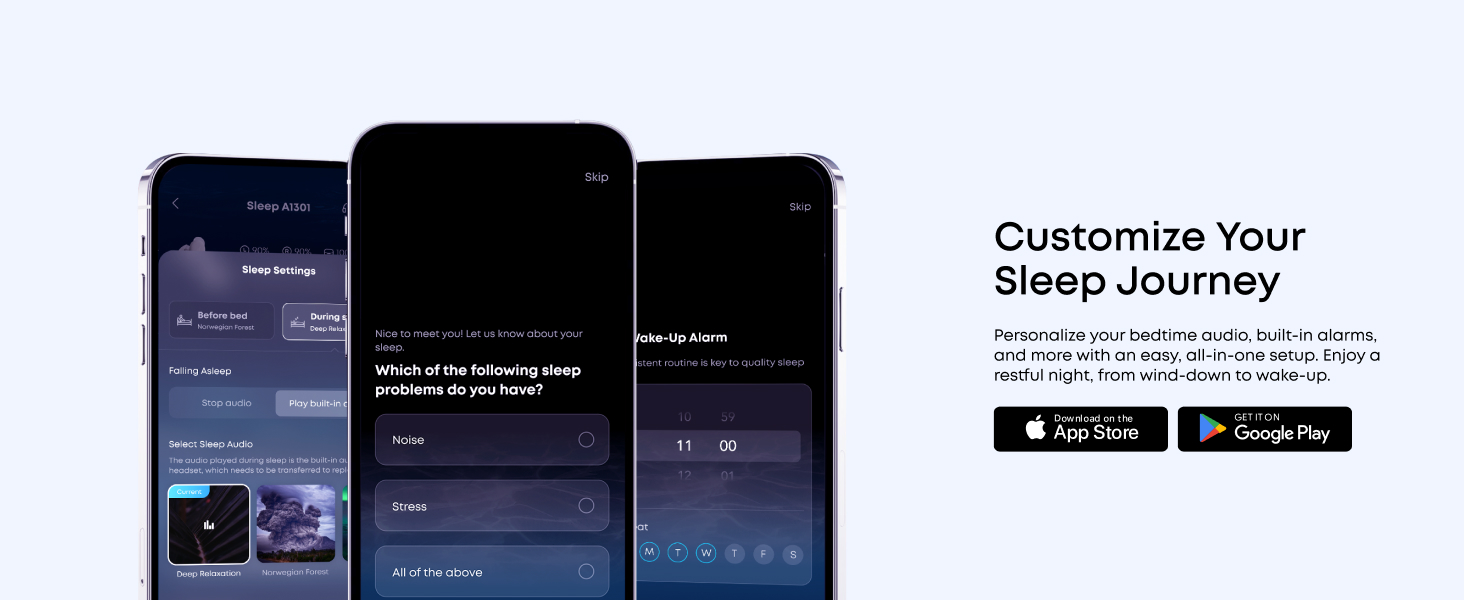
Image: A woman sleeping peacefully with the earbuds, while sound waves illustrate the snore masking system in action.
4.5. AI Brainwave Audio
The earbuds utilize binaural beats to deliver different frequencies to each ear, helping to sync your brainwaves with calming patterns to promote relaxation and restful sleep. Access various brainwave audio options through the Soundcore app.
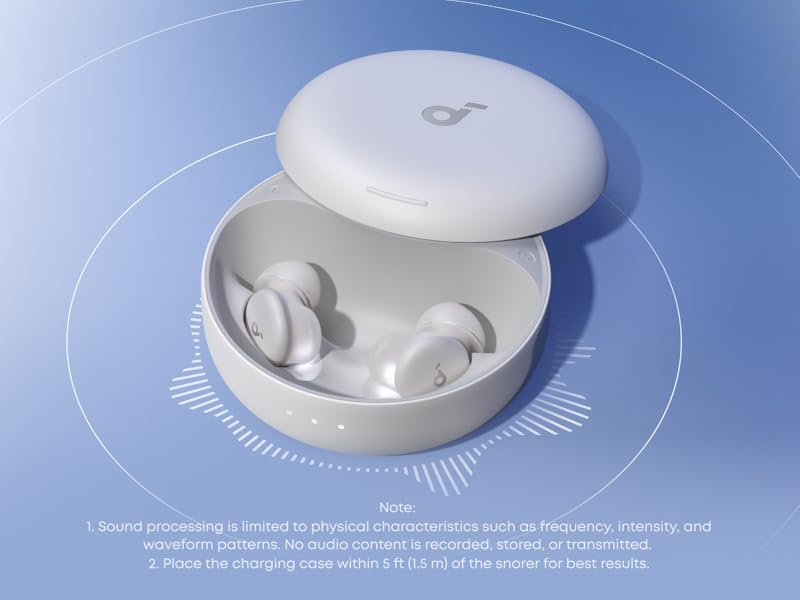
Image: The Soundcore app displaying various AI Brainwave Audio soundscapes like 'Ocean' and 'Starry Sky', with tuning options.
4.6. Ultra-Comfort for Side Sleepers
The Sleep A30 earbuds are designed with ultra-soft silicone, short nozzles, and a lightweight, slim profile to relieve pressure, making them comfortable for side sleepers. The ergonomic shape is based on 3D mapping of thousands of ear canals for a universal comfortable fit.
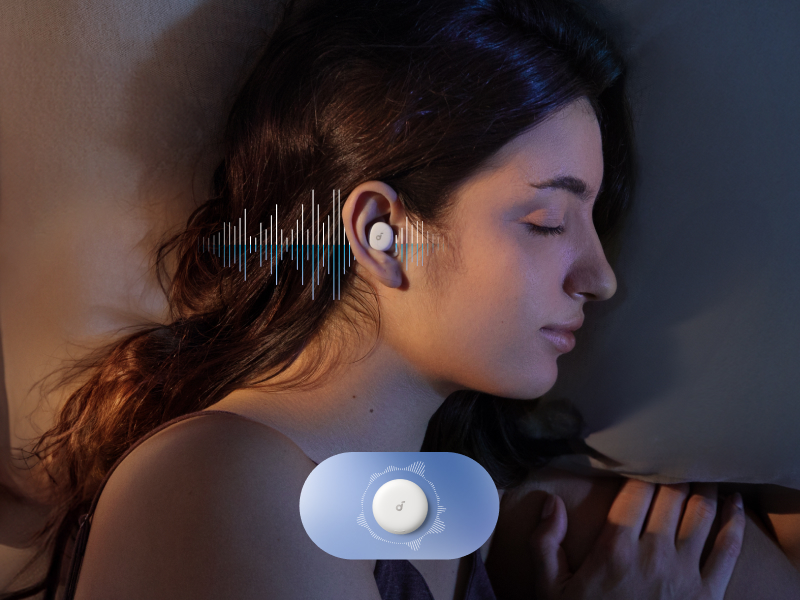
Image: A woman sleeping on her side, demonstrating the comfortable fit of the earbuds for side sleepers.
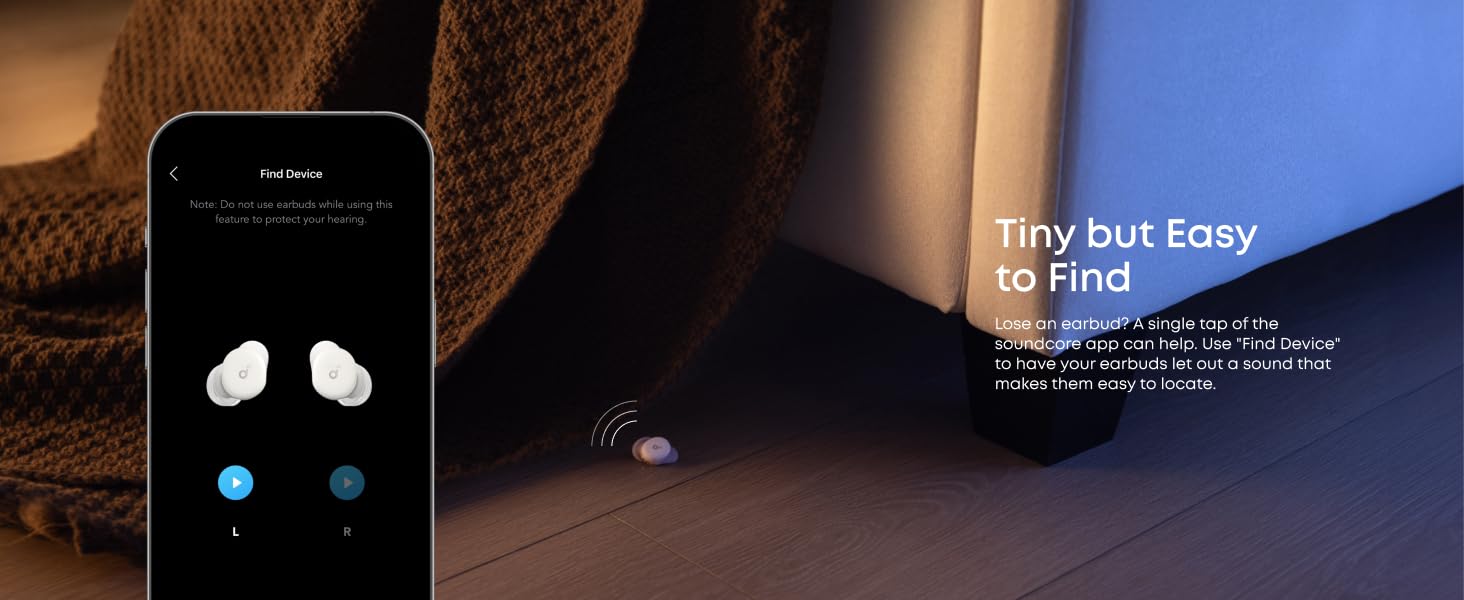
Image: A detailed diagram highlighting the design features that contribute to ultra-comfort for side sleepers, including air-filled ear wings, ultra-soft silicone, and a shorter nozzle.

Imatge: Una secció transversal view of the earbud, showing the soft silicone, memory foam core, and ultra-thin coating for enhanced comfort.
4.7. Sleep Customization
The Soundcore app allows you to personalize your bedtime audio, set sleep reminders, and configure built-in alarms for a tailored sleep experience.
4.8. Find Device Feature
If an earbud is misplaced, use the "Find Device" feature in the Soundcore app to make it emit a sound, aiding in its location.
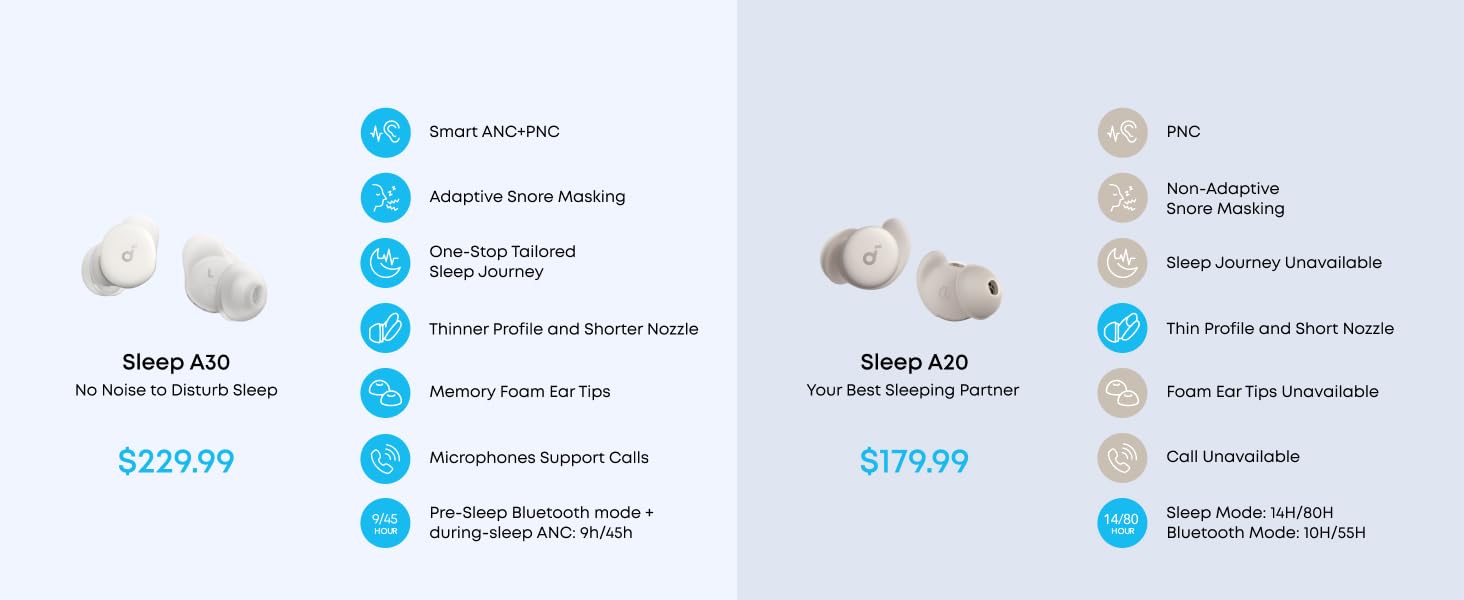
Image: The Soundcore app's 'Find Device' screen, showing left and right earbud icons and a visual of a lost earbud under a bed.
4.9. Vídeo del producte
Video: Official product video for Soundcore Sleep A30, demonstrating key features and usage scenarios.
5. Manteniment
5.1. Neteja
Regularly clean the earbuds and charging case with a soft, dry cloth. For ear tips, remove them and clean with mild soap and water, then dry thoroughly before reattaching.
5.2. Emmagatzematge
Quan no els utilitzeu, guardeu els auriculars a la seva funda de càrrega per protegir-los i mantenir la durada de la bateria.
6. Solució De Problemes
If you encounter any issues with your Soundcore Sleep A30 earbuds, refer to the following common problems and solutions:
| Problema | Solució |
|---|---|
| Els auriculars no es carreguen | Assegureu-vos que el cable de càrrega estigui ben connectat i que la font d'alimentació estigui activa. Netegeu els contactes de càrrega tant dels auriculars com de la funda. |
| No es pot emparellar amb el dispositiu | Ensure earbuds are in pairing mode (open case). Turn off and on Bluetooth on your device. Forget the device in your Bluetooth settings and re-pair. |
| Mala cancel·lació del soroll | Ensure you have selected the correct size ear tips and ear wings for a snug fit. Check for any obstructions in the earbud nozzles. |
| Problemes de qualitat del so | Check the audio source. Ensure earbuds are clean. Try resetting the earbuds (refer to the full user guide for specific reset instructions). |
Per a una resolució de problemes més detallada, consulteu el servei oficial Guia de resolució de problemes (PDF).
7. Especificacions
- Nom del model: Dormir A30
- Control de soroll: Cancel·lació adaptativa del soroll
- Connectivitat: Sense fil (Bluetooth 5.3)
- Rang Bluetooth: 15 metres
- Resposta de freqüència: 20 kHz
- Durada de la bateria: Fins a 9 hores (auriculars), fins a 45 hores (amb funda de càrrega)
- Temps de càrrega: 1.5 hores (auriculars)
- Material: Plàstic
- Pes de l'article: 103.5 grams (total)
- Dimensions del producte: 2.56 x 2.56 x 1.18 polzades (estoig de càrrega)
- Nivell de resistència a l'aigua: Impermeable
- Tipus de control: Control tàctil
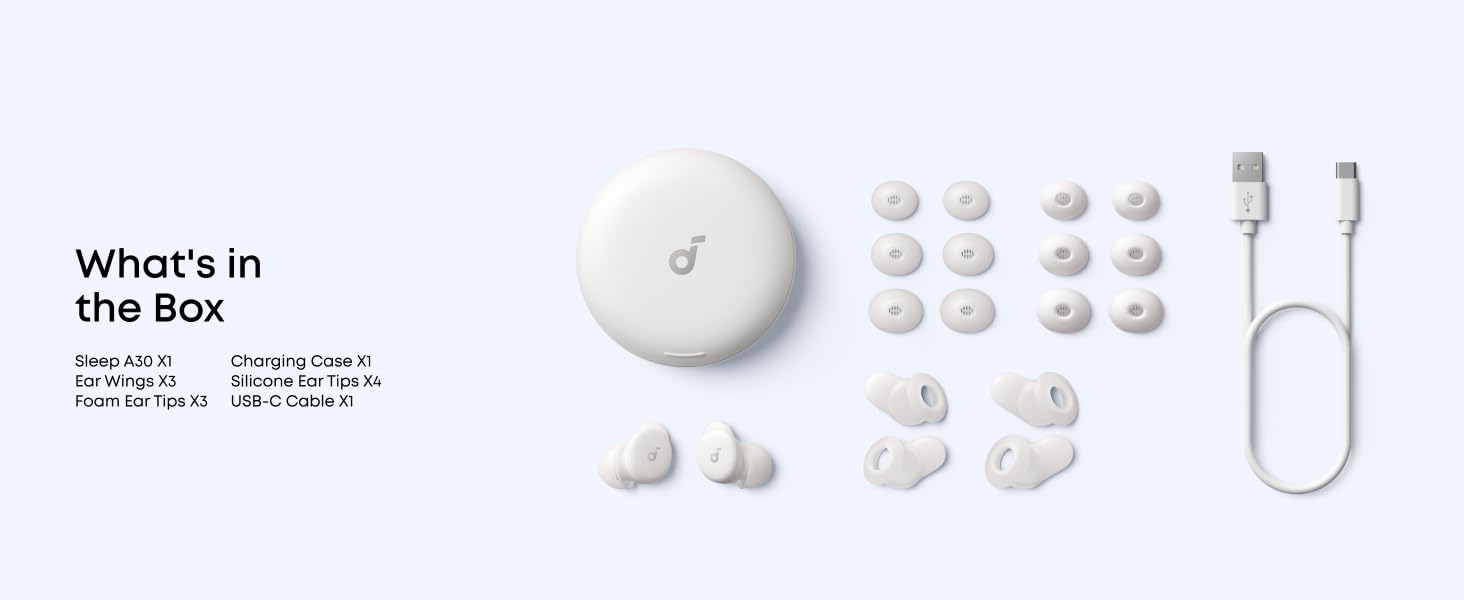
Image: A graphic illustrating the 9 hours of playtime per charge and 45 hours total with the charging case.
8. Informació important de seguretat
To prevent damage or injury, always adhere to the following safety guidelines:
- No exposar a temperatures extremes.
- Avoid dropping or subjecting to strong impacts.
- Mantenir fora de l'abast dels nens i mascotes.
- No desmunteu ni intenteu reparar el dispositiu.
- Feu servir només els cables i adaptadors de càrrega especificats.
- Eviteu utilitzar-lo a volums excessivament alts durant períodes prolongats per evitar danys auditius.
9. Garantia i Suport
Soundcore products come with a limited warranty. For detailed warranty information, product support, or to access the full user guide, please visit the official Soundcore weblloc web o consulteu els documents PDF proporcionats:


