Introducció
Thank you for choosing the Maxfree Dual Portable Monitor M4. This manual provides essential information for setting up, operating, and maintaining your new dual monitor system. Please read this manual thoroughly before use to ensure optimal performance and longevity of your device.
Producte acabatview
The Maxfree Dual Portable Monitor M4 is designed to expand your workspace with two 15.6-inch 1080P FHD IPS displays. Its folding design enhances portability, making it ideal for travel and various work environments.

Image: The Maxfree Dual Portable Monitor M4, featuring two 15.6-inch screens in an open, stacked configuration, ready for use.
Característiques principals:
- Dual 15.6-inch 1080P FHD IPS Displays
- Plug & Play USB-C Connectivity
- Folding Design for Portability
- Matte Screen with Anti-glare, No Flicker, and Eye Care Functions
- Gamma de colors 100% sRGB
- Multiple Display Modes and 330° Rotation
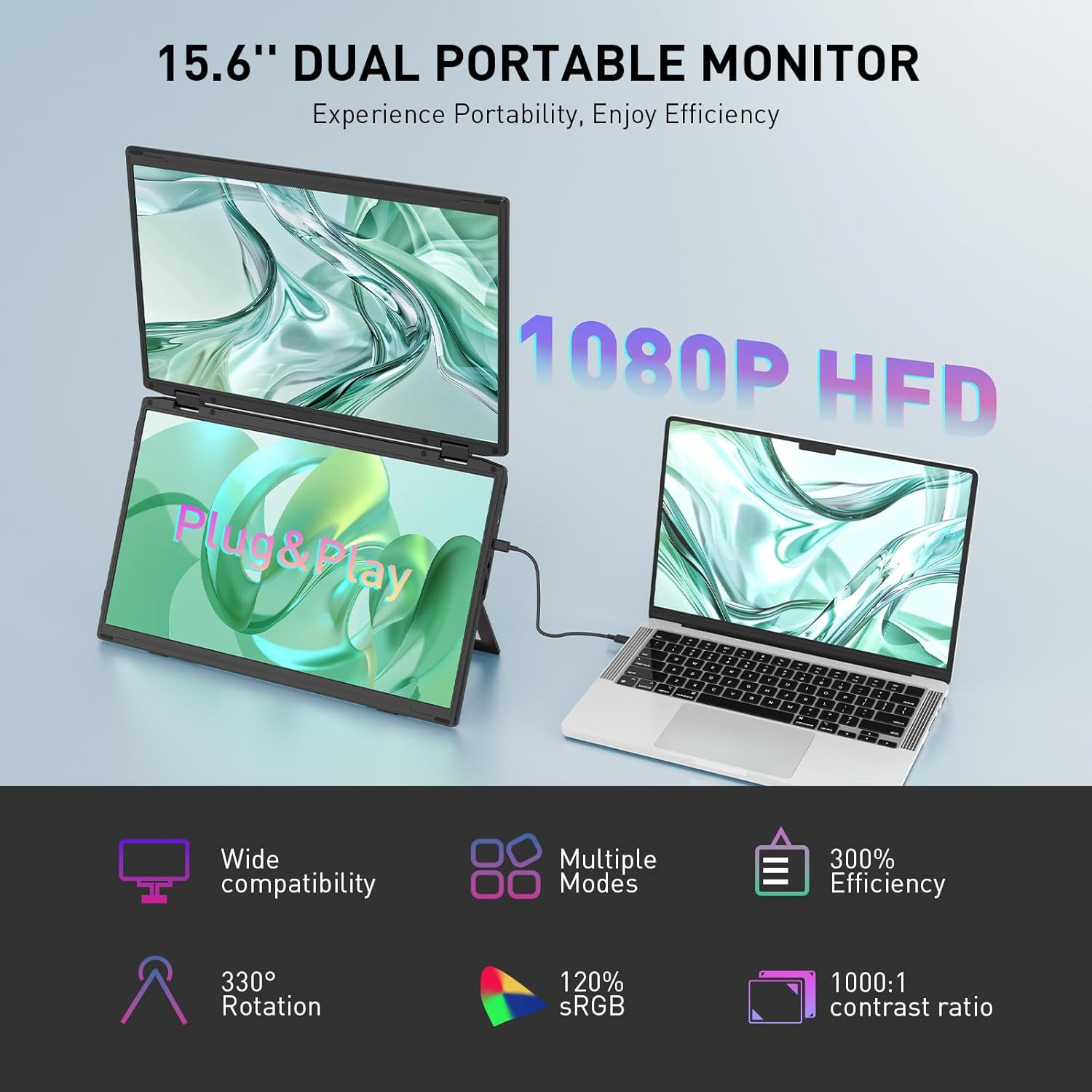
Image: The Maxfree Dual Portable Monitor M4 connected to a laptop, illustrating its plug-and-play functionality and various display modes.
Instruccions de configuració
- Desempaquetar el monitor: Traieu amb cura el monitor i tots els accessoris de l'embalatge.
- Posicioneu el monitor: Place the monitor on a stable, flat surface. Adjust the integrated stand to your desired viewangle de ing.
- Connect to Power (Recommended): For optimal performance, connect the monitor to a power source using the provided USB-C power adapter (if included) or a compatible USB-C port on your device that supports power delivery.
- Connecta't al dispositiu:
- Connexió USB-C: Connect one end of the provided USB-C cable to the monitor's USB-C port and the other end to a full-featured USB-C port on your laptop or PC. This single cable can transmit video, audio, and power.
- HDMI + USB-A Connection (if applicable): If your device does not have a full-featured USB-C port, you may need to use an HDMI cable for video and a USB-A to USB-C cable for power and touch functionality (if supported by your model). Refer to your device's manual for specific port requirements.
- Encès: Press the power button on the monitor. Your device should automatically detect and extend the display.
- Ajusteu la configuració de la pantalla: On your computer, navigate to Display Settings to configure the dual monitors (e.g., extend, duplicate, arrange displays).
Instruccions de funcionament
Modes de visualització:
The Maxfree Dual Portable Monitor supports various display modes to enhance productivity:
- Mode estès: Expands your desktop across both screens, providing a larger workspace. This is ideal for multitasking.
- Mode duplicat: Mirrors your primary display onto the portable monitors. Useful for presentations or sharing content.
- Disseny vertical: The unique vertical stacking design minimizes scrolling and page switching, reducing eye and neck fatigue, especially for document review or coding.
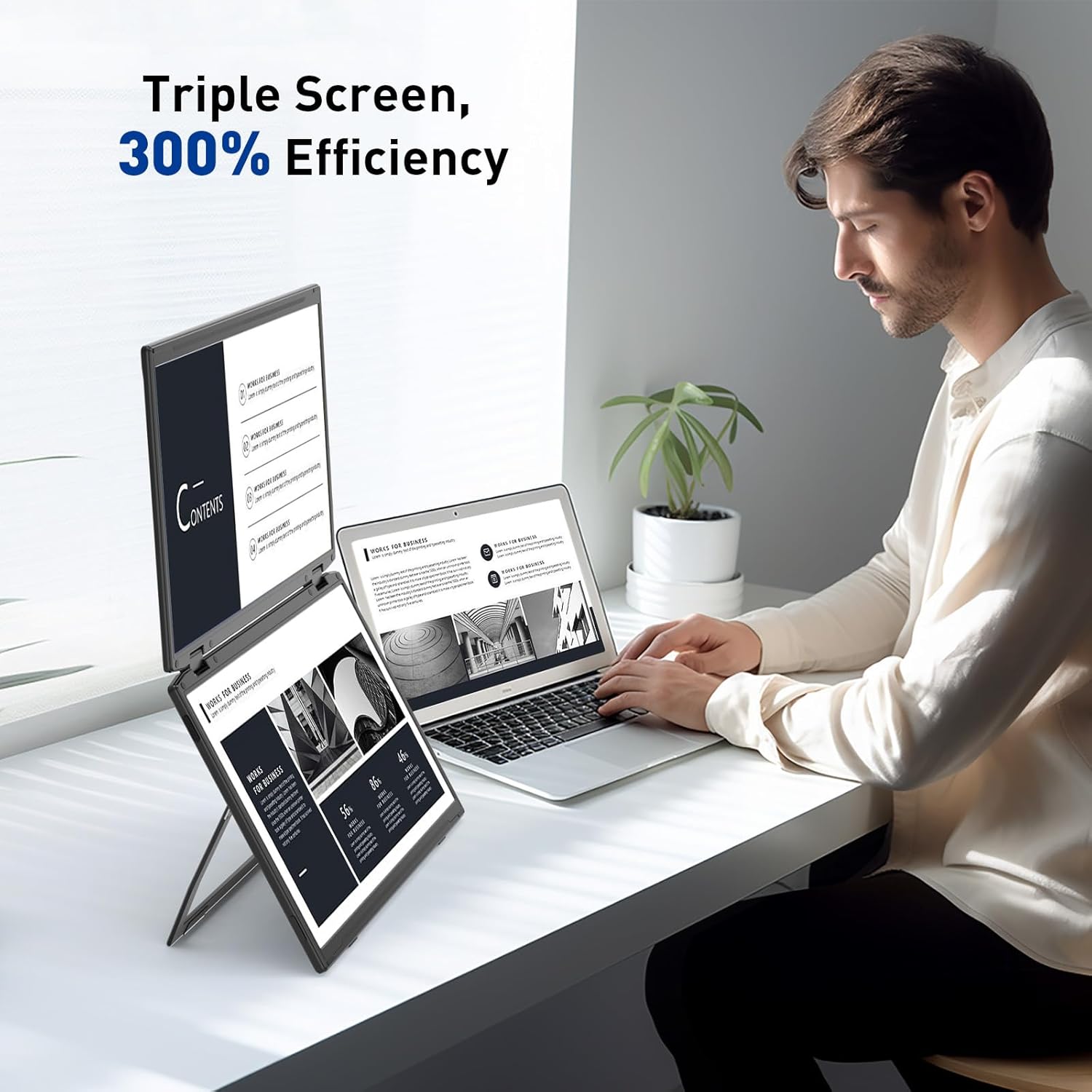
Image: A user demonstrating the Maxfree Dual Portable Monitor M4 in a vertical stacked setup, illustrating how it creates an efficient triple-screen workspace.
Menú de visualització en pantalla (OSD):
Use the buttons on the side of the monitor to access and navigate the OSD menu. This menu allows you to adjust settings such as:
- Brillantor i contrast
- Color Settings (e.g., sRGB, color temperature)
- Selecció de la font d'entrada
- Relació d'aspecte
- Volume (if applicable)
Refer to the on-screen prompts for specific button functions (e.g., Menu, Up, Down, Exit).
Especificacions
| Característica | Detall |
|---|---|
| Mida de la pantalla | Dual de 15.6 polzades |
| Resolució | 1920 x 1080 (FHD 1080p) |
| Tipus de panell | IPS |
| Relació d'aspecte | 16:9 |
| Superfície de la pantalla | Mat |
| Brillantor de la imatge | 300 Candela |
| Gamma de colors | 100% sRGB |
| Connectivitat | USB-C (Full-featured), HDMI (if applicable) |
| Ports USB totals | 1 (USB-C for main connection) |
| Voltage | 5 Volts |
| Dimensions del producte | 0.5 x 14 x 9 polzades |
| Pes de l'article | 3.5 lliures |
| Número de model | M4 |
Resolució de problemes
- Sense pantalla:
- Ensure the USB-C cable is securely connected to both the monitor and your device.
- Verifiqueu que el port USB-C del dispositiu admeti la sortida de vídeo (mode alternatiu de DisplayPort).
- Connect the monitor to an external power source if your device cannot provide sufficient power.
- Comproveu la configuració de la pantalla de l'ordinador per assegurar-vos que el monitor extern s'ha detectat i activat.
- Pantalla parpellejant:
- Assegureu-vos que les connexions dels cables siguin segures.
- Proveu un cable USB-C diferent.
- Reduce the display resolution or refresh rate on your computer.
- Image Quality Issues (Blurry, Incorrect Colors):
- Adjust the brightness, contrast, and color settings via the OSD menu.
- Ensure your computer's display resolution matches the monitor's native resolution (1920x1080).
- El monitor no s'encén:
- Confirm the power cable is properly connected and the power outlet is functional.
- Premeu el botó d'encesa amb fermesa.
Manteniment
- Neteja de la pantalla: Netegeu suaument la pantalla amb un drap suau i sense borrissol. Per a marques difícils, netegeu lleugerament.ampRenta el drap amb aigua o una solució netejadora de pantalles. Evita productes químics agressius o materials abrasius.
- Neteja de la Casing: Feu servir un drap suau i sec per netejar la superfície del monitor.asing.
- Emmagatzematge: When not in use, fold the monitor and store it in a cool, dry place, preferably in its original packaging or a protective case to prevent damage.
- Eviteu condicions extremes: No exposeu el monitor a temperatures extremes, humitat ni llum solar directa.
Garantia i Suport
For warranty information, technical support, or service inquiries, please refer to the warranty card included with your product or visit the official Maxfree weblloc.
Fabricant: Shenzhen Baijiayoupu Technology CO., Ltd.


