Introducció
This manual provides instructions for the NIMO 17.3" IPS FHD-Laptop, model Nimo N171. It covers initial setup, operation, maintenance, troubleshooting, and product specifications to ensure proper use and care of your device.
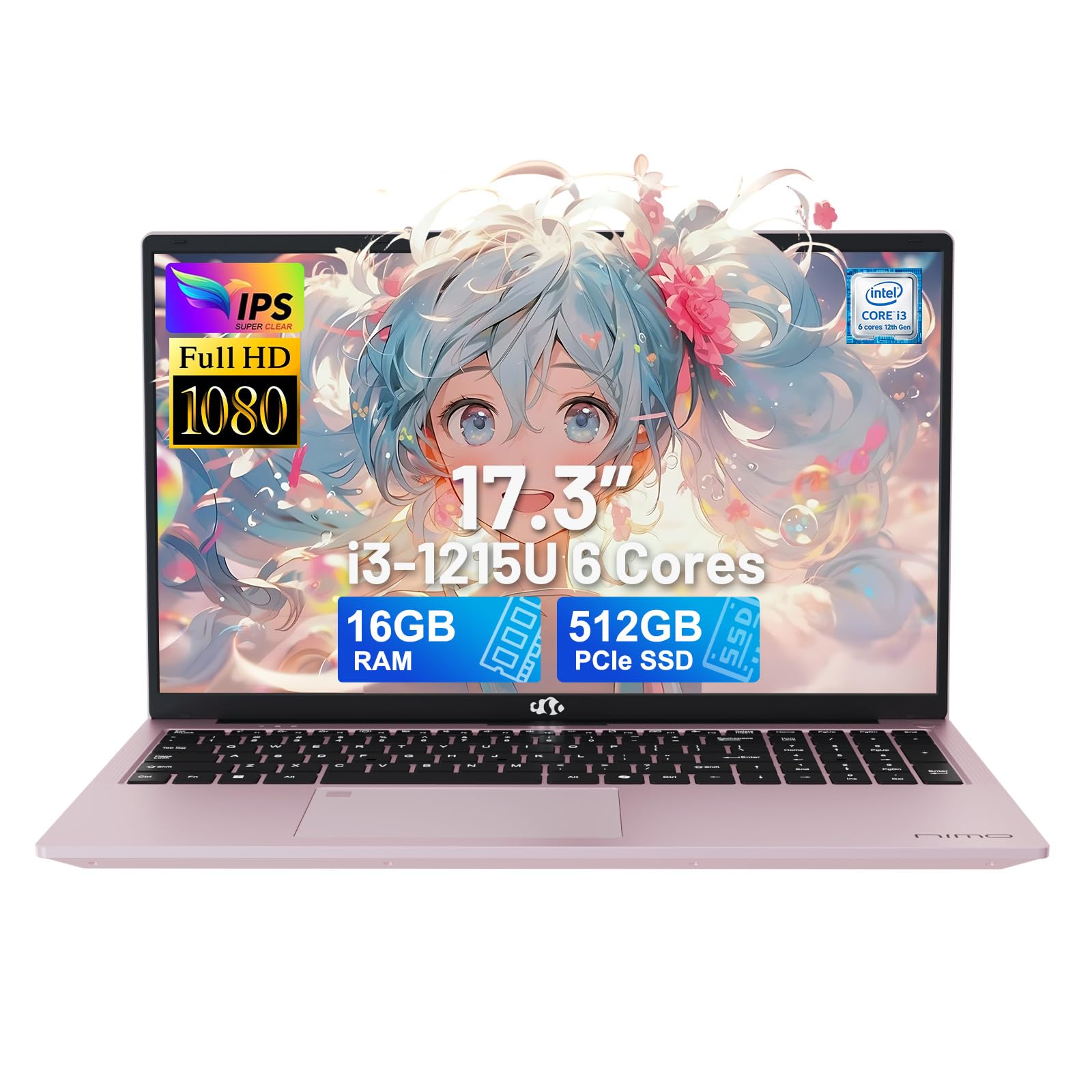
Image: The NIMO 17.3-inch FHD Laptop, showcasing el seu disseny elegant.
Configuració
1. Desembalatge i inspecció inicial
Traieu amb cura el portàtil i tots els accessoris de l'embalatge. Verifiqueu que tots els components que figuren a la secció "Què hi ha a la caixa" siguin presents i no estiguin danyats.
- 1 x Nimo N171 Laptop
- 1 x Carregador ràpid tipus C 65 W PD
- 1 x Manual d'usuari
- Windows 11 Home (pre-installed)
2. Charging the Laptop
Before first use, fully charge the laptop. Connect the 65W Type-C PD Fast Charger to the laptop's Type-C charging port and to a power outlet. The charging indicator light will show the charging status.

Image: The 65W Type-C PD charger, compatible with various devices, and an illustration of its compact design compared to multiple traditional chargers.
3. Engegada i configuració inicial
Press the power button to turn on the laptop. Follow the on-screen instructions to complete the initial setup of Windows 11 Home, including language selection, network connection, and user account creation.
4. Configuració del lector d'empremtes dactilars
The laptop features a built-in fingerprint sensor for secure login. During the initial Windows setup or later via Windows Settings, configure your fingerprint for quick and secure access.

Image: A close-up of the laptop's backlit keyboard and the integrated fingerprint reader on the touchpad.
Instruccions de funcionament
1. Teclat i touchpad
The laptop is equipped with a full-size backlit keyboard and a multi-touch touchpad. Use the function keys (Fn) in combination with other keys to control features like screen brightness, volume, and keyboard backlight.
- Teclat retroil·luminat: Premeu Fn + [Tecla] to adjust or toggle the keyboard backlight.
- Touchpad: Supports multi-finger gestures for scrolling, zooming, and other functions.
2. Característiques de la pantalla
The 17.3-inch FHD (1920x1080) IPS anti-glare display provides clear visuals. Adjust display settings through Windows Settings for optimal viewing.

Image: The laptop's 17.3-inch Full HD IPS display, highlighting its immersive visual experience with narrow bezels.
3. Privacitat Weblleva
La càmera integrada de 2 MP webcam includes a physical privacy switch. Slide the switch to cover or uncover the camera lens for enhanced privacy.

Image: Illustration of the privacy webcam, showing the physical switch in both open and closed positions.
4. Connectivitat
The laptop supports Wi-Fi 6 (802.11a/b/g/n/ac) and Bluetooth 5.2 for wireless connections. It also features multiple ports for external devices:
- 1 x port USB 2.0
- 3 x USB 3.0 Ports (including USB 3.2 Gen1)
- 1 x USB Type-C 3.2 Gen1 Port
- 1 x USB Type-C Gen1 (Charge Only) Port
- 1 x Standard HDMI 1.4 Port
- 1 x Ranura per a targeta Micro SD
- 1 x Audio Jack (Headphone Combo)
- 1 x ranura de bloqueig Kensington

Image: Diagram illustrating the various ports available on the sides of the NIMO laptop, including USB, HDMI, Type-C, and audio jack.
Manteniment
1. Neteja del portàtil
- Pantalla: Utilitzeu un drap suau i sense pelusa dampNetegeu amb aigua o un netejador de pantalles. Eviteu productes químics agressius.
- Teclat i xassís: Use a soft, dry cloth. A can of compressed air can remove dust from between keys.
- Assegureu-vos que el portàtil estigui apagat i desendollat abans de netejar-lo.
2. Cura de la bateria
The laptop is equipped with a 54Wh Lithium Polymer battery. To prolong battery life:
- Eviteu temperatures extremes.
- No descarregueu completament la bateria regularment.
- Guardeu el portàtil amb una càrrega parcial (al voltant del 50%) si no l'utilitzeu durant períodes prolongats.
3. Storage and Memory Upgrades
The laptop comes with 16GB DDR4 RAM and a 512GB PCIe SSD. Both the RAM and SSD are upgradeable. Consult a qualified technician for upgrades to avoid damaging the device and to maintain warranty validity.

Image: An illustration highlighting the laptop's 16GB DDR4 RAM and 512GB PCIe 4.0 SSD, with an indication of dual RAM channels for expansion.
Resolució de problemes
If you encounter issues with your NIMO laptop, refer to the following common solutions:
| Problema | Possible solució |
|---|---|
| El portàtil no s'encén. | Ensure the charger is properly connected and the laptop has sufficient battery charge. Try a different power outlet. |
| La pantalla està en blanc o parpelleja. | Adjust screen brightness using function keys. Connect an external monitor to check if the issue is with the laptop's display. Restart the laptop. |
| Problemes de connexió Wi-Fi. | Comproveu si el Wi-Fi està habilitat a la configuració de Windows. Reinicieu el router i el portàtil. Assegureu-vos que els controladors estiguin actualitzats. |
| El lector d'empremtes dactilars no funciona. | Ensure your finger is clean and dry. Re-register your fingerprint in Windows Settings. |
| Rendiment lent. | Close unnecessary applications. Check for background processes. Ensure sufficient free storage space. Run a system scan for malware. |
If the problem persists, please contact NIMO customer support for assistance.
Especificacions
| Característica | Detall |
|---|---|
| Nom del model | Nimo N171 |
| Mida de la pantalla | 17.3 polzades |
| Resolució de pantalla | 1920 x 1080 píxels (FHD IPS) |
| Processador | Intel Core i3-1215U (6-core, 8-thread, up to 4.4GHz) |
| RAM | 16 GB de DDR4 (3200 MHz) |
| Emmagatzematge | SSD PCIe de 512 GB |
| Gràfics | Gràfics Intel integrats |
| Sistema operatiu | Windows 11 Home |
| Connectivitat sense fil | Wi-Fi 6 (802.11a/b/g/n/ac), Bluetooth 5.2 |
| Ports | 1x USB 2.0, 3x USB 3.0, 1x USB Type-C 3.2 Gen1, 1x USB Type-C (Charge Only), 1x HDMI 1.4, 1x Micro SD, 1x Audio Jack |
| Weblleva | 2 MP (with privacy switch) |
| Bateria | 54Wh Lithium Polymer (up to 5 hours average use) |
| Carregador | 65W Type-C PD GaN Charger |
| Dimensions (LxWxH) | 15.66 x 9.99 x 0.74 polzades |
| Pes de l'article | 3.84 lliures |
| Color | Or rosa |
| Característiques especials | Fingerprint Reader, Backlit Keyboard, HD Audio, Memory Card Slot, Numeric Keypad |
Garantia i Suport
Informació de la garantia
The NIMO N171 laptop comes with a Garantia del fabricant de 2 anys from Nimo Direct Inc. This warranty covers defects in materials and workmanship under normal use. Please retain your proof of purchase for warranty claims.
Additionally, Nimo Direct Inc. offers a 90-Day Hassle-Free Return Policy des de la data de compra.
Atenció al client
For technical assistance, warranty claims, or any questions regarding your NIMO laptop, please contact NIMO Direct Inc. customer support. Contact details can typically be found on the NIMO official weblloc web o dins de l'embalatge del producte.
When contacting support, please have your laptop's model number (Nimo N171) and serial number ready.


