Introducció
This manual provides essential information for setting up, operating, maintaining, and troubleshooting your NIMO 15.6" IPS FHD Business Laptop. Please read this manual thoroughly before using your device to ensure optimal performance and longevity.
Què hi ha a la caixa
- 1 x Nimo N154 Laptop
- 1 x Carregador ràpid tipus C 65 W PD
- 1 x Manual d'usuari (aquest document)
- Windows 11 Home (pre-installed)
- Informació de garantia (2 anys de garantia, 90 dies de devolució)
Producte acabatview
Familiarize yourself with the key components and features of your NIMO laptop.

Figura 1: NIMO 15.6" Laptop Front View amb característiques clau
This image displays the NIMO 15.6-inch laptop from the front, showcasing its full HD IPS display. Icons on the screen highlight key features including the Intel Core i3-1215U 6-core processor, 8GB RAM, 256GB SSD, fingerprint reader, Type-C PD charger, and backlit keyboard. An eagle graphic is prominently featured on the screen.
Ports i connectors

Figura 2: Laptop Ports and Connectors
This image illustrates the various ports available on the NIMO laptop. On the left side, from left to right, are the Micro SD card slot, USB 2.0 port, USB 3.0 port, headphone combo jack, and Kensington lock slot. On the right side, from left to right, are a Type-C (charge only) port, USB 3.0 port, HDMI port, Type-C (multifunction) port, and a Charge LED indicator.
- Costat esquerre: Micro SD Card Slot, USB 2.0, USB 3.0, Headphone Combo Jack, Kensington Lock
- costat dret: Type-C (Charge Only), USB 3.0, HDMI, Type-C (Multifunction), Charge LED
Guia de configuració
1. Càrrega inicial
Before first use, fully charge your laptop. Connect the provided 65W Type-C PD fast charger to the Type-C (Charge only) port on the right side of the laptop and to a power outlet. The Charge LED will indicate charging status.

Figura 3: 65W Type-C PD Fast Charger
This image shows the compact NIMO 65W Type-C PD fast charger with its accompanying Type-C cable. It highlights the charger's versatility, indicating it can be used for laptops, tablets, and iPhones. Below, a comparison graphic contrasts the single, organized Type-C charger with a cluttered power strip filled with multiple, tangled chargers, emphasizing the convenience of the NIMO charger.
2. Encès
Open the laptop lid. Press the power button, typically located on the top right of the keyboard, to turn on the device. The laptop will boot into Windows 11 Home.
3. Configuració inicial de Windows
Follow the on-screen prompts to complete the Windows 11 Home setup. This includes selecting your region, language, connecting to a Wi-Fi network, creating a user account, and setting up security features like the fingerprint reader.
4. Configuració del lector d'empremtes dactilars
During Windows setup or later via Windows Settings, configure the integrated fingerprint reader for secure and quick login. This feature is located on the touchpad area.

Figura 4: Fingerprint Reader and Webcam Privacy Shield
This image highlights two security features of the NIMO laptop. The upper left section shows a close-up of the touchpad with a glowing fingerprint icon, indicating the integrated fingerprint scanner for seamless security integration. The lower right section displays the laptop's webcam with a physical privacy shield, emphasizing privacy-focused camera convenience.
Instruccions de funcionament
Teclat i Touchpad
Your NIMO laptop features a full-size keyboard with a numeric keypad and a backlit function for use in low-light conditions. The large trackpad supports multi-touch gestures.

Figura 5: Característiques del teclat
This image displays the NIMO laptop's keyboard, highlighting its features for effortless typing in any environment. Icons above the keyboard represent the backlit keyboard, webcam shield, fingerprint reader, and numeric keypad. Insets show the backlit keyboard in use in a dimly lit setting.
Mostra
The 15.6" Full HD (1920x1080) IPS display offers vibrant colors and wide viewangles d'inclinació. Ajusteu la brillantor i la configuració de la pantalla a través de la configuració de Windows.

Figura 6: Pantalla Full HD vívida
This image showcases the NIMO laptop's vivid Full HD display, featuring a vibrant image of a jellyfish on the screen. Icons above the display highlight its key attributes: FHD 1920x1080 resolution, IPS technology, Bright View, and Eye Protection. The screen-to-body ratio is indicated as 85%.
Connectivitat
- Wi-Fi 6: Connect to high-speed wireless networks.
- Bluetooth: Pair with Bluetooth-enabled devices such as headphones or mice.
- Ports USB: Utilize the USB 2.0 and USB 3.0 ports for connecting external devices.
- HDMI: Connecteu-vos a monitors o projectors externs.
Manteniment
Neteja del teu ordinador portàtil
- Utilitzeu un drap suau i sense pelusa lleugerament dampesbandiu amb aigua o un netejador de pantalles per netejar la pantalla.
- Per al teclat i el xassís, feu servir un drap suau. Eviteu productes químics agressius.
- Periodically use compressed air to clear dust from vents to ensure proper cooling.
Cura de la bateria
- Eviteu descarregar completament la bateria amb freqüència.
- Guardeu el portàtil en un lloc fresc i sec si no el feu servir durant períodes prolongats.
- Use only the provided NIMO 65W Type-C PD charger.
Storage and Upgrades
The laptop comes with 8GB DDR4 RAM and a 256GB SSD. Both RAM and SSD are upgradeable, offering flexibility for future performance enhancements.

Figura 7: RAM and SSD Configuration
This image shows the NIMO laptop screen displaying various applications, illustrating its multitasking capabilities. Below the laptop, three boxes highlight its memory and storage specifications: 8GB DDR4 RAM, 256GB PCIe 4.0 SSD, and the presence of Dual RAM Channels, indicating support for upgrades and expansion.
Resolució de problemes
This section addresses common issues you might encounter with your NIMO laptop.
El portàtil no s'encén
- Assegureu-vos que el carregador estigui connectat correctament tant al portàtil com a una presa de corrent que funcioni.
- Check if the Charge LED illuminates when connected to power.
- Prova de mantenir premut el botó d'engegada durant 10-15 segons per fer un restabliment complet.
La bateria s'esgota ràpidament
- Adjust screen brightness to a lower setting.
- Tanca les aplicacions innecessàries que s'executen en segon pla.
- Ensure Windows is updated, as updates often include power management improvements.
- Check power settings in Windows to optimize battery usage.
Applications Freeze or Laptop is Slow
- Close any applications that are not in use.
- Reinicieu l'ordinador portàtil.
- Consulteu el Gestor de tasques (Ctrl+Maj+Esc) per a processos que consumeixen molta CPU o RAM.
- Assegureu-vos que el vostre sistema operatiu i els controladors estiguin actualitzats.
- Consider upgrading RAM or SSD if performance issues persist, as the laptop supports upgrades.
Problemes de connectivitat Wi-Fi
- Reinicieu el vostre encaminador i mòdem Wi-Fi.
- Disable and re-enable Wi-Fi on your laptop.
- Ensure Wi-Fi drivers are up to date.
- Oblida't de la xarxa i torna a connectar-te.
Especificacions
Detailed technical specifications for your NIMO N154 laptop.
| Característica | Especificació |
|---|---|
| Marca | NIMO |
| Nom del model | Nimo N154 |
| Mida de la pantalla | 15.6 polzades |
| Resolució de pantalla | 1920 x 1080 Pixels (Full HD IPS) |
| Processador | Intel Core i3-1215U (6 nuclis, fins a 4.4 GHz) |
| RAM | 8 GB DDR4 (Upgradeable) |
| Velocitat de memòria | 3200 MHz |
| Disc dur | 256 GB SSD (Upgradeable) |
| Coprocessador gràfic | Gràfics Intel integrats |
| Sistema operatiu | Windows 11 Home |
| Tipus sense fil | Wi-Fi 6 (802.11a/b/g/n/ac), Bluetooth 5.2 |
| Ports USB | 1x USB 2.0, 3x USB 3.0, 2x Type-C (1x Charge Only, 1x Multifunction) |
| Altres ports | HDMI, Headphone Combo Jack, Micro SD Card Slot, Kensington Lock |
| Característiques especials | Fingerprint Reader, HD Audio, Memory Card Slot, Numeric Keypad, Backlit Keyboard, Webcam Shield |
| Pes de l'article | 3.8 lliures |
| Dimensions del producte | 14.07 x 8.98 x 0.76 polzades |
| Durada mitjana de la bateria | 5 Hours (54Wh Smart Battery) |
| Font d'alimentació | Battery Powered, 65W Type-C PD Charger |
Garantia i Suport
NIMO is committed to providing reliable products and excellent customer service.
- Garantia: Your NIMO laptop is covered by a 2-year warranty.
- Devolucions: Podeu retornar el producte en un termini de 90 dies des de la compra.
- Atenció al client: Our 24/7 support team is available to provide assistance.
- Contacte: For support inquiries, please visit the official NIMO weblloc o contacte service@nimopc.com.

Figura 8: Professional Customer Assistance
This image depicts a customer service representative wearing a headset, symbolizing the availability of professional customer assistance via phone and live chat.
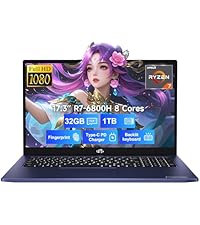
Figura 9: Suport de 2 anys
This image shows a technician working on a laptop's internal components with tools, representing the 2-year support coverage for Nimo products.

Figura 10: Política de devolució de 90 dies
This image illustrates a delivery person handing a package to a customer, signifying the 90-day return policy for Nimo products.


