1. Introducció
Gràcies per la compraasing the Acogedor Wireless Bluetooth Remote Control. This remote is designed to provide convenient and reliable control for various action cameras and smartphones, enhancing your photography and videography experience. Its lightweight design, long battery life, and versatile compatibility make it an ideal accessory for adventurers and content creators.

Figure 1: Acogedor Wireless Bluetooth Remote Control with various action cameras and smartphones.
2. Contingut del paquet
Si us plau, comproveu el paquet per veure si hi ha els elements següents:
- Acogedor Wireless Bluetooth Remote Control
- Cable de càrrega USB-C
- Corretja de canell
- Corretja de muntatge
- Muntatge de cargol d'1/4 de polzada
- User Guide (with QR code for online resources)

Figure 2: Package Contents. For online documents and videos, scan the QR code or visit http://www.yoctop.com/ysg07_en.
3. Producte acabatview
The remote control features a compact design with three main buttons for easy operation.

Figure 3: Close-up of the Remote Control.
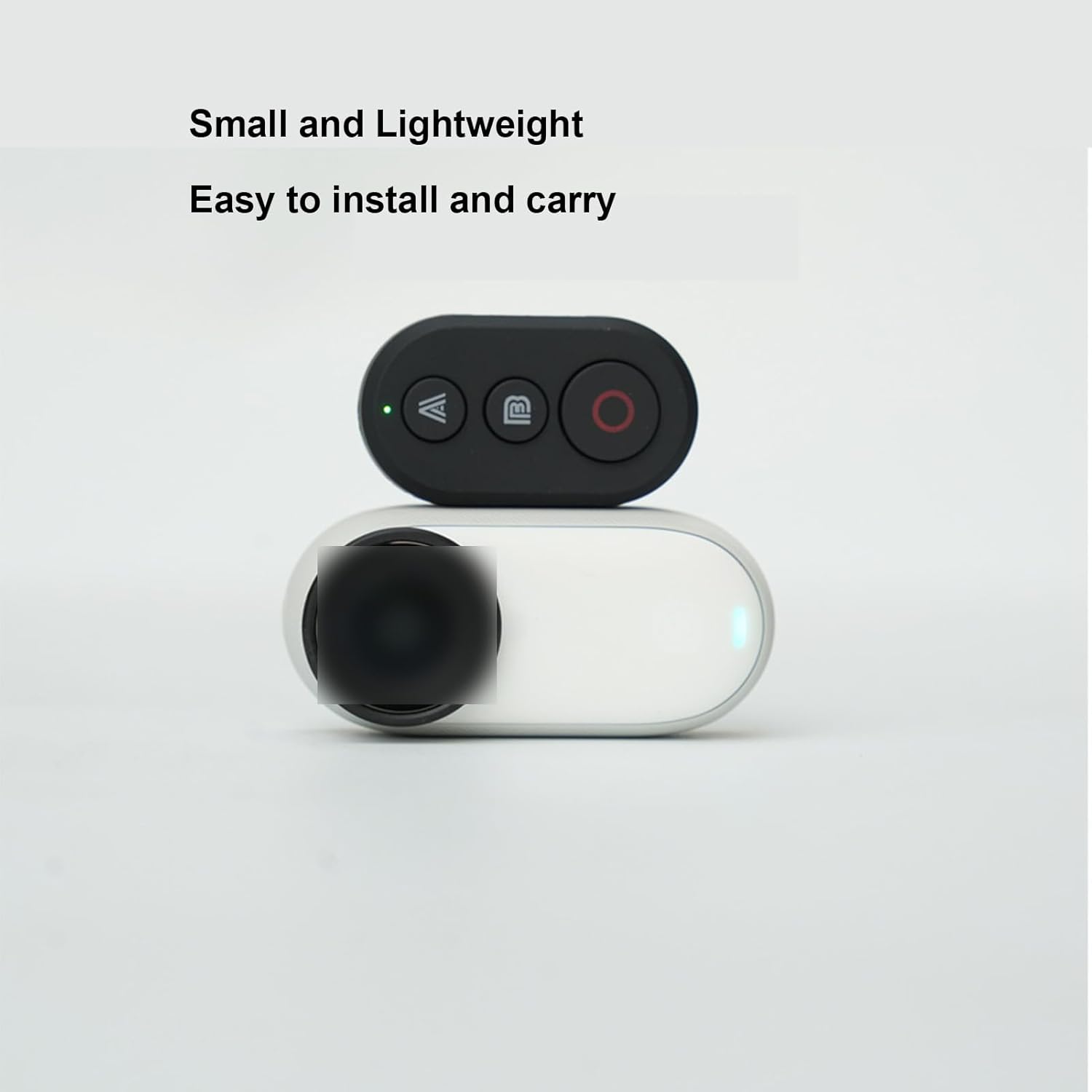
Figure 4: Small and Lightweight Design.
Característiques principals:
- Lleuger i portàtil: Ultra-light design for easy carrying and attachment.
- Llarga vida útil de la bateria: Built-in rechargeable battery provides up to 8 hours of continuous operation.
- Àmplia compatibilitat: Compatible with GoPro Hero 8-13 series, Insta360 X2, X3, X4, X5, GO3, Ace Pro/Ace Pro 2, and smartphones (Android/iOS).
- Fàcil operació: Remotely trigger photo and video recording.
- Muntatge versàtil: Includes wrist strap, mounting strap, and 1/4-inch screw mount for flexible attachment.

Figure 5: Compatible Devices.
4. Configuració
4.1 Càrrega del comandament a distància
Before first use, fully charge the remote control using the provided USB-C cable.
- Connect the USB-C cable to the remote control's charging port.
- Connecteu l'altre extrem del cable a una font d'alimentació USB (per exemple, un ordinador, un adaptador de paret).
- The indicator light will show charging status. A full charge provides up to 8 hours of use.

Figure 6: Charging the Remote Control via Type-C USB port.
4.2 Pairing with Action Camera / Smartphone
Follow these steps to pair your remote control with your device:
- Assegureu-vos que el comandament a distància estigui carregat.
- Turn on your action camera or enable Bluetooth on your smartphone.
- On the remote, press and hold the main power button (usually the red circle) until the indicator light flashes, indicating pairing mode.
- On your camera/smartphone, go to Bluetooth settings and search for available devices.
- Select "Acogedor Remote" or a similar name from the list to connect.
- Once connected, the indicator light on the remote will become solid.
Nota: For specific pairing instructions for your action camera model (GoPro, Insta360), please refer to your camera's user manual or the online resources provided via the QR code.
5. Instruccions de funcionament
The remote control features three buttons: 'A', 'B', and the main 'Shooting' button (red circle).
5.1 General Button Functions
- Shooting Button (Red Circle): Press to capture a photo or start/stop video recording.
- Button 'A': Wakes up the camera without initiating shooting.
- Button 'B': Wakes up the camera and immediately starts shooting.

Figure 7: Remote Control Wake-up and Shooting Functions.
5.2 Camera Specific Functions (GoPro & Insta360)
When paired with GoPro or Insta360 cameras, the 'A' and 'B' buttons also serve mode switching functions:
- Button 'A': Sub-mode switching (e.g., changing between photo modes, video resolutions).
- Button 'B': Main mode switching or marking (e.g., switching between photo and video modes, adding highlight tags).
- Shooting Button (Red Circle): Initiates photo capture or starts/stops video recording.

Figure 8: Button Functions for GoPro and Insta360 Cameras.
5.3 Controlling Mobile Phones
When paired with a smartphone, the remote can control camera functions:

Figure 9: Remote Control for Mobile Phone Photography.
- Shooting Button (Red Circle): Triggers photo capture or starts/stops video recording.
- Button 'A': Typically functions as "Zoom In" or similar.
- Button 'B': Typically functions as "Zoom Out" (Shrink) or similar.
Nota: Specific button functions for mobile phones may vary depending on the camera app used. Some apps may not support all remote functions.
5.4 Opcions de muntatge
Utilize the included accessories for flexible mounting:
- Protector de canell: Attach the remote to your wrist for easy access during activities.
- Corretja de muntatge: Secure the remote to handlebars, poles, or other equipment.
- 1/4-inch Screw Mount: Use this mount to attach the remote to tripods, grips, or other accessories with a 1/4-inch screw.
6. Manteniment
- Keep the remote control dry. Do not expose it to moisture or liquids.
- Clean the remote with a soft, dry cloth. Avoid using harsh chemicals or abrasive cleaners.
- Guardeu el comandament a distància en un lloc fresc i sec quan no l'utilitzeu.
- Eviteu temperatures extremes.
7. Solució De Problemes
| Problema | Causa possible | Solució |
|---|---|---|
| Remote not turning on. | Bateria baixa. | Charge the remote control using the USB-C cable. |
| Cannot pair with camera/smartphone. | Remote not in pairing mode; Bluetooth off on device; device out of range. | Ensure remote is in pairing mode (flashing light). Turn on Bluetooth on your device. Move remote closer to the device (within 82 feet/25 meters). |
| Remote connected but not controlling device. | Incorrect camera mode; app compatibility issue (for smartphones). | Check your camera's settings. Ensure your smartphone camera app supports external Bluetooth remotes. Try restarting both the remote and the device. |
| Durada de la bateria curta. | Frequent use; aging battery. | Ensure the remote is fully charged. Reduce continuous usage if possible. |
8. Especificacions
| Característica | Detall |
|---|---|
| Marca | Acogedor |
| Número de model | Acogeszn7y648cd |
| Color | Negre |
| Tipus de bateria | Polímer d'ions de liti |
| Interval d'operació | Fins a 82 peus (25 metres) |
| Durada de la bateria | Fins a 8 hores (funcionament continu) |
| Port de càrrega | USB tipus C |
| Dimensions (L x A x A) | 4 cm x 2 cm x 1 cm (1.6 polzades x 0.8 polzades x 0.4 polzades) |
| Pes | 38 g |
| Compatibilitat | GoPro Hero 8, 9, 10, 11, 12, 13; Insta360 X2, X3, X4, X5, GO3, Ace Pro/Ace Pro 2; Smartphones (Android & iOS) |

Figure 10: Remote Control Dimensions.
9. Garantia i Suport
Acogedor products come with a standard warranty. For warranty claims, technical support, or further assistance, please contact your retailer or visit the official Acogedor website. You can also refer to the online resources linked via the QR code in the user guide for additional information and video tutorials.
Recursos en línia: http://www.yoctop.com/ysg07_en