Producte acabatview
The ASTRO Gaming A20 Gen 2 Wireless Headset provides a high-quality audio experience for gaming across multiple platforms. Designed for comfort and performance, it features low-latency wireless connectivity and a convenient flip-to-mute microphone.
Característiques principals:
- Next-Gen Compatibility: Seamlessly works with PlayStation 5, PlayStation 4, Windows, and Mac OS.
- Lag-Free Wireless Audio: 2.4GHz USB wireless transmitter ensures low-latency, high-quality sound.
- Bateria de llarga durada: Up to 15 hours of wireless gaming on a single charge.
- Micròfon giratori per silenciar: Flexible boom mic with an intuitive flip-to-mute function for instant control.
- Comoditat durant tot el dia: Lightweight design with padded headband and ear cushions for extended wear.
Què hi ha a la caixa
- A20 Auriculars sense fil
- Transmissor USB
- Cable de càrrega USB-C a USB-A
Instruccions de configuració
Follow these steps to set up your ASTRO Gaming A20 Gen 2 Wireless Headset:
- Carregueu els auriculars: Connect the headset to a power source using the provided USB-C to USB-A charging cable. Ensure the headset is fully charged before first use for optimal battery life.
- Connect the USB Transmitter: Plug the USB transmitter into an available USB port on your PlayStation console (PS5 or PS4) or your Windows/Mac computer. The transmitter facilitates the 2.4GHz wireless connection.
- Encès: Turn on your ASTRO Gaming A20 Gen 2 Wireless Headset. The headset should automatically pair with the USB transmitter. Refer to your device's audio settings to ensure the headset is selected as the input and output device.
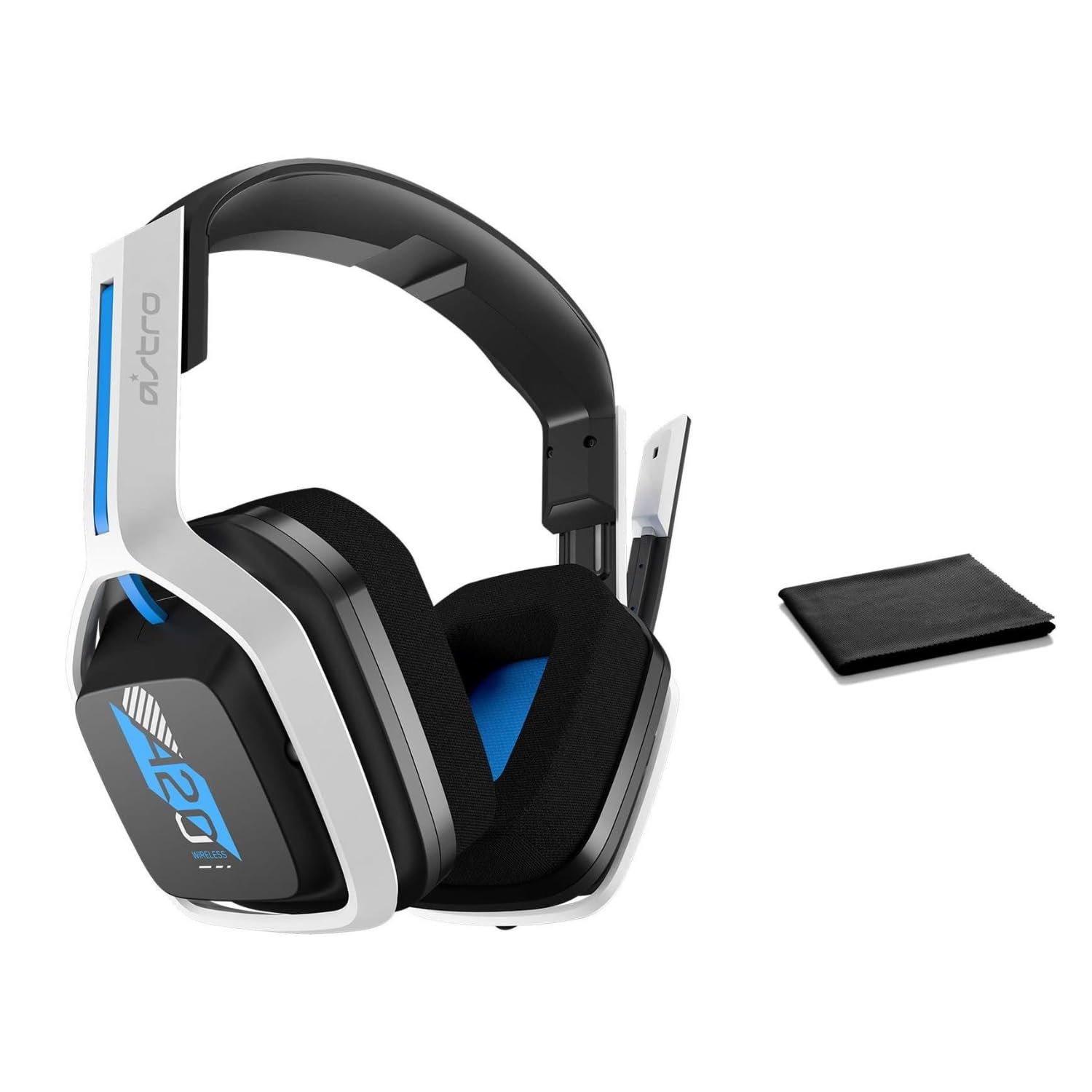
Image: The ASTRO Gaming A20 Gen 2 Wireless Headset, ready for use.
Instruccions de funcionament
Funcionalitat del micròfon
The headset features a flexible boom microphone with a flip-to-mute function. To mute your microphone, simply flip the boom arm upwards. To unmute and activate the microphone, flip the boom arm back down to its original position.
Control de volum
Adjust the audio volume using the dedicated volume control located on the headset. Rotate the dial or press the buttons (depending on the specific model variant) to increase or decrease the sound output.
Manteniment
Per garantir la longevitat i el rendiment òptim dels vostres auriculars:
- Neteja: Use the included premium microfiber cloth to gently wipe down the headset and accessories. This helps keep your headset dust-free and smudge-free.
- Emmagatzematge: Guardeu els auriculars en un lloc net i sec, allunyat de temperatures extremes i de la llum solar directa quan no els feu servir.
- Cura de la bateria: For best battery health, avoid fully discharging the headset frequently. Charge it regularly.
Resolució de problemes
If you encounter issues with your ASTRO Gaming A20 Gen 2 Wireless Headset, consider the following:
- Sense àudio/Micròfon no funciona: Ensure the USB transmitter is securely plugged into your device and the headset is powered on and paired. Check your device's audio settings to confirm the headset is selected as the default input/output. For the microphone, ensure it is not in the 'flipped-up' (muted) position.
- Problemes de connexió: Try unplugging and re-plugging the USB transmitter. If issues persist, try connecting to a different USB port.
- La bateria no es carrega: Verify the charging cable is properly connected to both the headset and the power source. Try a different USB port or power adapter.
- Actualització del firmware: Visit the official ASTRO Gaming support website for any available firmware updates for your headset, as these can resolve various performance issues.
Especificacions
| Característica | Detall |
|---|---|
| Nom del model | 939-001876 |
| Marca | ASTRO Gaming |
| Tecnologia de connectivitat | Sense fil |
| Comunicació sense fils | 2.4 GHz sense fils |
| Dispositius compatibles | Mac OS, PlayStation 4, Playstation 5, Windows |
| Durada de la bateria | 15 hores |
| Temps de càrrega | 15 hores |
| Micròfon | Flip-to-Mute |
| Col·locació de l'orella | Sobre l'orella |
| Pes de l'article | 11.2 unces (318 grams) |
| Material | Plàstic |
| Components inclosos | A20 Wireless Headset, USB transmitter, USB-C to USB-A charging cable |
Garantia i Suport
For detailed warranty information and technical support, please refer to the official ASTRO Gaming weblloc web o poseu-vos en contacte amb el servei d'atenció al client. Conserveu el comprovant de compra per a reclamacions de garantia.


