Introducció
This manual provides detailed instructions for the setup, operation, maintenance, and troubleshooting of your KOFIRE UG-09 Wireless Gaming Headset. Please read this manual thoroughly before using the product to ensure optimal performance and longevity.

Image: The KOFIRE UG-09 Wireless Gaming Headset displayed with its charging cable, detachable microphone, and USB/Type-C 2-in-1 transmitter.
Contingut del paquet
Verifiqueu que tots els elements siguin presents al vostre paquet:
- 1 x KOFIRE Wireless Gaming Headset (Model: UG-09)
- 1 x USB & Type-C 2-in-1 Transmitter
- 1 x cable de càrrega tipus C
- 1 x micròfon desmuntable
- 1 cable d'àudio de 3.5 mm
- 1 x Manual d'usuari (aquest document)
Producte acabatview
Familiaritzeu-vos amb els components i els controls dels vostres auriculars.
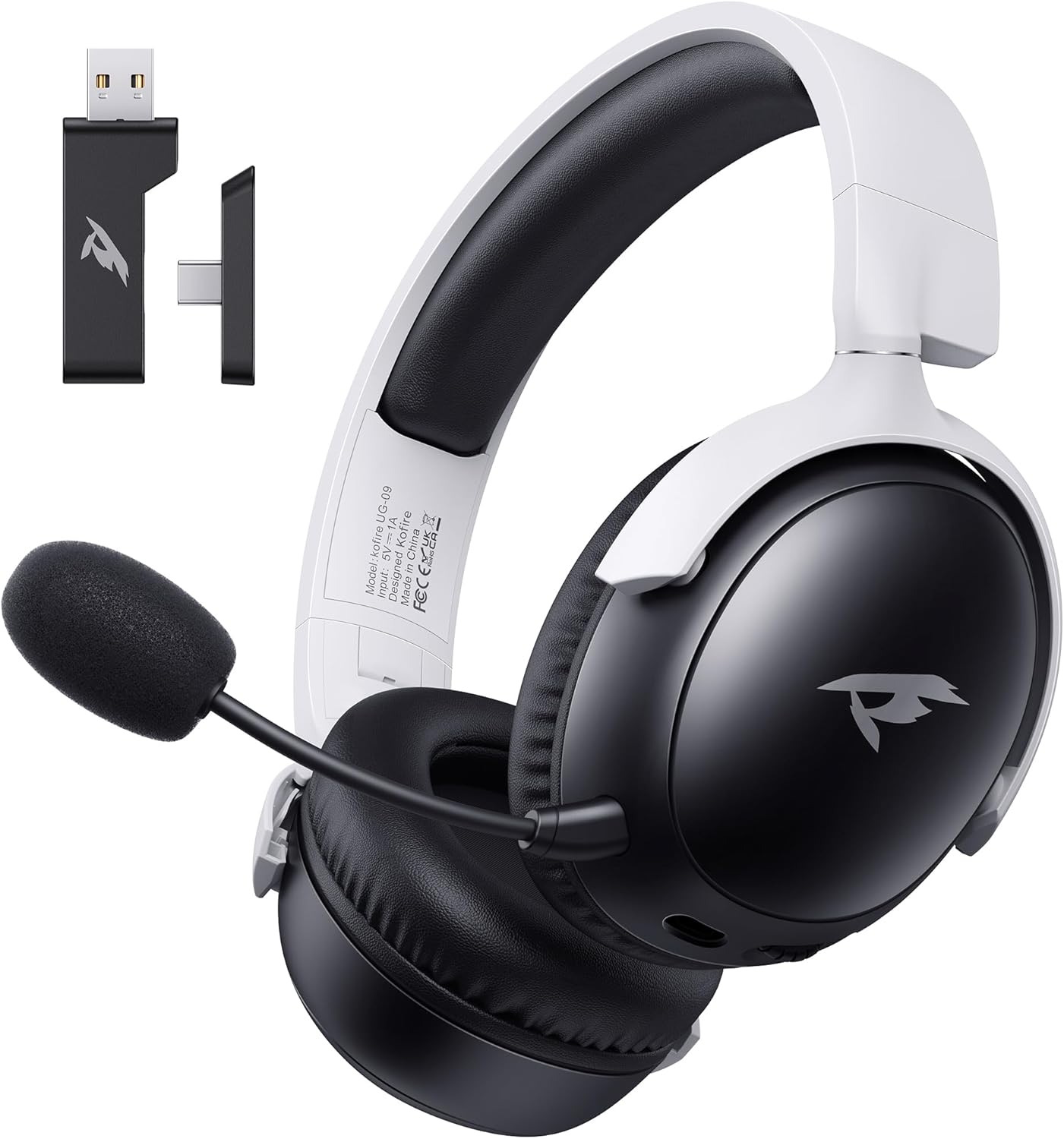
Imatge: Frontal view of the KOFIRE UG-09 Wireless Gaming Headset in black and white, showing the detachable microphone and the USB/Type-C 2-in-1 transmitter.
Característiques principals:
- Connectivitat multimodal: 2.4GHz Wireless, Bluetooth 5.4, and 3.5mm Wired options.
- Llarga vida útil de la bateria: Fins a 65 hores de joc.
- Controladors dinàmics de 53 mm: For immersive 3D stereo sound.
- ENC Noise-Canceling Microphone: Detachable and omnidirectional for clear communication.
- Disseny ergonòmic: Lightweight with rotatable ear cups, adjustable headband, and soft memory foam cushions for comfort.
Instruccions de configuració
1. Càrrega dels auriculars
Before first use, fully charge the headset. Connect the supplied Type-C charging cable to the headset's charging port and the other end to a USB power source (e.g., computer USB port, USB wall adapter). The LED indicator will show charging status. A full charge takes approximately 2-2.5 hours. The headset supports simultaneous charging and use.
2. Connecting via 2.4GHz Wireless (USB Dongle)
This mode offers ultra-low latency (≤20ms) for gaming on compatible devices like PC, Mac, PS4, PS5, and Nintendo Switch (audio only).
- Insert the USB & Type-C 2-in-1 transmitter into an available USB-A or USB-C port on your device.
- Encendre els auriculars.
- Press and hold the microphone button on the headset to switch to 2.4G mode. You will hear an audio prompt "dongle mode."
- On your connected device, navigate to sound settings and select "Kofire UG-09" as the audio output/input device to complete pairing.

Image: Illustration of the 2.4GHz wireless connection, showing the USB dongle plugged into a gaming handheld device, emphasizing stable and low-latency performance.
3. Connexió mitjançant Bluetooth 5.4
Use Bluetooth for mobile devices such as phones, tablets, and Nintendo Switch (audio only).
- Encendre els auriculars.
- Press and hold the microphone button for 3 seconds to switch to Bluetooth mode. You will hear an audio prompt "Bluetooth mode." The LED indicator will flash, indicating pairing mode.
- On your mobile device, go to Bluetooth settings and search for "Kofire UG-09." Select it to complete the pairing process.

Image: Depicts the versatility of the headset, showing one user connected via Bluetooth to a phone and another connected wirelessly to a PC, highlighting dual connectivity options.
4. Connecting via 3.5mm Wired
For universal compatibility or when the battery is depleted, use the 3.5mm audio cable.
- Connecteu un extrem del cable d'àudio de 3.5 mm al connector de 3.5 mm dels auriculars.
- Connect the other end to the 3.5mm audio port on your gaming device or console.
- Els auriculars canviaran automàticament al mode amb cable.
Nota: The microphone function is not supported on Nintendo Switch when using any wireless mode. For Xbox, only wired mode is supported.
Instruccions de funcionament
Encès/Apagat
- Encès: Premeu i manteniu premut el botó d'engegada fins que l'indicador LED s'encengui.
- Apagar: Premeu i manteniu premut el botó d'engegada fins que l'indicador LED s'apagui.
Control de volum
- Augmenta el volum: Rotate the volume wheel upwards.
- Disminueix el volum: Rotate the volume wheel downwards.
Ús del micròfon
The headset features a detachable ENC (Environmental Noise Canceling) omnidirectional microphone.
- Attach/Detach: Insert the microphone into the dedicated port on the left earcup or remove it when not needed.
- Silencia/Activa el silenci: Press the dedicated microphone mute button for one-touch muting. The LED indicator on the microphone will show its status.

Imatge: Detallada view of the ENC noise reduction microphone, highlighting its internal components and detachable design for clear voice transmission.
Canvi de mode
To switch between 2.4GHz wireless and Bluetooth modes, press and hold the microphone button for approximately 3 seconds until you hear the corresponding audio prompt ("dongle mode" or "Bluetooth mode").
Durada de la bateria i alertes
The headset provides up to 65 hours of playtime in Bluetooth mode (microphone off) and 50 hours in 2.4GHz dongle mode (microphone on). A low battery alert will notify you when recharging is needed.
Manteniment
Neteja
- Netegeu els auriculars amb un drap suau i sec.
- No utilitzeu productes químics aggressivs, dissolvents de neteja o detergents forts.
- Ensure no moisture enters the earcups or control buttons.
Emmagatzematge
- Guardeu els auriculars en un lloc fresc i sec, allunyat de la llum solar directa i de temperatures extremes.
- When storing for extended periods, ensure the headset is partially charged (around 50%) to preserve battery health.
- The rotatable and foldable ear cups allow for compact storage.

Image: Illustrates the ergonomic design elements of the headset, including rotatable earcups, soft sponge cushioning, adjustable angle, and a retractable headband for comfortable wear and storage.
Cura de la bateria
- Eviteu descarregar completament la bateria amb freqüència.
- No exposeu la bateria a altes temperatures.
- Feu servir només el cable de càrrega proporcionat o un equivalent certificat.
Resolució de problemes
| Problema | Causa possible | Solució |
|---|---|---|
| No hi ha so dels auriculars. |
|
|
| El micròfon no funciona. |
|
|
| No es pot connectar sense fil. |
|
|
| Els auriculars no es carreguen. |
|
|

Image: Illustrates the universal compatibility of the headset with a range of gaming and mobile devices, including PlayStation consoles, PC, Mac, Nintendo Switch, and smartphones.
Especificacions
| Característica | Detall |
|---|---|
| Nom del model | UG-09 |
| Tecnologia de connectivitat | Sense fil de 2.4 GHz, Bluetooth 5.4, cable de 3.5 mm |
| Tecnologia de comunicació sense fils | 2.4GHz USB-A & Type-C 2-in-1 Dongle, Bluetooth 5.4 |
| Tipus de controlador d'àudio | Controlador dinàmic de 53 mm |
| Resposta de freqüència | 20 kHz (màx.) |
| Impedància | 32 ohms |
| Interval Bluetooth | 10 metres |
| Audio Latency (2.4GHz) | ≤20 Milliseconds |
| Durada de la bateria | Up to 65 hours (Bluetooth, mic off); 50 hours (2.4GHz, mic on) |
| Temps de càrrega | 2-2.5 hores |
| Micròfon | Detachable ENC Noise-Canceling Omnidirectional |
| Pes | 14.4 unces (0.41 quilograms) |
| Material | ABS, Faux Leather, PC, Soft Memory Sponge Cushions |
| Dispositius compatibles | PC, Mac, Laptop, Desktop, Phone, Pad, Tablet, PlayStation 5/4/Pro/Slim, Gaming Consoles, Switch (audio only), Xbox (wired only) |
Garantia i Suport
KOFIRE is committed to providing professional service and expert support for your wireless gaming headset. If you encounter any issues or have questions regarding your product, please do not hesitate to contact us.
- Atenció al client: Our team of experienced engineers and support staff are available to assist you.
- Temps de resposta: We aim to respond to all inquiries within 0-24 hours.
- Informació de contacte: Please refer to the contact details provided on the product packaging or the official KOFIRE weblloc d'assistència.


