Introducció
This guide provides comprehensive instructions for navigating and utilizing the iOS 26 operating system on your iPhone and iPad. Designed for both new users and those upgrading from previous versions, this manual aims to clarify features, settings, and functionalities to enhance your device experience.

Descripció de la imatge: The front cover of the 'iOS 26 User Guide for Beginners and Beyond' book. It features a dark background with the title prominently displayed in white. Below the title, there's text indicating it covers Apple's latest features for iPhone & iPad. Several iPhone screens displaying various iOS interfaces are arranged at the bottom, with an arrow pointing from '18.5' to '26' representing the iOS version update. The author's name, Jordan K. Meyers, is at the very bottom.
Configuració i configuració inicial
This section details the process of setting up your device with iOS 26, including safe upgrade procedures and common mistake avoidance.
- Upgrading to iOS 26: Follow the on-screen prompts to initiate the software update. Ensure your device is connected to Wi-Fi and has sufficient battery charge or is connected to power.
- Configuració inicial del dispositiu: For new devices or after a factory reset, the setup assistant will guide you through language selection, region, Wi-Fi connection, and data transfer options.
- Apple ID Configuration: Sign in with your existing Apple ID or create a new one to access services like iCloud, App Store, and FaceTime.
- Configuració de seguretat: Configure Face ID or Touch ID, and set a strong passcode for device security.
Operating Your Device with iOS 26
Explore the core functionalities and new features introduced in iOS 26 for both iPhone and iPad.
- Lock Screen Customizations: Personalize your Lock Screen with new widgets, fonts, and photo effects. Access Focus Modes directly from the Lock Screen.
- Communication Enhancements: Master features within iMessage, FaceTime, and Live Voicemail. Learn about cross-device call continuity.
- Productivity Shortcuts: Discover pro shortcuts, battery-saving techniques, and hidden iOS 26 gestures to optimize daily usage.
- iPadOS 26 Specifics: For iPad users, delve into advanced multitasking capabilities, effective use of Apple Pencil, and the Stage Manager interface for enhanced workflow.
Manteniment i Privacitat
Understand how to maintain your device's performance and protect your personal data within iOS 26.
- Advanced Privacy Features: Utilize Passkeys for secure, passwordless logins. Manage App Tracking controls to limit data sharing with third-party applications.
- Actualitzacions de programari: Regularly check for and install iOS updates to ensure your device has the latest security patches and features.
- Salut de la bateria: Monitor your battery health in Settings and apply recommended battery-saving tips to extend its lifespan.
Resolució de problemes comuns
This section offers guidance on resolving frequently encountered problems with iOS 26.
- L'aplicació no respon: Force close the app by swiping up from the bottom of the screen (or double-clicking the Home button on older models) and swiping the app card away. Reopen the app.
- El dispositiu no respon: Perform a force restart. The method varies by device model; typically involves pressing and quickly releasing the Volume Up button, then Volume Down button, then pressing and holding the Side button until the Apple logo appears.
- Connectivitat Wi-Fi/Bluetooth: Toggle Wi-Fi or Bluetooth off and on in Control Center or Settings. If issues persist, reset network settings via Settings > General > Transfer or Reset iPhone > Reset > Reset Network Settings.
- Drenatge de la bateria: Review battery usage in Settings > Battery to identify apps consuming significant power. Adjust background app refresh settings or notifications as needed.
Specifications of the User Guide
Details pertaining to this instructional manual.
| Editor | Publicat independentment |
| Data de publicació | 12 de juny de 2025 |
| Llengua | Anglès |
| Longitud d'impressió | 84 pàgines |
| ISBN-13 | 979-8287778514 |
| Pes de l'article | 6.4 unces |
| Dimensions | 6 x 0.19 x 9 polzades |
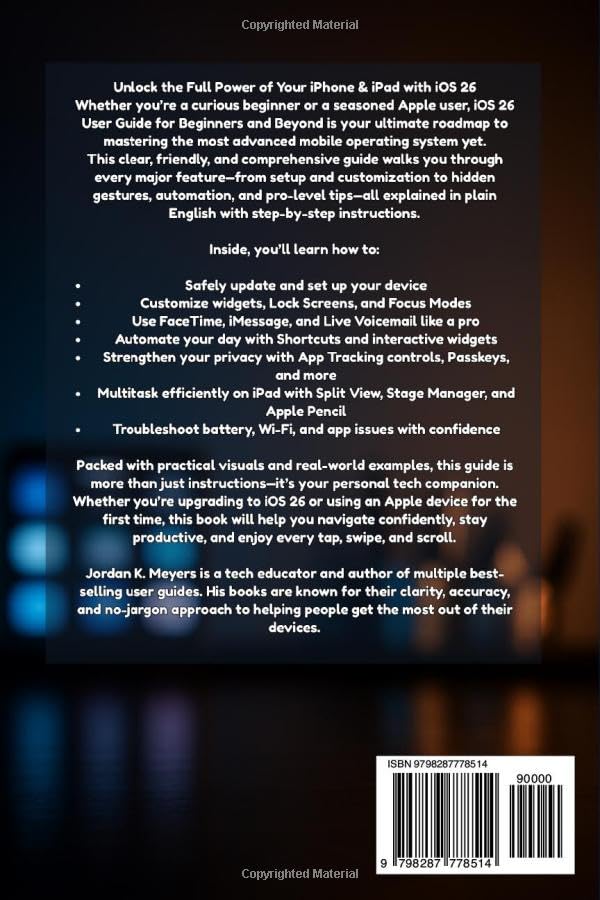
Descripció de la imatge: The back cover of the 'iOS 26 User Guide for Beginners and Beyond' book. It features a dark background with white text summarizing the book's content, highlighting features like safe setup, Lock Screen customizations, iMessage mastery, advanced privacy, shortcuts, iPadOS tools, and troubleshooting. It mentions the author, Jordan K. Meyers, and includes a barcode with the ISBN 979-8287778514 at the bottom.
Recursos i suport addicionals
For further assistance or inquiries regarding the content of this guide, please refer to the following:
- Informació de l'autor: Jordan K. Meyers is a recognized tech educator. For more information about the author's work, please refer to their published materials.
- Suport oficial d'Apple: For direct support concerning your iPhone or iPad and the iOS operating system, visit the official Apple Support weblloc.
- Comentaris: If you have feedback on this user guide, please contact the publisher.


